Building a simple UE5 viewer that switches between three NDI camera feeds
I built a UE5 viewer for three networked USB camera feeds, then worked through an NDIIO packaging error by moving the plugin into the project.
Note: This article is more than one year old.
- Compatibility between UE's NDI receiver and mobile sender apps depends on their versions. Check the release notes for both the plugin and the app.
- Camera permissions, background behavior, and resolution presets on iOS and Android can change with OS updates.
- Check NDI's terms of use and bandwidth requirements for your environment.
In the previous article, I sent three USB camera feeds over the network using NDI. This time, I will build a UE5 viewer that receives those feeds and switches cameras with the number keys.
Related USB camera listings: Search Amazon for USB cameras (Ad)
Previously: sending three USB camera feeds over the network with NDI
https://riragon.com/blog/en/ubuntu22-04-gstreamer-ndi-sdk-gst-plugin-ndi/
Receiving and displaying NDI video in UE5 (Unreal Engine 5)
https://riragon.com/blog/en/unreal-engine-5-ndi-reception-display-guide/
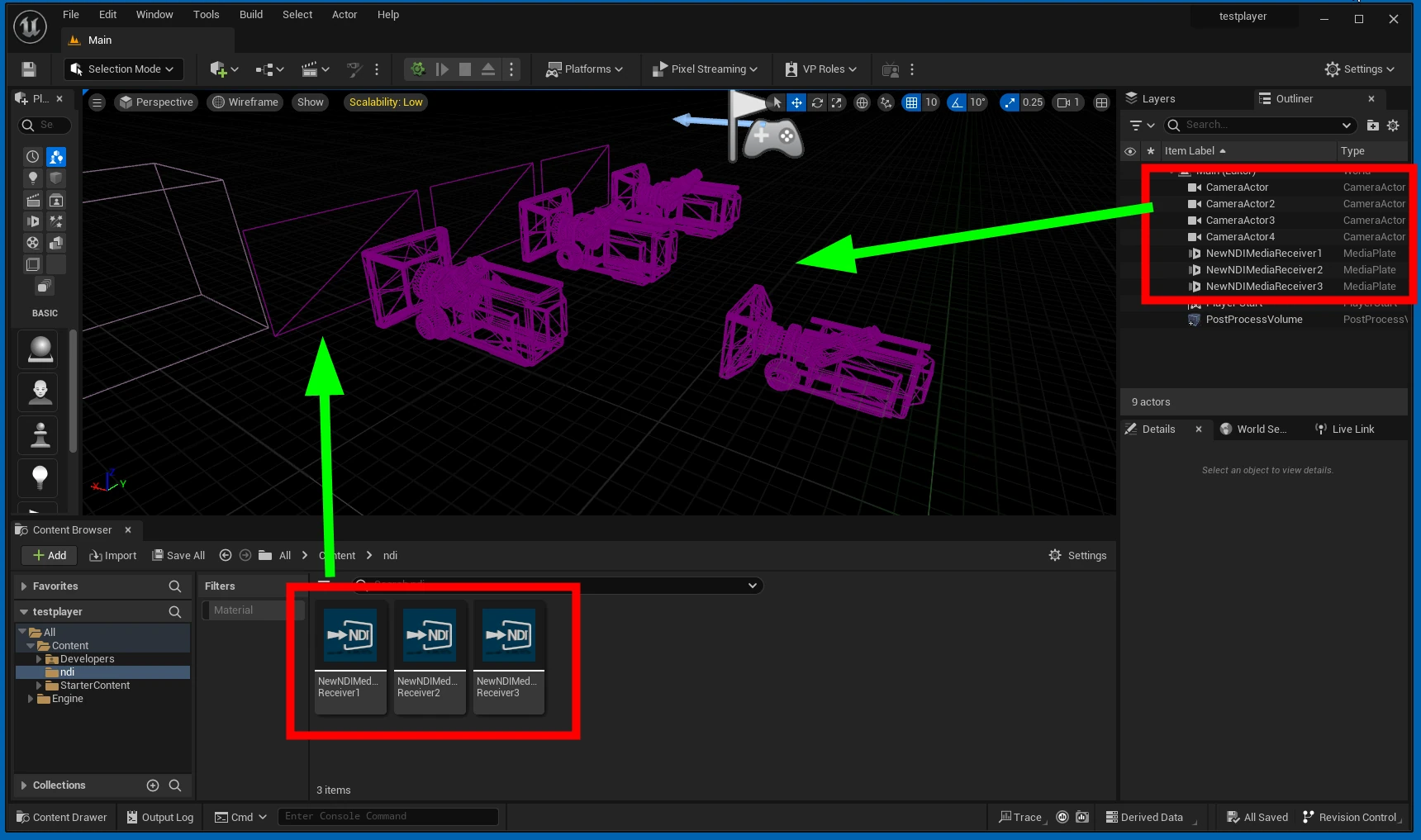
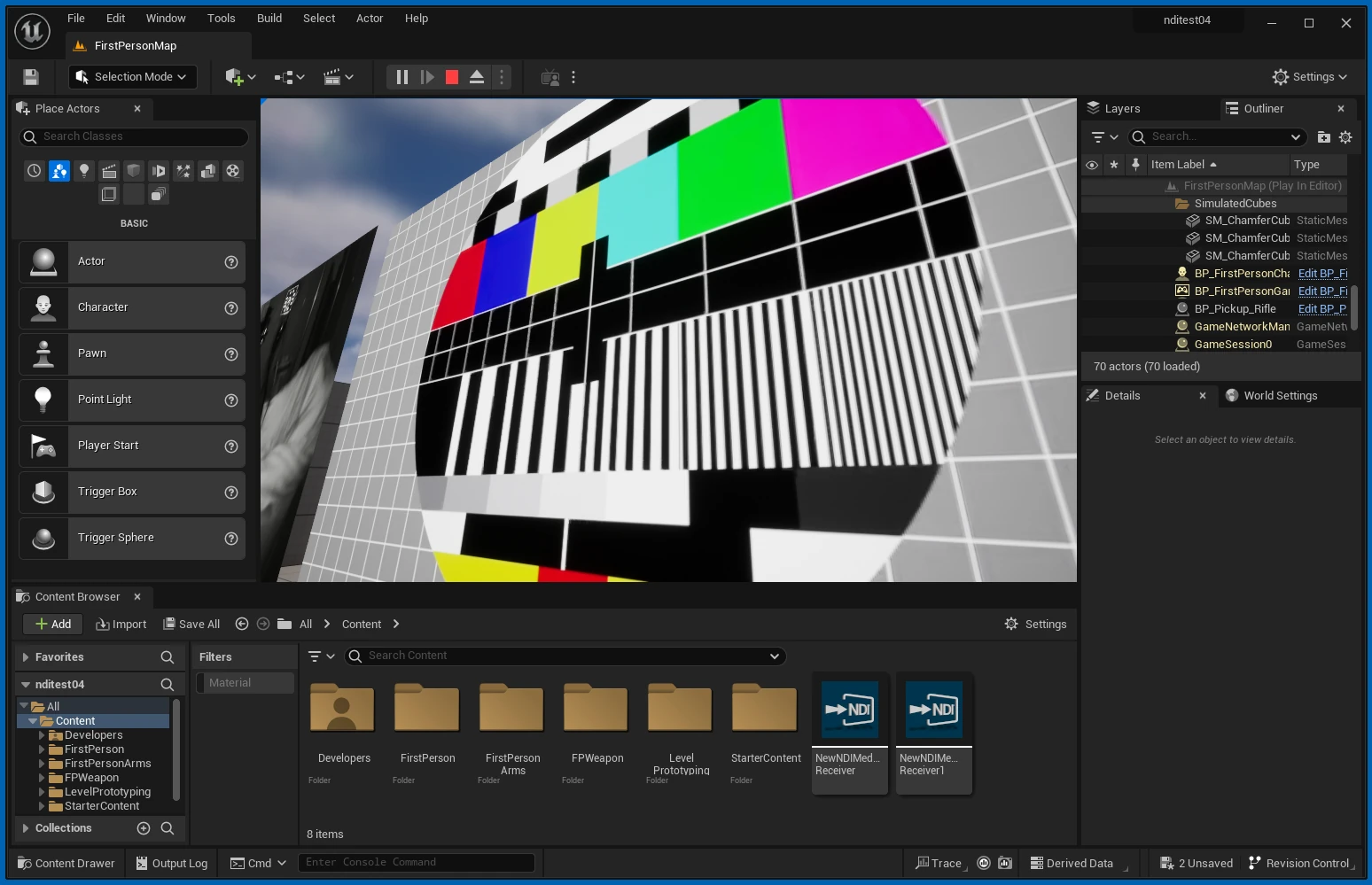
I opened UE5.2 and made the following project, with four CameraActors and three NDI screens.
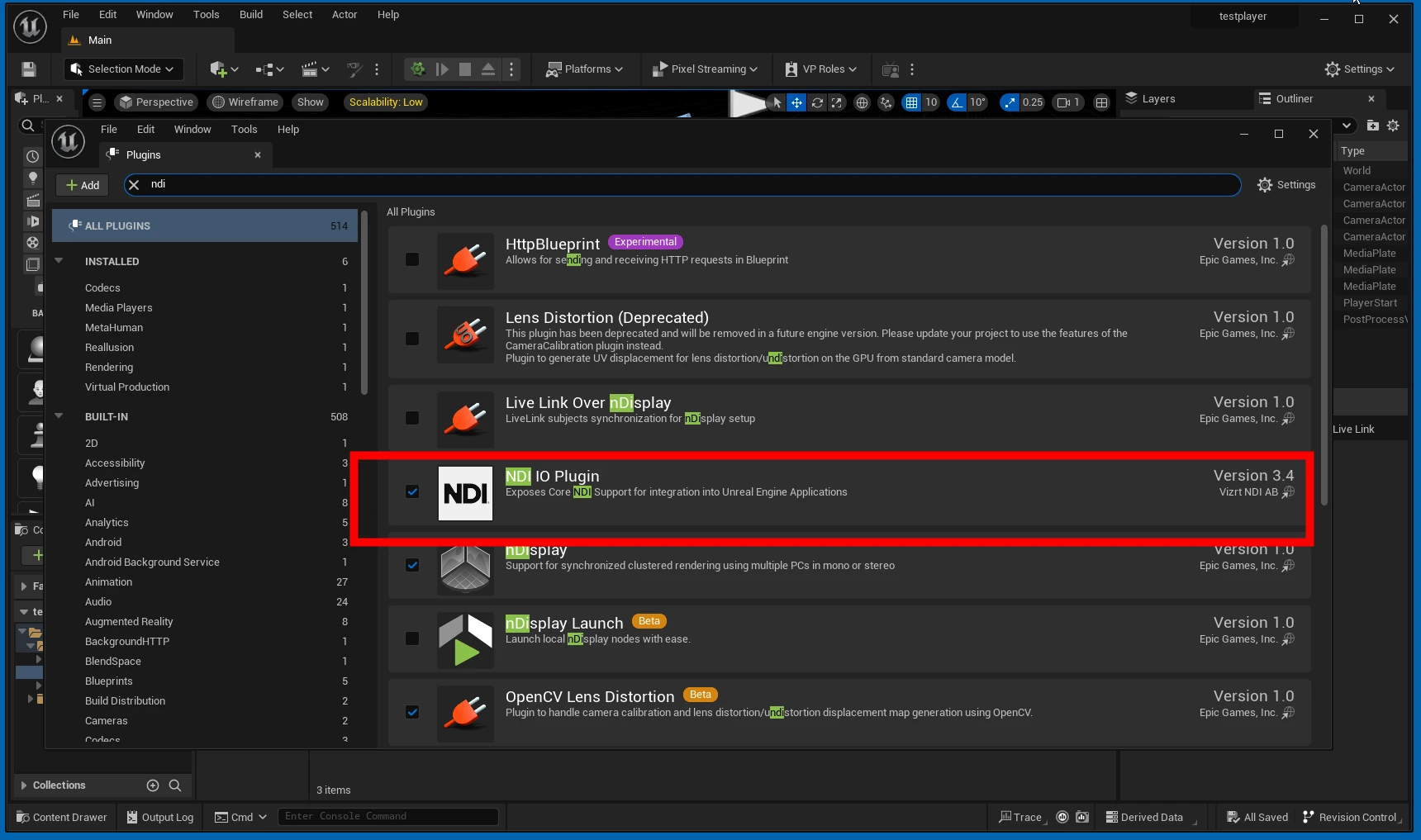
I had already enabled the NDI plugin.
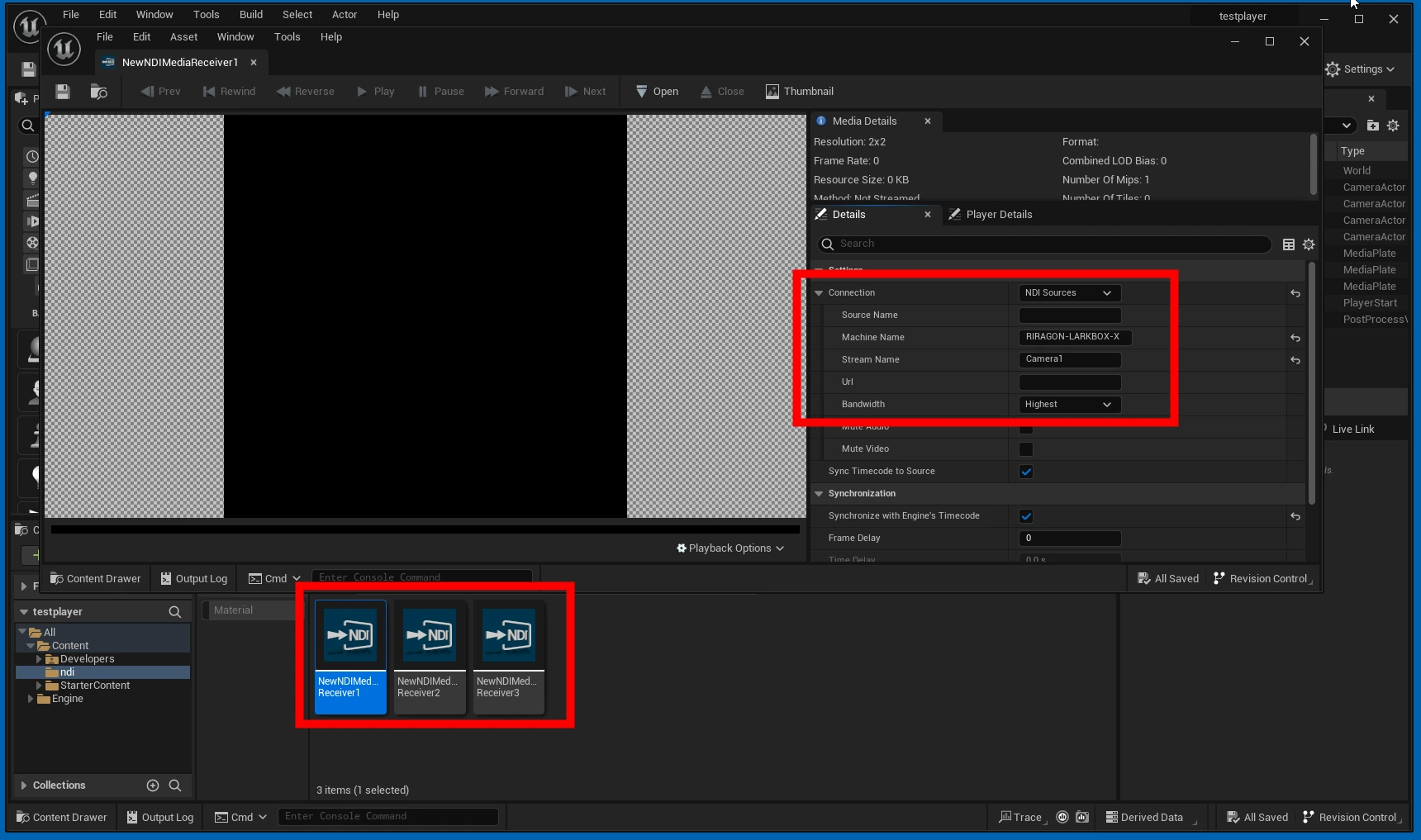
 I also created three NDI receiver configurations.
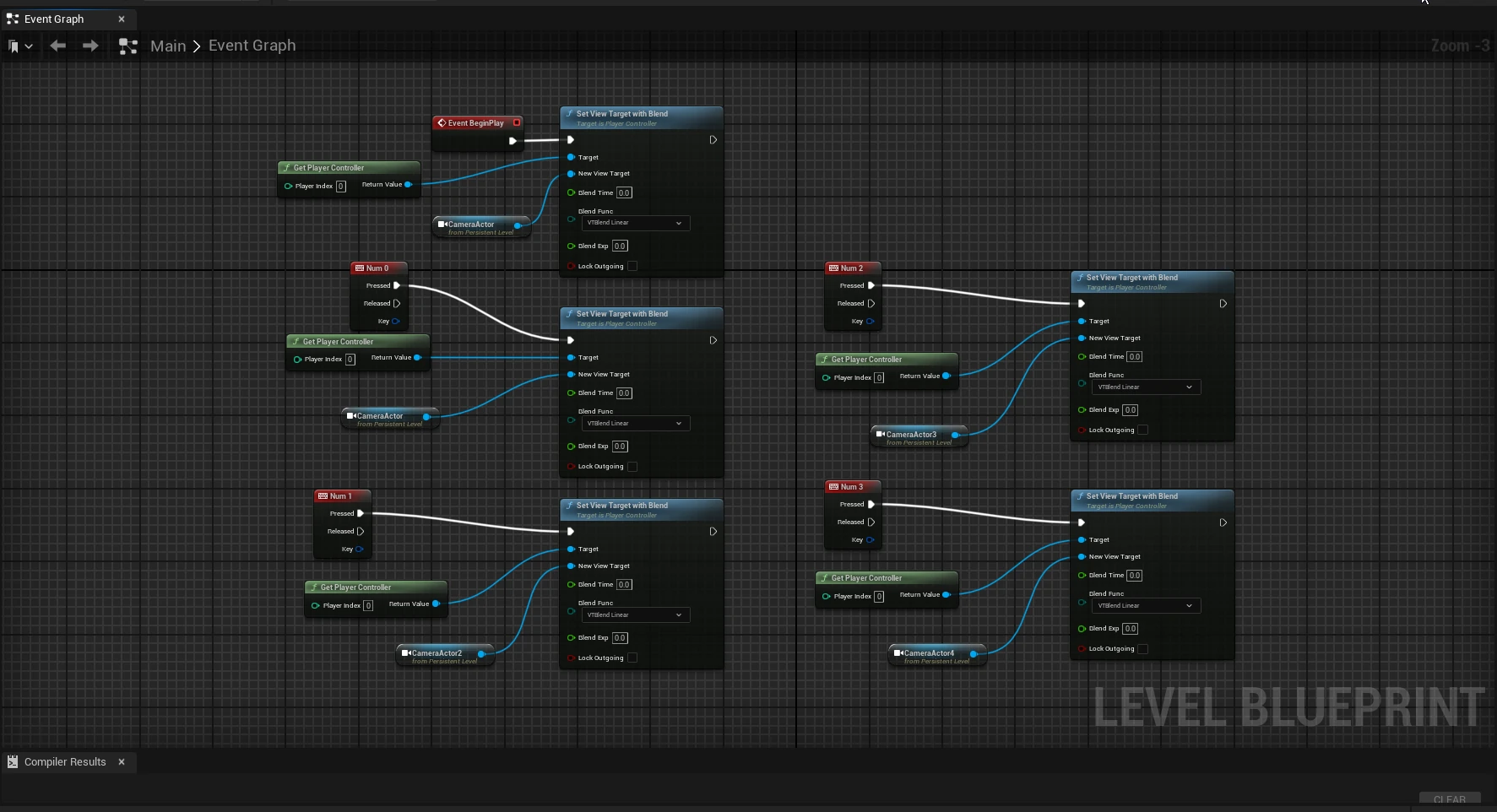
 I made a Blueprint that switches cameras when a number key is pressed.
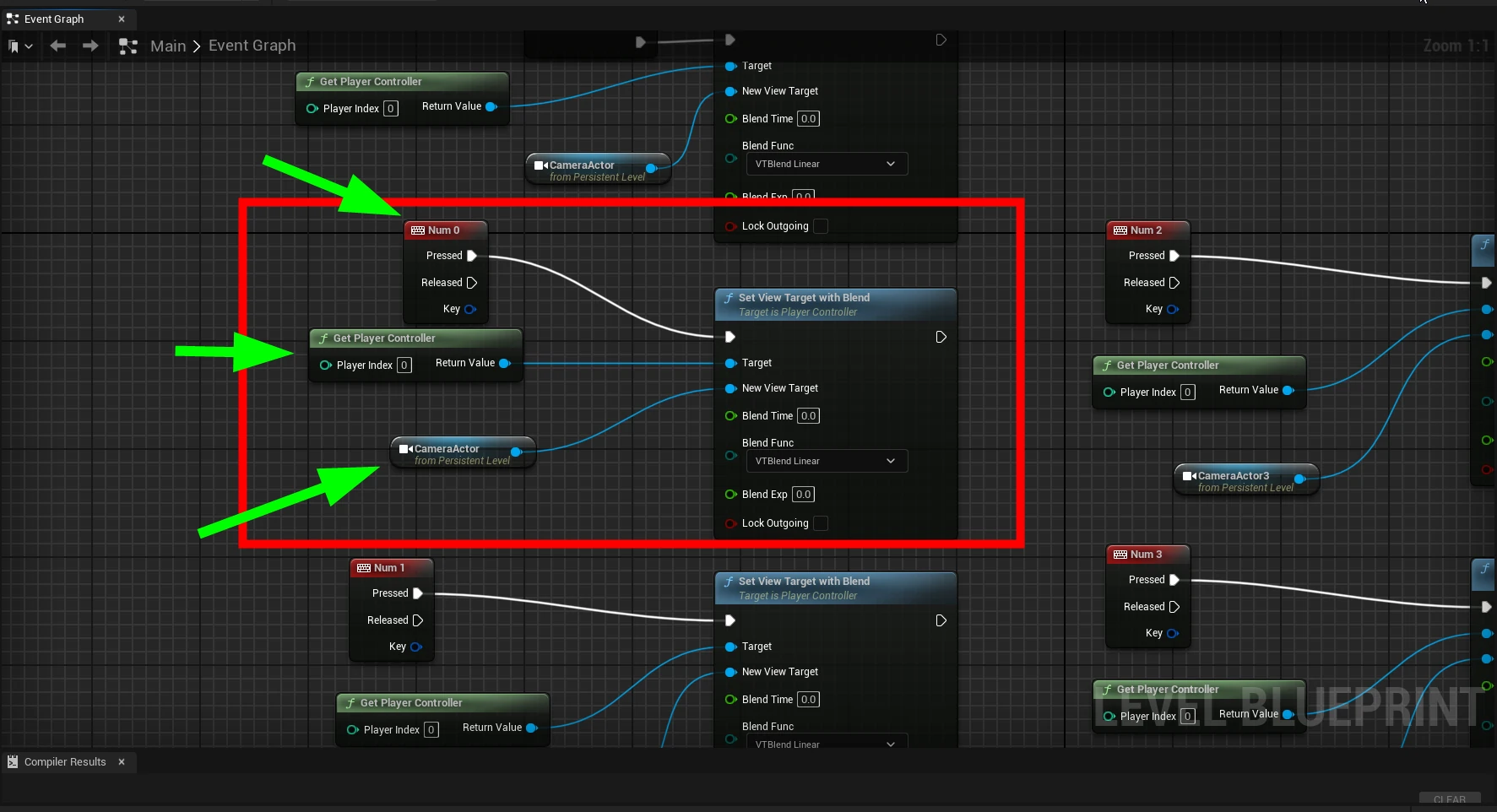 0 shows the overview, 1 the left camera, 2 the center camera, and 3 the right camera. The overview is shown initially.
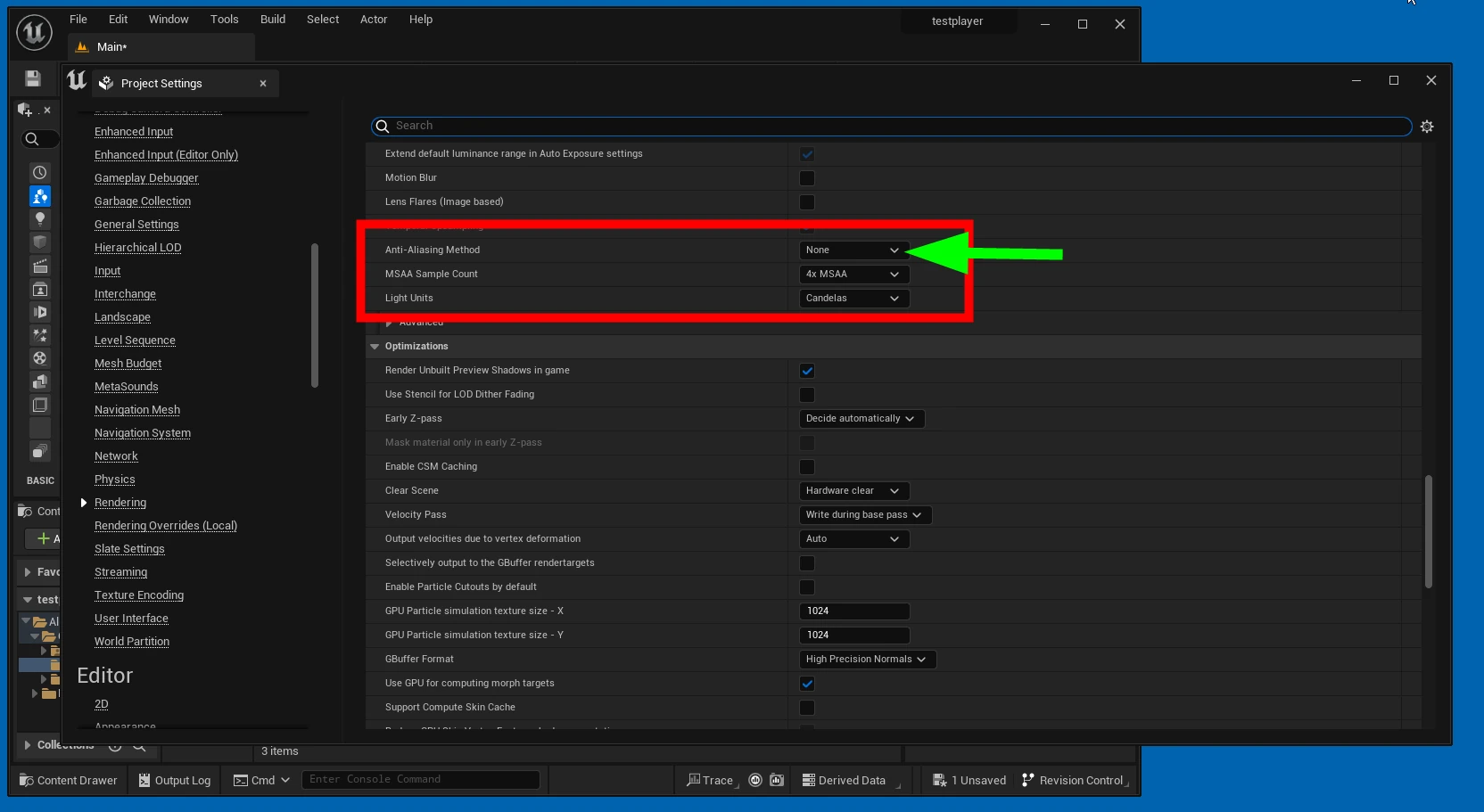
 The video showed ghosting, so I set the following option to None.
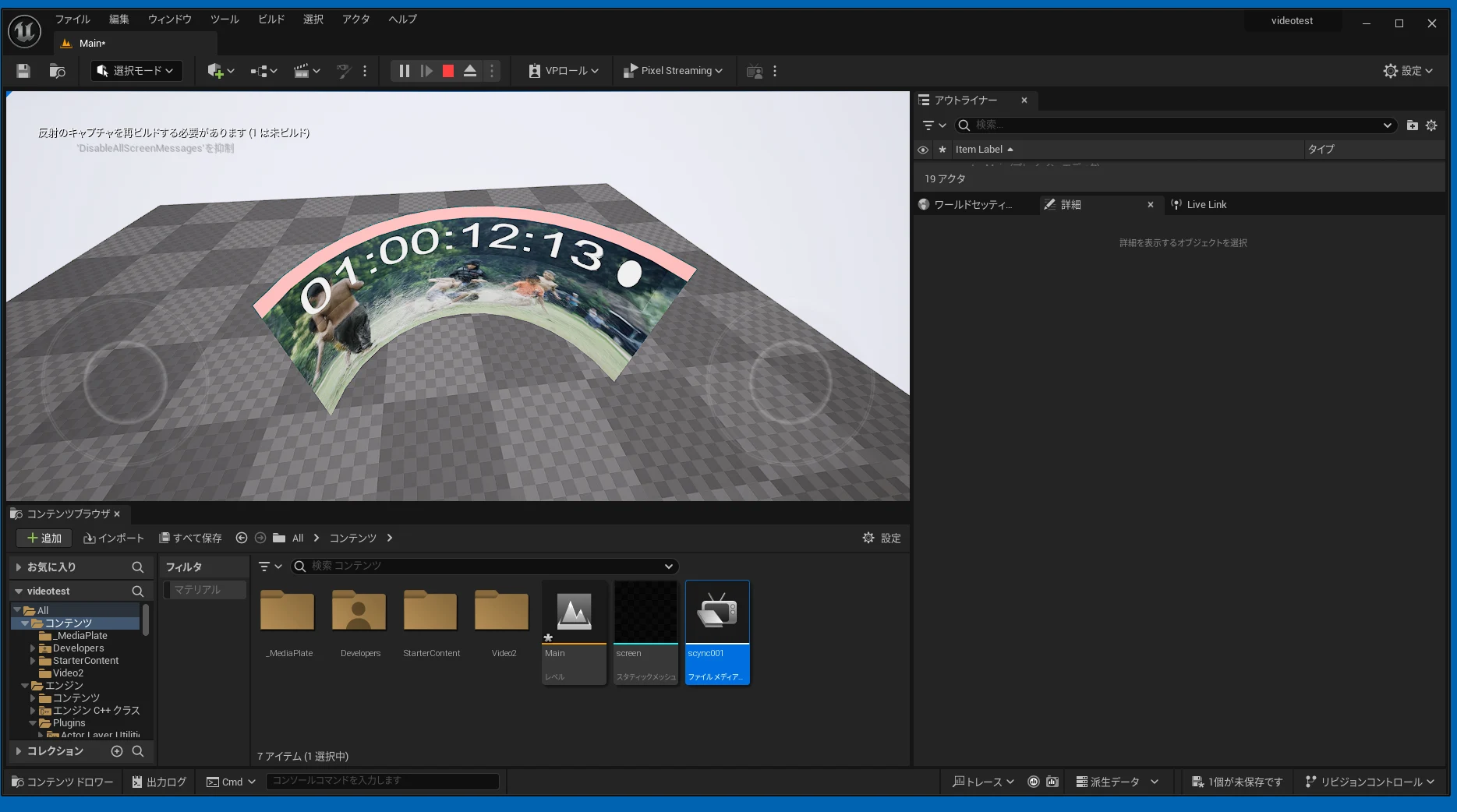
 I could now switch between the NDI camera feeds like this. It may not be a particularly practical use of UE5.
However, an NDIIO error prevented me from exporting the app, and I initially gave up. After about 30 hours of trial and error, I solved it. The following NDIIO error caused BUILD FAILED.
I could now switch between the NDI camera feeds like this. It may not be a particularly practical use of UE5.
However, an NDIIO error prevented me from exporting the app, and I initially gave up. After about 30 hours of trial and error, I solved it. The following NDIIO error caused BUILD FAILED.
Expecting to find a type to be declared in a module rules named 'NDIIO'... This type must derive from the 'ModuleRules' type defined by Unreal Build Tool
UATHelper: パッケージ化 (Windows): BUILD FAILED
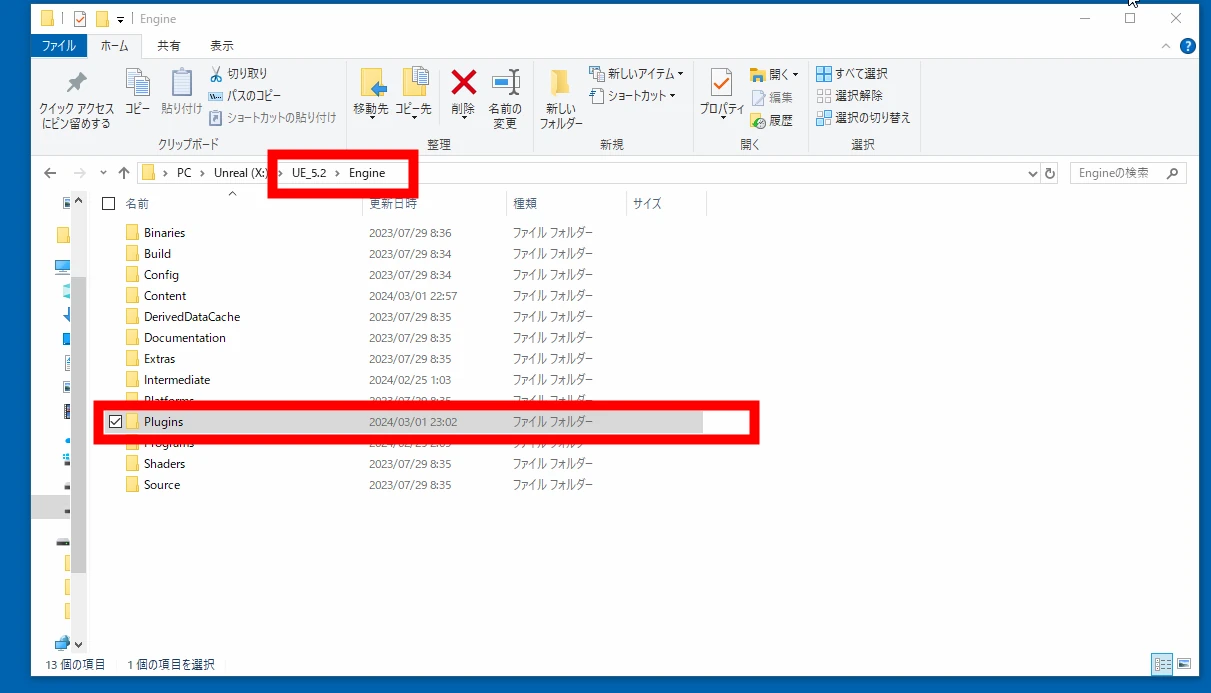
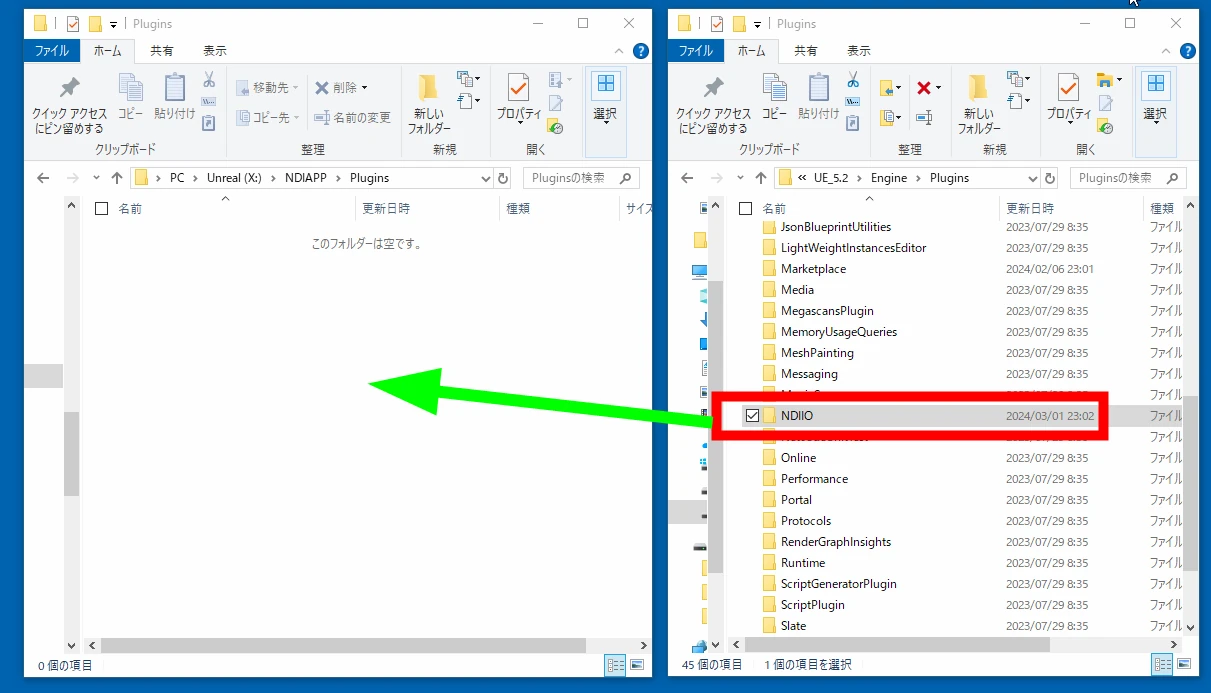
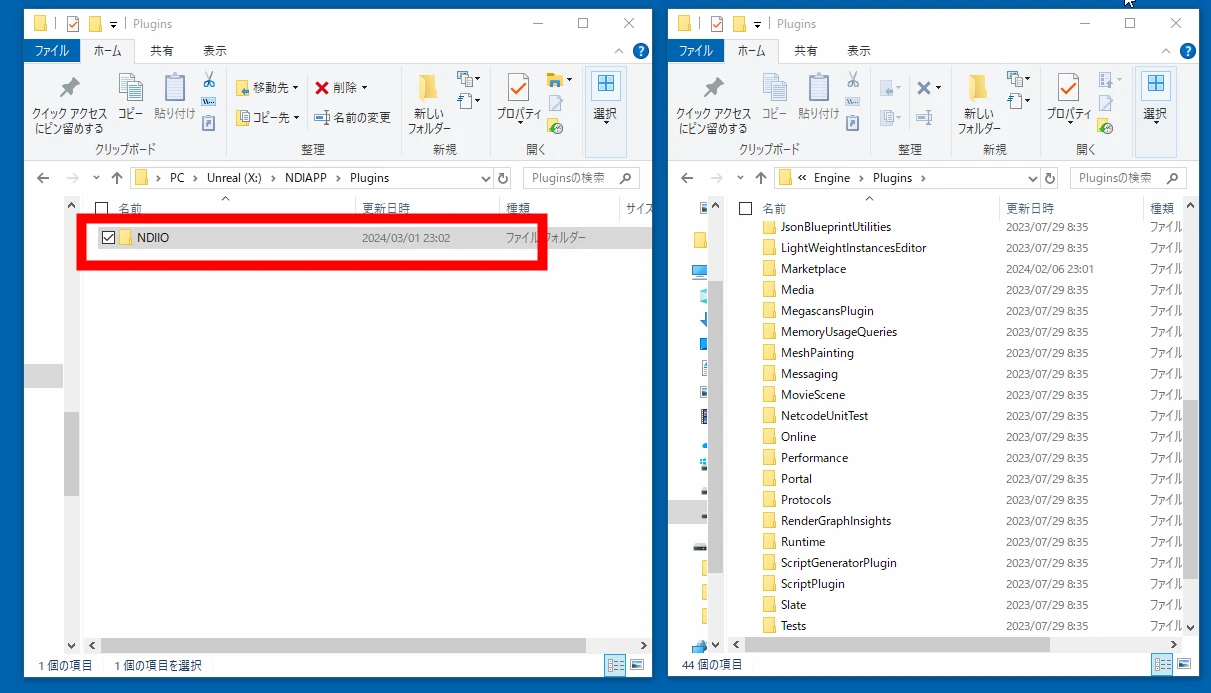
The NDIIO plugin did not seem to be packaging correctly. I moved NDIIO from the UE_5.2 folder into the project. This was a move, not a copy: I did not leave the original folder in place.
C:\Program Files\Epic Games\UE_5.2\Engine\Plugins\NDIIO\
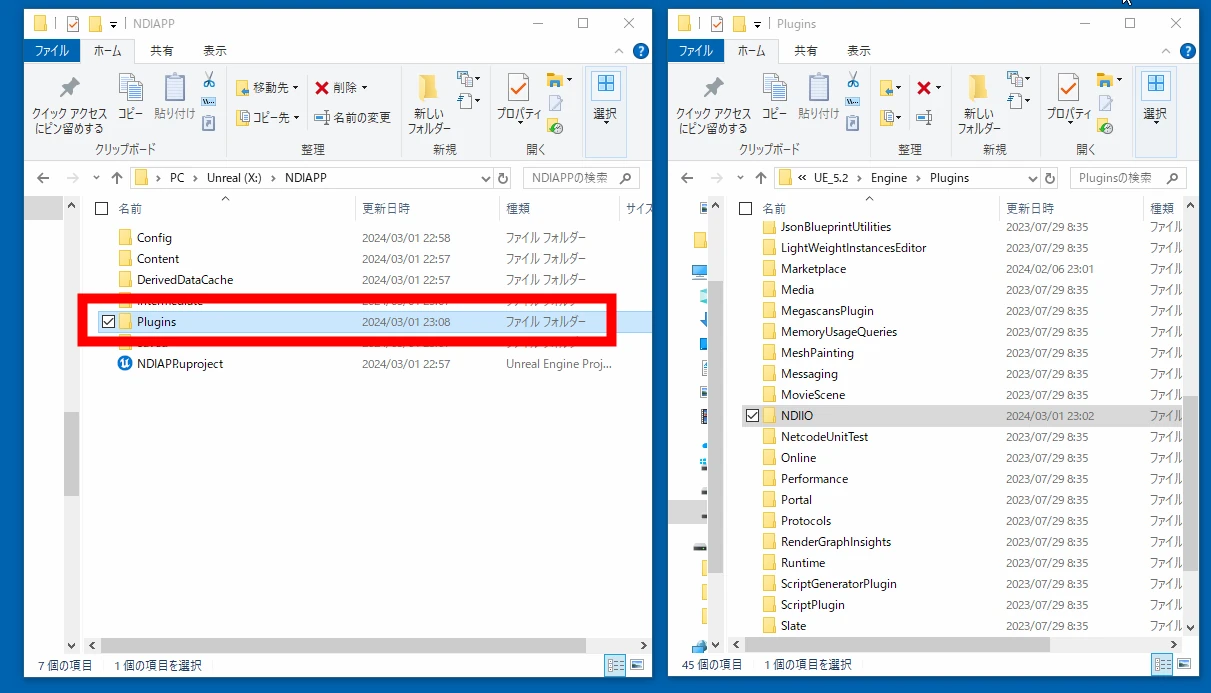
For example, if the UE5.2 project folder is named ndiplayer05:
C:\Users\----\Documents\Unreal Projects\ndiplayer05\
I created a Plugins folder there and moved the entire NDIIO folder into it. The build then succeeded.
Moving the plugin allowed it to be recognized.
Related articles
Updates and contact: X @riragoncom.