ASUS Vivobook Pro 16X OLED K6604JI review: three months of use, plus RAM and SSD upgrades
A hands-on review of the ASUS Vivobook Pro 16X OLED K6604JI-MX099W after three months of use, covering its strengths and weaknesses. The second half shows how I opened it to upgrade the memory and storage.
Note: This article was published more than a year ago.
- ASUS updates the specifications, BIOS, and drivers for individual models such as the K6604JI. Check the latest specification sheet before buying.
- Operating-system updates may change how OLED power-saving and burn-in protection settings behave.
- Prices, included accessories, and sales channels change over time. Treat the purchase information here as historical context.
This is my hands-on review of the ASUS Vivobook Pro 16X OLED K6604JI (K6604JI-MX099W).
I used it for three months.
Here are the good and bad points I found.
The second half also explains how I opened the laptop and upgraded its memory and storage.
I hope this helps if you are considering an ASUS Vivobook Pro OLED model.
I bought the ASUS Vivobook Pro 16X OLED K6604JI (K6604JI-MX099W) in September 2023.
It was released on May 26, 2023.
The list price was ¥329,800 including tax, but I bought it on sale for ¥257,800 including tax.
Around ¥260,000 felt inexpensive for the Core i9-13980HX and RTX 4070 configuration.
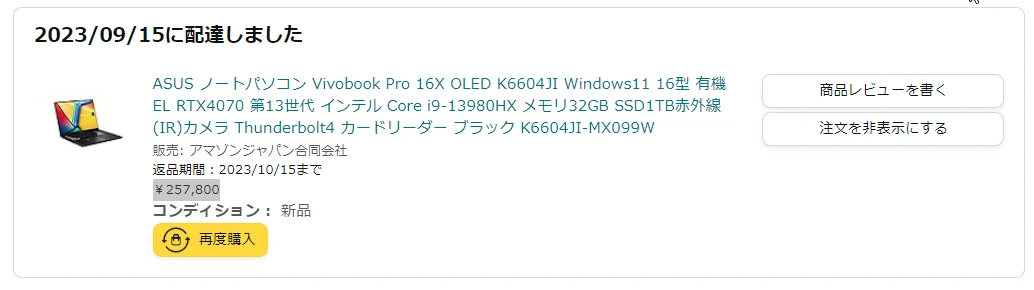 Update, June 17, 2024: Amazon appears to have received more stock. Looking back, I bought it at a very good price. I was lucky.
Find the ASUS Vivobook Pro 16X OLED K6604JI-MX099W on Amazon (Ad)
For some reason, the K6604JI-MX099W has remained difficult to buy. It is December 2023 as I write this: the manufacturer's store says it is in stock, but there is no purchase button, so I cannot order it. It has been unavailable since the sale. Perhaps it is being discontinued. That seems odd for such a good laptop.
https://jp.store.asus.com/store/asusjp/ja_JP/pd/productID.5759538400
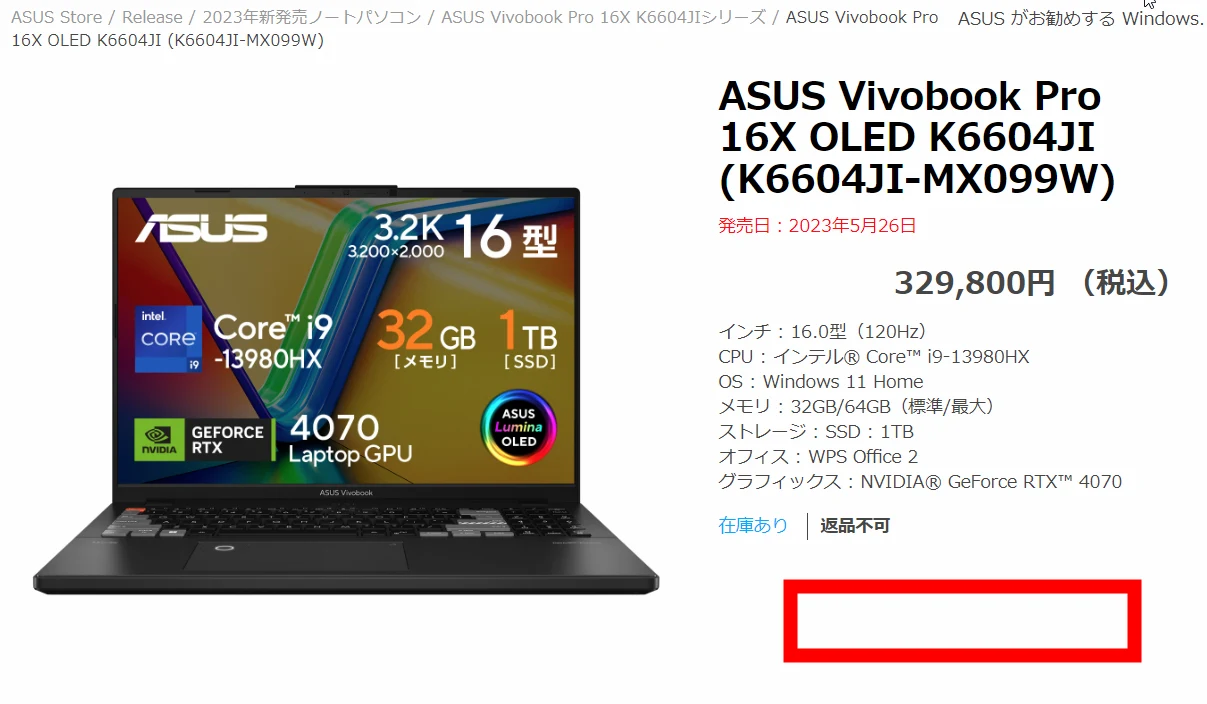 Here are the specifications. ASUS Vivobook Pro 16X OLED K6604JI (K6604JI-MX099W); released May 26, 2023; ¥329,800 including tax; 16.0-inch display at 120Hz; Intel Core i9-13980HX; Windows 11 Home; 32GB RAM standard, 64GB maximum; 1TB SSD; WPS Office 2; NVIDIA GeForce RTX 4070 graphics.
My search for a laptop
I spent about two weeks looking. I process video, so a GPU was essential, and the machine needed to be reasonably portable. From experience, carrying a 3kg laptop feels as though it bends my spine. My limit was 2kg, with the AC adapter's weight conveniently ignored. A 14-inch screen was too small and 17 inches too large, leaving 15 to 16 inches. The saddest thing about a laptop is how much value it loses in a few years.
I am tempted to pour ¥500,000, ¥600,000, or even ¥700,000 into a top-end laptop, but retaining half its value after two years would be a good outcome.
After five years, it could be worth a tenth of the original price.
That feels like a waste of money.
In 2023, the fastest laptop GPU is the RTX 4090.
The mobile 4090 only performs around the level of a desktop 4080 to 4070, but it is still exceptionally powerful.
If only the other conditions fitted... Unfortunately, many RTX 4090 laptops weigh around 3kg and are large enough to make carrying them a pain.
https://kakaku.com/pc/note-pc/itemlist.aspx?pdf_Spec119=59&pdf_so=p2
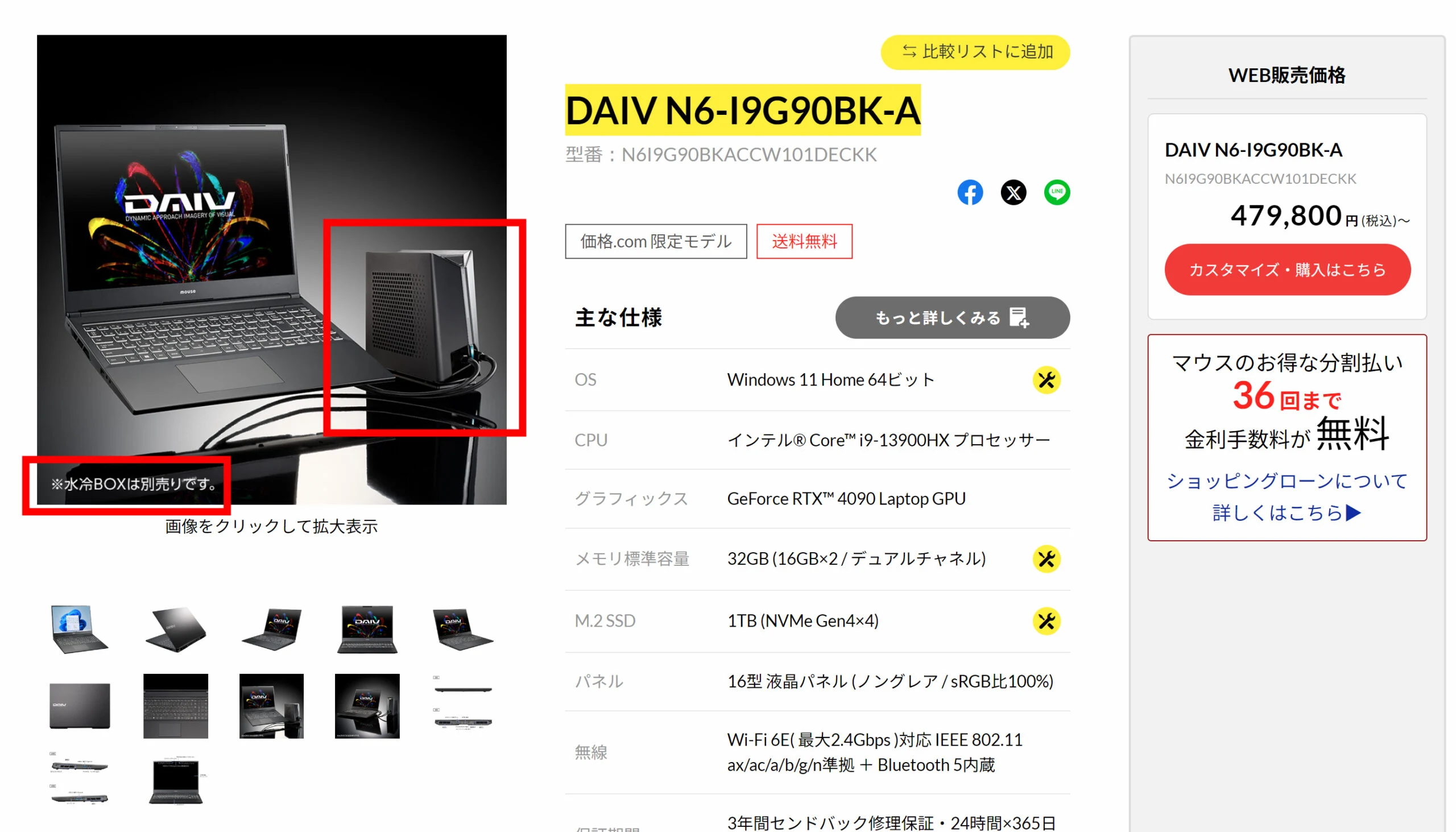
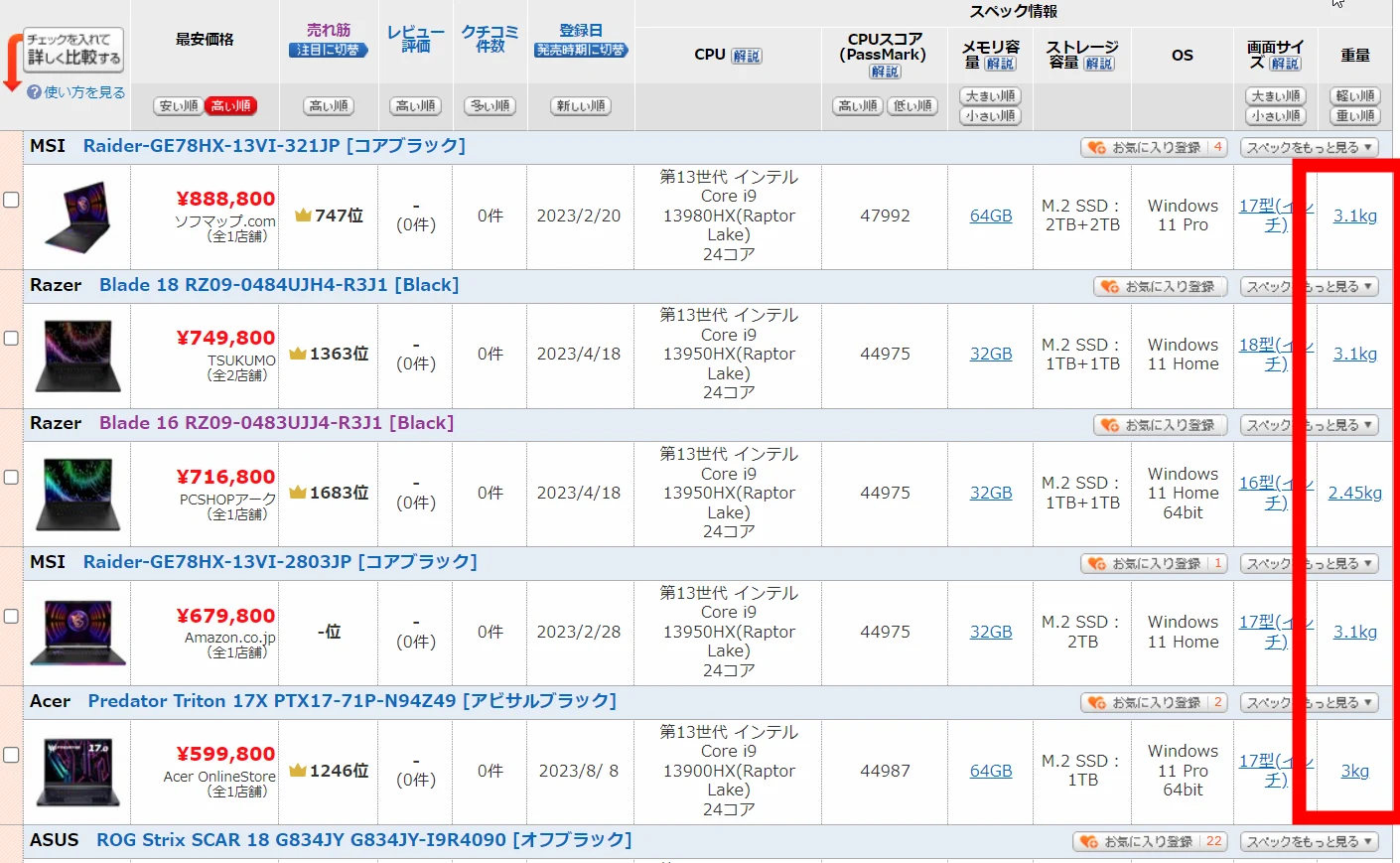 There is even an unusual 2.5kg water-cooled laptop, the DAIV N6-I9G90BK-A. I wonder how much performance it loses without the separately sold water-cooling unit. An RTX 4090 at 2.5kg for that price looks appealing... or perhaps it is a niche oddity.
Find the DAIV N6-I9G90BK-A on Amazon (comparison model) (Ad)
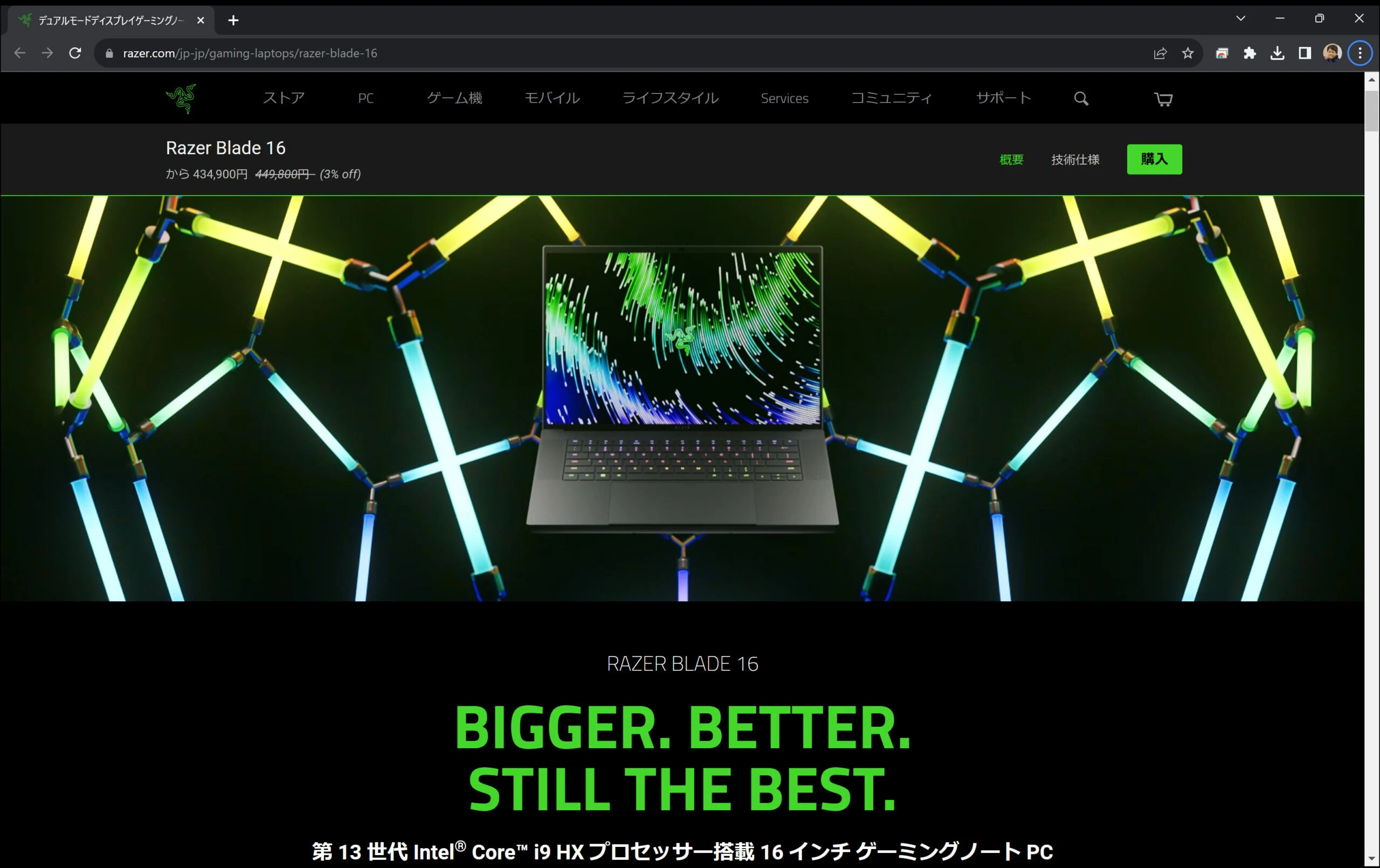
 Some RTX 4090 laptops weigh only 2.5kg. If the budget did not matter, the Blade 16 RZ09-0483UJJ4-R3J1 would look very tempting.
https://www.razer.com/jp-jp/gaming-laptops/razer-blade-16
Find the Razer Blade 16 RZ09-0483UJJ4-R3J1 on Amazon (comparison model) (Ad)
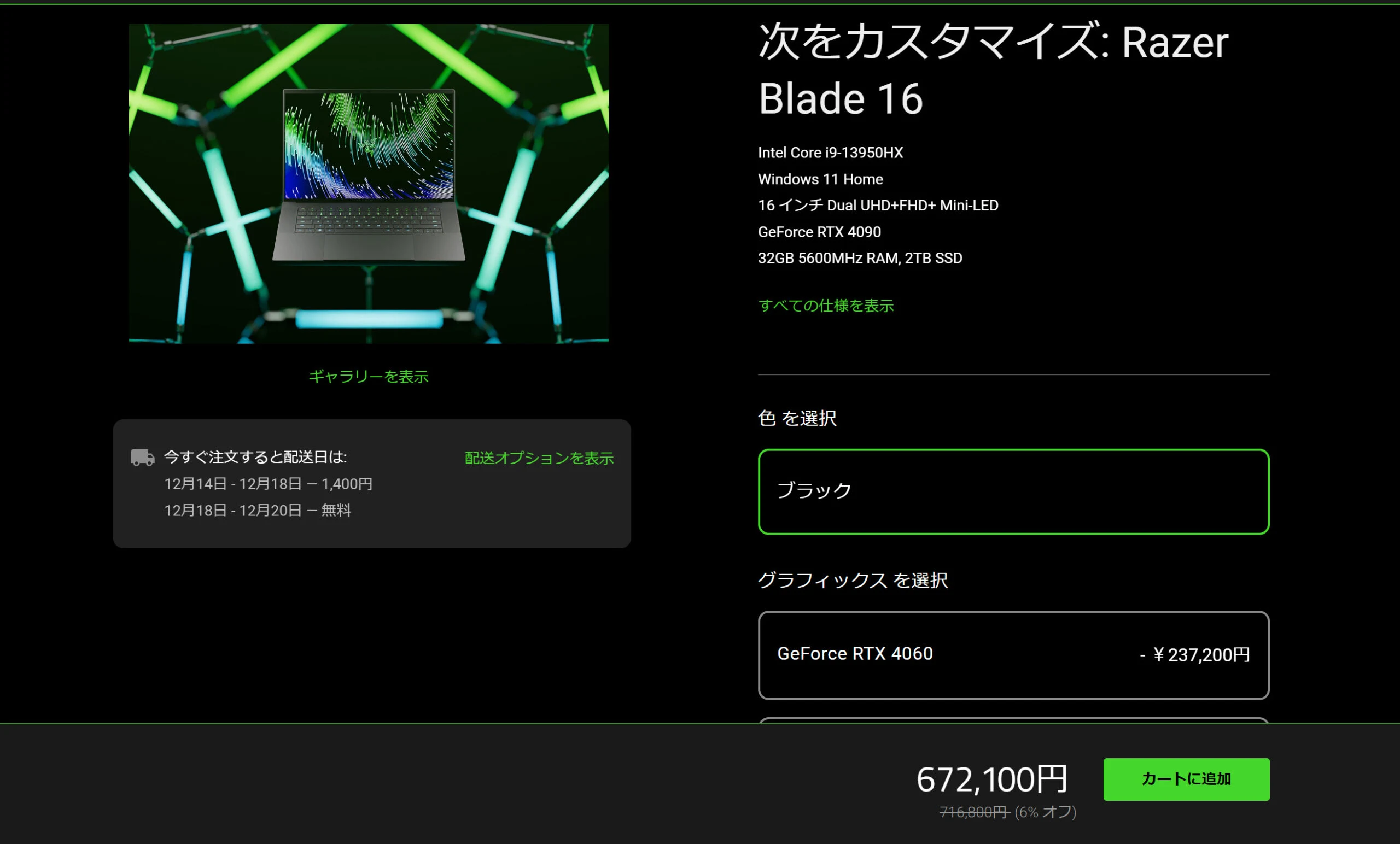
 Choosing the 4090 brings the price to ¥670,000. A weight of 2.4kg with those specifications is astonishing. I want one... but it is far too expensive.
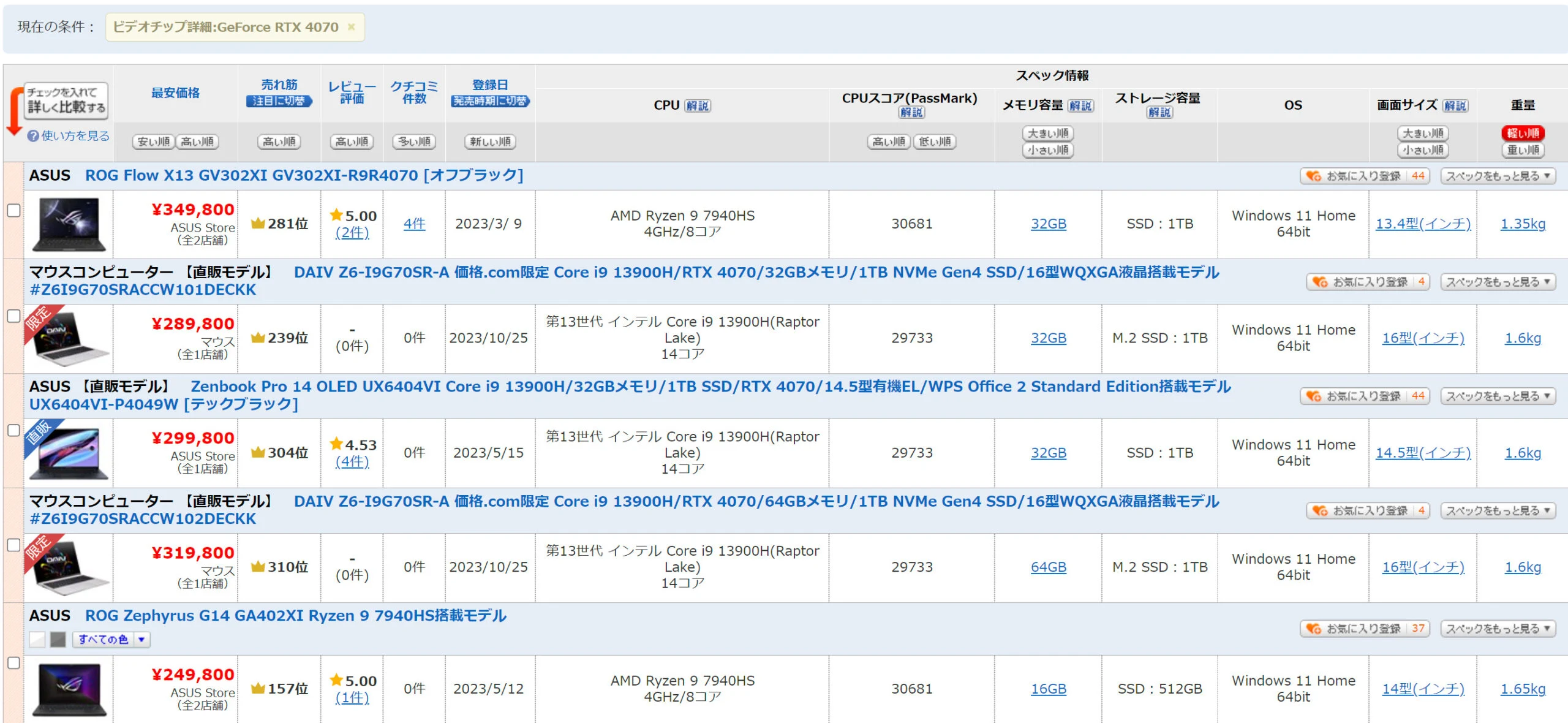
 RTX 4070 machines are lighter, with more models coming in below 2kg.
More of them are also priced below ¥300,000.
The ASUS Vivobook Pro 16X OLED K6604JI (K6604JI-MX099W) weighs 2.18kg.
Its CPU is the 13th-generation Intel Core i9-13980HX (Raptor Lake), with 24 cores.
Having a top-tier CPU is a welcome bonus.
https://kakaku.com/pc/note-pc/itemlist.aspx?pdf_Spec119=61&pdf_so=Spec303_a
 Without the sale, I would have chosen an RTX 4060 machine. There are some below ¥200,000. The RTX 4060 range probably offers the best value.
https://kakaku.com/pc/note-pc/itemlist.aspx?pdf_Spec101=54&pdf_Spec119=62&pdf_so=p1
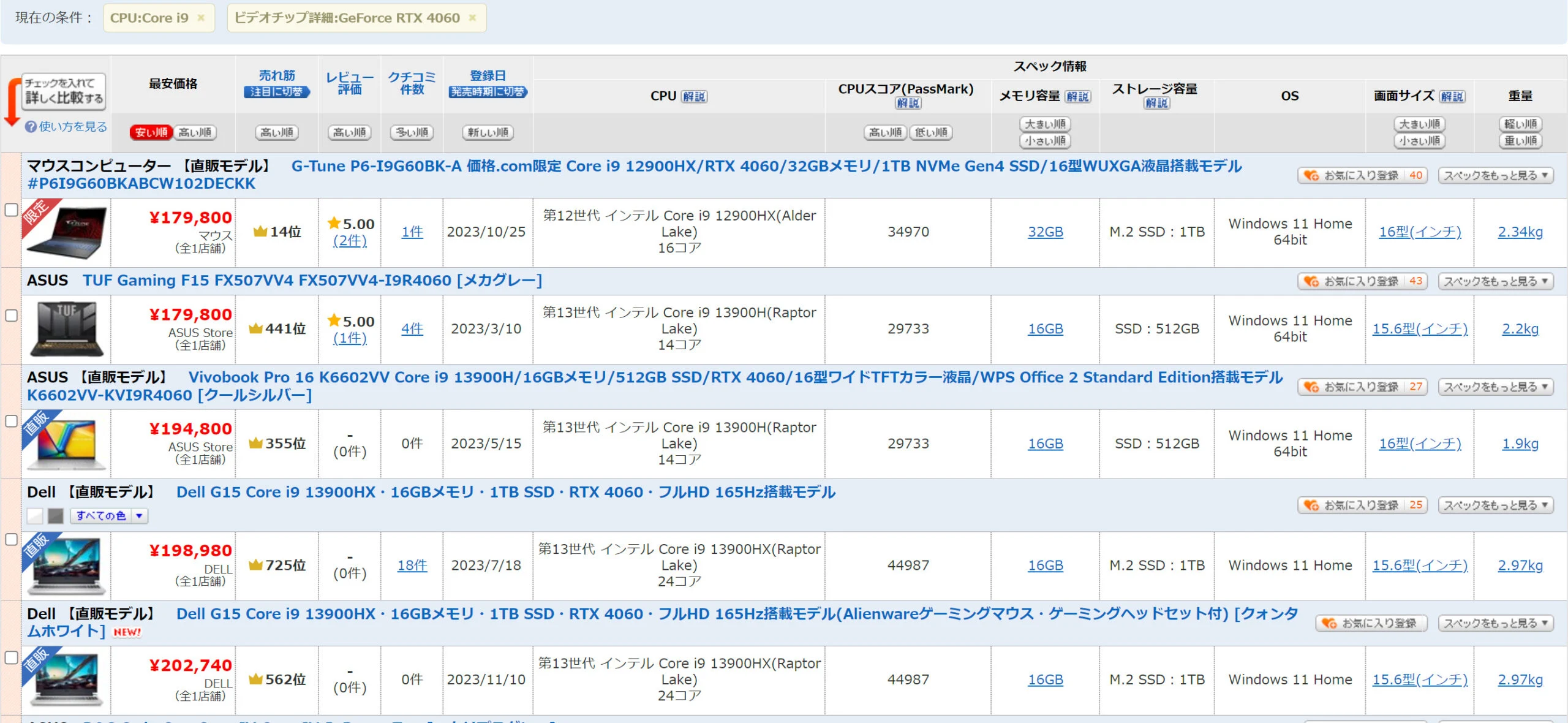 In practice, perhaps only 10 to 15% separates the laptop RTX 4060 and RTX 4070.
RTX 4070 Mobile vs RTX 4060 Mobile comparison
The mainstream range sells in greater volume and attracts more price competition. Given that value, simply buying a 4060 machine is probably the sensible choice. The 4070 range might be an awkward, poor-value middle ground.
ASUS Vivobook Pro 16X OLED K6604JI features
I will introduce the K6604JI's features, but the sites below provide excellent general reviews. That is what specialist publications do well.
https://pc.watch.impress.co.jp/docs/column/hothot/1514892.html
https://thehikaku.net/pc/asus/23Vivobook-Pro-16X.html
https://ascii.jp/elem/000/004/142/4142409/
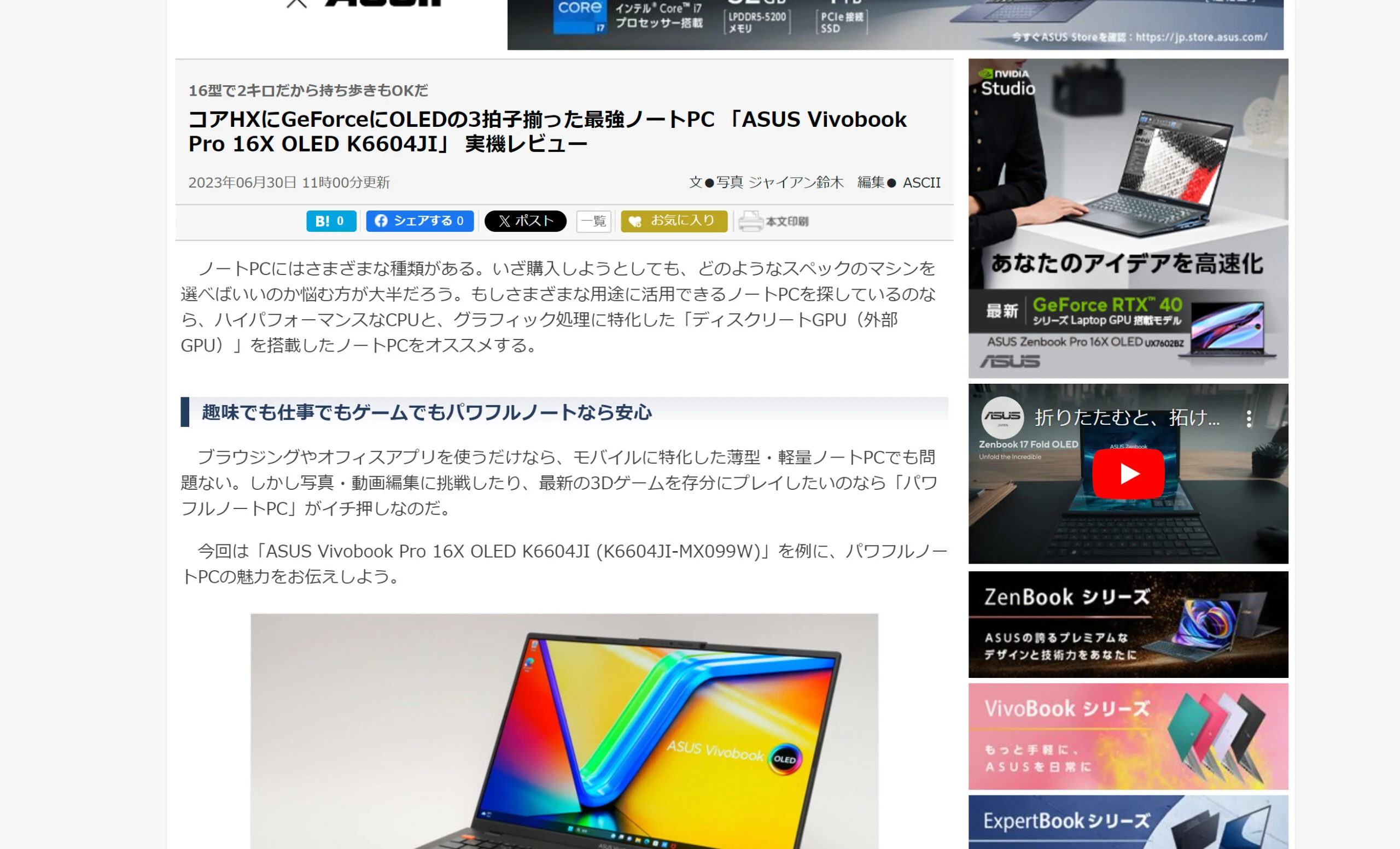 Next, a quick list of its excellent basic specifications. I have no complaints about its performance as a laptop.
- Core i9-13980HX processor The most powerful laptop CPU at the time; no complaints.
- 32GB RAM Generous for a laptop; no complaints.
- 16.0-inch OLED, 3,200 × 2,000 pixels, 120Hz A bright OLED display with HDR support and 3,200 × 2,000 pixels; no complaints.
- NVIDIA GeForce RTX 4070 Comparable to a desktop RTX 4060, but this is a laptop; no complaints.
ASUS is an internationally recognized computer-hardware and electronics company headquartered in Taiwan.
It is particularly well known for motherboards, PCs, laptops, graphics cards, monitors, and a wide range of peripherals.
Its laptop lineup serves many different parts of the market.
These include the high-performance ROG and TUF gaming ranges and the consumer VivoBook and ZenBook ranges.
Initially, I looked at the high-end ROG and TUF ranges.
However, OLED models seemed to be limited to the VivoBook and ZenBook ranges. Looking at the specifications and weights, some VivoBooks were both lighter and more powerful.
That is how I ended up thinking, 'The VivoBook looks good.'
What I disliked about the ASUS Vivobook Pro 16X OLED K6604JI
Here are the strengths and weaknesses I found over three months. I will start with the weaknesses.
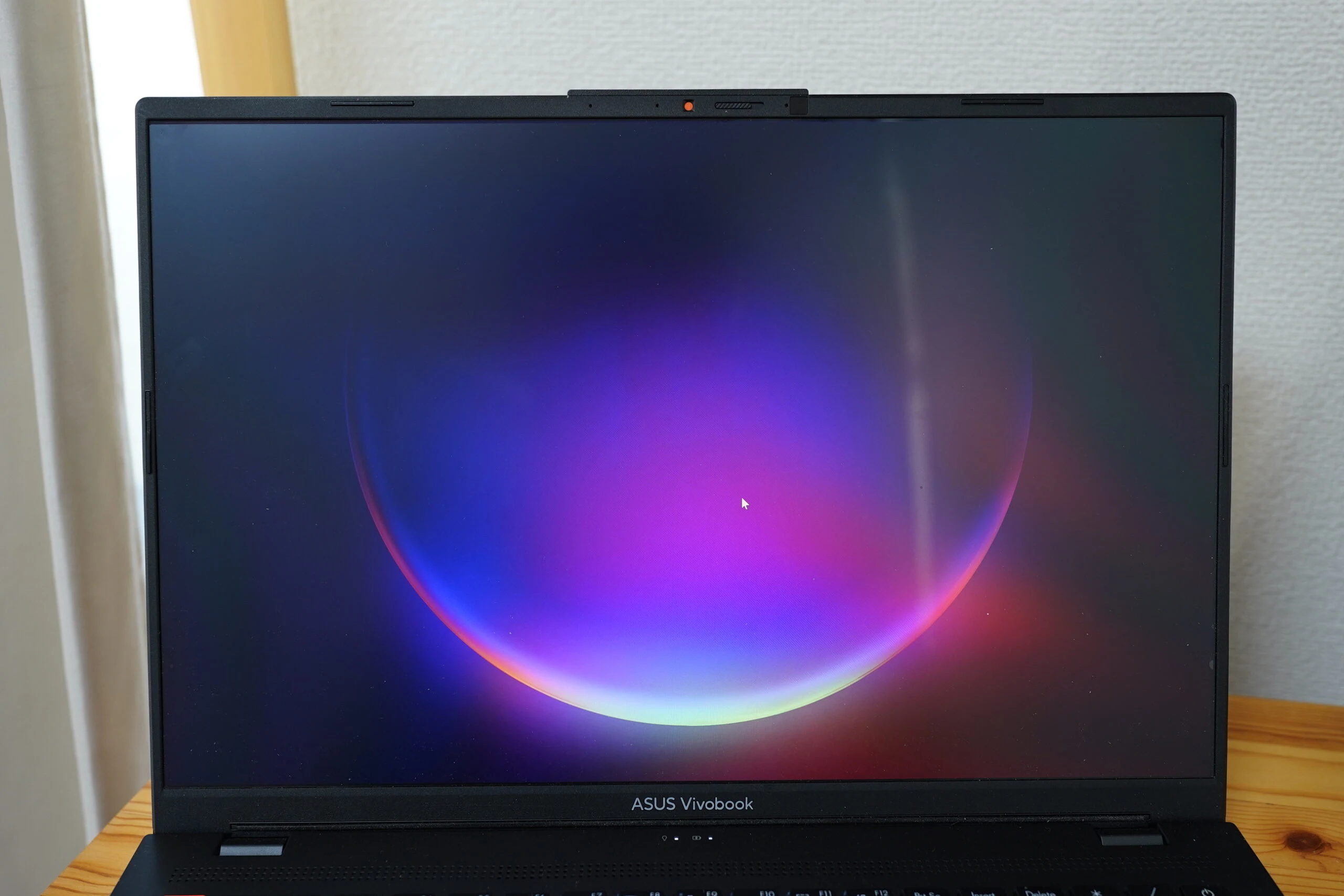
Weakness 1: the horribly shiny, glossy display
Perhaps it is an OLED characteristic, but only a glossy, reflective screen is available. There is no matte model. I mistakenly thought it was matte when I ordered it. Personally, I cannot understand choosing a glossy screen on purpose. I bought a reflection-reducing film from PDA Kobo for the same series. It is not specified for this exact model, but it fits perfectly. The screen is now much easier to view, like a matte display, and the film also protects its surface. Color or brightness might be reduced slightly, but I do not notice it.
View PDA Kobo PerfectShield for Vivobook Pro 16X OLED M7600/N7600 on Amazon (Ad)
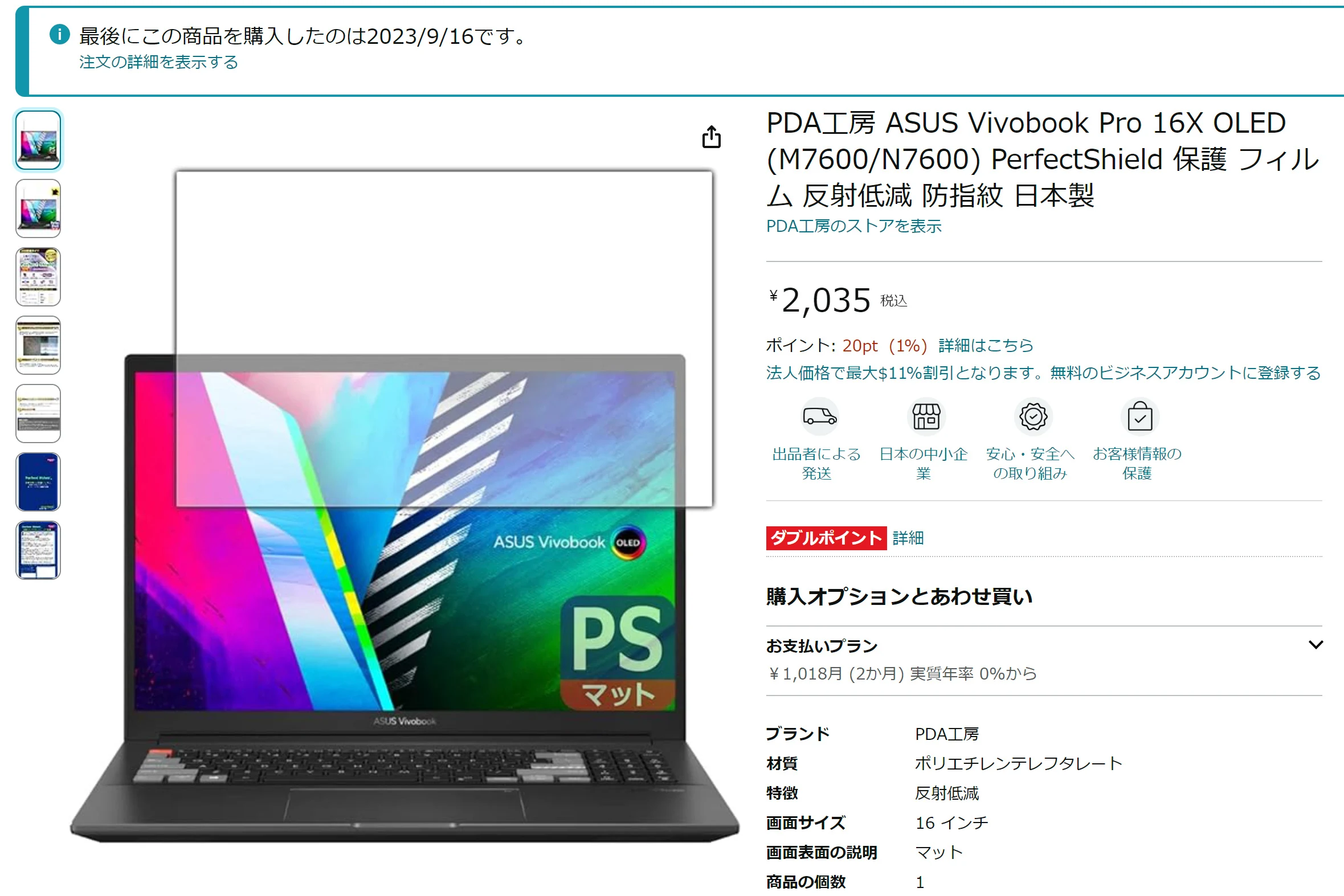 The film fits perfectly and gives the screen a pleasant matte finish.
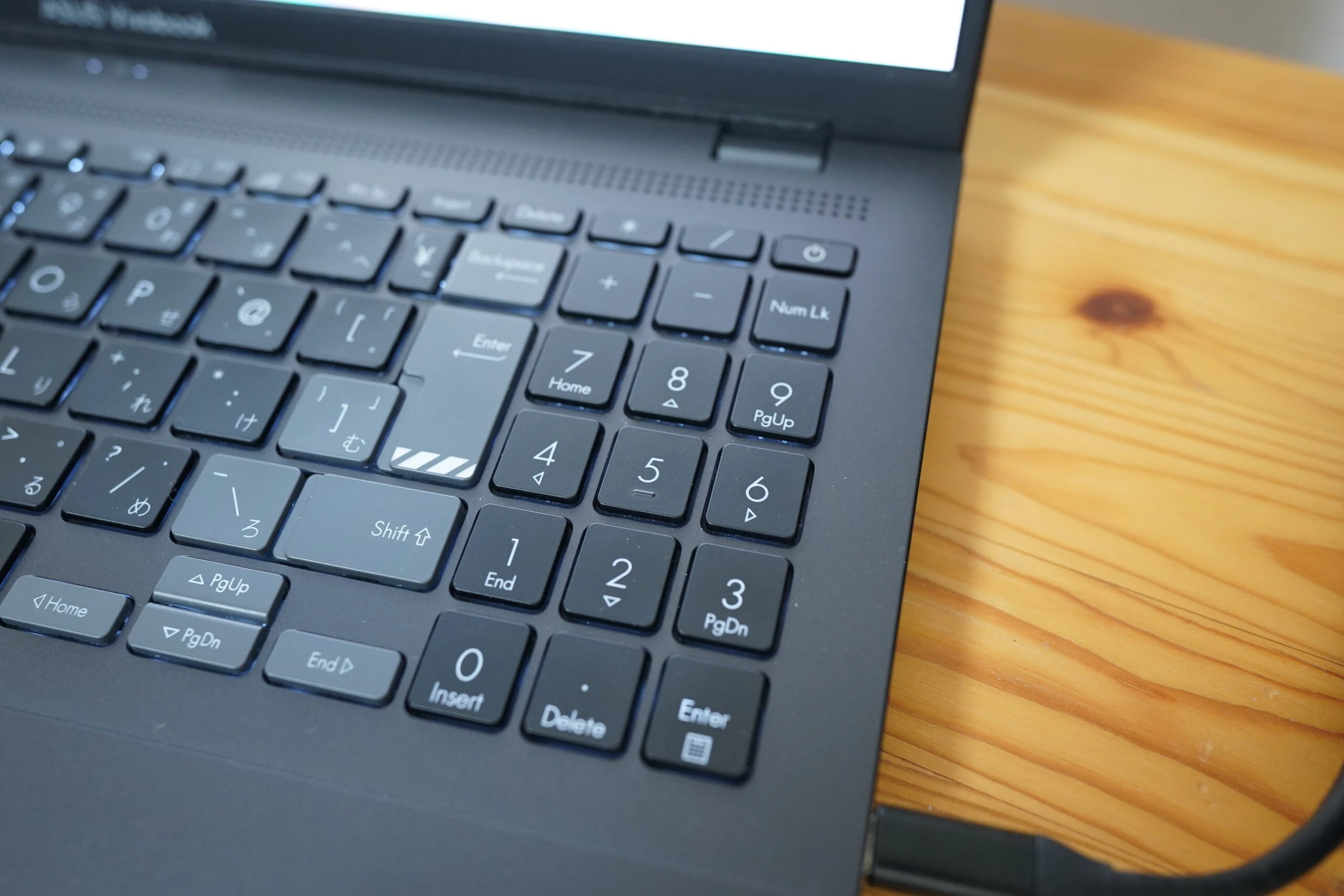
Weakness 2: the numeric keypad layout
I can live with this one.
Anyone who uses a numeric keypad heavily for work should pay attention.
As on many laptops, the keypad has an unusual arrangement, presumably to save space.
I have to look at it while typing.
The digit arrangement is normal, but the positions of Enter, minus, and other keys are awkward.
Enter sits where I expect the decimal point, so I press the wrong key every time.
I want a decimal point and get Enter instead!
Weakness 3: loud fans
With an RTX 4070 inside, this is expected and does not bother me. There are settings that prioritize quiet operation. Maximum performance also means maximum fan operation. Under load, it makes a loud whooshing noise. I actually find that reassuring: it is doing its cooling properly. Those are about all the weaknesses I found in the ASUS Vivobook Pro 16X OLED K6604JI. Overall, including the small details, it is easy to use and has left a very good impression.
What I liked about the ASUS Vivobook Pro 16X OLED K6604JI
These are the good points I found after three months. I will leave detailed specification testing to specialist reviewers. Its basic performance and specifications all satisfy me.
Strength 1: a proper OLED display
ASUS's OLED display has accurate colors and reaches 616 nits. It feels like a serious display. I would expect a standalone monitor with these capabilities to cost over ¥100,000. OLED panels vary widely, and many offer less than 500 nits of brightness; a nit is the same luminance unit as a candela per square meter. The 3K resolution is welcome too.
https://www.asus.com/content/asus-lumina-oled-laptop/
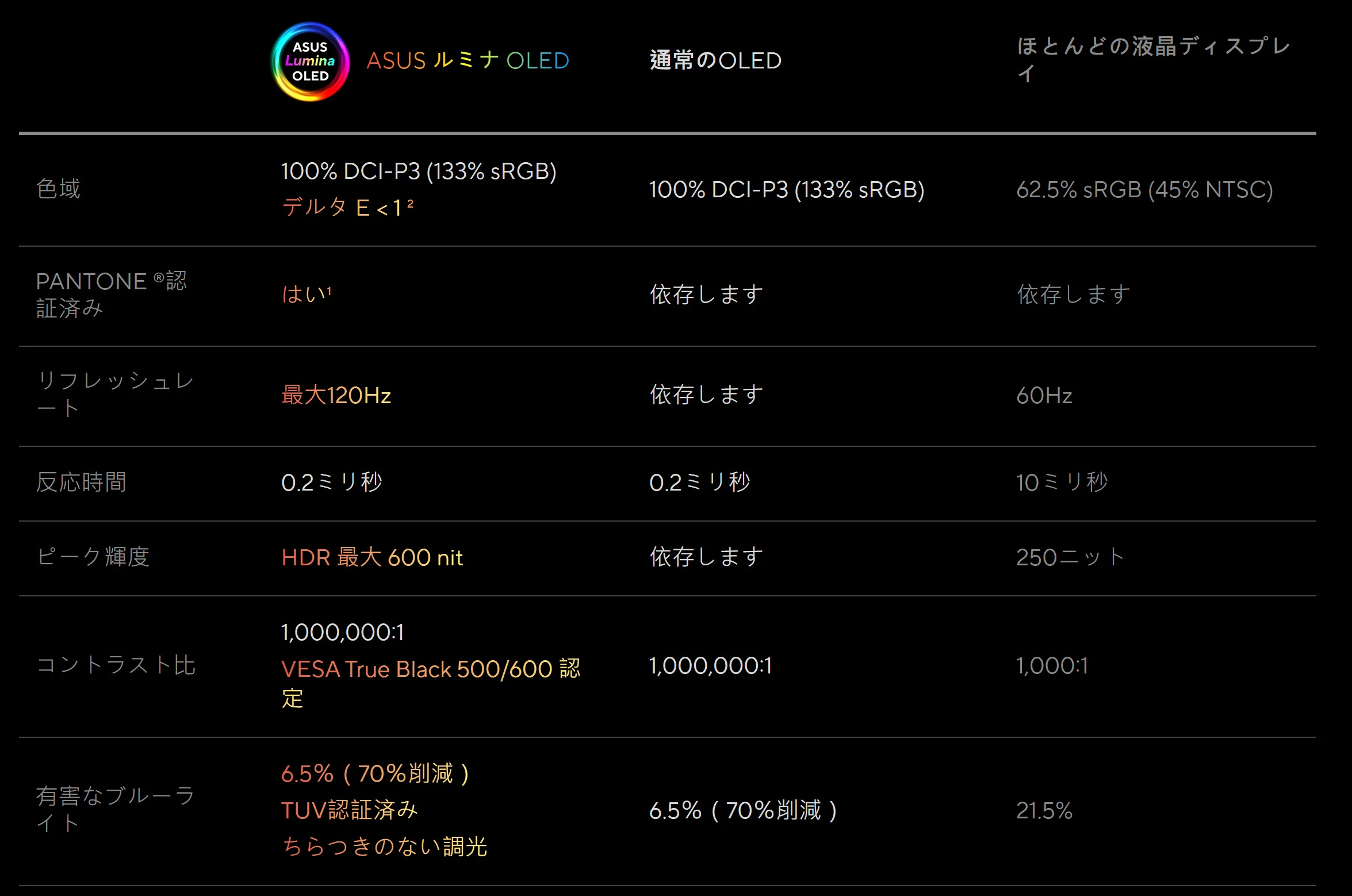 616 nits, 10-bit color, 120Hz, HDR, and formal HDR certification: an impressive combination.
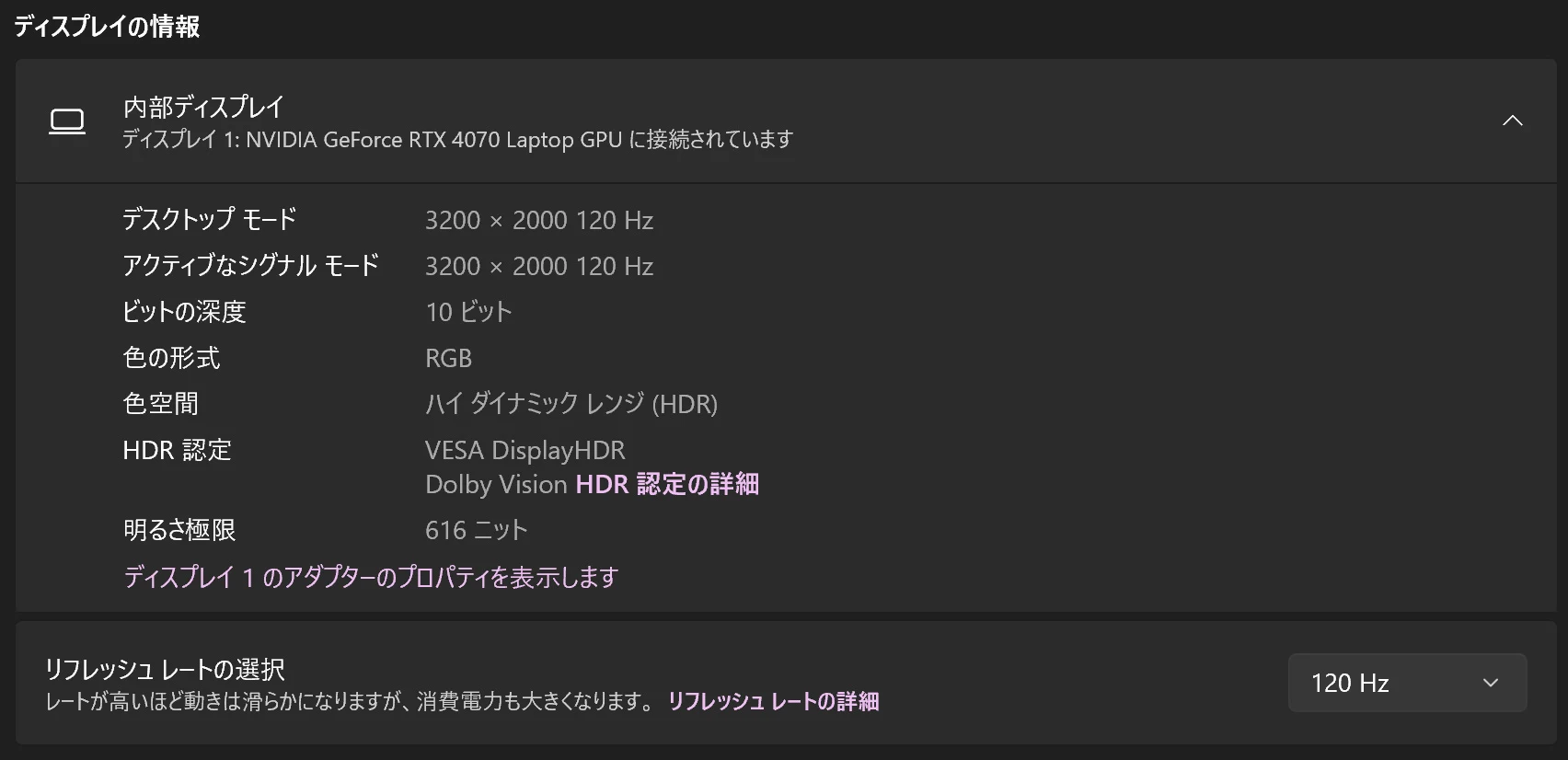 Even Mobile Suit Gundam Hathaway, whose later scenes are famously so dark that it is difficult to see what is happening, is watchable on this display. I can actually see the action in those dark scenes.
Strength 2: ASUS's Anshin warranty
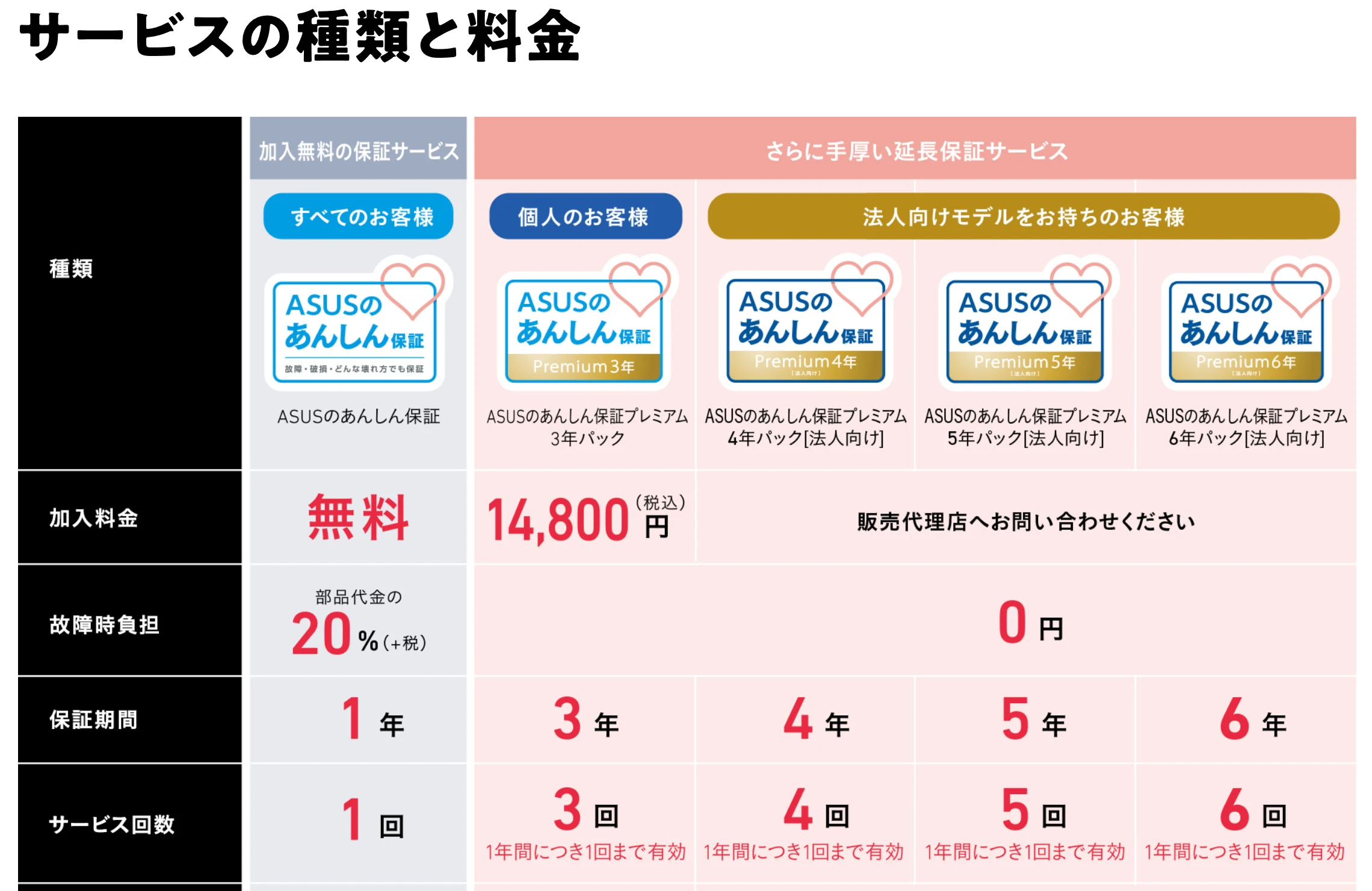
ASUS offers an Anshin warranty that covers damage regardless of its cause. It is an excellent service. My understanding is that even a laptop I have upgraded myself can be handled under this warranty, although I apologize if I have misunderstood that.
 Online registration is required after purchase. The free version covers one year and allows repairs for 20% of the parts cost. The three-year version is not particularly expensive and makes repairs free. It may be worth considering.
Strength 3: it feels sturdy
The outside is plastic, but it reportedly passes several military-grade durability tests based on US military standards. It therefore feels reassuringly robust.
 Even the bottom, which looks metallic, turns out to be plastic when you look at an unpainted area. Surface finish makes a difference.
Opening it up and upgrading it
The Anshin warranty made me feel more comfortable opening the laptop.
Being able to have it repaired for 20% of the parts cost if I broke it was reassuring.
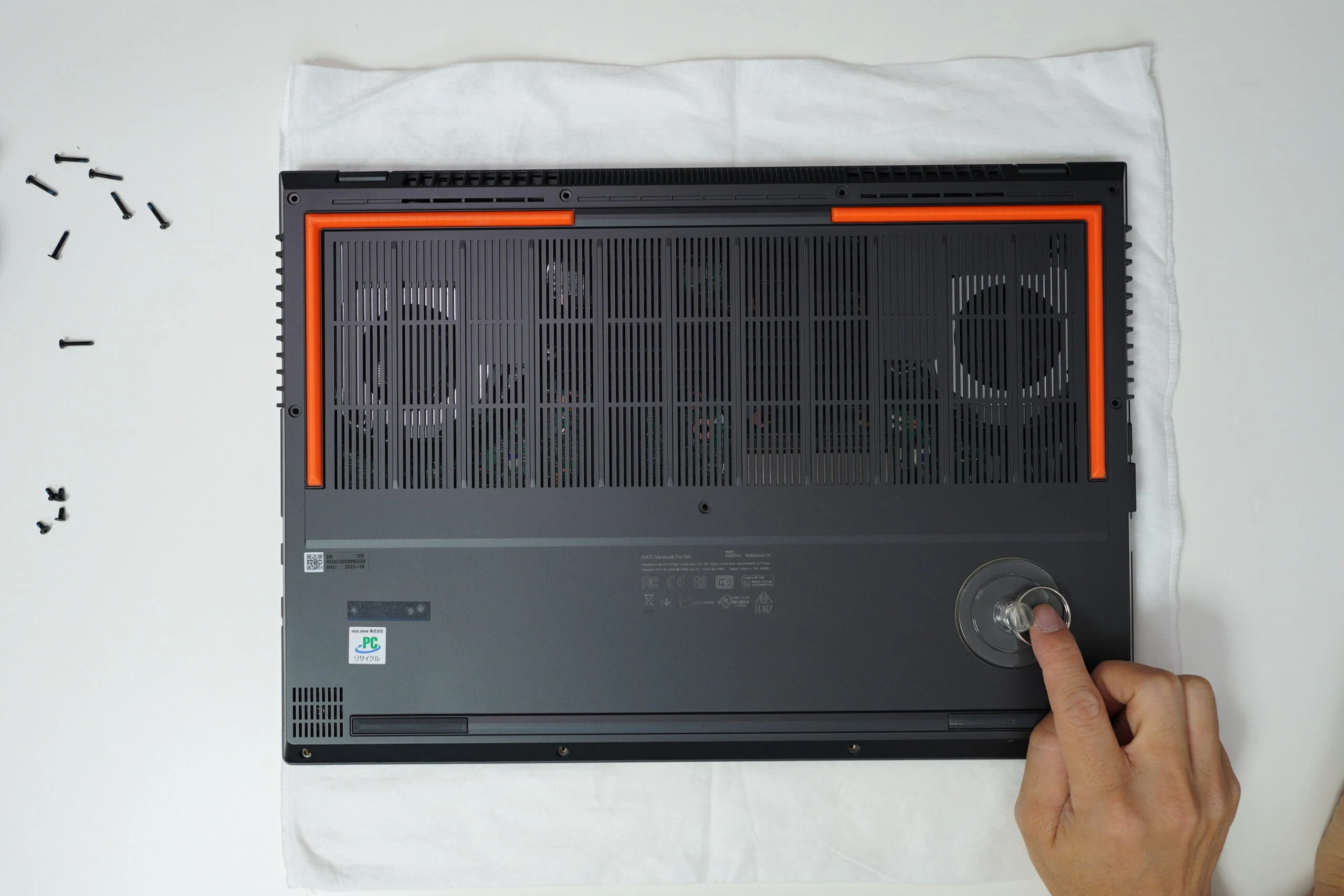
Laptops often have tamper-evident warranty seals that void the warranty when broken. This ASUS Vivobook Pro 16X OLED K6604JI has no such seal.
Perhaps that amounts to tacit acceptance.
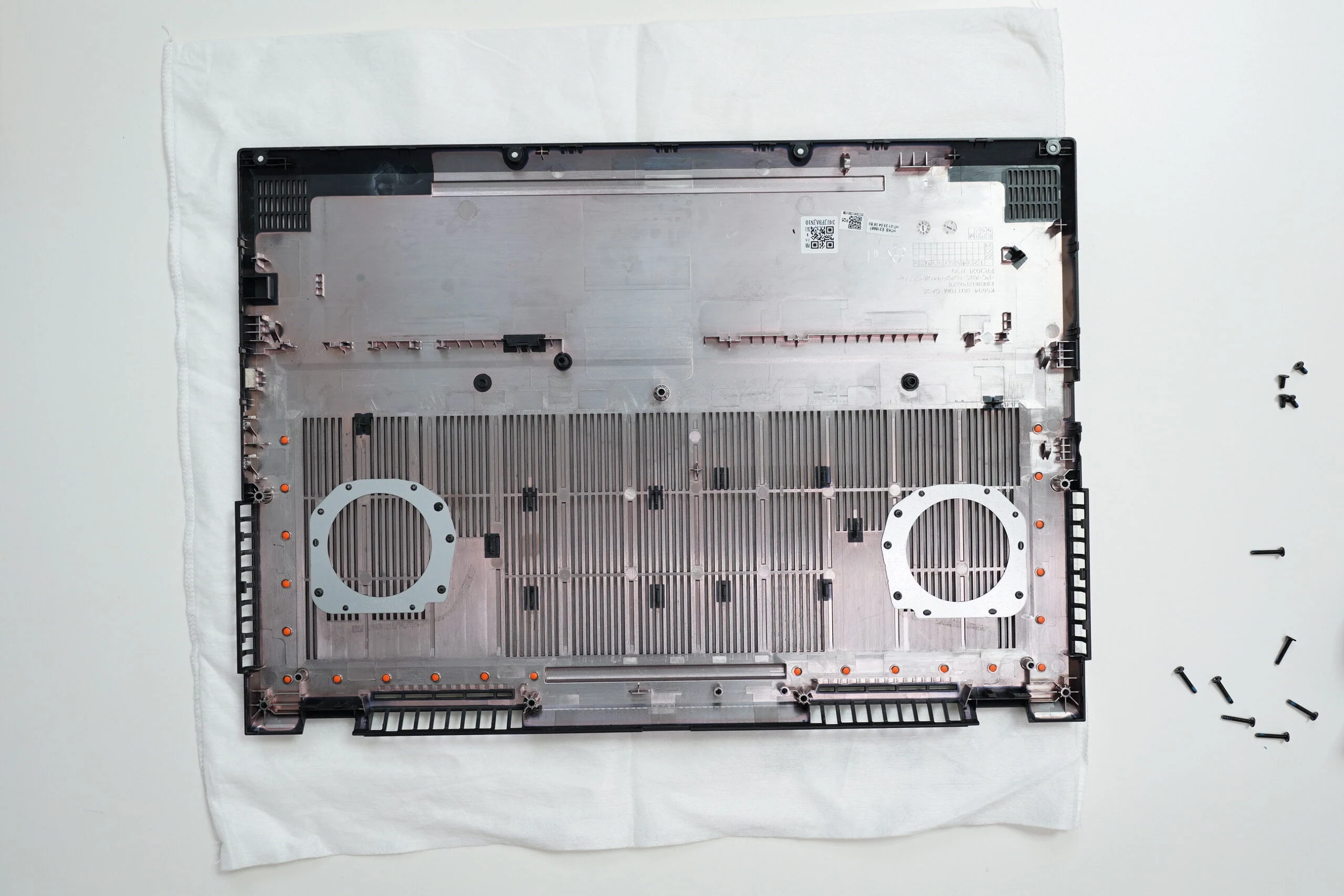
Remove the screws.
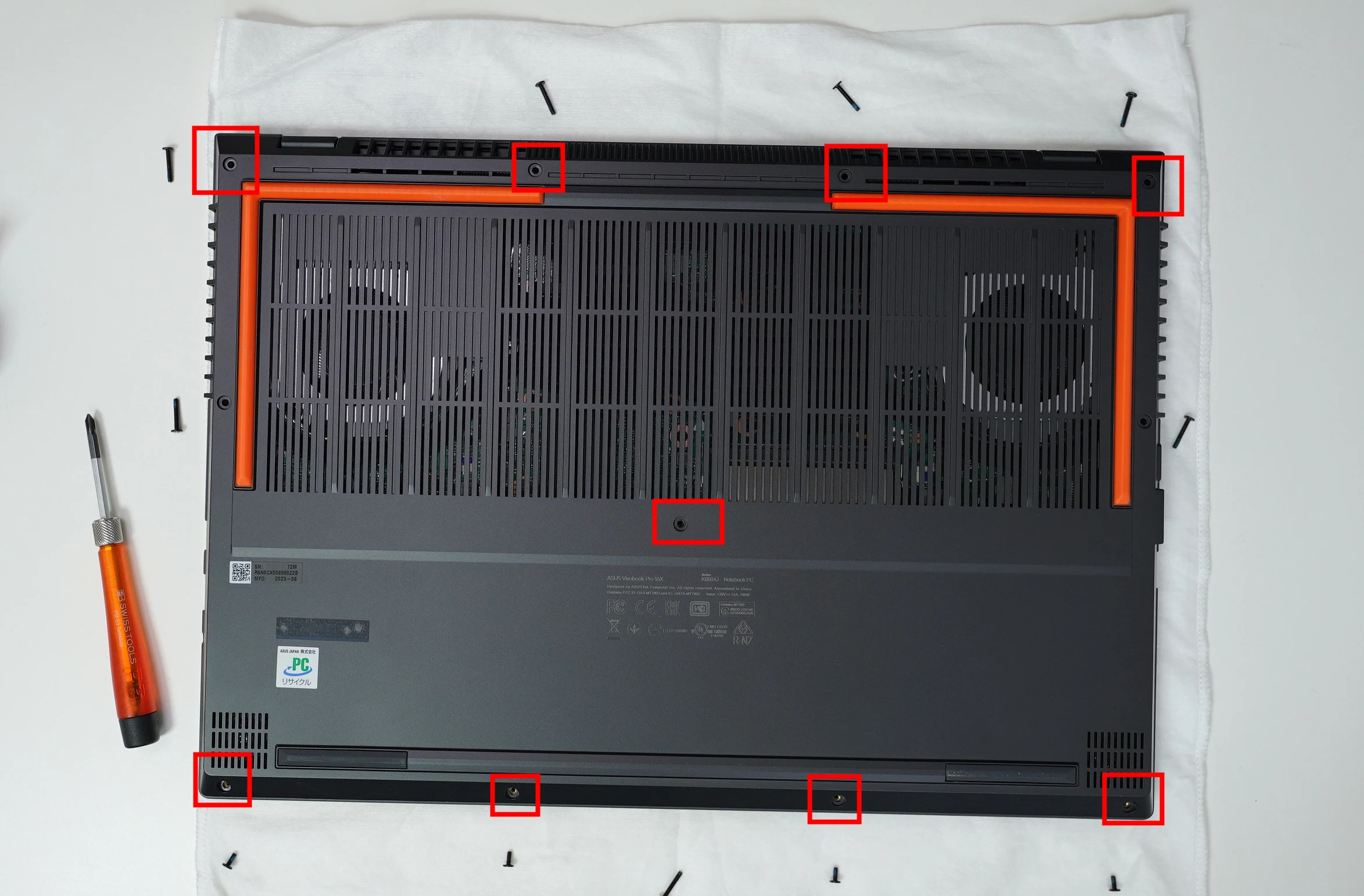 Use a suction cup to pull the bottom panel off. Knowing the warranty was there if the worst happened made me less nervous about removing it.
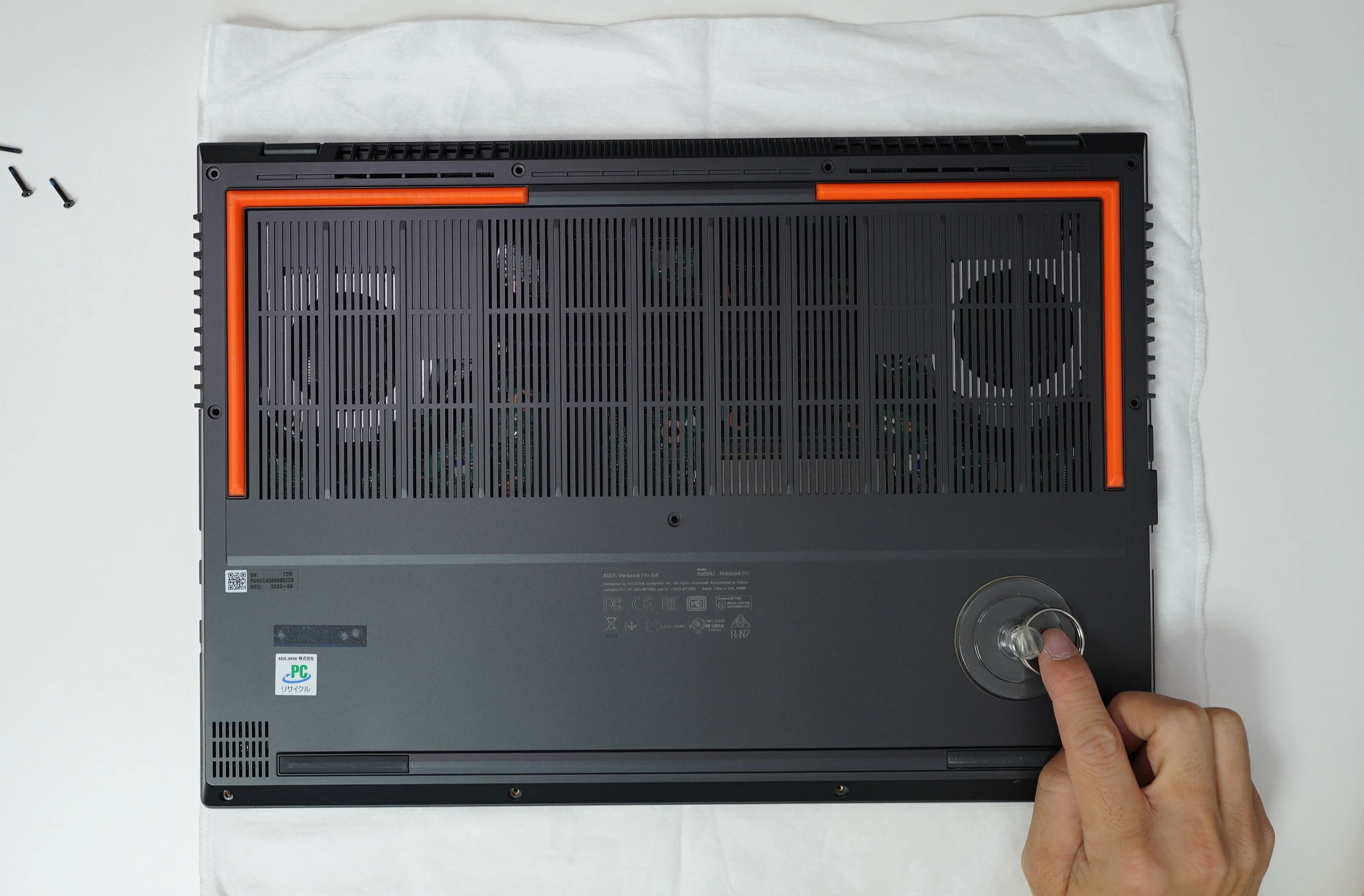 Now the storage and memory are accessible for replacement.
The SSD had already been replaced when I took these pictures.
Both the SSD and memory slots use a conventional layout.
If this is your first memory upgrade, it may take a moment to understand how the modules are secured.
Release the clips on either side. The module pops up, allowing you to remove or insert it.
Models with different CPUs or GPUs appear to have different boards and internal layouts.
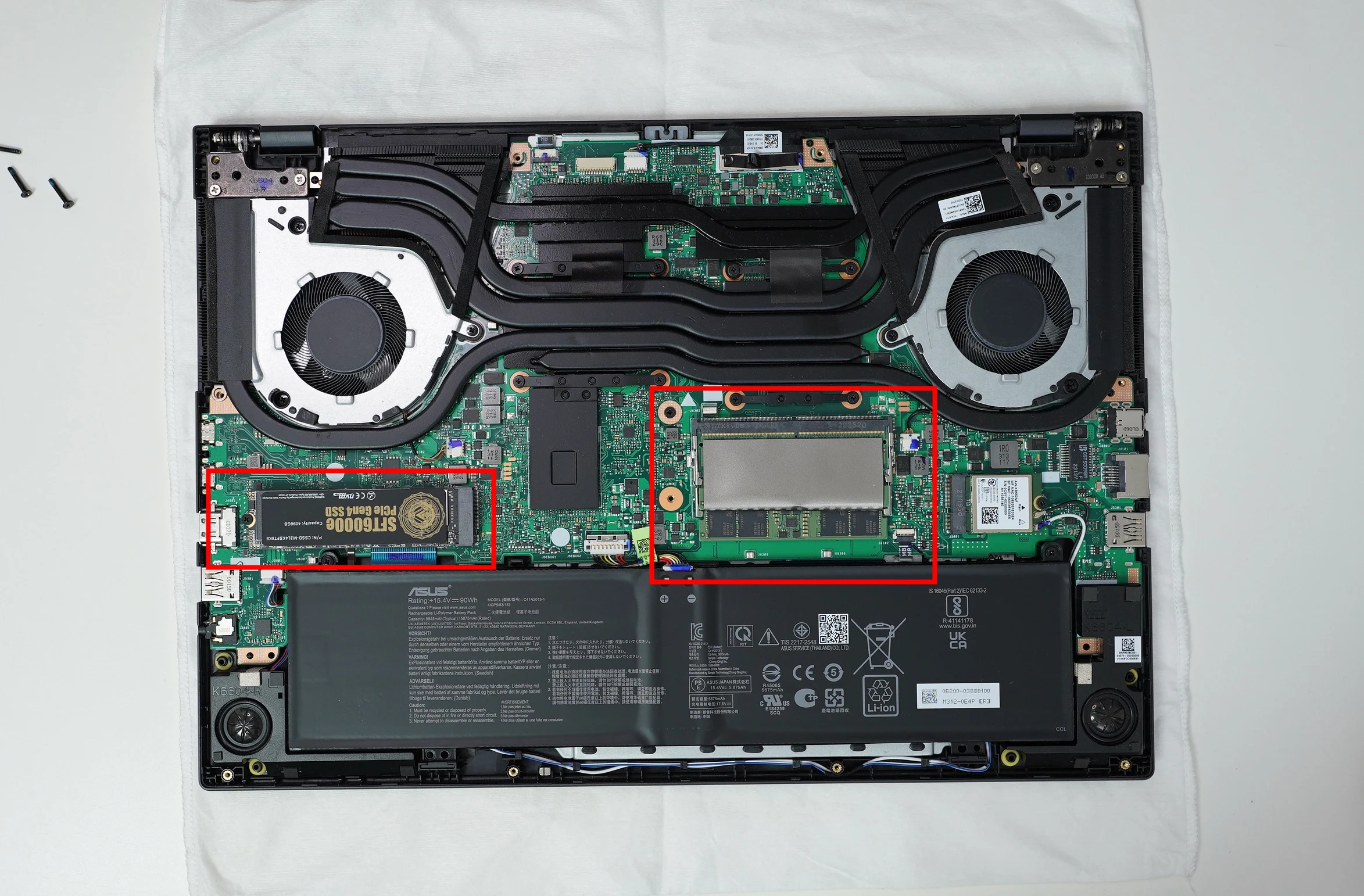 A laptop disassembly toolkit is a useful purchase. Even inexpensive ones can be fairly well made. This was money well spent.
View the HEARTHFUN disassembly and repair toolkit on Amazon (Ad)
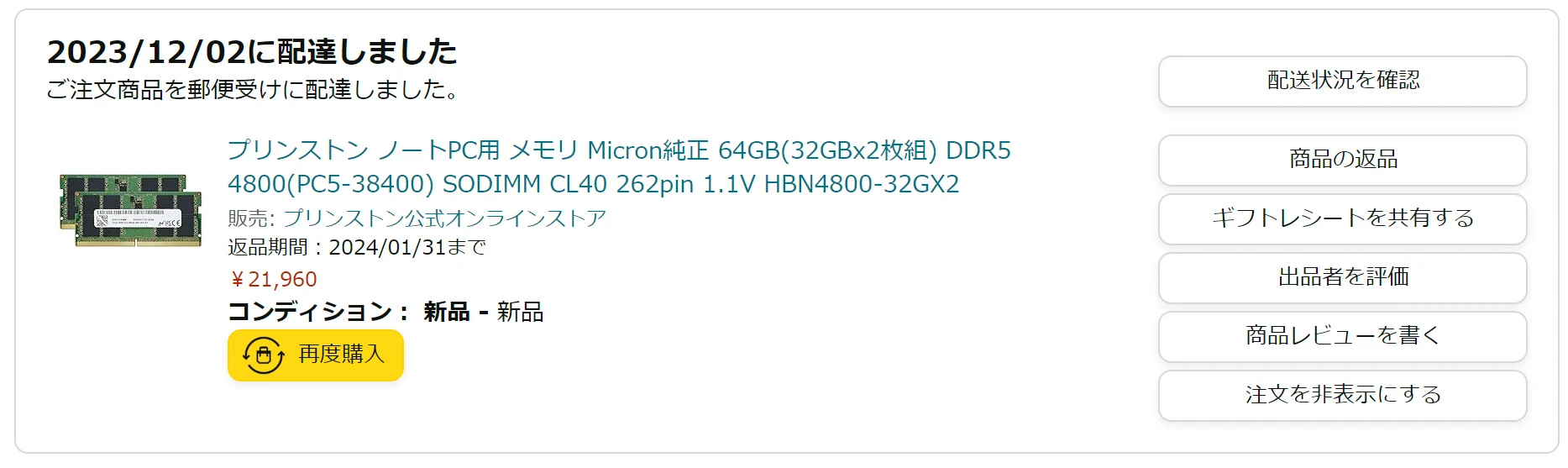
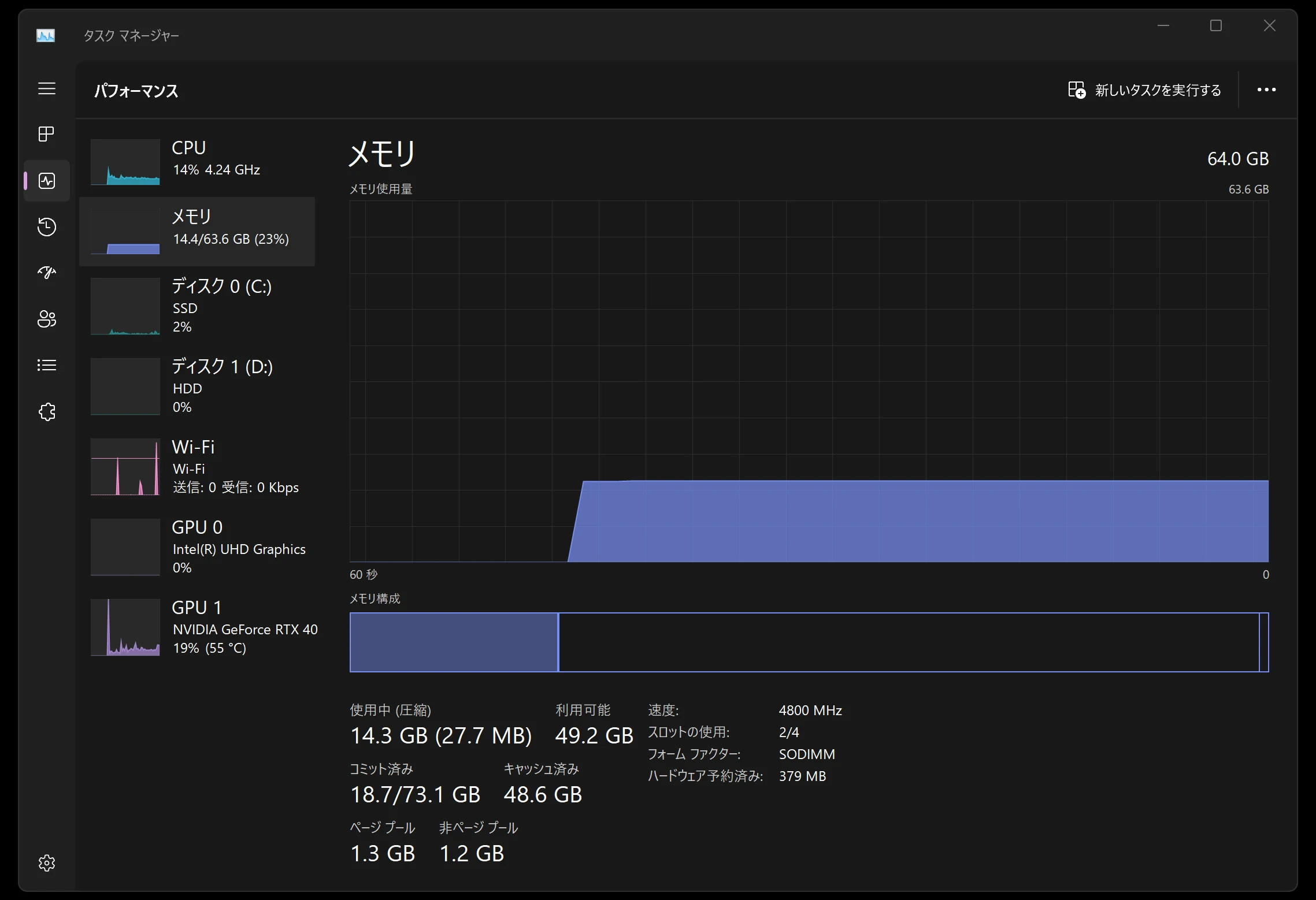
 For memory, I bought two 32GB Princeton modules. Princeton is a brand I trust, and the price was reasonable, giving me 64GB. I would like 128GB, but there are only two available slots.
Task Manager shows four slots, but this laptop only provides two, which is unfortunate. After replacing the memory, the first boot can take several minutes. You may think you have broken it. I panicked and spent around two hours removing and reinserting modules and trying things. In fact, it starts if you wait a little.
For memory, I bought two 32GB Princeton modules. Princeton is a brand I trust, and the price was reasonable, giving me 64GB. I would like 128GB, but there are only two available slots.
Task Manager shows four slots, but this laptop only provides two, which is unfortunate. After replacing the memory, the first boot can take several minutes. You may think you have broken it. I panicked and spent around two hours removing and reinserting modules and trying things. In fact, it starts if you wait a little.
Find Princeton HBN4800-32GX2 (DDR5-4800, 64GB, 2 × 32GB) on Amazon (Ad)
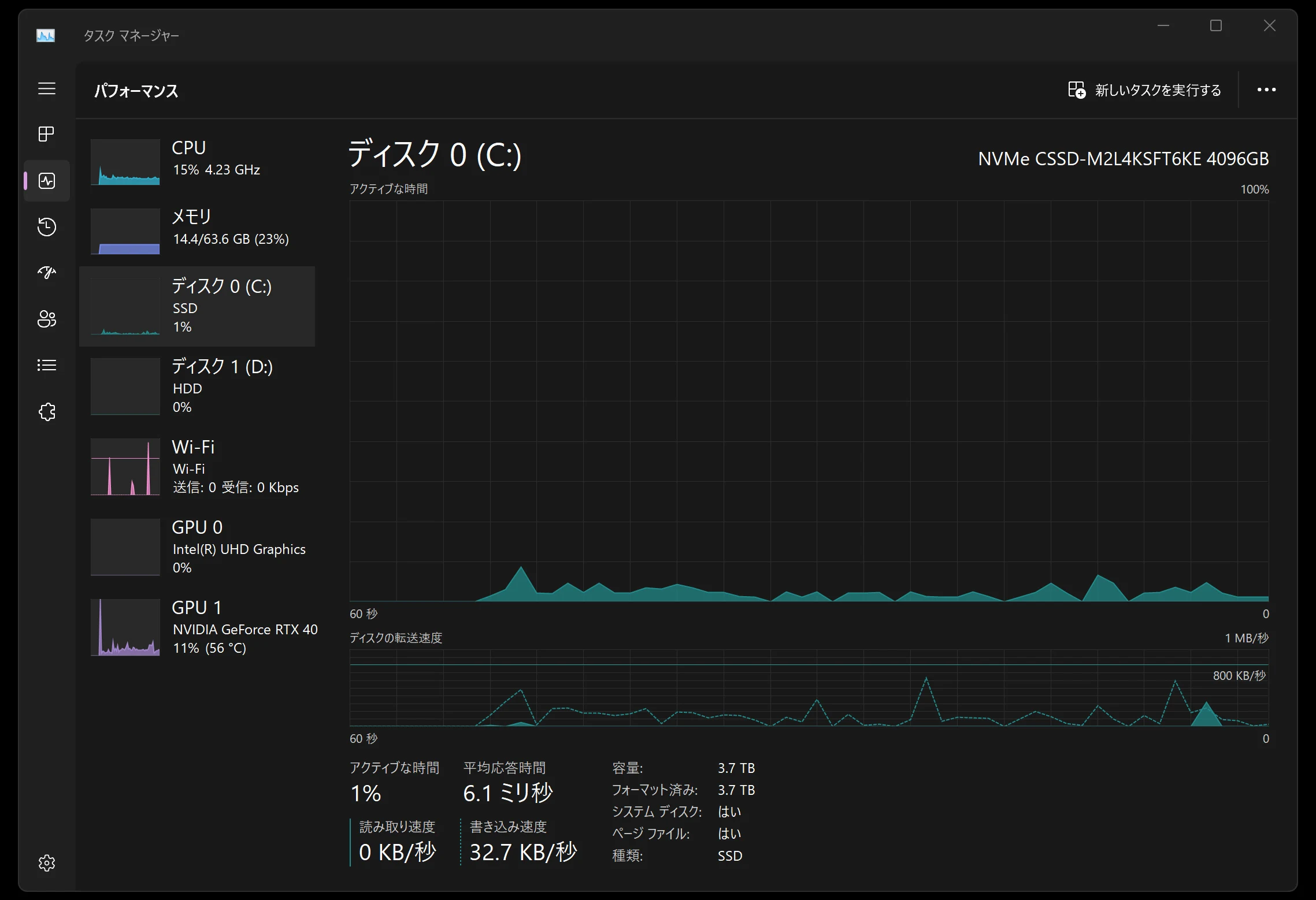
 For storage, I bought a CFD NVMe SSD.
It is the 4TB model.
1TB is a little too small for me.
If 2TB is enough, highly regarded products from Samsung and others are not particularly expensive and would also be reasonable choices.
Crucial and Lexar have inexpensive 4TB models, but some have relatively low TBW, or Total Bytes Written, ratings.
That suggests a lower write-endurance rating.
I chose the CSSD-M2L4KSFT6KE because its 2,400 TBW rating looked reasonably good.
Find the CFD CSSD-M2L4KSFT6KE (4TB) on Amazon (Ad)
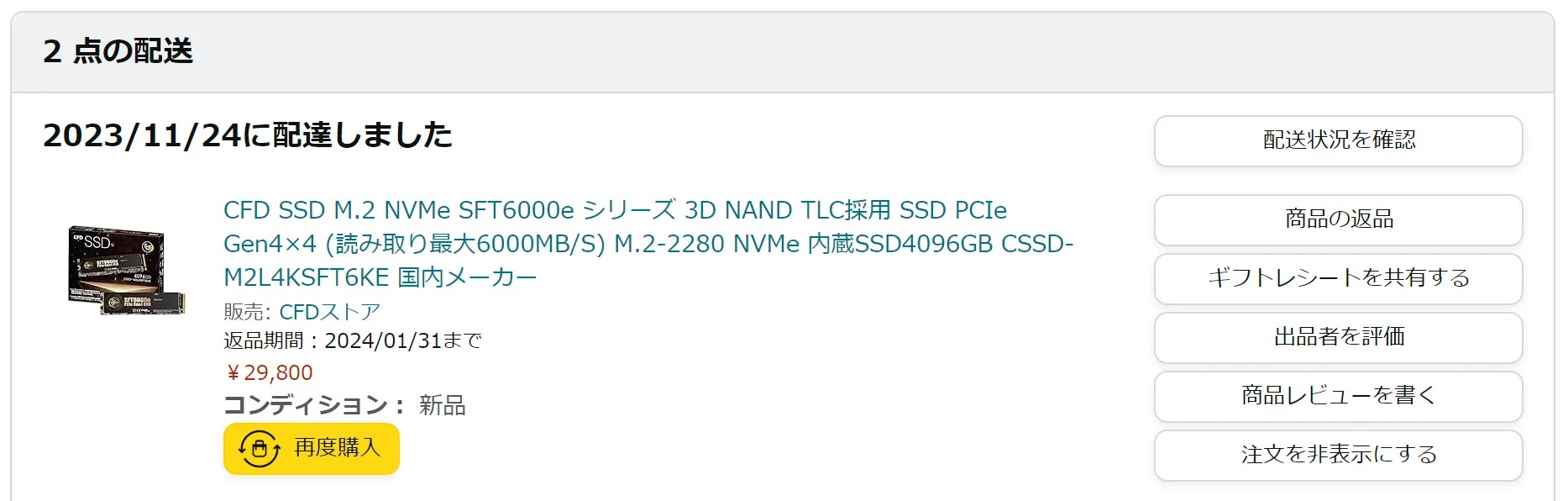 Unfortunately, CFD does not include an OS-cloning tool. I recommend Macrium Reflect Free Trials, which can be used free of charge. It also lets you change partitions and do other tasks.
https://www.macrium.com/reflectfree
https://note.com/combat_travor/n/n931acb354e2d
The machine now has 4TB of storage and 64GB of memory. Excellent. Task Manager shows a Core i9-13980HX with 32 threads.
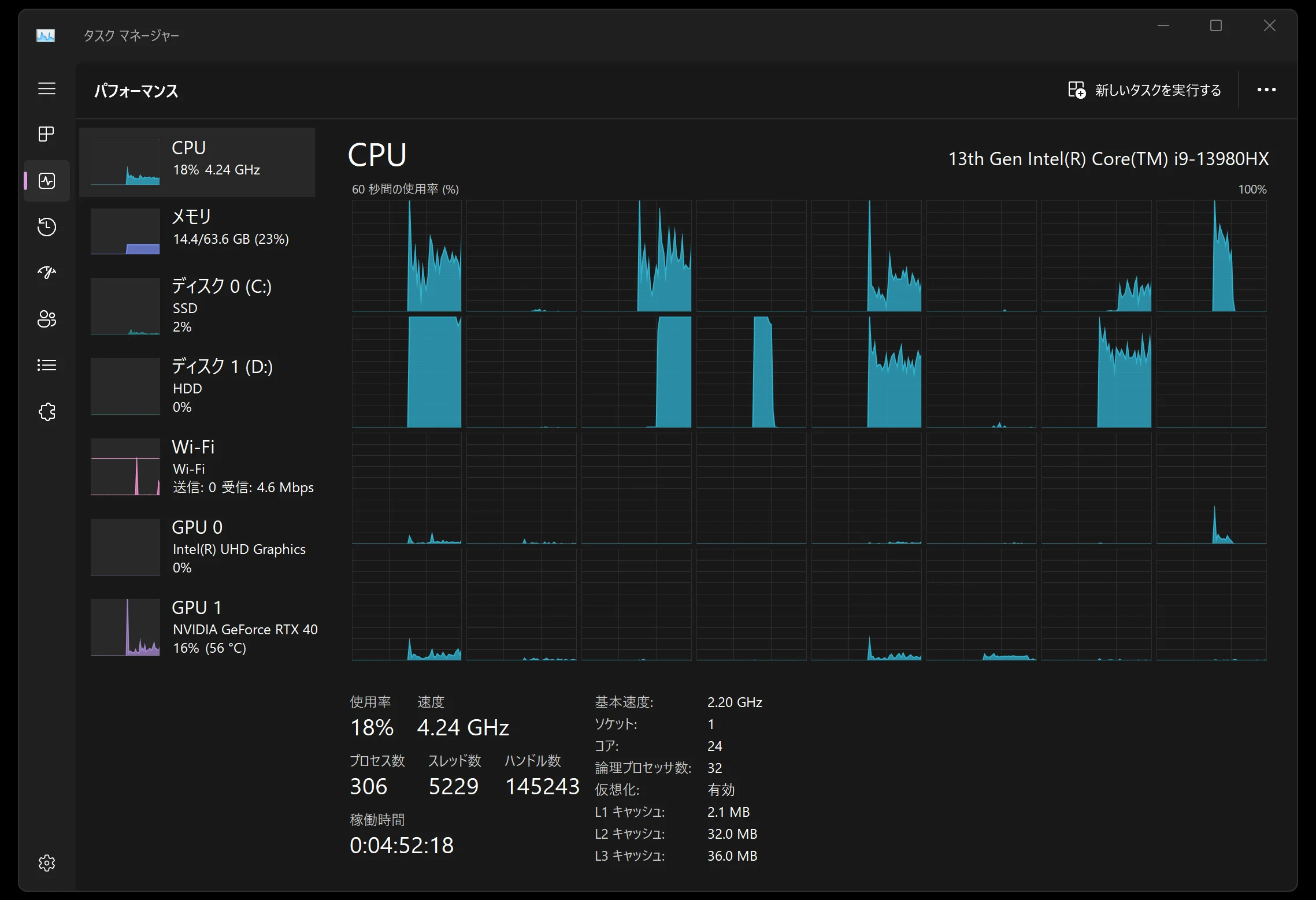 Memory is now 64GB. I would like 128GB, but 64GB is still very welcome in a laptop.
 SSDs have become much cheaper. This 4TB drive offers about 3.7TB of usable space, enough that I do not have to worry about capacity.
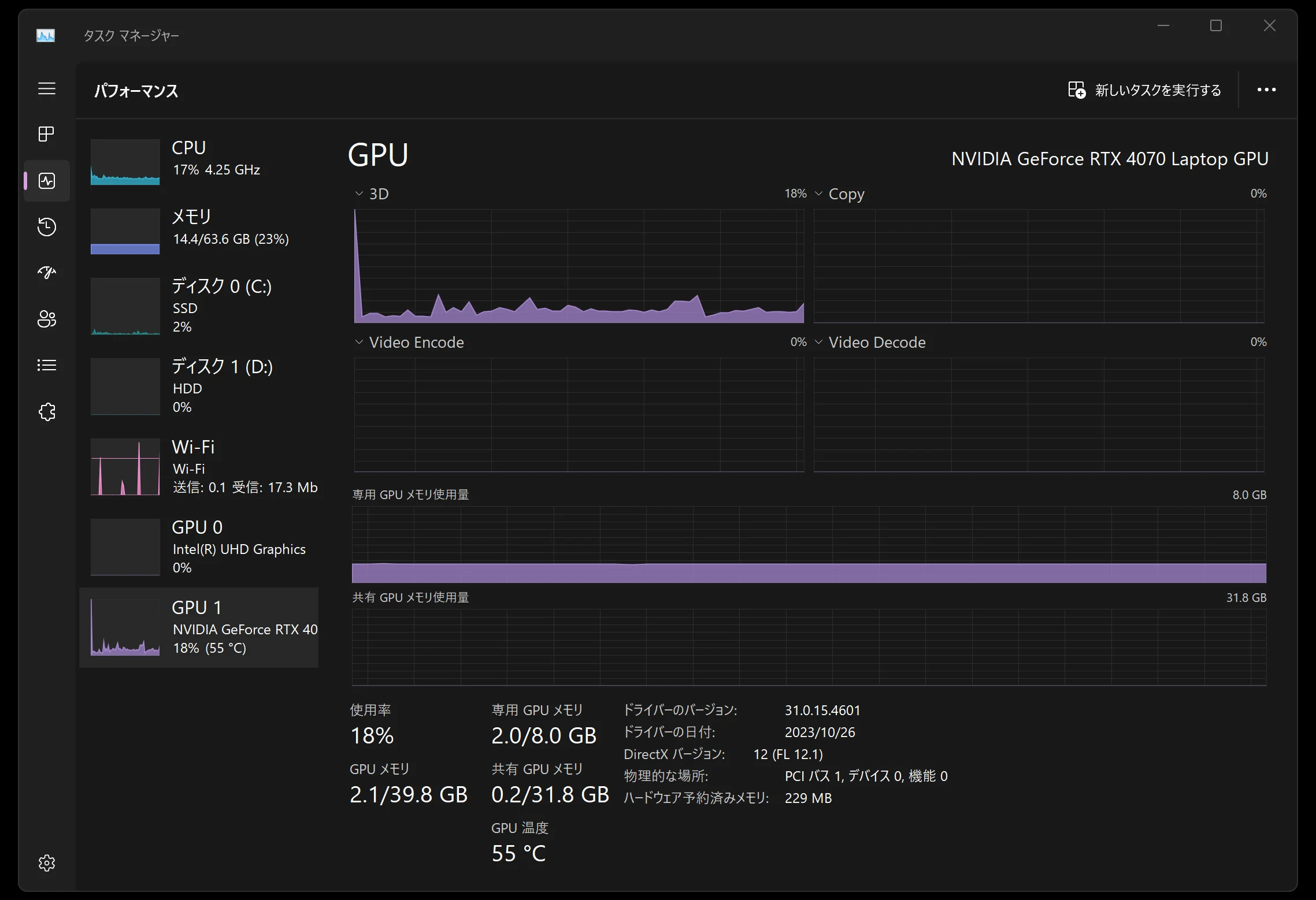
 The GPU is a 4070. Its dedicated GPU memory is only 8GB, and I would like a little more.
 That concludes my review of the ASUS Vivobook Pro 16X OLED K6604JI (K6604JI-MX099W) after three months of ownership.
Update, June 17, 2024: component prices have risen considerably since I bought them. I am glad I purchased them then. The laptop is still working well. I am very pleased with the performance of this generation of CPU.
That concludes my review of the ASUS Vivobook Pro 16X OLED K6604JI (K6604JI-MX099W) after three months of ownership.
Update, June 17, 2024: component prices have risen considerably since I bought them. I am glad I purchased them then. The laptop is still working well. I am very pleased with the performance of this generation of CPU.
ASUS Vivobook Pro 16X OLED K6604JI-MX099WBrowse on Amazon Ad · Amazon Associate link
Related articles

Updates and contact: X @riragoncom.