Raspberry Pi 5 Minecraft Java server on Ubuntu 24.04 with automatic startup
I set up a Minecraft Java Edition server on an otherwise unused Raspberry Pi 5 running Ubuntu 24.04 and configured it to start at boot. The article also retains a separate AI-research supplement about optimization, networking, backups, and management.
Note: This article was first published more than a year ago.
- Minecraft Java server JAR files, recommended JVM versions, and memory requirements change with updates. Check the relevant wiki and release notes.
- Raspberry Pi 5 performance varies greatly with world size and mods. Treat JVM options here as a starting point and compare them with current recommendations.
- JDK distributors, licenses, and installation procedures change. Check current terms from Oracle or the relevant distribution.
I built a Minecraft server on a Raspberry Pi 5
After several years, I decided to set up a server and play again. I had a Raspberry Pi 5 without a clear use, so I used that.
Minecraft comes in several editions.
There is Java Edition for PCs and Console Edition for game consoles.
There also seems to be a newer Bedrock Edition that works across both types of platform.
The following uses the traditional Java Edition on Ubuntu 24.04.
I will configure the Minecraft server to start automatically when the power is turned on. First, install a JDK. Versions 16 and 17 did not work for my setup, so I used the newer version 21.
sudo apt update
sudo apt install openjdk-21-jdk
Create a directory named minecraft-server.
mkdir minecraft-server
cd minecraft-server
Find the latest Java Edition server release and download it with wget. Look up the correct URL and replace the example accordingly.
https://www.minecraft.net/en-us/download/server
Copy the link attached to "Download minecraft_server.1.21.4.jar and" on the linked page, then download it as follows.
wget https://piston-data.mojang.com/v1/objects/59353fb40c36d304f2035d51e7d6e6baa98dc05c/server.jar
Run the following command for the initial setup. The first attempt will fail.
java -Xmx1024M -Xms1024M -jar server.jar nogui
Agree to the EULA by changing the following part of the eula text file.
sudo nano eula.txt
eula=false を eula=true に変更
Run the setup again.
java -Xmx1024M -Xms1024M -jar server.jar nogui
It should now start successfully. Stop it with stop or another suitable method. My Raspberry Pi 5 has 8 GB of RAM, so I allocate 4 GB to the server.
Related products: Search Amazon for Raspberry Pi 5 8GB (Ad)
java -Xmx4096M -Xms4096M -jar server.jar nogui
While the server is running, I used the console game rule below so that players do not lose their items.
/gamerule keepInventory true
Create minecraft-start.sh for automatic startup. Adapt usernames and paths to your environment, replacing riragon with your own username.
sudo nano /home/riragon/minecraft-server/minecraft-start.sh
Add the startup command. Remember to replace riragon with your own username.
#!/bin/bash
cd /home/riragon/minecraft-server
java -Xmx4096M -Xms4096M -jar server.jar nogui
Make it executable. Again, replace riragon in the following command with your username.
chmod +x /home/riragon/minecraft-server/minecraft-start.sh
Next, create the system service file minecraft-start.service at the following location.
sudo nano /etc/systemd/system/minecraft-start.service
Use the configuration below, adapting the paths to your actual setup. Replace riragon with your username. It appears three times in the [Service] section, so check carefully.
[Unit]
Description=Minecraft Server
After=network.target

[Service]
User=riragon
WorkingDirectory=/home/riragon/minecraft-server
ExecStart=/home/riragon/minecraft-server/minecraft-start.sh
Restart=always

[Install]
WantedBy=multi-user.target
Enable automatic startup, start the service, and check its status.
sudo systemctl enable minecraft-start.service
sudo systemctl start minecraft-start.service
sudo systemctl status minecraft-start.service
Reboot to confirm that it starts correctly. With this automatic-start arrangement, I cannot directly enter administrative commands in the server console. It would be useful to add a management mechanism, but this is enough for a simple server.
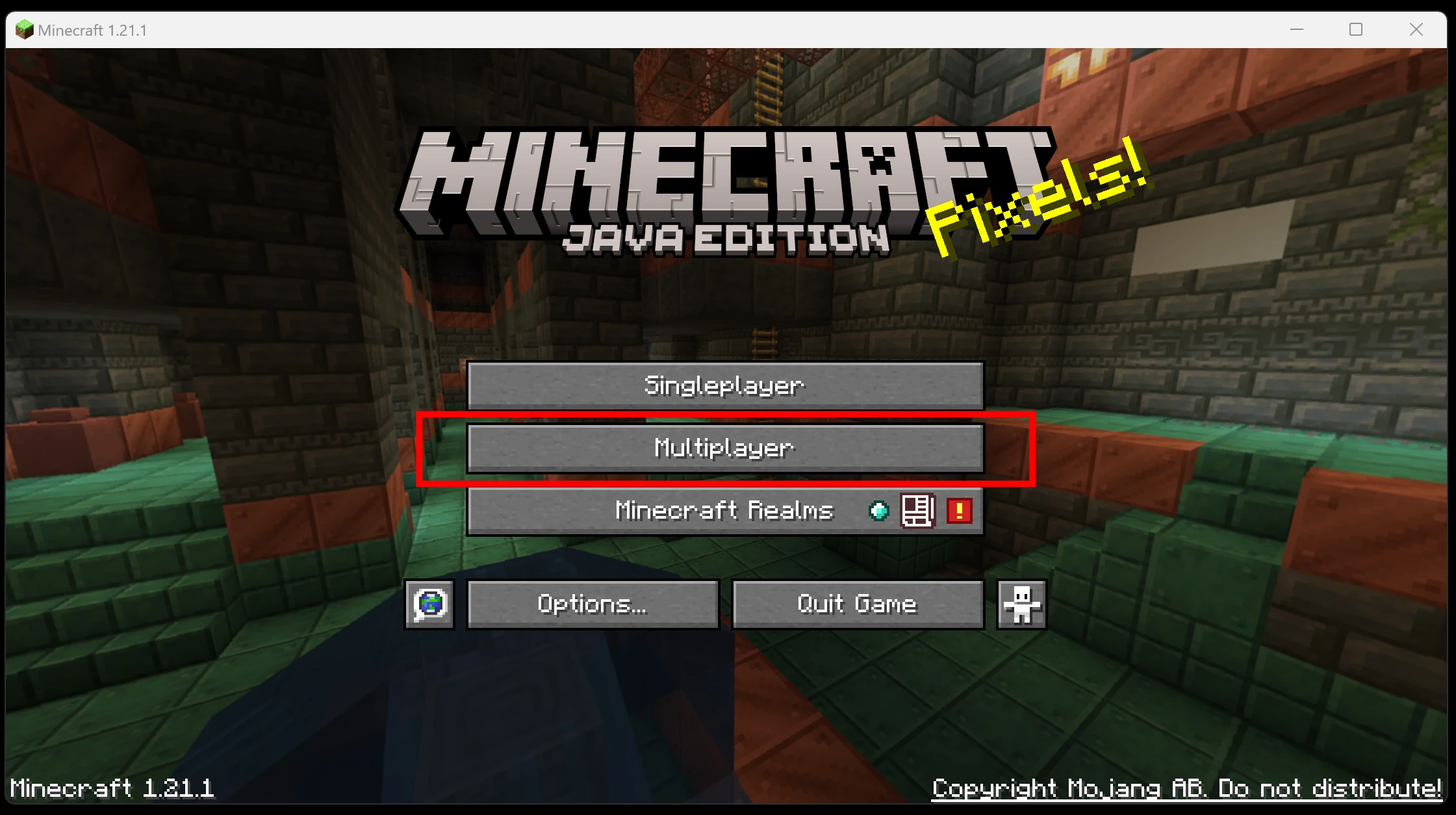
I installed the Java Edition client.
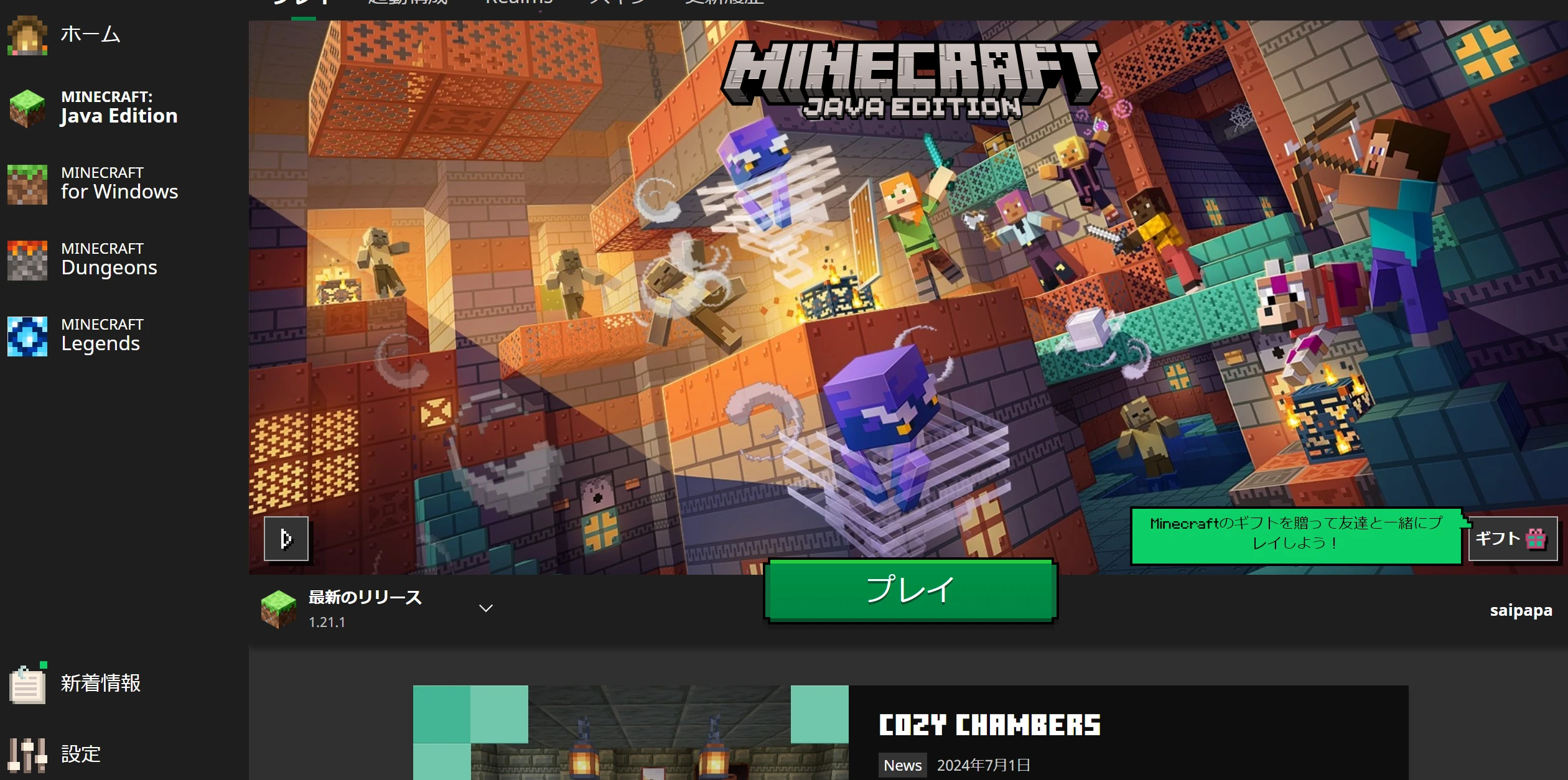 Start the latest version and select Multiplayer.
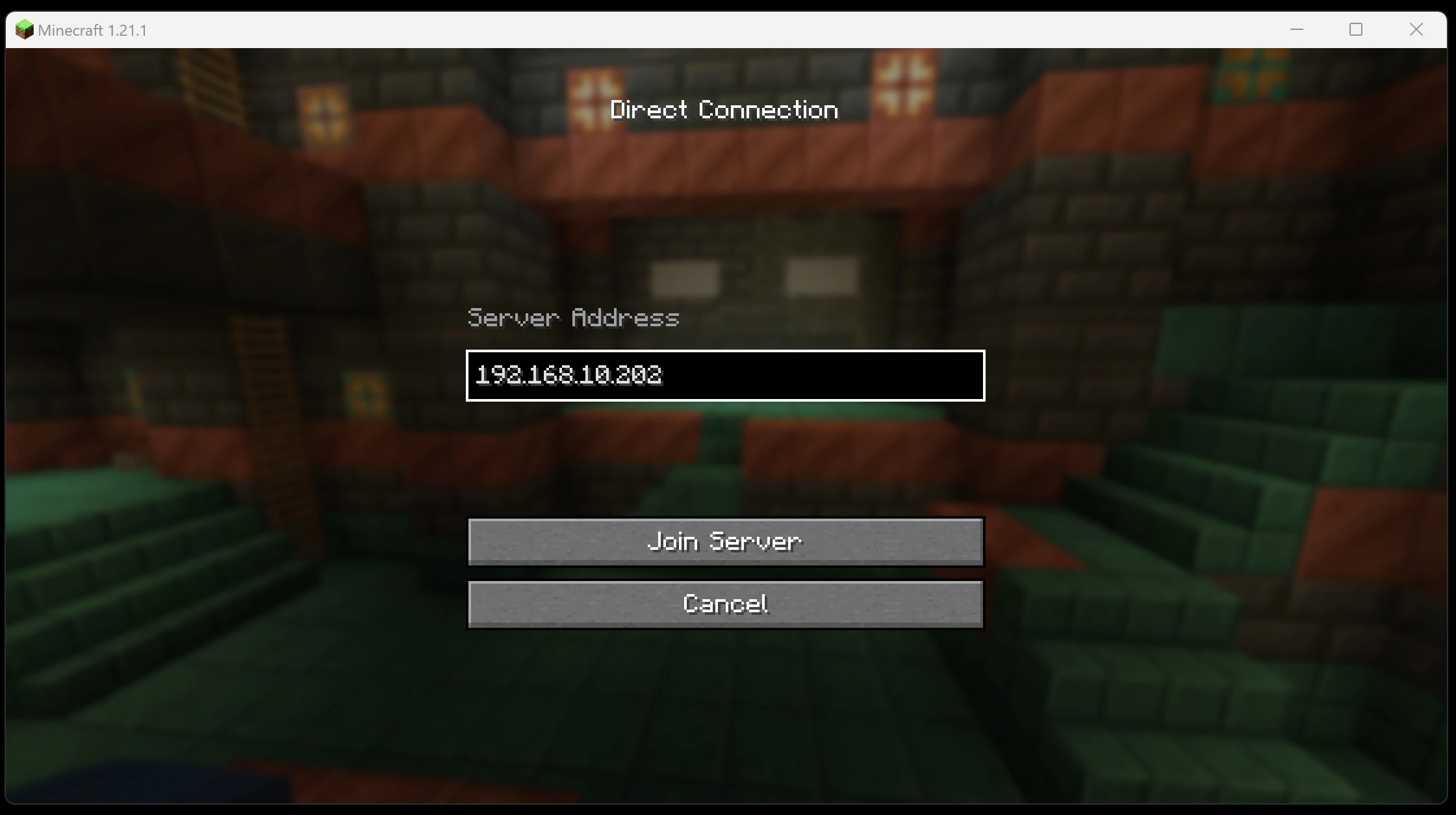
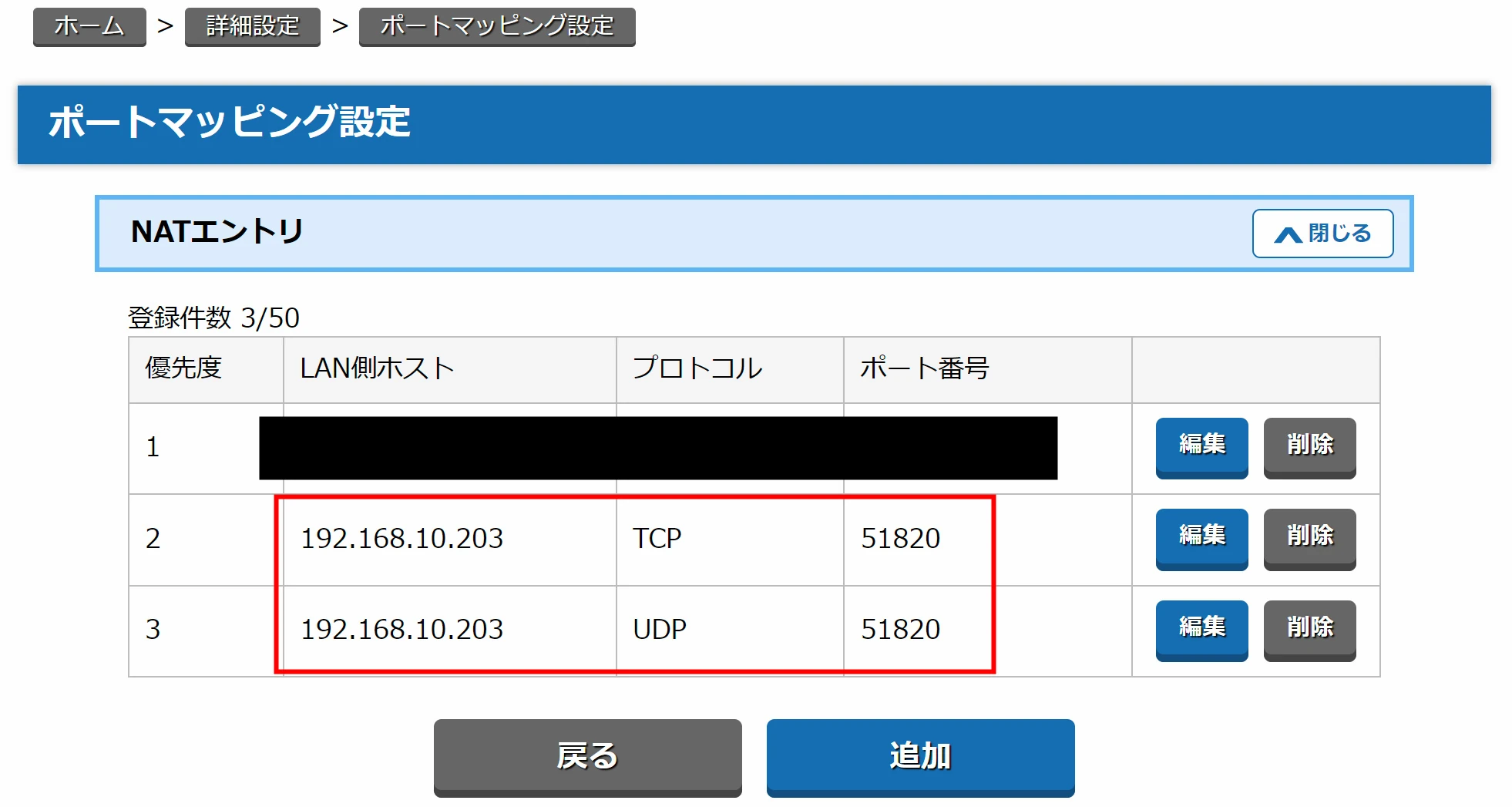
Enter the server IP. Configure port forwarding and related network settings as needed.
Start the latest version and select Multiplayer.
Enter the server IP. Configure port forwarding and related network settings as needed.
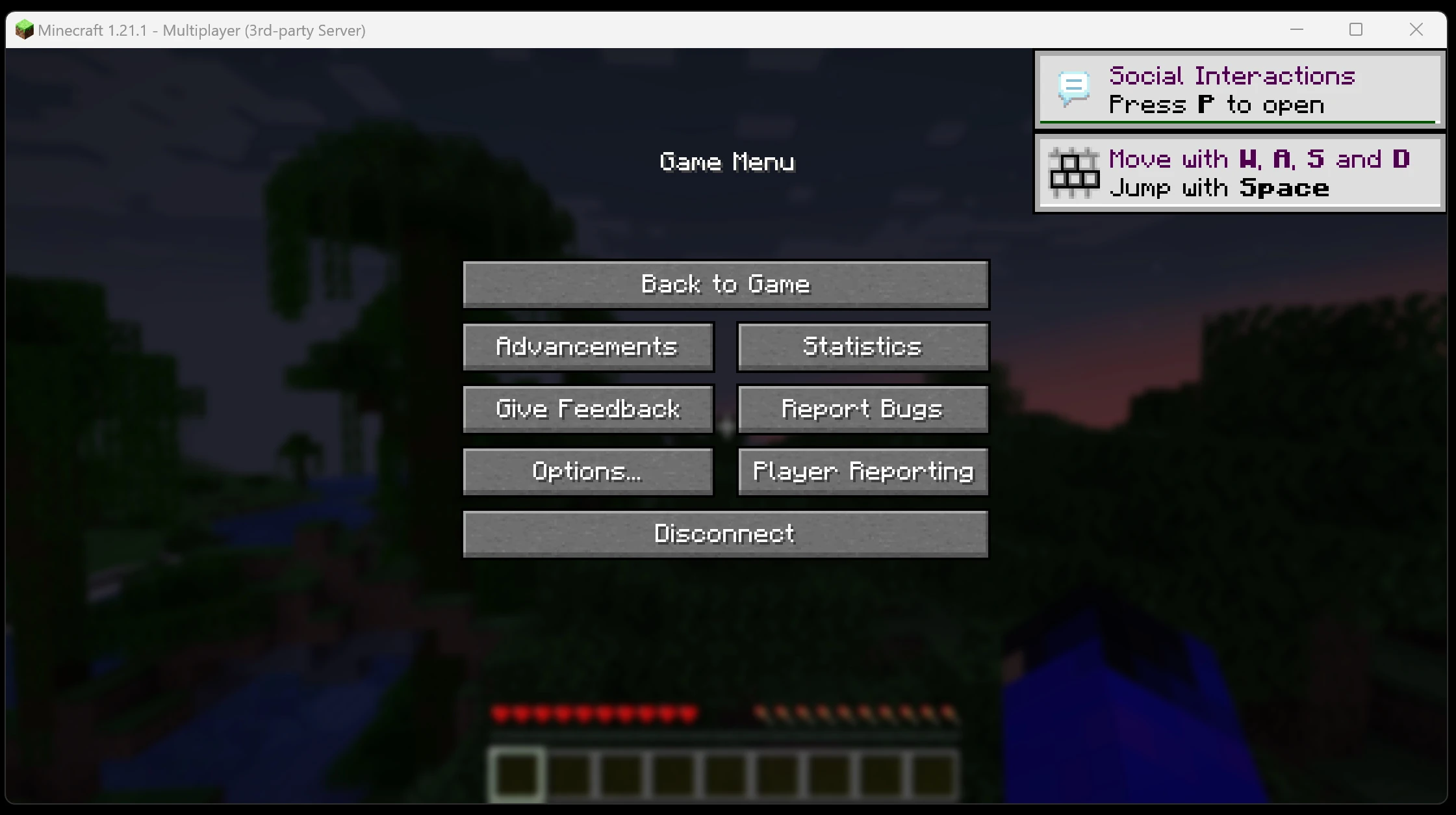
 The connection worked.
 That concludes the part of the article written by riragon.
Digging deeper
If you need more detail, the following may give you ideas to try. It is pasted from a GPT deep-search result. My own riragon article appears among the AI search sources too. One benefit of AI search is discovering categories of information you would not normally know about. The research examines techniques for setting up and enjoying a Java Edition Minecraft server on Raspberry Pi 5. It includes the following points:
- Server setup: OS selection, required packages, and choosing an appropriate Java version
- Performance optimization: memory settings, overclocking, and lightweight operating systems
- Mods and plugins: introducing servers such as PaperMC and Spigot
- Networking: port forwarding, DDNS, and security measures
- Backups and management: automated backups and remote administration
I will report back when the research is ready.
Building and optimizing a Minecraft server on Raspberry Pi 5
The improved performance of Raspberry Pi 5 makes it possible to run a small Minecraft Java Edition server.
Appropriate configuration and optimization remain important for stable operation and comfortable play.
The following supplement goes through lightweight OS selection, Java installation, server software, memory and CPU tuning, networking, backups, management tools, and considerations specific to Raspberry Pi 5.
Choosing a lightweight Raspberry Pi operating system
A lean, lightweight operating system is desirable for a Minecraft server.
Raspberry Pi OS Lite, 64-bit, is strongly recommended in the cited guides. Self Hosted Minecraft Server on Raspberry PI with SpigotMC Building a Minecraft server that runs well on Raspberry Pi 4B
Without a desktop environment, Lite avoids GUI memory consumption and CPU load, leaving more resources for the server.
Choose Lite with the attitude that a desktop is unnecessary for this server. Building a Minecraft server that runs well on Raspberry Pi 4B
A 64-bit OS also lets you make full use of Raspberry Pi 5 memory.
Choose the 64-bit edition of Raspberry Pi OS. The cited guide also describes adding arm_64bit=1 to /boot/config.txt to enable a 64-bit kernel on a 32-bit installation. Self Hosted Minecraft Server on Raspberry PI with SpigotMC
After OS installation, update the packages with sudo apt update && sudo apt upgrade -y. Self Hosted Minecraft Server on Raspberry PI with SpigotMC
Other OS choices: Other 64-bit distributions, including Ubuntu Server, can also be used. The official Raspberry Pi OS is lightweight, optimized, and well documented, making it approachable for beginners. Enable only the services you need and stop unnecessary ones to reduce overhead further.
Choosing and installing the appropriate Java version
A compatible Java runtime is needed to run a Minecraft Java Edition server.
The research supplement describes Java 17 or later as required for recent releases, noting Java 17 for Minecraft 1.19 and later.
On Raspberry Pi OS Bookworm and later, OpenJDK 17 is available as a standard package, and Java 17 may already be usable without an additional installation. Raspberry Pi Minecraft Server - Pi My Life Up
Install or check Java with the following commands:
sudo apt update
sudo apt install openjdk-17-jdk
java -version   # バージョン確認
This should install Java 17. Check that java -version reports a 17.x release.
If a newer Java version is needed: Install OpenJDK 21 when a newer server release or subsequent Minecraft update requires a version such as Java 21.
For example, Ubuntu 23.10 and later can install it with sudo apt install openjdk-21-jdk. Building a Minecraft server on Raspberry Pi 5 with automatic startup
If Raspberry Pi OS needs a version newer than Java 17, you can also obtain ARM64 JDK binaries from a distributor such as Adoptium or BellSoft and install them manually. Self Hosted Minecraft Server on Raspberry PI with SpigotMC Self Hosted Minecraft Server on Raspberry PI with SpigotMC
After installation, confirm the intended version with java -version.
Note: A JRE runtime is enough simply to run a server, but a JDK development kit is required for tasks such as building Spigot. Installing the JDK with the commands above covers both cases.
Downloading and installing the Minecraft server
Once Java is ready, install the Minecraft server itself. The following steps set up the official server software.
-
Create the server directory: Make a folder in your home directory or another suitable location. For example:
mkdir ~/minecraft-server && cd ~/minecraft-server. -
Download the server JAR: Obtain the server JAR from the official Minecraft site. Copy the link labeled
Download minecraft_server.<version>.jarand download it with wget. Building a Minecraft server on Raspberry Pi 5 with automatic startup Example:wget https://launcher.mojang.com/v1/objects/<ハッシュ値>/server.jar
Copy the URL in the example from the official site. Building a Minecraft server on Raspberry Pi 5 with automatic startup
Replace the version number and URL as appropriate.
-
Start once to generate files: Run the downloaded JAR to create its initial files. A small memory allocation is sufficient for this first launch. Example:
java -Xmx1024M -Xms1024M -jar server.jar nogui
The nogui option runs the server without a graphical interface, keeping it lightweight.
The first launch exits unsuccessfully because the EULA has not yet been accepted. Building a Minecraft server on Raspberry Pi 5 with automatic startup
It also generates files including eula.txt.
-
Accept the EULA: Open the generated
eula.txt, changeeula=falsetoeula=true, and save it to indicate agreement to the terms. Building a Minecraft server on Raspberry Pi 5 with automatic startup -
Start the server normally: Run the JAR again. You can use the same command, or increase
-Xmxaccording to the memory recommendations below. For example, a 4 GB Pi might use approximately-Xmx3G. Example startup command:java -Xms512M -Xmx1008M -jar ~/minecraft-server/server.jar nogui
The example above uses a suggested allocation for 1 GB Raspberry Pi 2–5 models. Raspberry Pi Minecraft Server - Pi My Life Up
On Pi 4 or Pi 5 models with 2 GB or more, the -Xmx value can be increased.
If startup succeeds, console logs appear and world generation begins. The first world generation may take several minutes. A completion message such as Done (12.345s)! For help, type "help" or "?" indicates successful startup.
- Adjust settings as needed: Edit
server.propertiesfor settings such as server name, maximum players, and online authentication. Configure the player whitelist and difficulty as appropriate; security is covered below. Restart the server after changes.
The basic official Minecraft server is now running, but this alone may not provide comfortable performance on a Raspberry Pi. The following sections discuss optimization.
Optimizing memory and CPU settings
Running Minecraft smoothly on a Raspberry Pi means making efficient use of limited resources. The main options include heap allocation, reducing CPU load, and overclocking.
-
Memory allocation: Choose the Java heap limit,
-Xmx, carefully. Too much leaves insufficient memory for the OS; too little hurts server performance. The suggested upper allocations here are about 2–3 GB on a 4 GB model and 4–6 GB on an 8 GB model. One reported 8 GB Pi 5 setup ran successfully with a 4 GB heap. A smaller minimum, around 512 MB for-Xms, is sufficient in this guidance. After setting it, observe memory use with a tool such as htop to check for both pressure and unnecessary allocation. Building a Minecraft server on Raspberry Pi 5 with automatic startup Building a Minecraft server on Raspberry Pi 5 with automatic startup -
View and simulation distance: Reducing
view-distanceandsimulation-distancesubstantially lowers CPU work. Defaults are around ten chunks, but four to six can help a constrained system. A cited Pi configuration uses a four-chunk view distance and about five players maximum. Set simulation distance similarly or lower to reduce calculations in distant chunks. This especially helps when several players explore different areas. Raspberry Pi Minecraft Server - Pi My Life Up Raspberry Pi Minecraft Server - Pi My Life Up -
Overclocking: Raspberry Pi 5 normally runs up to 2.4 GHz. Raising the CPU clock to around 2.8–3.0 GHz may improve server TPS. On Raspberry Pi OS, the following example adds settings to
/boot/firmware/config.txtfor 3.0 GHz. How to Overclock A Raspberry Pi 5 | Tom's Hardware How to Overclock A Raspberry Pi 5 | Tom's Hardwarearm_freq=3000
The highest stable frequency varies from one Pi 5 to another.
Rather than forcing 3 GHz, the cited guide recommends starting around 2.5–2.7 GHz. How to Overclock A Raspberry Pi 5 | Tom's Hardware
Overclocking requires adequate cooling and is undertaken at your own risk.
- Cooling: Raspberry Pi's compact form makes thermal throttling an important concern. The official Pi 5 Active Cooler combines a fan and heatsink to substantially reduce temperatures under load. Long-running stability differs with and without cooling. Use the official cooler or an equivalent heatsink and fan if possible, so temperature limits do not hold down CPU speed and performance. Minecraft Server on Raspberry Pi 5 : r/admincraft How to Overclock A Raspberry Pi 5 | Tom's Hardware
- Minimize GPU memory: The research guidance describes reserving as little as 16 MB for the GPU on a headless server, freeing RAM that is not needed for graphics. It suggests the GPU memory option under Performance in raspi-config, or
gpu_mem=16in/boot/config.txt, and notes potential savings of tens to hundreds of megabytes. Self Hosted Minecraft Server on Raspberry PI with SpigotMC - Swap space: Extra swap can provide an emergency buffer when RAM runs short. On models with 4 GB or less, increasing swap to around 1 GB can help avoid a process being killed by memory pressure. However, swap is virtual memory on storage and should be used as little as possible. Depending on it causes a major slowdown; plan normal operation within physical RAM and treat swap as a fallback. Self Hosted Minecraft Server on Raspberry PI with SpigotMC
- Pregenerate chunks: Generating new terrain during exploration puts a heavy load on the CPU and can cause lag. Pregenerating the region around spawn can help. On Spigot or Paper, a plugin such as Chunky can generate a chosen radius in advance. One report took around ten hours to generate a 5,000-block radius on a Pi 4; a smaller radius takes less time. Pregeneration reduces first-exploration stutter and smooths storage access, at the cost of a larger world. Build a Minecraft Server on RaspberryPi 4 Build a Minecraft Server on RaspberryPi 4 Build a Minecraft Server on RaspberryPi 4 Build a Minecraft Server on RaspberryPi 4
These adjustments can make a Raspberry Pi Minecraft server considerably more comfortable to use.
Even setups previously described as limited to two or three players, with stuttering above five, may improve with tuning. Raspberry Pi Minecraft Server - Pi My Life Up
Lightweight custom servers such as Spigot and PaperMC
Using optimized server software instead of the official vanilla server is an effective way to improve performance. Spigot and PaperMC are familiar examples, adding optimizations and features to the official server foundation.
- Spigot: This server supports Bukkit-style plugins and is generally considered lighter and more stable than vanilla. Reports describe fewer crashes after replacing an unstable vanilla setup on a Pi with Spigot. To obtain it, compile it yourself using BuildTools.jar: install Git and Java, download and run BuildTools, and generate spigot.jar. Replace the earlier server.jar with the generated JAR to run Spigot. Raspberry Pi Minecraft Server - Pi My Life Up Raspberry Pi Minecraft Server - Pi My Life Up Raspberry Pi Minecraft Server - Pi My Life Up
- PaperMC: Paper further optimizes and extends Spigot, and is the research supplement's preferred choice. It describes compatibility with Spigot plugins plus additional controls for performance, entity processing, and memory use. Installation is simple: download the Paper JAR for the required Minecraft version from the official site. For example, run a Paper 1.20.1 JAR as server.jar. Paper is actively developed, receives frequent fixes, and can be tuned for low-powered hardware such as Raspberry Pi. Build a Minecraft Server on RaspberryPi 4
Both use broadly the same basic workflow as the official server.
Startup commands and configuration layouts are similar, so switching should feel familiar.
PaperMC is already heavily optimized by default, but can be tuned further. Examples include adjusting mob-processing intervals or reducing unnecessary ticks through settings such as paper.yml and spigot.yml.
Performance comparison: The general lightweight-performance ordering described here is PaperMC > Spigot > vanilla.
One cited report describes Paper 1.16 running well even on a Raspberry Pi 4. Minecraft Server on Raspberry Pi 5 : r/admincraft
If Bukkit-style plugins are unnecessary, another option is Fabric with optimization mods.
Fabric is a lightweight mod loader. Mods such as Lithium for server optimization and FerriteCore for memory optimization can improve TPS without changing vanilla behavior. Minecraft Server on Raspberry Pi 5 : r/admincraft
A report describes Fabric with Lithium on Pi 5 as more stable than Paper or vanilla, maintaining 20 TPS continuously. Minecraft Server on Raspberry Pi 5 : r/admincraft
Fabric does not support Bukkit-style plugins, however. Choose it or Paper according to the features you need. Minecraft Server on Raspberry Pi 5 : r/admincraft
Recommendation in the supplement: Consider PaperMC first for a Raspberry Pi server.
It uses system resources efficiently and has extensive community optimization guidance.
Plugins can also add conveniences such as chunk pregeneration and automated backups.
Lightweight server software is an important way to get the most from limited hardware.
Networking: port forwarding, DDNS, and security
Networking matters when running a server at home. Playing only on the local network is relatively simple, but internet play with friends requires router configuration and security measures.
- Fixed local IP: Assign the Pi a stable local address through a router DHCP reservation or static configuration on the Pi. This prevents an address change after reboot from invalidating the port-forwarding rule. Raspberry Pi Minecraft Server - Pi My Life Up
- Port forwarding: To allow internet connections, forward port 25565 on the router to the Pi's local address at port 25565. Connections to your public IP at that port will then reach the server. The default port is fine; if you changed it, forward the new number instead. Some ISPs restrict inbound ports, and forwarding works differently in some IPv6 environments. Self Hosted Minecraft Server on Raspberry PI with SpigotMC Self Hosted Minecraft Server on Raspberry PI with SpigotMC
- DDNS: Residential public IP addresses can change. A Dynamic DNS service, such as the No-IP, DynDNS, or DuckDNS examples named in the research, can associate a domain with the current home IP. Friends then connect using that name. A client running on the Pi periodically updates the address so the name follows changes.
- Firewall and SSH security: Take basic precautions when exposing the Pi. The guidance recommends ufw, or Uncomplicated Firewall, to block unnecessary ports. Install it with
sudo apt install ufw, allow only the required ports, for examplesudo ufw allow 22/tcpfor SSH andsudo ufw allow 25565/tcpfor Minecraft, then enable it withsudo ufw enable. This limits outside access mainly to the Minecraft and SSH administration ports. Change any default pi-user password and consider SSH key authentication too. - Online mode and authentication: Keep
online-mode=truein server.properties. This uses official Minecraft account authentication to prevent unauthorized identities. Setting it false, or offline mode, allows impersonation and is dangerous unless you have a particular reason and understand the setup. - Whitelist: Strongly consider enabling the player whitelist on an internet-facing server. Minecraft's well-known port 25565 is an easy target for automated scans, and unknown parties may try to enter. A whitelist limits admission to players approved in advance. Set
white-list=truein server.properties and add friends from the console or an operator account with/whitelist add <player-name>. Unlisted users receive a not-whitelisted message and cannot connect. Build a Minecraft Server on RaspberryPi 4 Build a Minecraft Server on RaspberryPi 4 Build a Minecraft Server on RaspberryPi 4 Build a Minecraft Server on RaspberryPi 4 - RCON security: If enabling RCON, watch its port too, normally 25575. Prefer local-only RCON rather than exposing it directly to the internet. If external access is required, restrict the port to trusted IPs or connect through an SSH tunnel. Use a strong, hard-to-guess RCON password.
Together, these measures support safer external connections. Combining a whitelist with online-mode=true is particularly important for keeping unknown players and unauthorized clients out.
Backups and world management
A Minecraft world can be irreplaceable. Make regular backups, ideally daily if practical, or at least weekly depending on how often the world changes. The basic idea: A backup is a saved copy of the whole world-data folder.
The default main world is stored in the world directory inside the server folder. Nether and End data may be in folders such as world_nether and world_the_end.
Archiving the entire server folder, including these worlds, lets you restore its saved state later. Build a Minecraft Server on RaspberryPi 4
Example procedure:
-
Stop the server: If possible, stop or pause it before taking a backup. Enter stop in the console and wait for a clean exit, preferably during a quiet time such as late at night. If stopping is difficult, at least run save-all to save the world.
-
Archive the folder: Go to the relevant directory and compress the server into one file. If it is in /opt/minecraft, for example, use tar as follows. Build a Minecraft Server on RaspberryPi 4
cd /opt
tar -zcvf minecraft_backup_$(date +%Y%m%d).tar.gz minecraft
This creates a compressed archive of the entire minecraft folder with a timestamp in its name. Build a Minecraft Server on RaspberryPi 4
Compression, such as ZIP or tar.gz, saves storage space.
- Store it elsewhere: Keeping a backup only on the same SD card or SSD risks losing both copies if the device fails. Copy it to another PC, an external drive, or cloud storage. Take backups regularly and retain multiple generations, for example the last seven days while deleting older copies, so you can recover from corruption or accidental deletion. Build a Minecraft Server on RaspberryPi 4
- Automate backups: Linux cron can run a script automatically, for example the tar command every day at 04:00. Include retention logic to delete old files and maintain a rotation.
Restoring a backup is straightforward too.
If the server becomes unhealthy, move the current server folder aside and extract the saved backup archive. Build a Minecraft Server on RaspberryPi 4 Build a Minecraft Server on RaspberryPi 4
Starting the restored server loads the world as it was at backup time.
Progress made after that backup is lost, which is another reason to make backups regularly.
Management tools: RCON and web interfaces
For long-term operation, tools can simplify administration. Two options are RCON for remote console commands and web interfaces for browser-based management.
- RCON: This allows remote console commands and log access. Enable it in server.properties with
enable-rcon=true, setrcon.password=<your-password>, and choosercon.port=25575, or another port if needed. A client such as mcrcon can then connect to the Pi and execute console commands. It is useful when managing from a phone away from home or when the server runs headlessly without a directly accessible console. Follow the password and access restrictions discussed above. Minecraft Server RCON/QUERY Utility - Minecraft Tools - Mapping and Modding: Java Edition - Minecraft Forum - Minecraft Forum - Web administration: A dashboard lets you monitor and operate the server from a browser. Open-source examples include Crafty Controller and MineOS. Crafty can start and stop several servers, manage players, provide console access, edit settings, and run backups. It is written in Python and offered as a Docker container. Reports describe it working through Docker on a Pi 5, including an example running a demanding modpack with Pi 5, Crafty, and a Paper server. MineOS is a Node.js panel that can run as a Pi service, offering browser-based server creation, configuration, logs, and console access. Crafty Controller Raspberry Pi 5 runs Minecraft modpack server with excellent performance! - Statictics (Stoneblock 2 + Crafty Controller) : r/raspberry_pi Raspberry Pi 5 runs Minecraft modpack server with excellent performance! - Statictics (Stoneblock 2 + Crafty Controller) : r/raspberry_pi
These tools make administration more approachable for users unfamiliar with the command line.
However, the web interface runs on the Pi too, consuming additional resources.
Pi 5 has some headroom, but weigh that overhead if you want the leanest possible system.
For minimal management, SSH into the Pi, run the server detached in screen or tmux, and reattach when console access is needed. Build a Minecraft Server on RaspberryPi 4
Choose tools according to your requirements.
Pi 5-specific considerations and further optimization
Finally, here are some benefits and considerations specific to Raspberry Pi 5.
- Performance over Pi 4: Pi 5's significantly stronger CPU makes a noticeable difference for Minecraft hosting. One user moving from an underpowered Pi 4 setup reported being surprised that Pi 5 could maintain a 14–16-chunk view distance with around five players. The same report suggests reducing it to eight to ten chunks with more players. This indicates practical performance for small groups. Minecraft Server on Raspberry Pi 5 : r/admincraft Minecraft Server on Raspberry Pi 5 : r/admincraft
- Faster storage: In addition to USB 3.0, Pi 5 supports PCIe-connected NVMe SSDs. SSD random access is much faster than microSD, and world reads, writes, and chunk loading depend substantially on storage. If possible, run the OS and server data from an SSD. Reports describe shorter startup and smoother chunk loading with NVMe on Pi 5. SD works, but the difference becomes more apparent when several players move quickly in different directions and generate new terrain. Provide adequate power and cooling and choose reliable storage. Minecraft Server on Raspberry Pi 5 : r/admincraft Minecraft Server on Raspberry Pi 5 : r/admincraft Minecraft Server on Raspberry Pi 5 : r/admincraft
- Power and stability: Pi 5's higher performance brings higher peak power use. Use the properly rated official power adapter and watch for voltage drops, particularly with overclocking or USB devices. Unstable power can cause reboots under load or even data corruption. For continuous operation, consider a stable supply and a UPS, an uninterruptible power supply.
- Network bottlenecks: The supplement describes Pi 5's Gigabit Ethernet and its separate network/storage design as reducing interference between network and storage I/O. At home, however, internet upload bandwidth can still be the bottleneck. More players need more upstream bandwidth, so consider the upload rate of your service. A typical fiber connection is usually sufficient for a few players, while tethering over a mobile connection may struggle.
- Software updates: As Pi 5 was a new board when this research was compiled, supporting software was being updated actively. Check for updates to Raspberry Pi OS, Java, and server software such as PaperMC. Paper builds change frequently; updating through a management tool or replacing the JAR manually can bring performance improvements and bug fixes. Build a Minecraft Server on RaspberryPi 4
That covers the setup and optimization considerations for a Minecraft server on Raspberry Pi 5.
With an appropriate OS and Java environment, efficient resource use, and suitable custom server software or management tools, a small but stable multiplayer environment should be possible.
Enjoy running your Minecraft server.
References:
- Raspberry Pi official forums and other users' Pi server reports, as listed in the original research: Minecraft Server on Raspberry Pi 5 : r/admincraft Minecraft Server on Raspberry Pi 5 : r/admincraft Minecraft Server on Raspberry Pi 5 : r/admincraft
- Peppe8o (Self Hosted Minecraft Server on Raspberry PI) (Self Hosted Minecraft Server on Raspberry PI with SpigotMC) (Self Hosted Minecraft Server on Raspberry PI with SpigotMC)
- Pi My Life Up (Raspberry Pi Minecraft Server) (Raspberry Pi Minecraft Server - Pi My Life Up) (Raspberry Pi Minecraft Server - Pi My Life Up)
- LinuxNorth (RaspberryPi 4 Minecraft Server Guide) (Build a Minecraft Server on RaspberryPi 4) (Build a Minecraft Server on RaspberryPi 4)
- Reddit, including r/admincraft: Raspberry Pi 5 performance reports. Minecraft Server on Raspberry Pi 5 : r/admincraft Minecraft Server on Raspberry Pi 5 : r/admincraft
- RIRAGON blog: Raspberry Pi 5 Minecraft server setup record. Building a Minecraft server on Raspberry Pi 5 with automatic startup Building a Minecraft server on Raspberry Pi 5 with automatic startup
- Crafty Controller official documentation and other sources. Crafty Controller
Raspberry Pi 5 8GB listingsView listings on Amazon Ad / Amazon Associates link
Related articles


Updates and contact: X @riragoncom.