ASUS VP327Q review: more vertical space than my 29-inch ultrawide
The 31.5-inch 4K VP327Q added screen height while staying almost as wide as my old LG ultrawide. I liked the display, but adapted my shallow desk and added external audio.
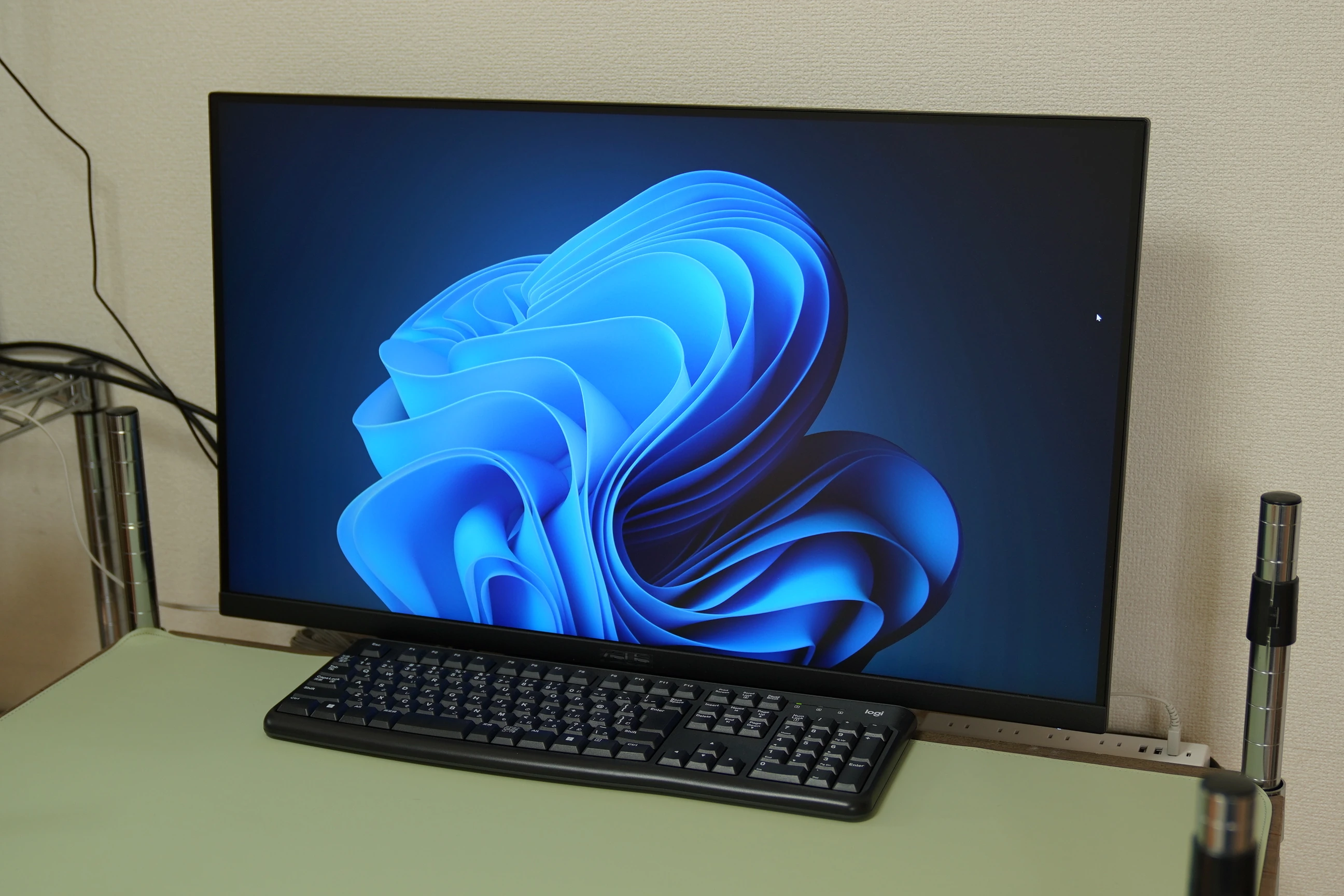
The ASUS VP327Q was a satisfying purchase as a large 4K monitor for everyday PC work and video viewing. Its built-in speakers were hard to hear clearly, so I supplemented the sound externally.
My LG 29UC88-B, bought in 2016, had served me for ten years
After buying a new PC, I made my former main PC a secondary machine. While reconsidering that workspace, I bought ASUS's 31.5-inch VP327Q.
The reference price is ¥31,980 including tax, the Amazon.co.jp limited-time sale price I checked on October 18, 2026.
View ASUS VP327Q (31.5-inch 4K) on Amazon (Ad)
My long-serving monitor was an LG 29UC88-B bought in 2016: a curved, 29-inch ultrawide with a 21:9 aspect ratio and 2560 × 1080 resolution. Its matte IPS panel also has height adjustment. Before I knew it, I had used it for about ten years. It is still comfortable to use.
Search Amazon for LG ultrawide monitors (Ad)
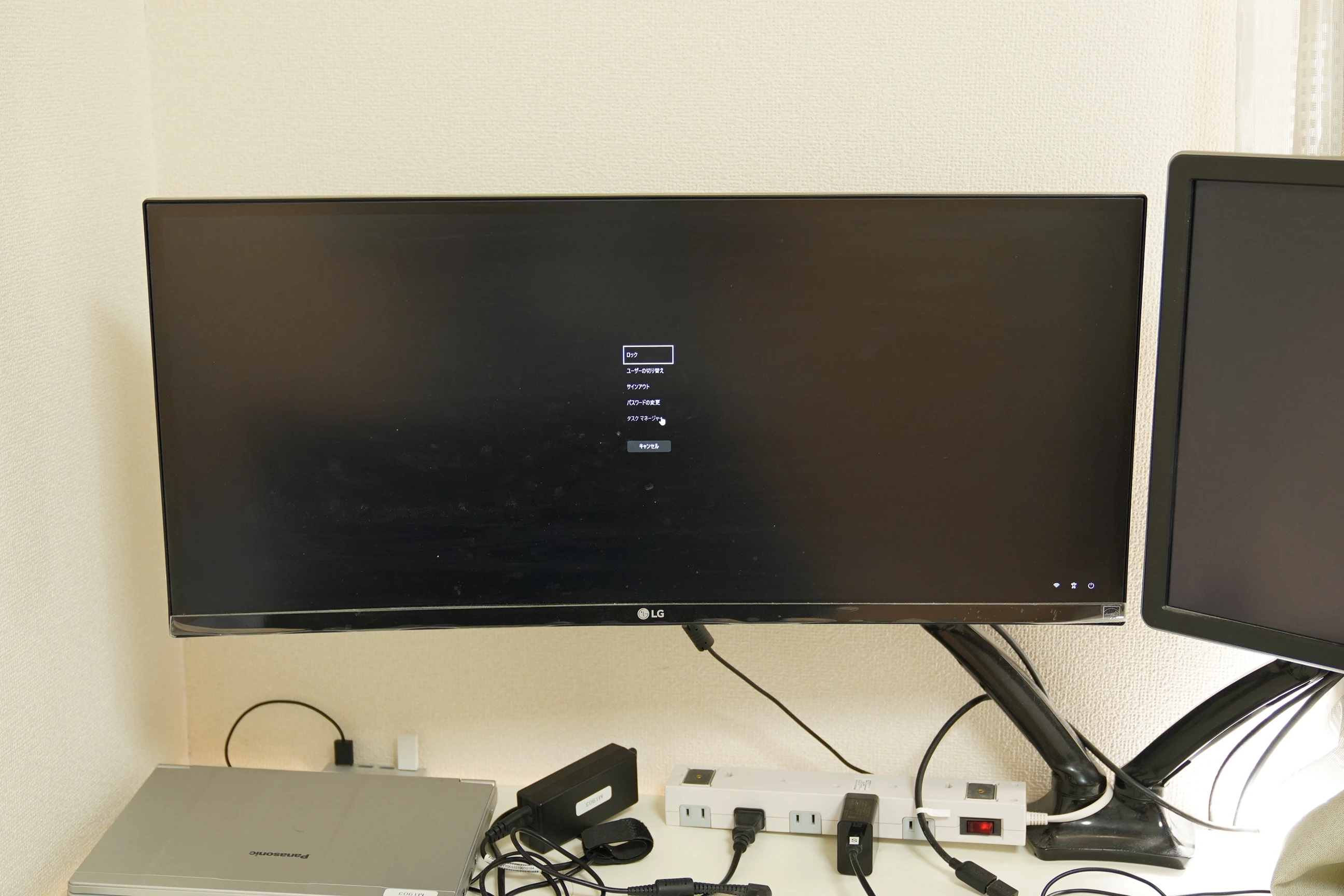
A wide screen is still useful, but lately I had begun to find it a little short vertically. There was plenty of width, yet I wanted more above and below. I therefore chose a larger, conventional 16:9 screen: the 31.5-inch VP327Q.
Both are just over 70 cm wide: extending an ultrawide vertically feels like good value
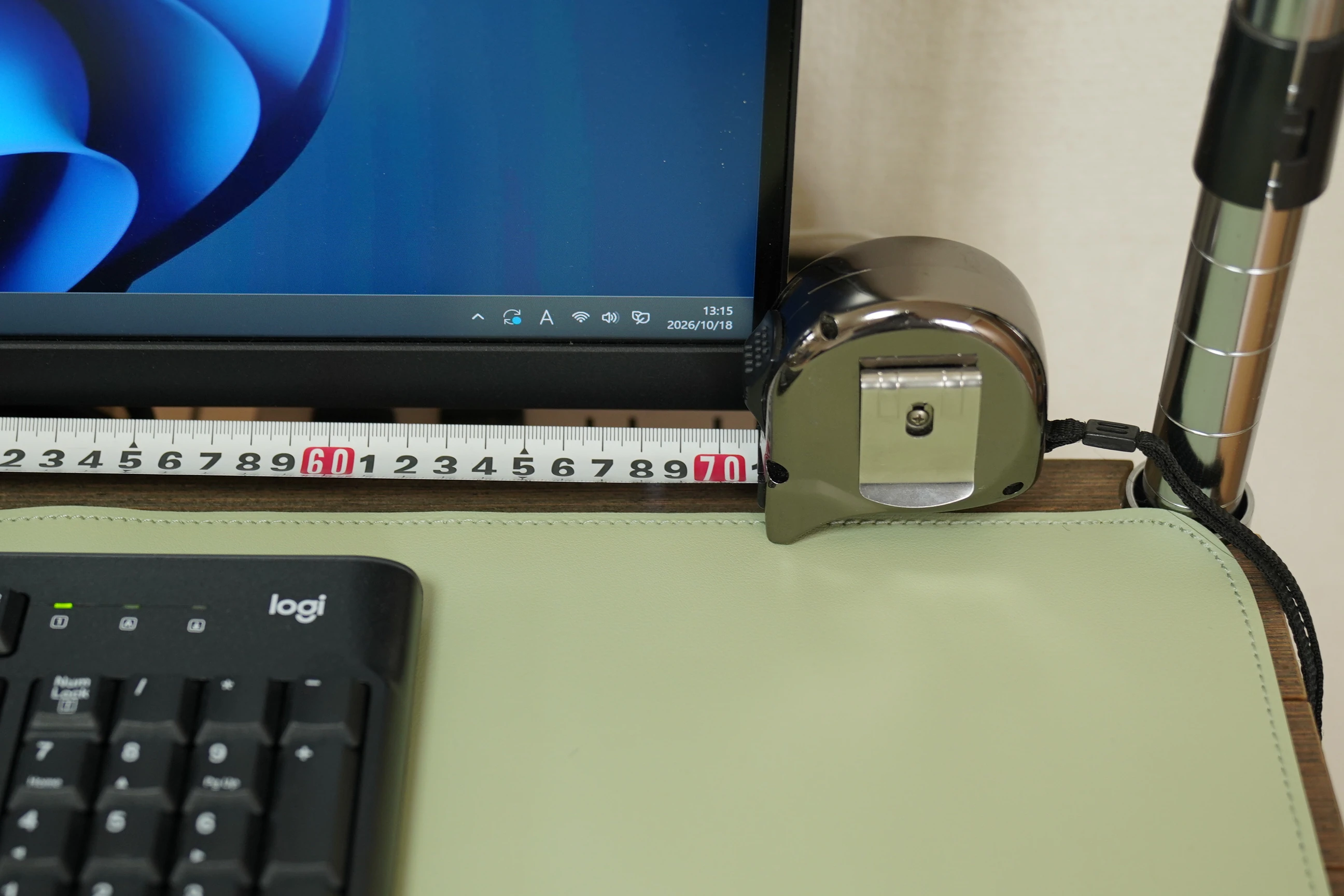
Comparing them, the LG 29UC88-B and ASUS VP327Q are almost the same physical width. A 29-inch ultrawide and a 31.5-inch 16:9 monitor take up roughly the same horizontal space.
| Item | LG 29UC88-B | ASUS VP327Q |
|---|---|---|
| Screen size and aspect ratio | 29-inch, 21:9 | 31.5-inch, 16:9 |
| Body width | 70.1 cm | 71.46 cm |
| Body height without stand | 31.7 cm | 42.37 cm |
| Height with stand | 39.6–51.6 cm | 48.58 cm |
| Active display area, width × height | Approx. 67.3 × 28.4 cm | Approx. 69.7 × 39.2 cm |
| Resolution | 2560 × 1080 | 3840 × 2160 |
The bodies differ in width by only about 1.4 cm, but the display area becomes about 10.8 cm taller. Thinking of it as extending my old ultrawide above and below makes it feel like excellent value.
Manufacturer product information:
https://www.lg.com/jp/…/29uc88-b/
https://www.asus.com/jp/…/vp327q/techspec/
I was pleased with the extra screen space, but my next problem was the desk.
The desk first: my 90 cm wide, 45 cm deep rack-style desk was a poor choice
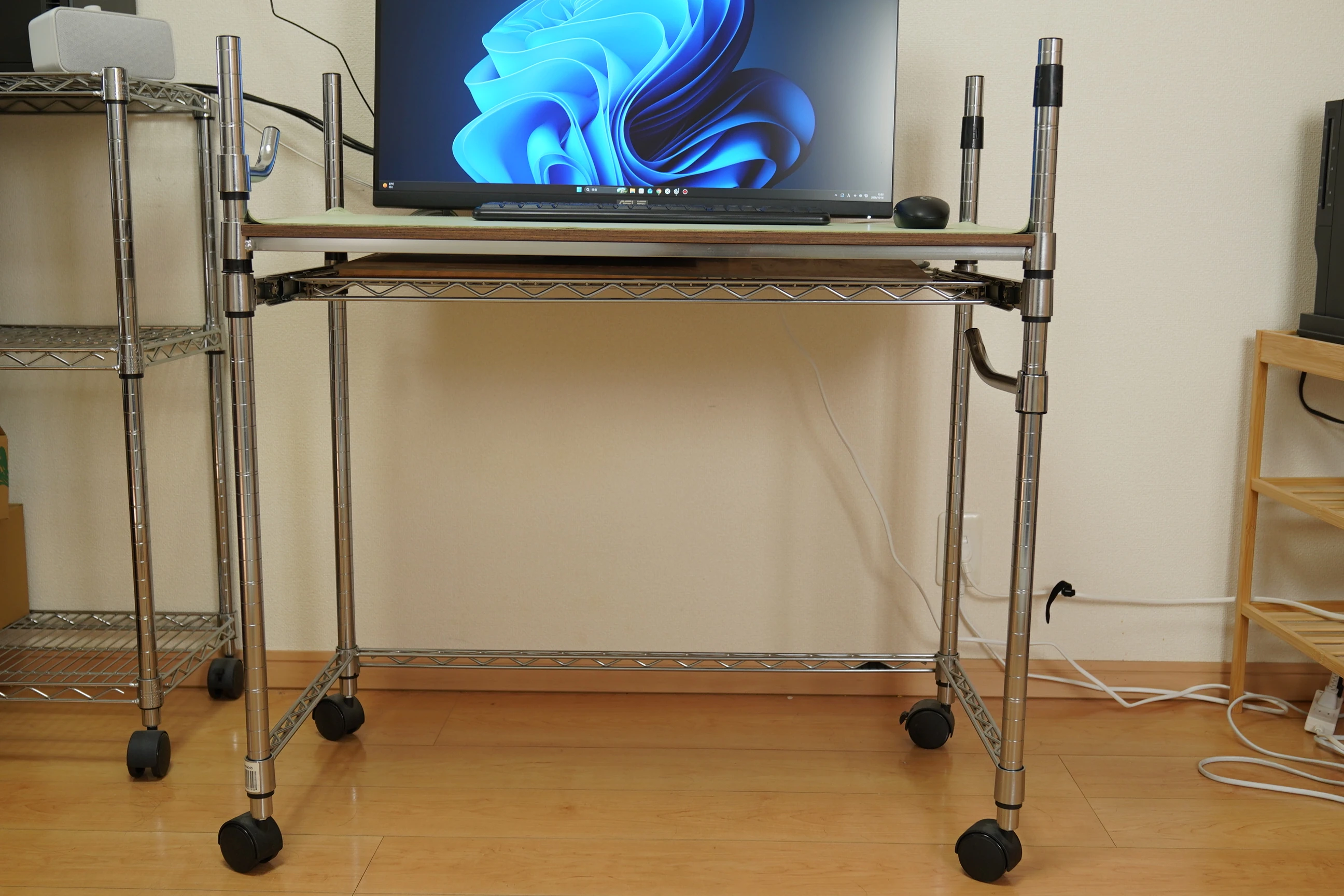
I use a metal-rack desk measuring 90 cm wide and 45 cm deep. I later added a drawer, but neither the desk nor drawer suited my use particularly well.
Choosing long uprights was my own mistake. The greater problem was the shallow depth: placing the monitor on the desktop left almost no room to work in front of it.
I think a normal table around 80 cm deep would have suited me better. Choosing by width alone can lead to this sort of problem. In this setup, the 45 cm depth became a limitation.
Turning the drawer around made a monitor shelf and freed the desktop
I wanted the monitor as close to the wall as possible. At first, I considered a monitor arm, but could not find a good way to fit one behind this cramped desk.
Instead, I changed the drawer's orientation and used that section to support the monitor, placing it behind rather than on the work surface.
This was surprisingly useful. It provided room not only for the monitor stand, but also for a power strip and cable routing. A small change in perspective: using the drawer for something other than storage.
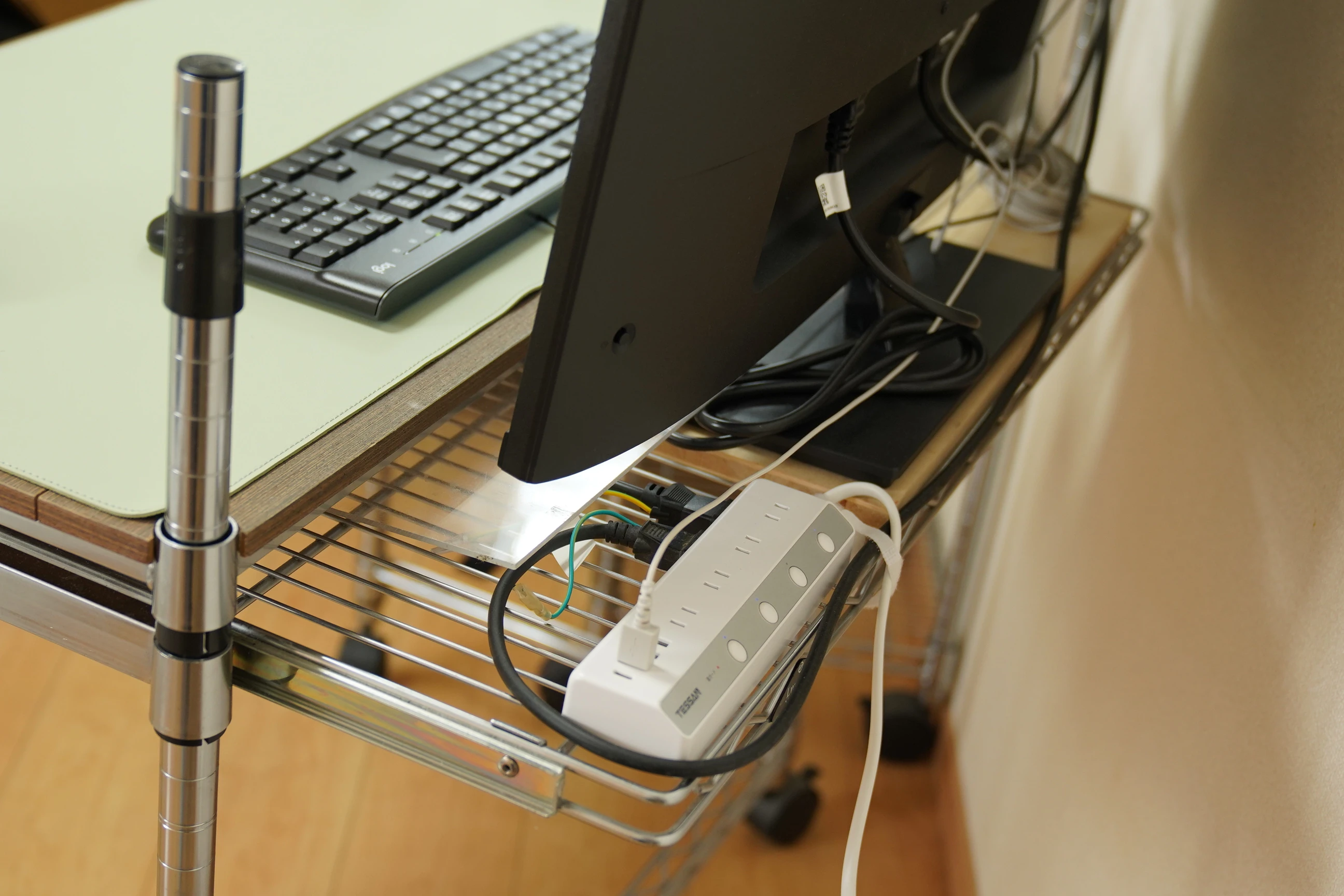
Initially I worried that the monitor might fall, but it is stable in its current position against the wall. I could now use the desktop's 45 cm depth for work, which made the setup considerably better. It worked very well for me.
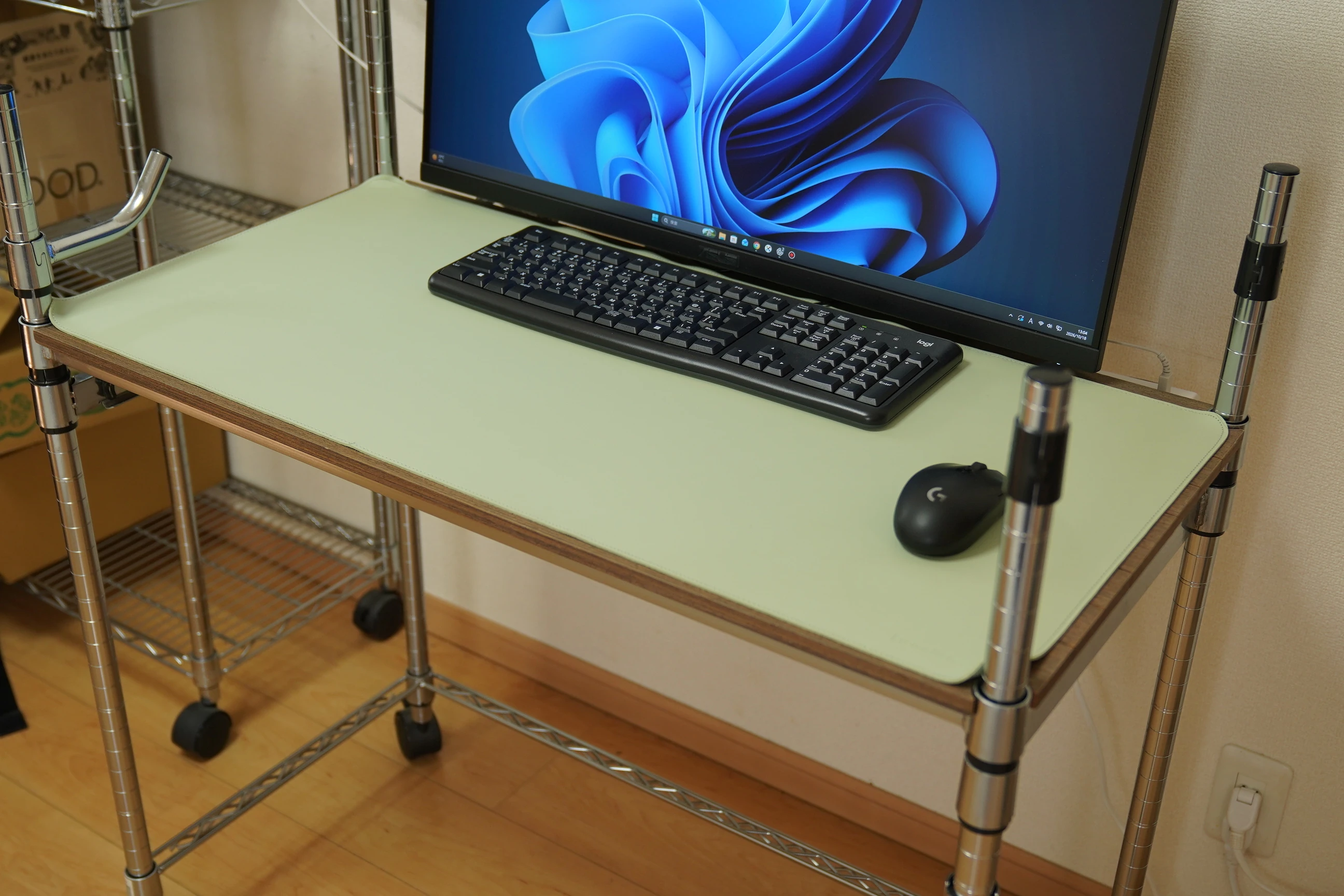
The VP327Q: a 31.5-inch 4K VA panel with basic connections but no height adjustment
Back to the monitor itself. The VP327Q provides a large 31.5-inch screen and 4K resolution at an affordable price.
Its 3840 × 2160 resolution doubles Full HD in each dimension. How much workspace you gain depends on Windows scaling, but simply moving to a larger 16:9 screen made it more comfortable for me.
| Item | Main specification |
|---|---|
| Screen size and aspect ratio | 31.5-inch, 16:9 |
| Panel and finish | VA, matte |
| Resolution and refresh rate | 3840 × 2160, up to 60Hz |
| Color gamut and HDR input | 99% sRGB, HDR10 support |
| Video inputs | 2 × HDMI 2.0, 1 × DisplayPort 1.2 |
| Speakers and audio output | 2 × 2W speakers, headphone jack |
| Dimensions with stand | 71.46 cm wide × 48.58 cm high × 20.18 cm deep |
| Mounting and adjustment | No height adjustment, tilt adjustment, VESA 100 × 100 mm |
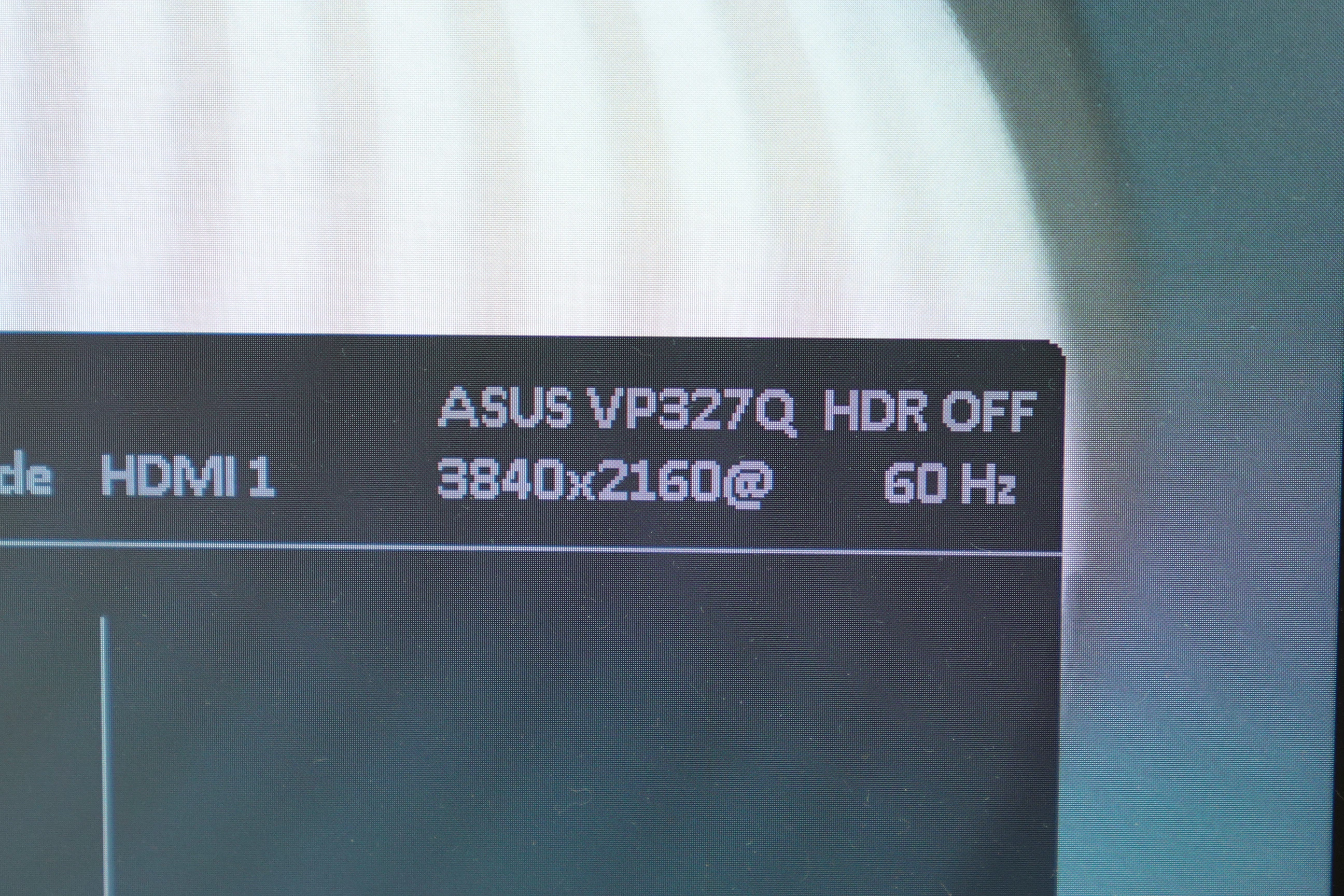
When photographed, the on-screen display showed HDMI1, 3840 × 2160 at 60Hz, and HDR OFF.
Including its stand, the monitor is about 20 cm deep. That explains why placement on a 45 cm deep desk was awkward. Check whether the whole monitor, including its stand, fits the desk rather than considering only screen size.
Amazon reviewers liked brightness and detail; some disliked color and the lack of height adjustment
I checked eight customer reviews for the 31.5-inch, 60Hz, 4K variant. Some praised its bright, detailed 4K image and reported trouble-free use. Others raised concerns.
| Item | Comments found in the reviews |
|---|---|
| Screen | Praise for brightness and 4K detail, but also complaints of washed-out color or a different color appearance from an adjacent IPS monitor |
| Stand | Some wished it had height adjustment |
| Controls | Some noted the controls' position on the rear right side |
| HDR | One use case described disabling HDR to adjust brightness and other settings to personal preference |
Read ASUS VP327Q customer reviews on Amazon (Ad)
I actually found the rear control easy to use. A single joystick handles presses and movements in four directions, as well as power. With a row of separate buttons, I always need time to remember which one does what. I prefer one control.
I do dislike the lack of height adjustment. Being able to move it up and down would make it even more useful.
I do not expect professional HDR from an everyday monitor in the ¥30,000 range
I chose the VP327Q for comfortable daily PC work and video viewing. At its reference price in the ¥30,000 range, I do not expect serious HDR presentation. Clear ordinary SDR video is enough.
It accepts HDR10 input, but its typical specified brightness is 350 cd/m². Properly distinguishing HDR highlights and deep shadows requires headroom in brightness, contrast, and tonal reproduction. I do not expect this monitor to fulfill the role of expensive equipment designed for that purpose.
HDR handles a wider brightness range than conventional SDR. PQ and HLG are two ways of representing brightness; HDR10 uses PQ. HLG also considers SDR compatibility, but that does not mean SDR reproduces the same HDR appearance.
https://www.eizo.co.jp/…/hdr/index2.html
At work, when editing RAW video, I sometimes inspect PQ or HLG HDR on a Sony mastering monitor. Without a reference monitor for judging color and brightness, even I cannot tell whether it is being displayed correctly. I have also found footage dim when checked in SDR, so playback support and settings need attention.
Once, a client requested HDR delivery. When I asked whether they wanted PQ or HLG, I received no answer beyond "BT.2020." Specifying the BT.2020 color gamut alone does not decide between PQ and HLG.
I made both and went to deliver them, only to find a Rec.709-compatible HD player connected to a high-brightness HDR-capable screen. I ultimately remade the video to suit that environment. To me, it resembled presenting video on a bright field monitor. Showing a bright picture and handling PQ or HLG HDR are separate matters; we needed to agree on delivery conditions first.
In a work HDR monitoring environment, I can inspect color differences, highlights, and shadow detail closely. That also makes imperfections more noticeable and color adjustment takes longer. Yet clients often lack a matching environment for checking and playback, making adjustment and delivery difficult. Whenever this happens, I find myself thinking that I dislike HDR.
On the web, it is also difficult to know what conversions happened before the image reached the current display. Those experiences make me more inclined to watch Rec.709 SDR casually at home. The VP327Q is bright enough in SDR, and I am satisfied with it for ordinary video.
Good value for everyday PC work and Rec.709 SDR video
The stated gamut is 99% sRGB. That figure alone does not establish color accuracy, but Rec.709 video viewed straight on looks natural to me. The matte screen is easy to use, and I am pleased with the 4K resolution. I use it at 59.94Hz in my setup.
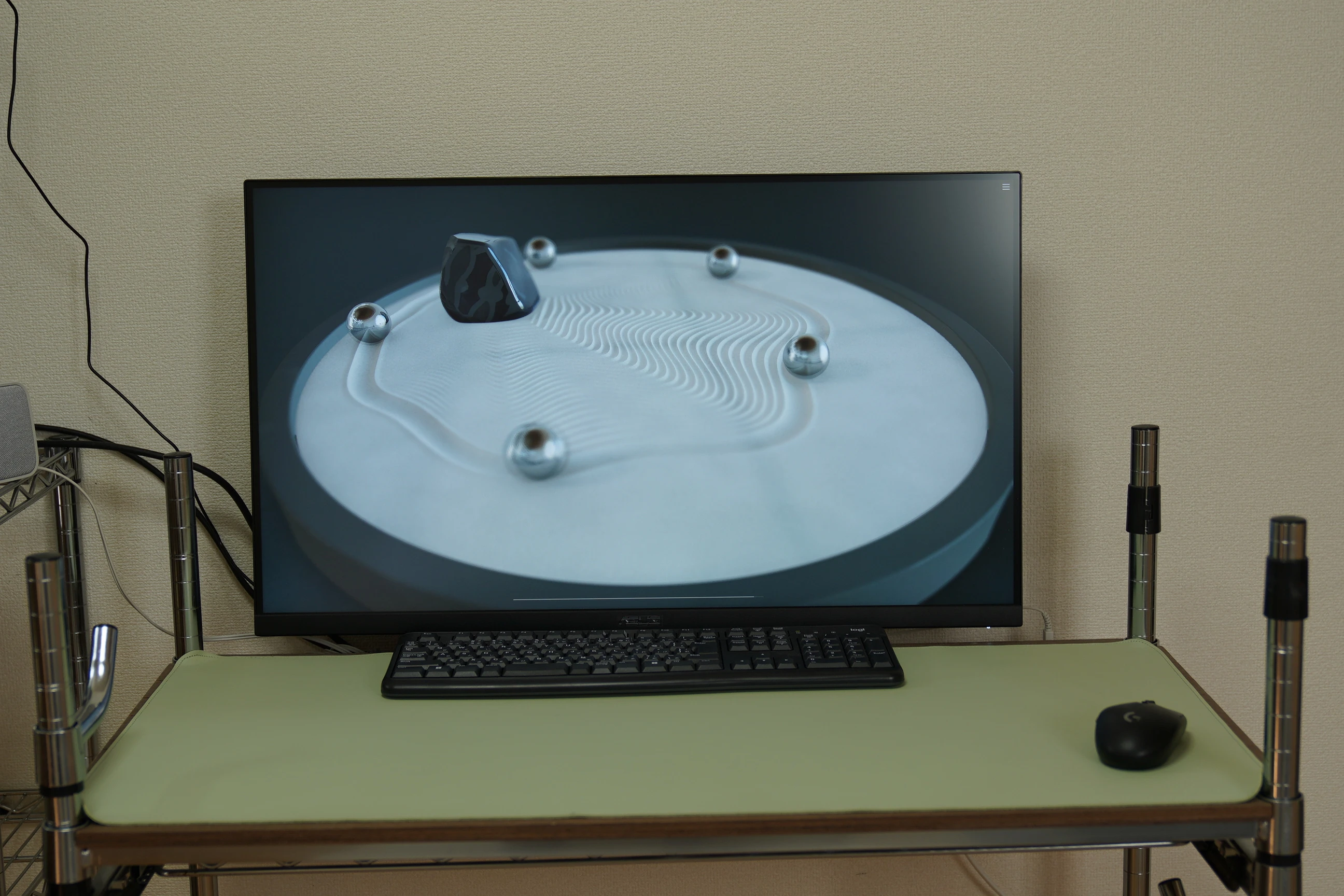
The stated horizontal and vertical viewing angles are both 178°, but that does not mean identical brightness and color from every direction. I too find the colors paler from an angle, similar to some reviews. Viewing such a large screen from nearby may contribute.
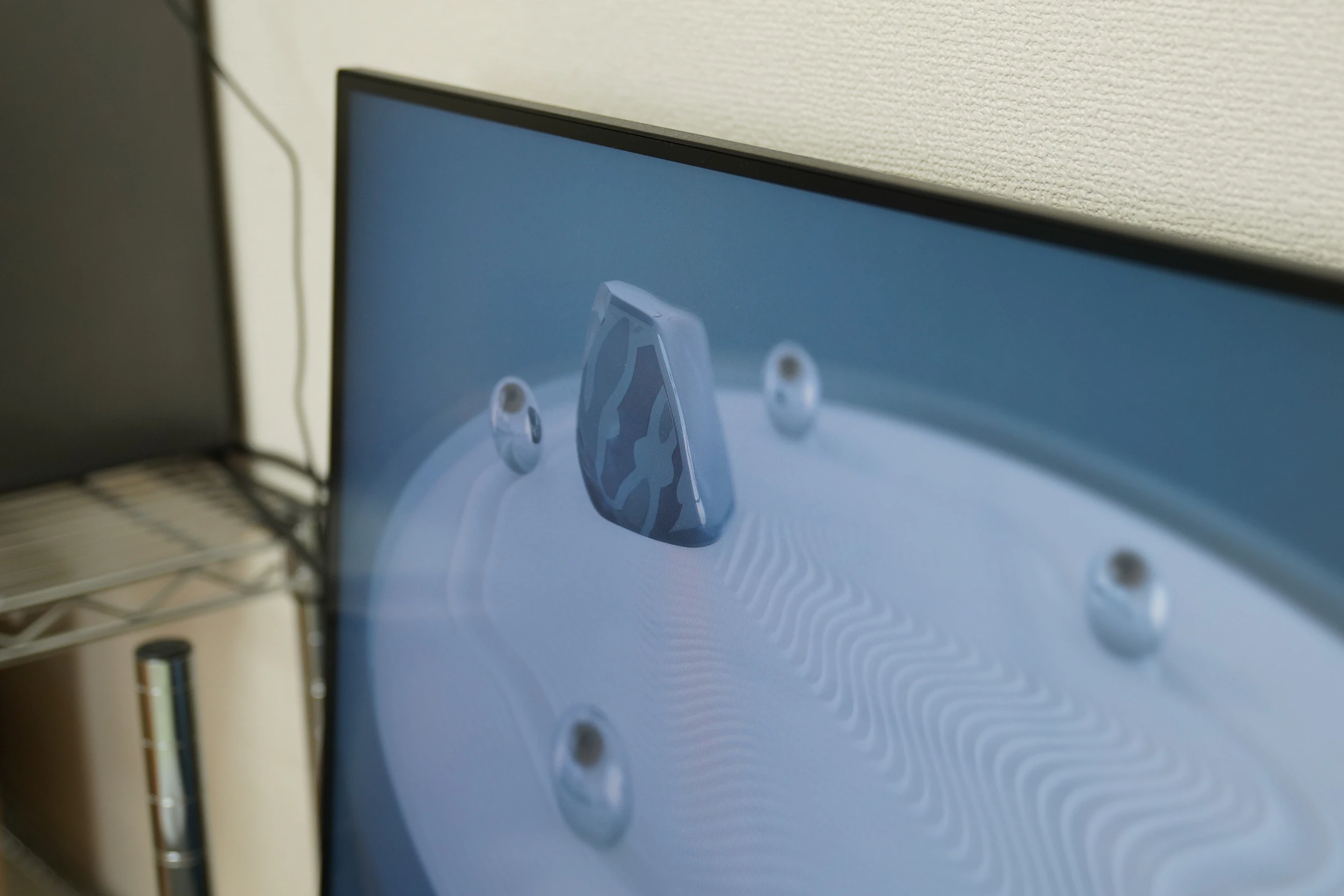
This is not a measured evaluation of color or viewing angles, but my satisfaction as an everyday display is high.
Happy with the screen, disappointed by the speakers
Sound was the disappointment. Frankly, the built-in speakers sounded poor. Even speech on YouTube was difficult to hear clearly, leaving me dissatisfied for daily video viewing.
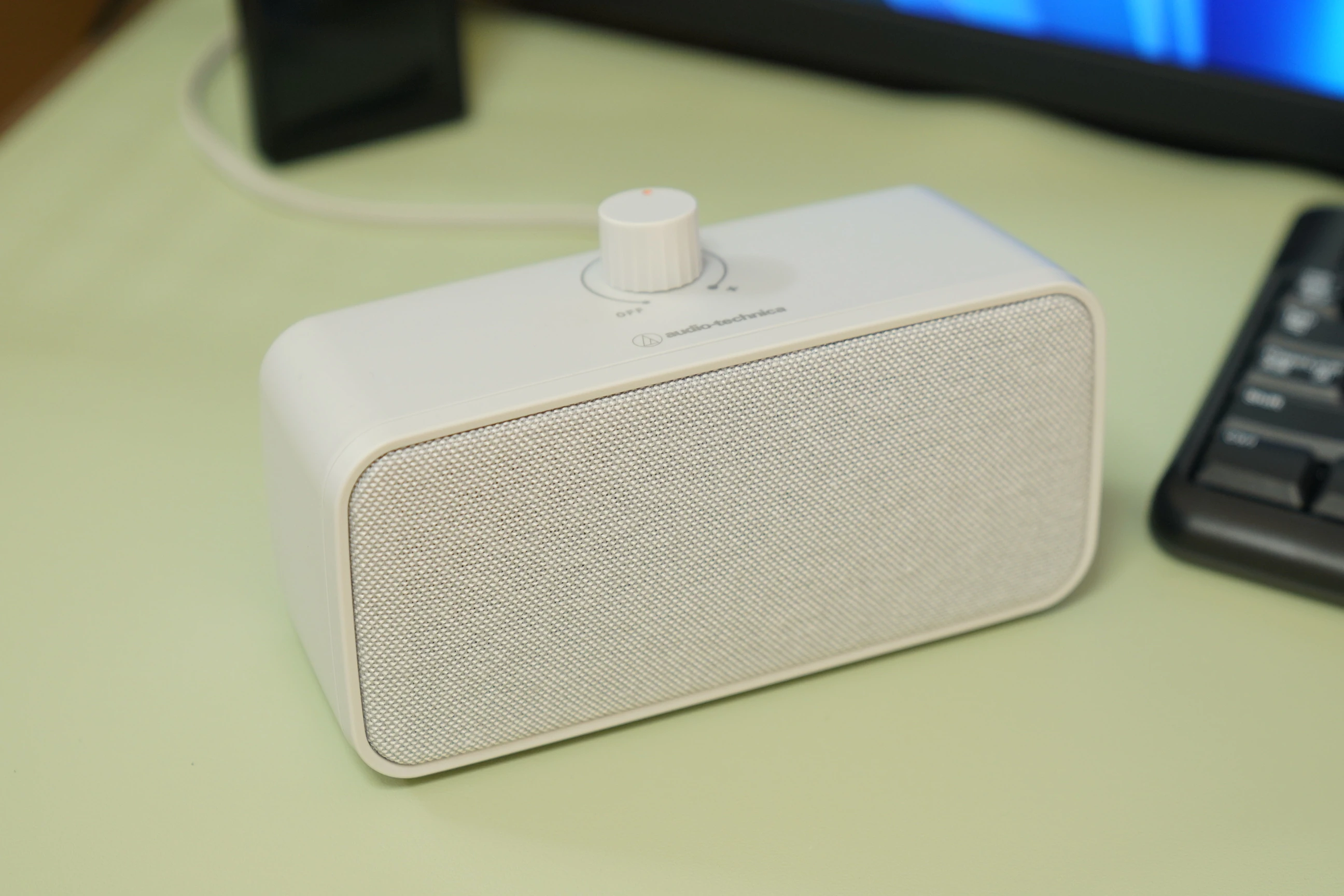
I added an audio-technica MIMIO SOUND BOX, taking audio from the monitor's headphone jack and listening through the speaker beside me. That made listening comfortable.
View MIMIO SOUND BOX (AT-SP270TV) on Amazon (Ad)
I describe its usability and the electronic noise encountered with USB power in a separate article.
Ten years of ultrawide loyalty shaken: a larger 16:9 might be fine
For about ten years, I had been a committed ultrawide fan. I thought horizontal space was the key to comfort, but choosing this monitor changed my view.
The screen grew above and below while staying nearly the same width. In terms of screen area alone, a large 16:9 felt like an upgrade that extended 21:9 vertically.
Desk placement and audio needed some ingenuity, but the 4K display is comfortable. Perhaps an even larger 34- or 36-inch 16:9 screen would be good. This was a satisfying purchase that left me thinking that way.
ASUS VP327Q (31.5-inch 4K)View details on Amazon Ad · Amazon Associates link
Related articles
Updates and contact: X @riragoncom.