Gemini 2.5 Flash Image (Nano Banana): photos and UE5 scenes as manga line art
I tried converting generated photographs and Unreal Engine 5 screenshots into black-and-white line art with Gemini 2.5 Flash Image in September 2025. The examples compare the original images, the line drawings, and a character composite.
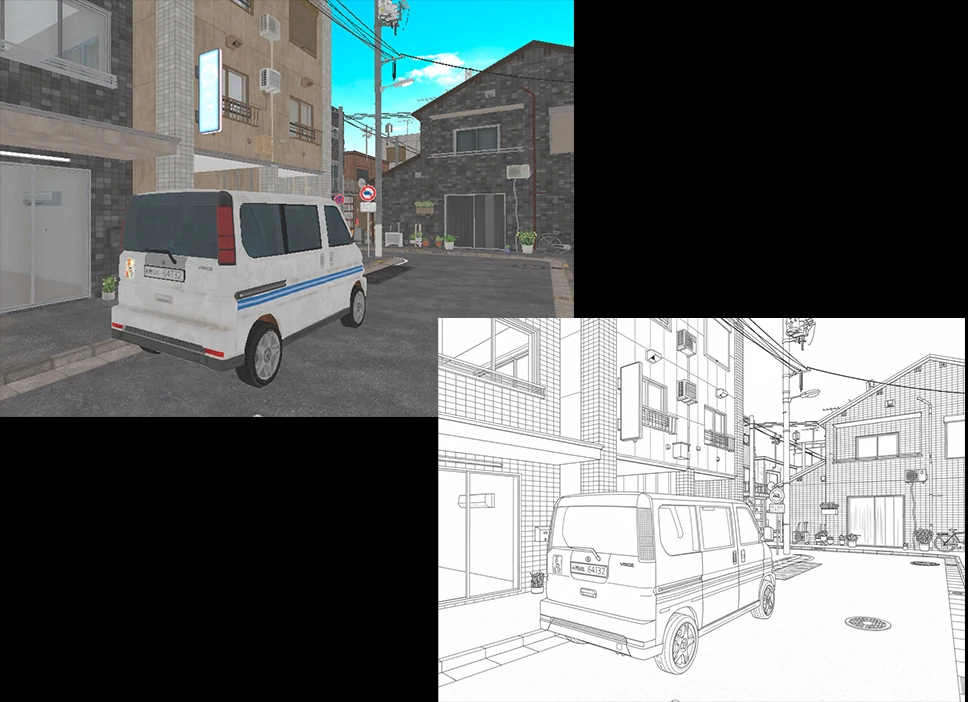
There are countless ways to generate manga-style background line art with AI: Stable Diffusion, ControlNet, ChatGPT, Clipdrop, and many more. In my attempts, the results were sometimes too photorealistic or cluttered with fine detail. They were not quite what I wanted, although more careful tuning might have helped. Then Gemini 2.5 Flash Image, also known as Nano Banana, arrived in September 2025.
It became well known for generating images with a figurine-like appearance.
I expect more AI tools will keep appearing every month.
When I used Gemini 2.5 Flash Image (Nano Banana) mode to turn photos into line drawings, the quality was quite good.
Later in this article, I also try turning UE5 imagery into line art.
Testing line-art conversion with three images
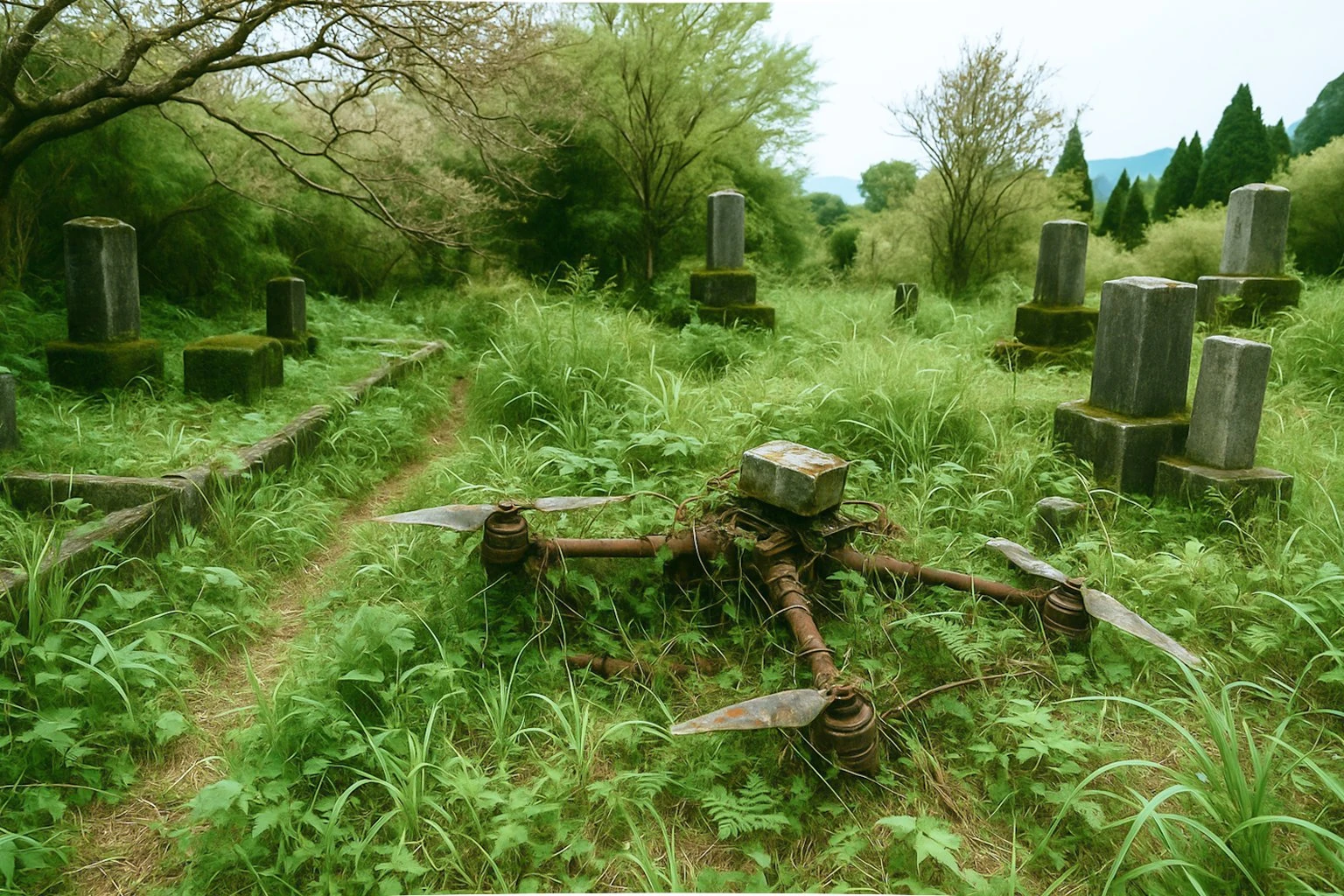
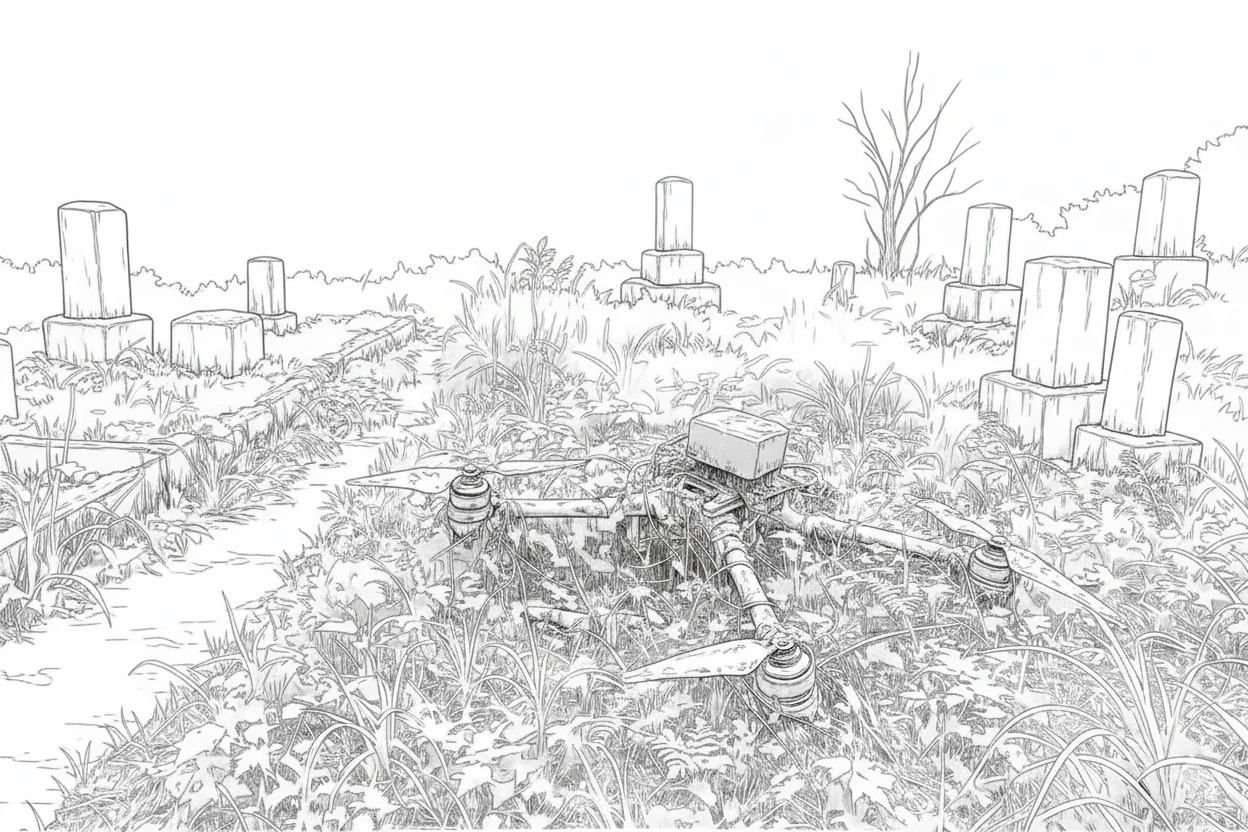
For the test, I converted the following three generated photographs. The first shows a drone and a graveyard.
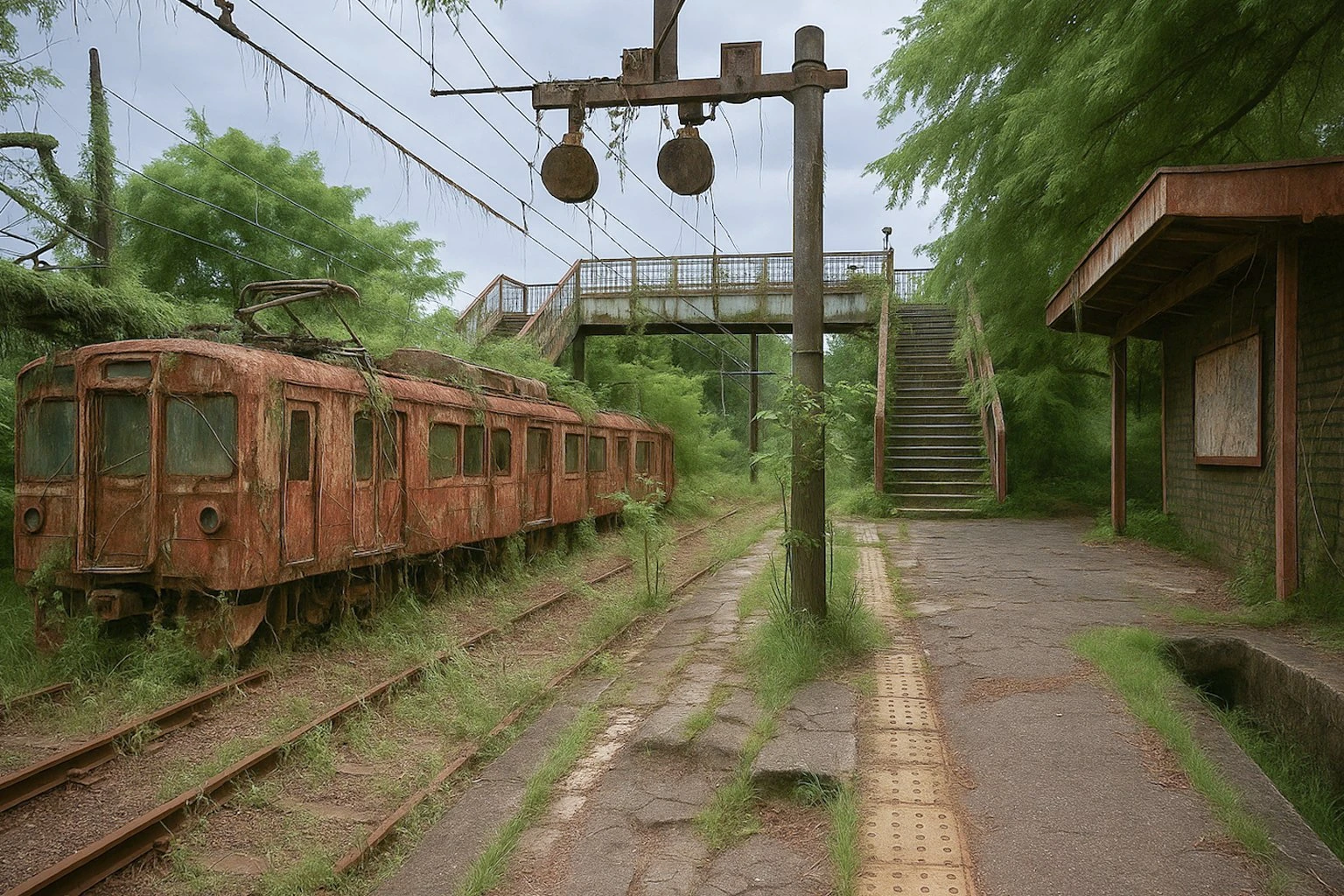
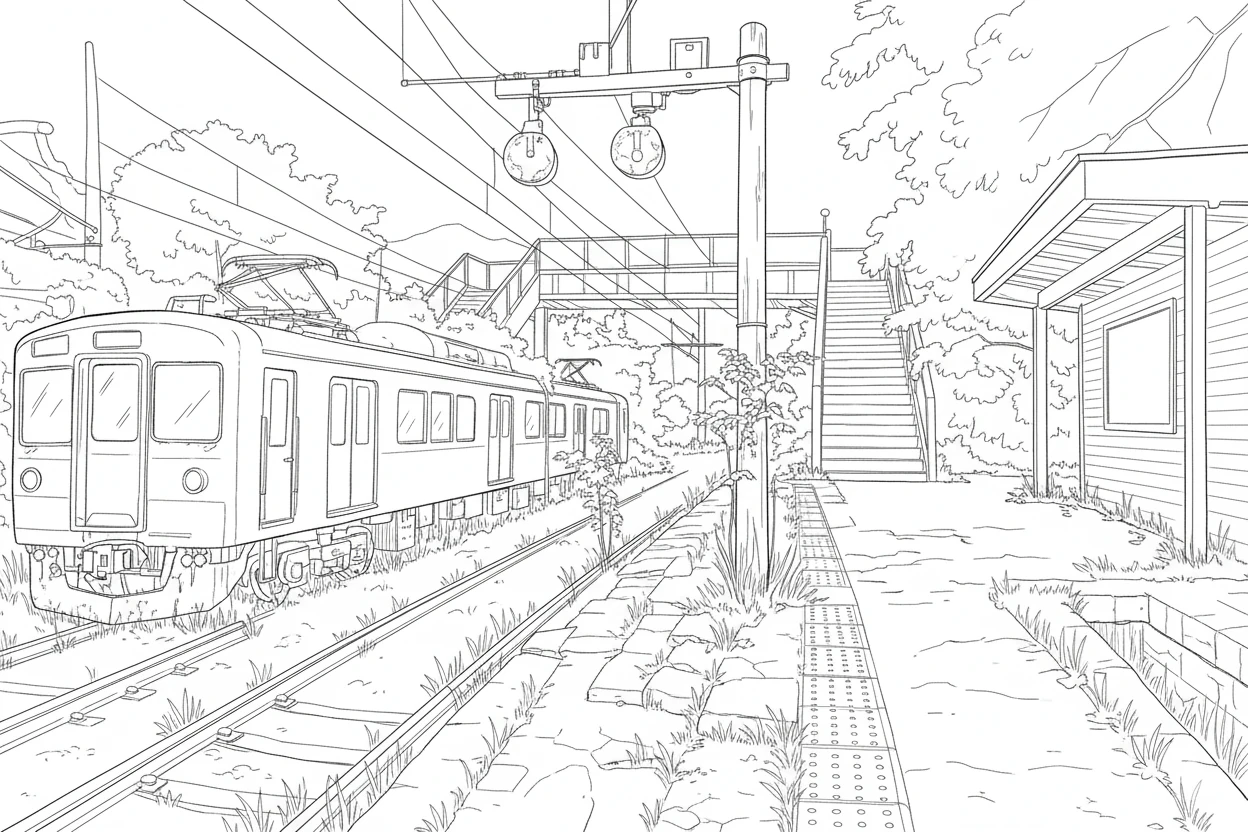
 The second shows an abandoned railway.
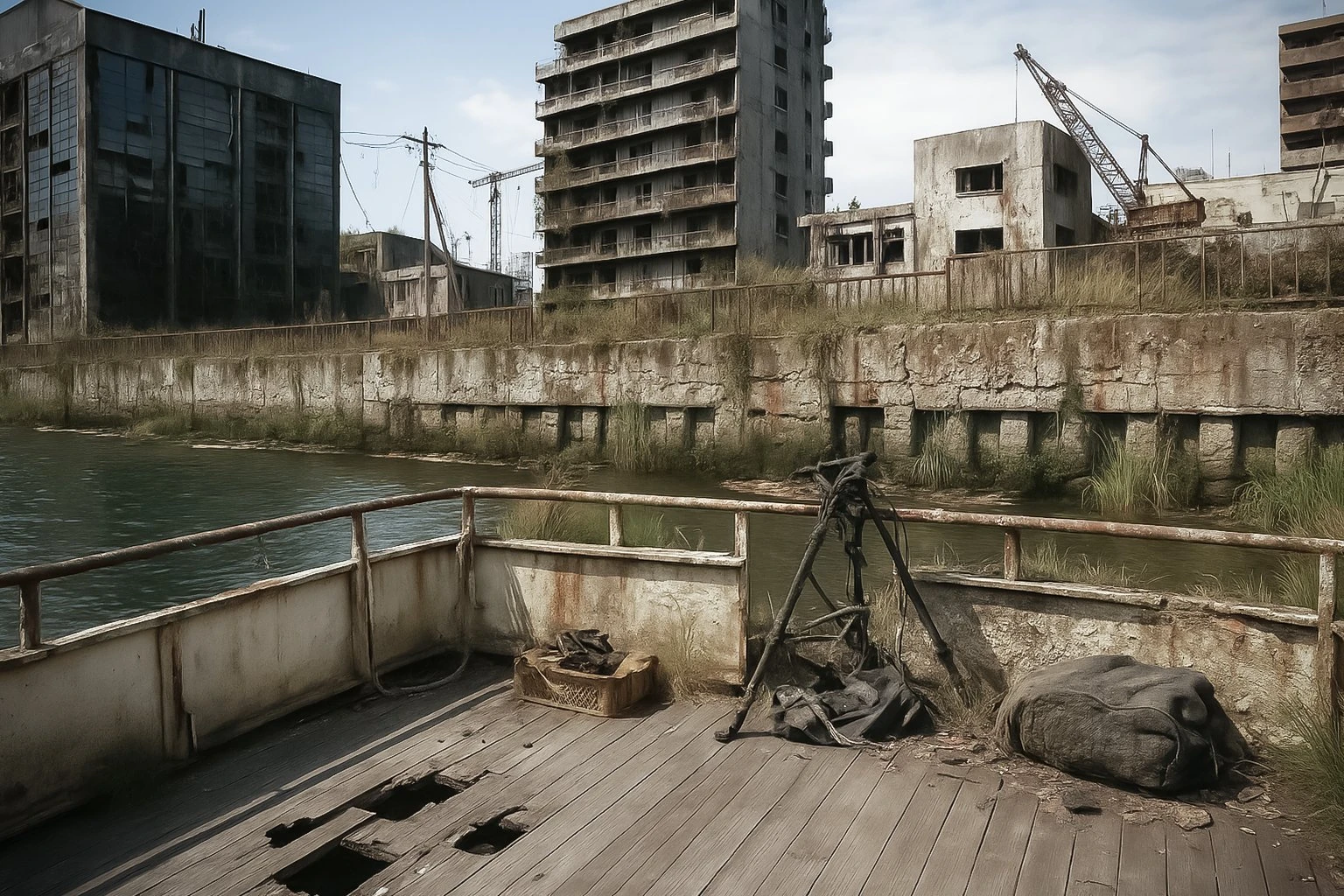
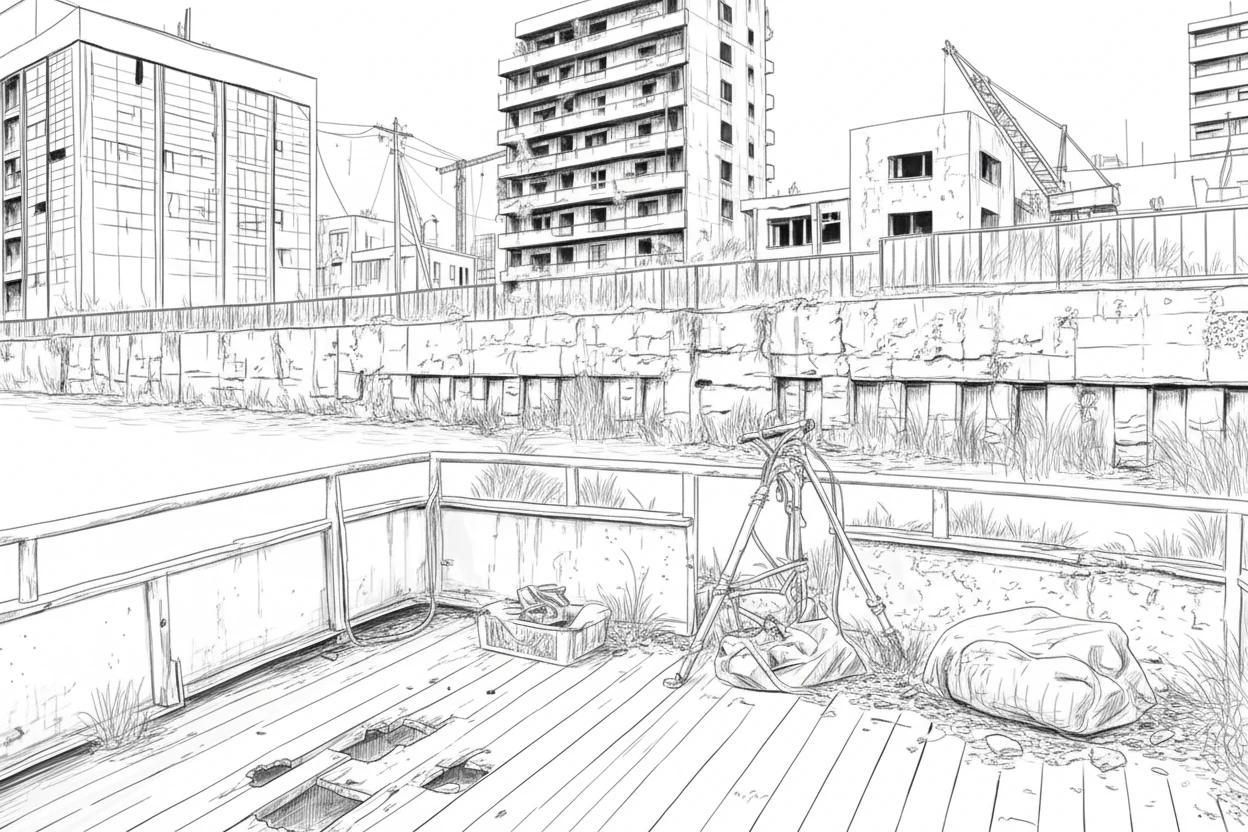
 The third shows a river after humanity has disappeared.
 Here are the line-art results. The shapes, including the drone, remained recognizable while being stylized nicely.
 The train also became a useful, illustration-like line drawing.
 The buildings still feel somewhat photorealistic, but the result is reasonably good.
Comparing the photos and line art in video
The videos compare each photo with its line drawing. The results stay faithful to the original while translating the forms accurately into lines. The train and ground are simplified just enough. The choice of details to leave ambiguous feels almost human. Comparing the drone and graveyard in video, the omitted detail in the distant background gives the image a manga-like feel. I find it remarkable that such a cluttered photo can become clean line art.
Testing UE5 as a source for background artwork
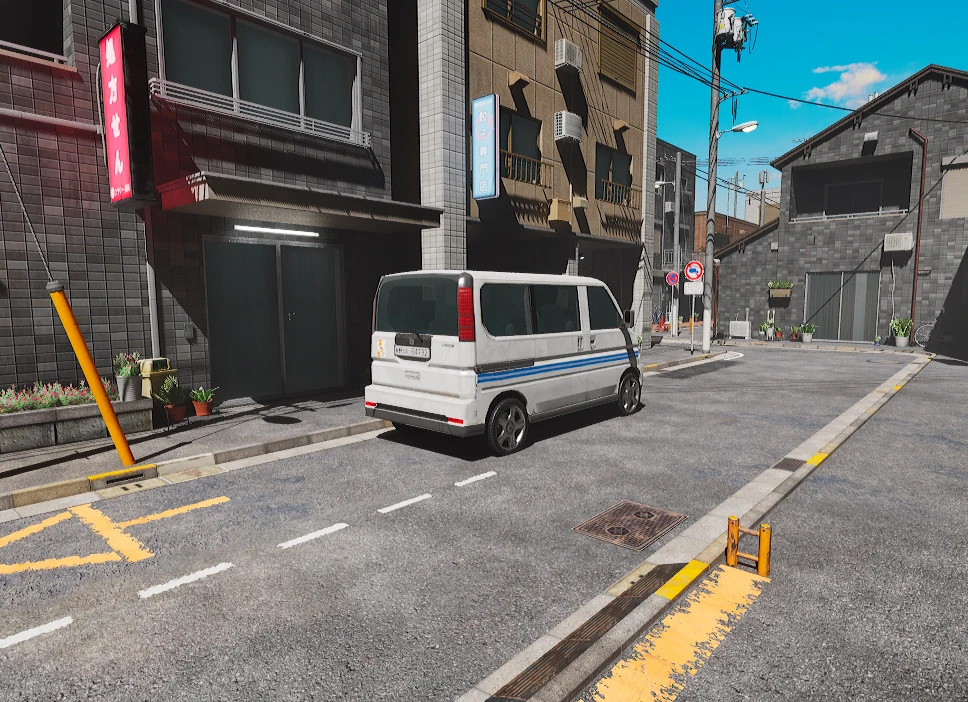
Next, I tried UE5 imagery. I captured a street scene in Lit mode, with lighting enabled.
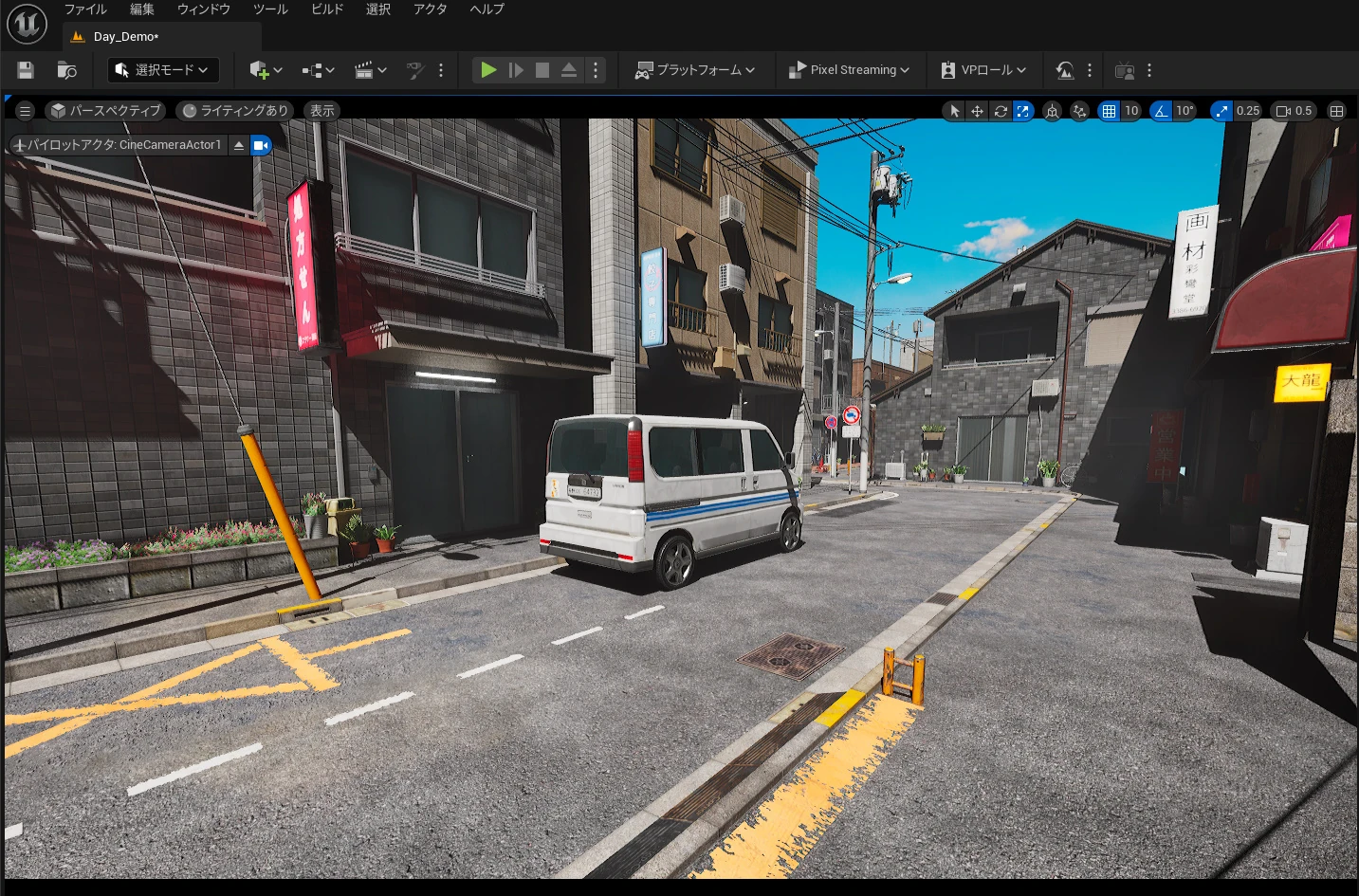 Here is the UE5 screenshot.
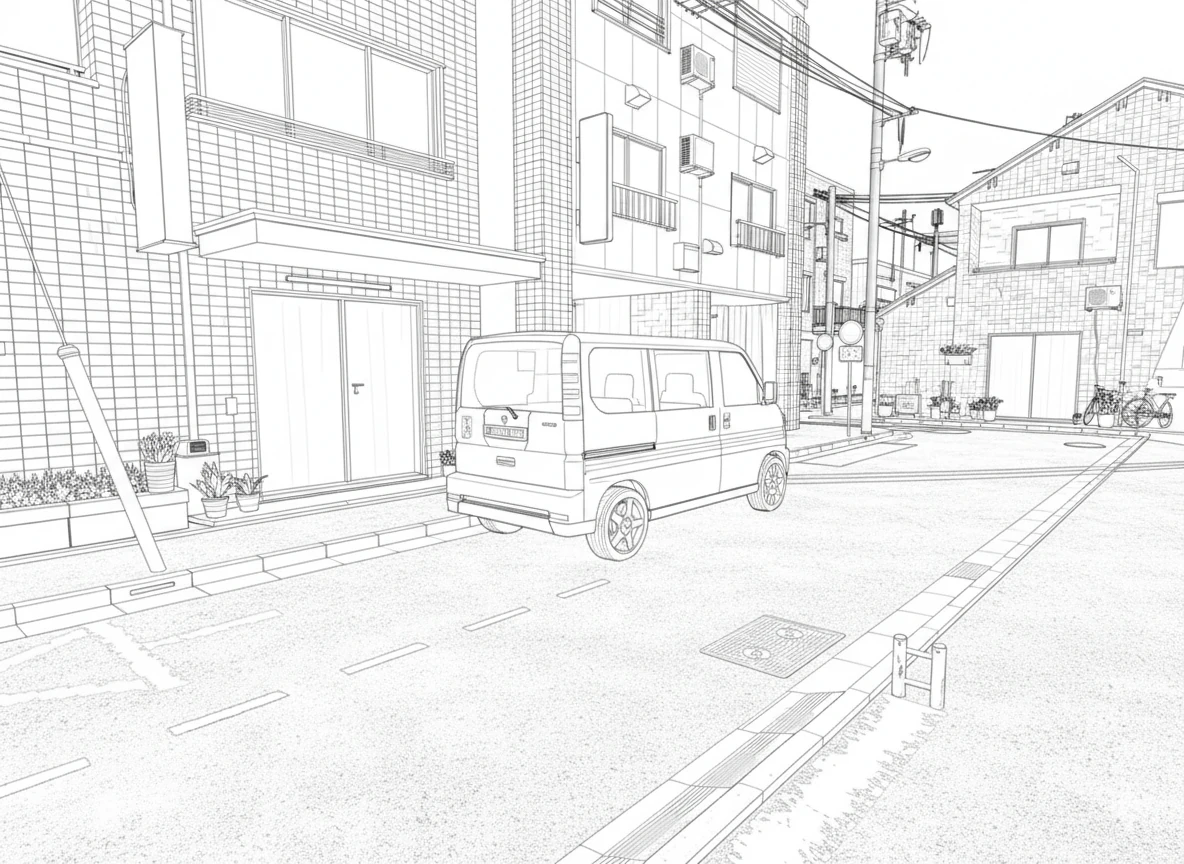
 This is the line-art conversion. Some of the noise on the ground still feels photorealistic, which bothers me a little.
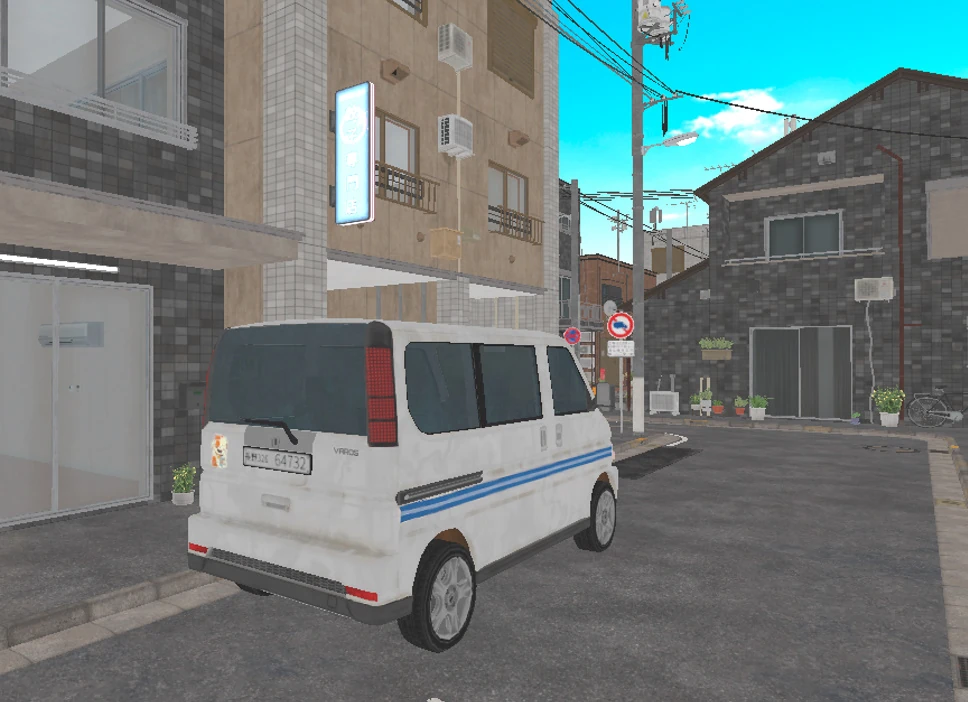
 I switched UE5 to Unlit mode, without lighting.
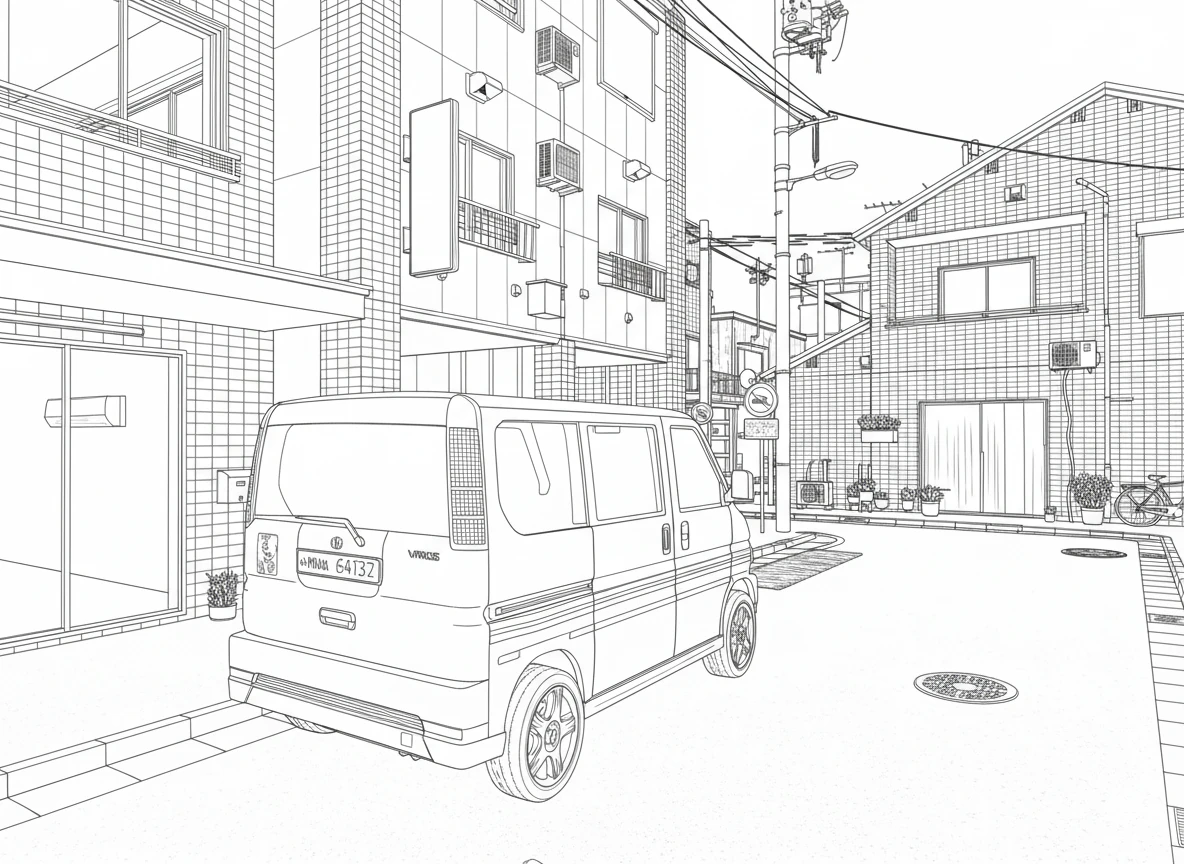
 Converting the Unlit image produced something much more like an illustration.
 Here is a screenshot of a cafe terrace facing the street.
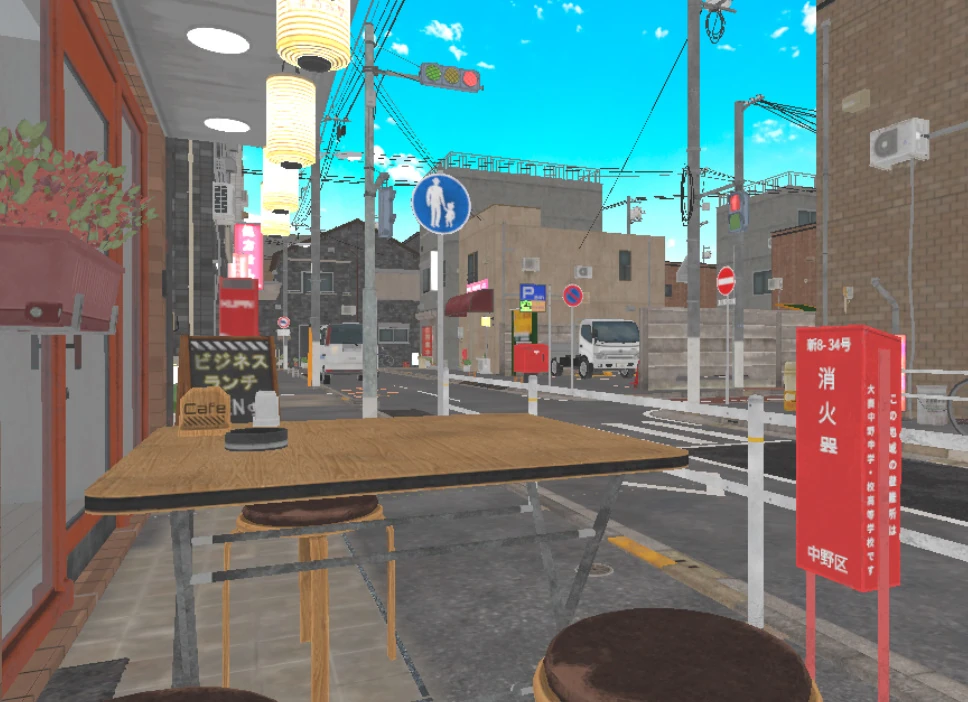 After a few attempts, I got a good line drawing. Since the source is UE5, removing distant objects as needed before converting the image could make it even better.
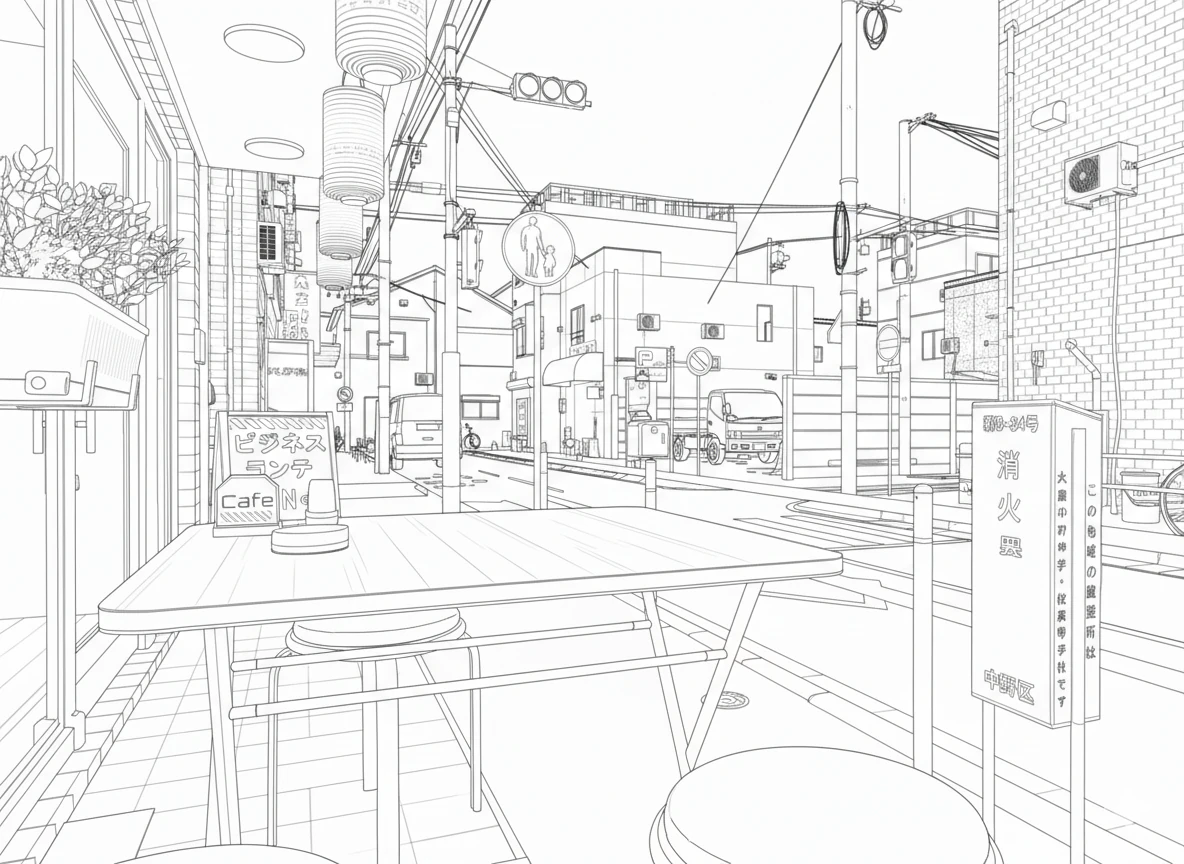
Compositing a character with a UE5 line-art background
I generated a gorilla and asked the model to composite it with the line drawing. The gorilla is sitting down. Some foreground and background relationships are a little wrong, but a few corrections would make it usable.
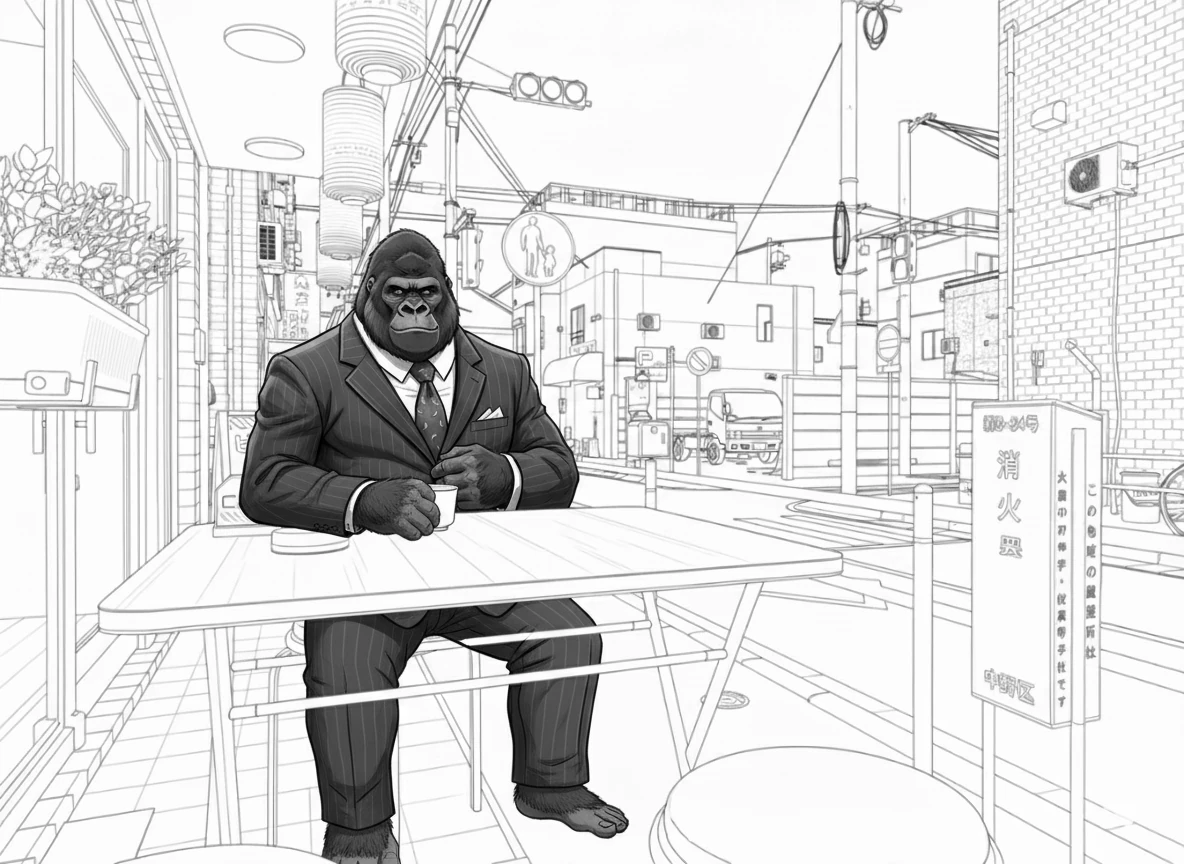 This is roughly the prompt I used:
"Turn this image into a well-balanced line drawing in black and white. Use medium-weight lines and simplify excessively fine details, such as grass and leaves, to a suitable degree. I want clear, expressive line art that works well as a manga background without being overloaded with information. Use black and white. Make the drawing visually well defined."
An English prompt or more precise instructions might work better.
This is roughly the prompt I used:
"Turn this image into a well-balanced line drawing in black and white. Use medium-weight lines and simplify excessively fine details, such as grass and leaves, to a suitable degree. I want clear, expressive line art that works well as a manga background without being overloaded with information. Use black and white. Make the drawing visually well defined."
An English prompt or more precise instructions might work better.
Related articles
Updates and contact: X @riragoncom.