Merge bracketed RAW photographs and export 32-bit HDR data with a wide dynamic range
How to combine RAW photographs taken at different exposures and export the result as 32-bit HDR data.
Note: This article was published more than a year ago. The HDR merge interface in Adobe Photoshop and Camera Raw, including wording and panel positions, can change substantially. Read this as a conceptual guide.
- The Sony α7R III is described here as discontinued. Its official product-page URL may also move or disappear.
- Displaying 32-bit HDR depends heavily on OS and monitor HDR settings and color profiles. Windows' HDR toggle and Photoshop color settings vary by version too.
- Available bracket counts and EV steps depend on the camera model and firmware.
Here is an introduction to merging RAW data into HDR.
HDR merging combines RAW images taken at several exposure levels to create a high-dynamic-range image.
This can capture a wider tonal range and more detail than a conventional photograph.
HDR involves several topics: gamut, data formats, and display methods. Much familiar 'HDR' is an HDR-like SDR image made by merging exposures and reducing highlights for display. I am skeptical of very cheap HDR monitors. Without a proper HDR reference display, such as a Sony mastering monitor, it is difficult to judge the actual HDR colors. Rec.2020, also called BT.2020, covers such a wide gamut that ordinary current display technology cannot show all of it. Most televisions and phones we commonly view probably operate in SDR Rec.709/sRGB-like environments. A proper RAW HDR merge can produce data containing information beyond even a mastering monitor costing millions of yen. Let us make some.
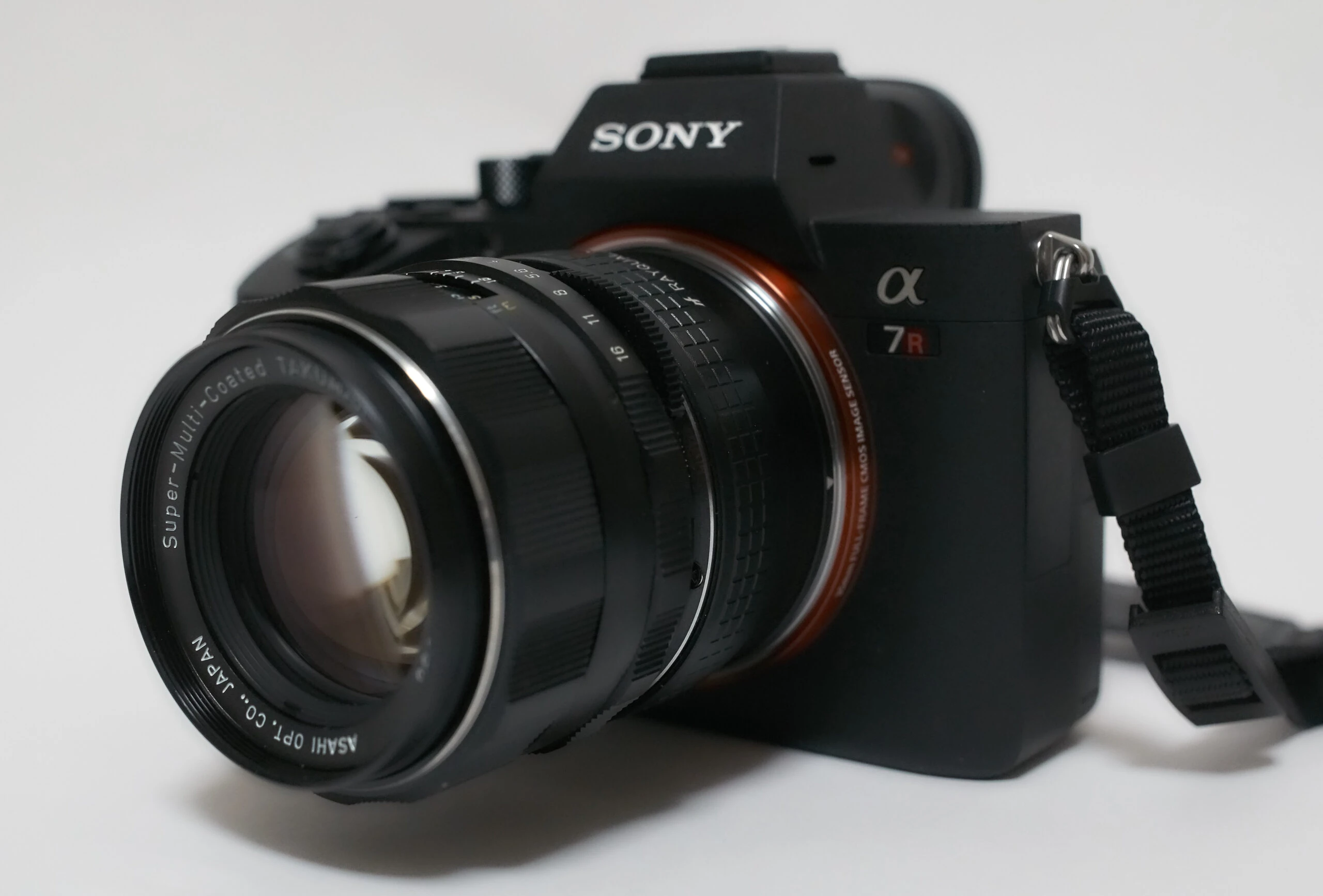
Equipment: Sony α7R III and FE 20mm F1.8 G
The camera is already discontinued. The lens is a 20mm wide-angle.
https://www.sony.jp/ichigan/products/ILCE-7RM3/
View the Sony α7R III (ILCE-7RM3) on Amazon (Ad)
https://www.sony.jp/ichigan/products/SEL20F18G/
View the Sony FE 20mm F1.8 G (SEL20F18G) on Amazon (Ad)
For HDR capture, I generally use exposure bracketing: photographing the same scene several times at different exposure settings. Most interchangeable-lens cameras provide such a mode.
Bracketing is defined by its EV step and shot count. Here I chose a 1-EV step and nine shots. Check your own camera's settings. This captured exposures covering both the interior and exterior.
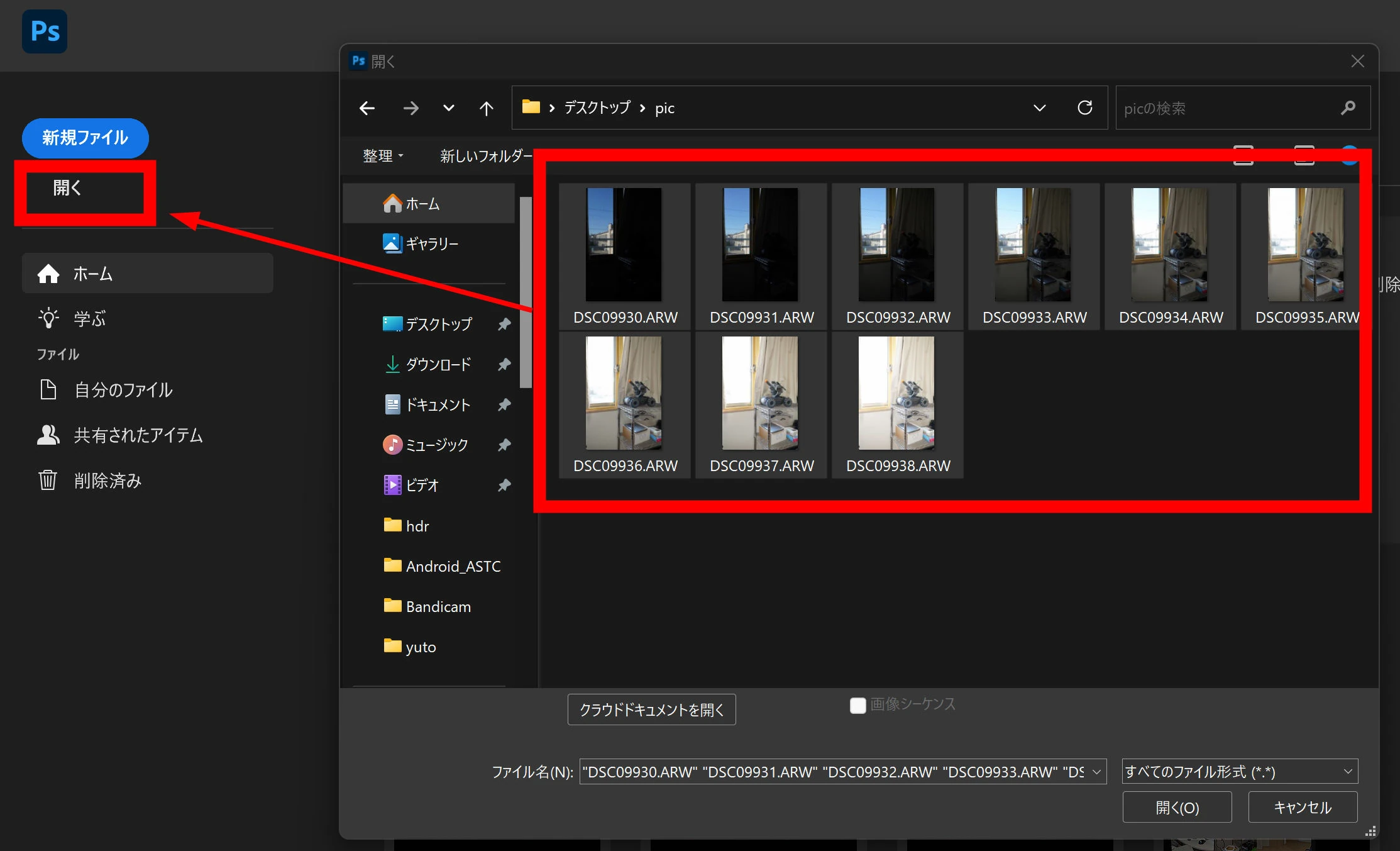
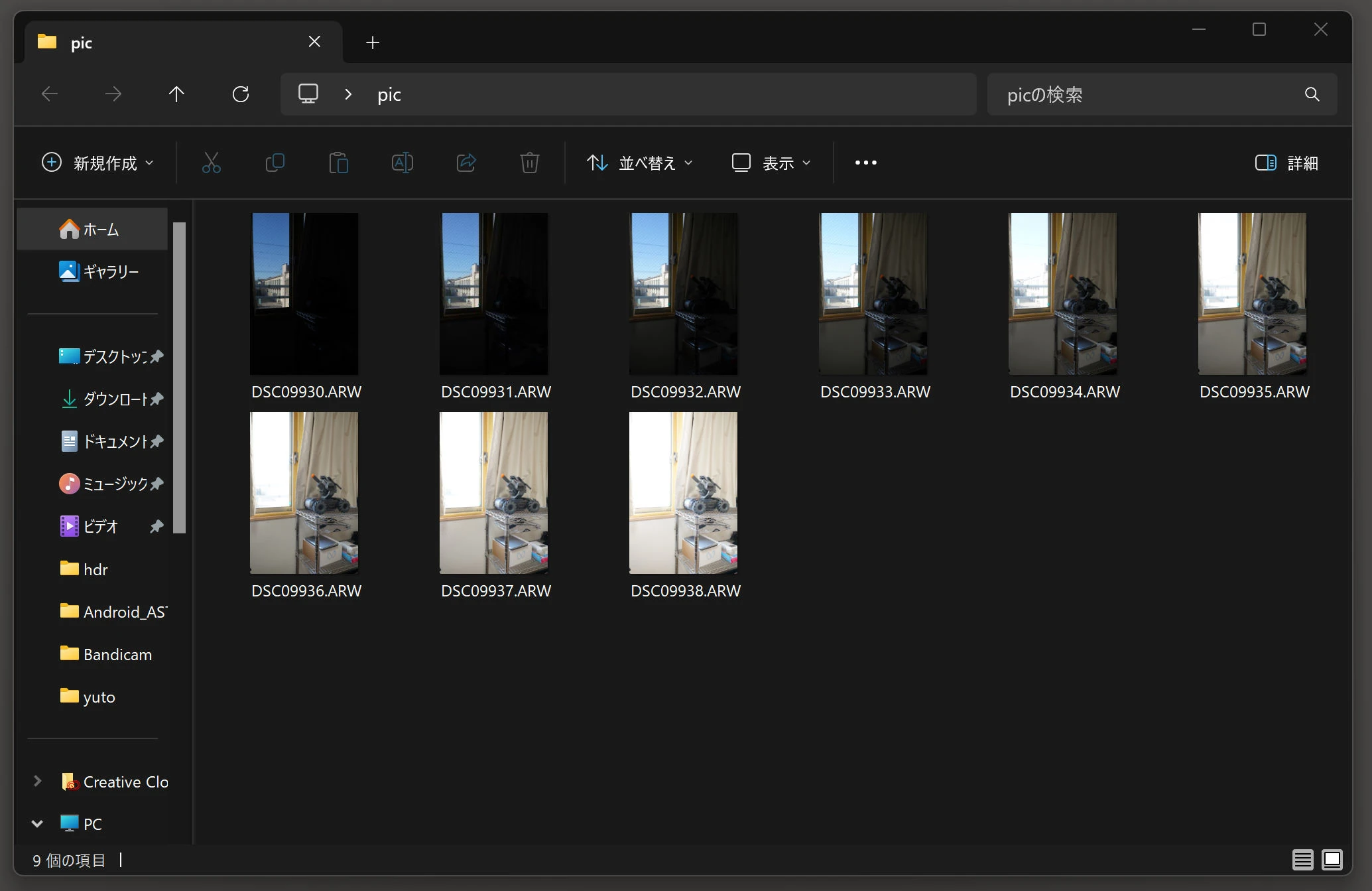 Open the photographs in Photoshop.
 They open in Camera Raw.
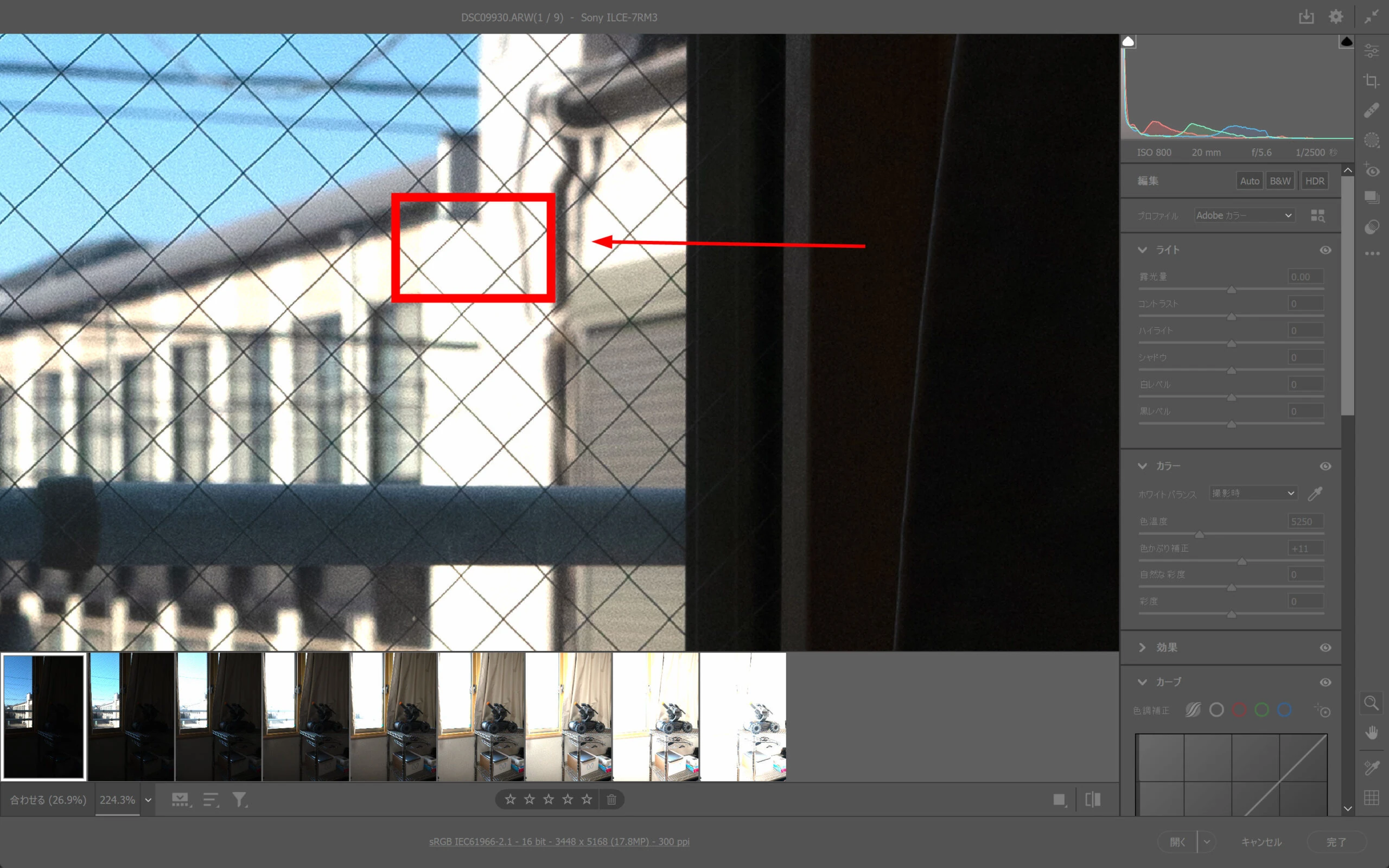
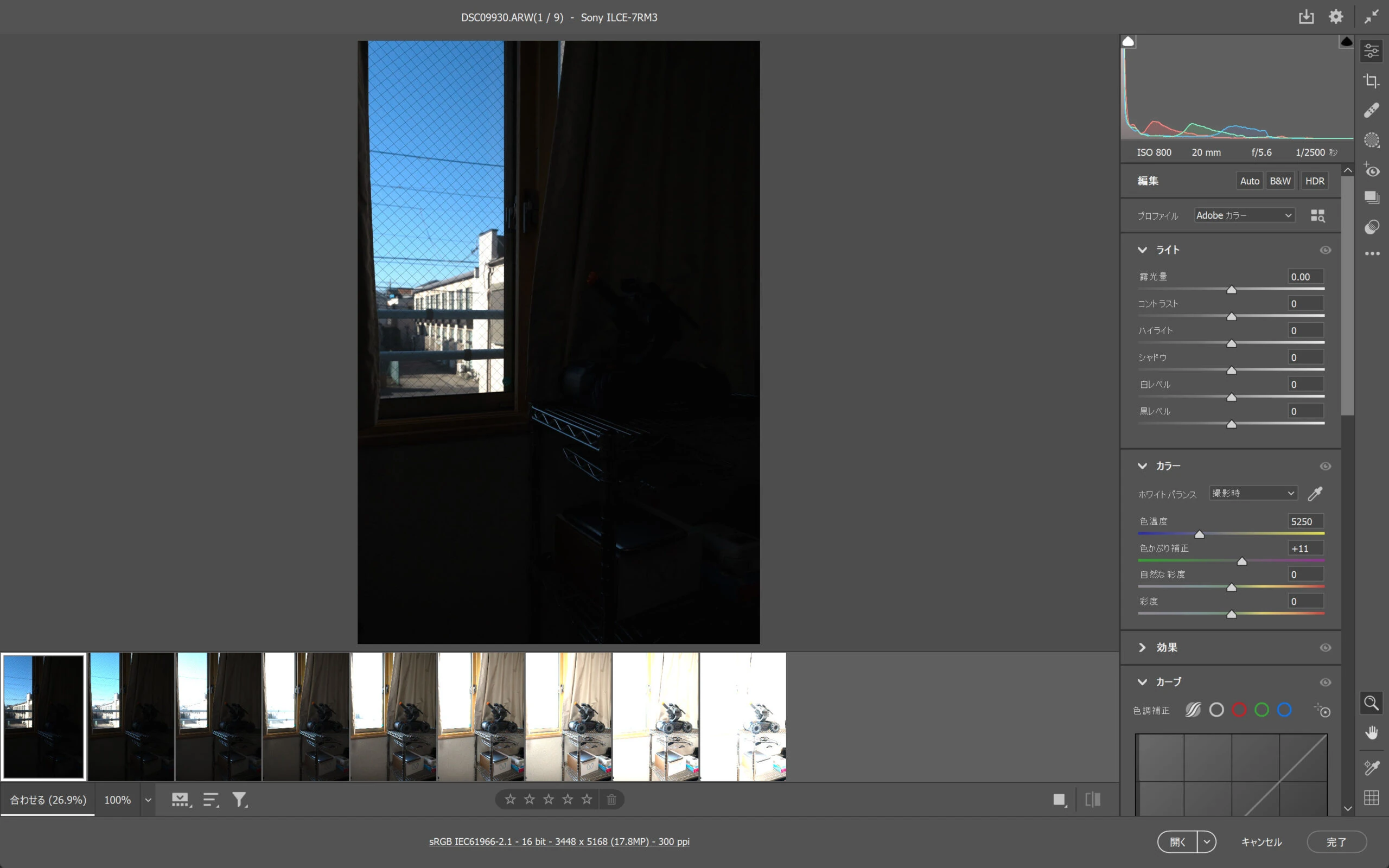 The darkest bracketed frame retains color even in the white wall outside.
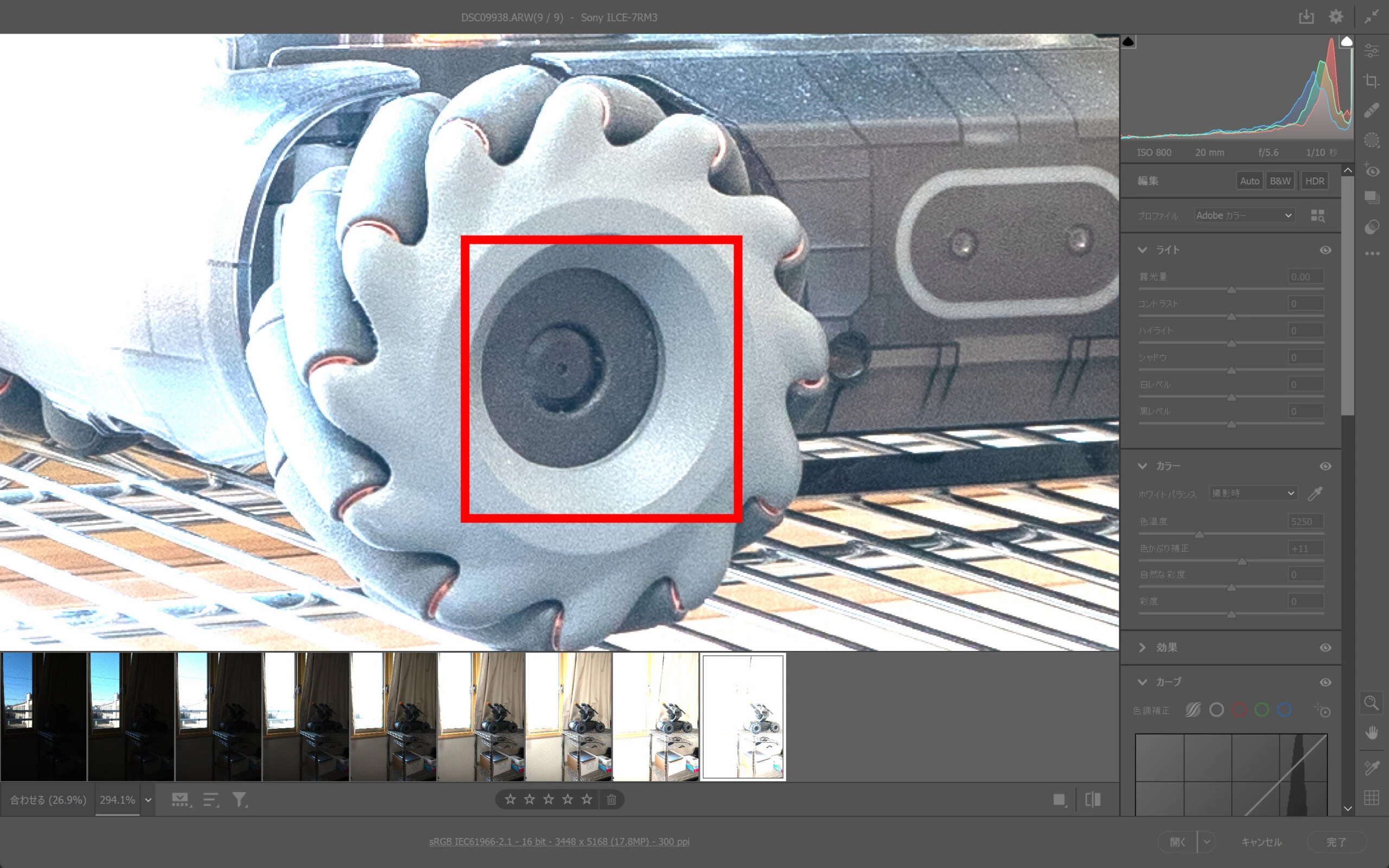
 The brightest frame reveals the dark parts of the tire.
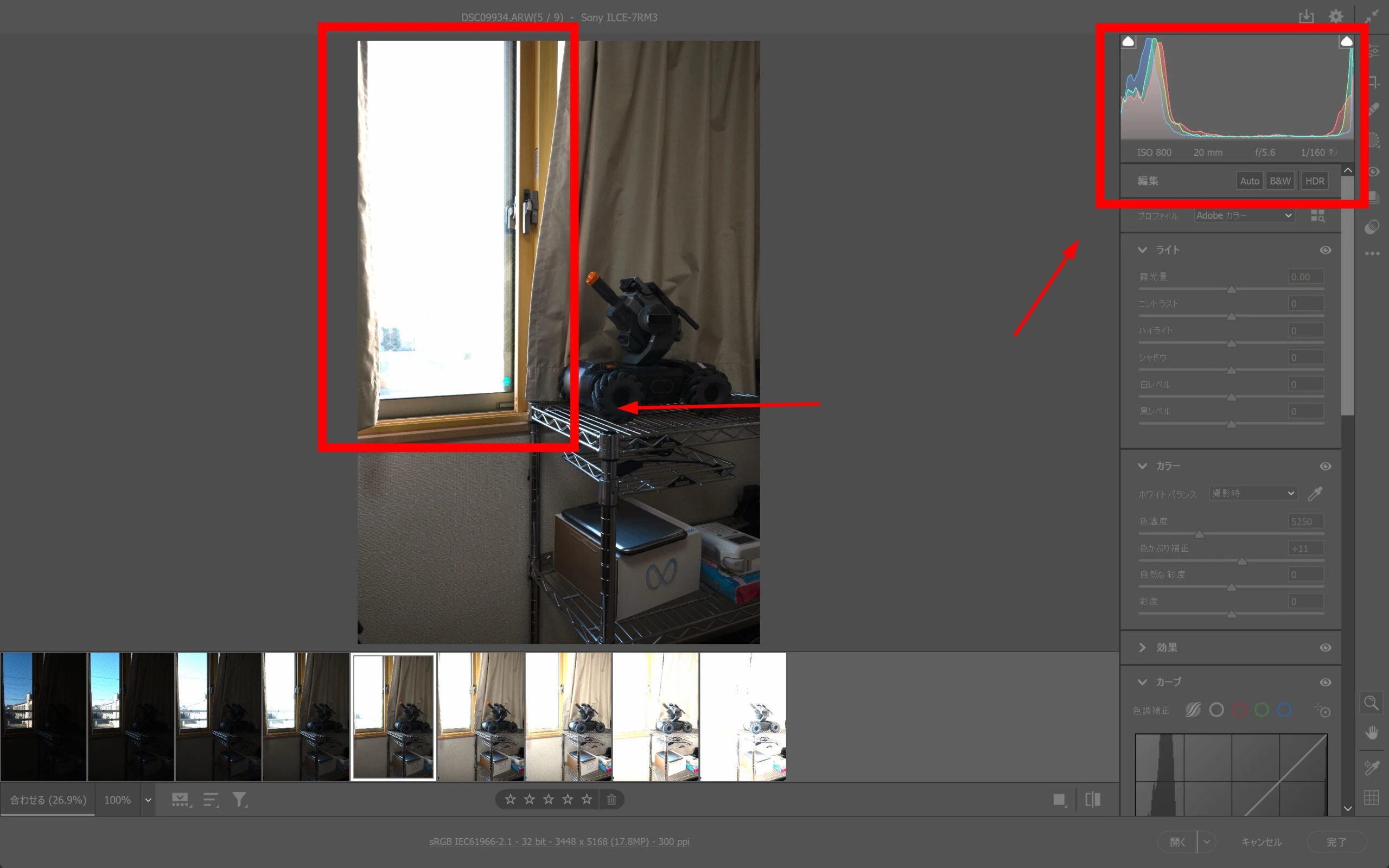
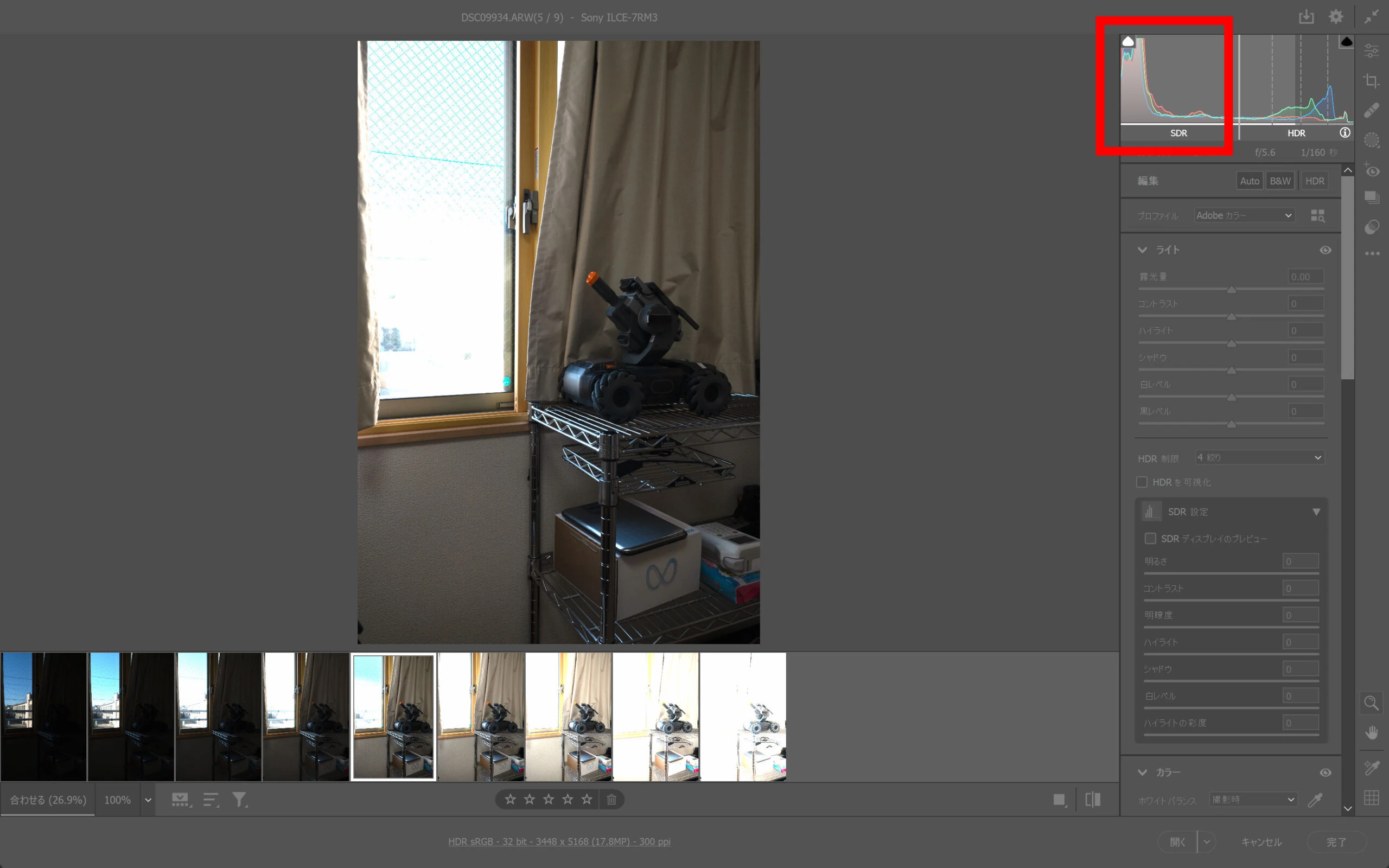
 The image currently shown is SDR. The histogram at the right indicates its SDR range.
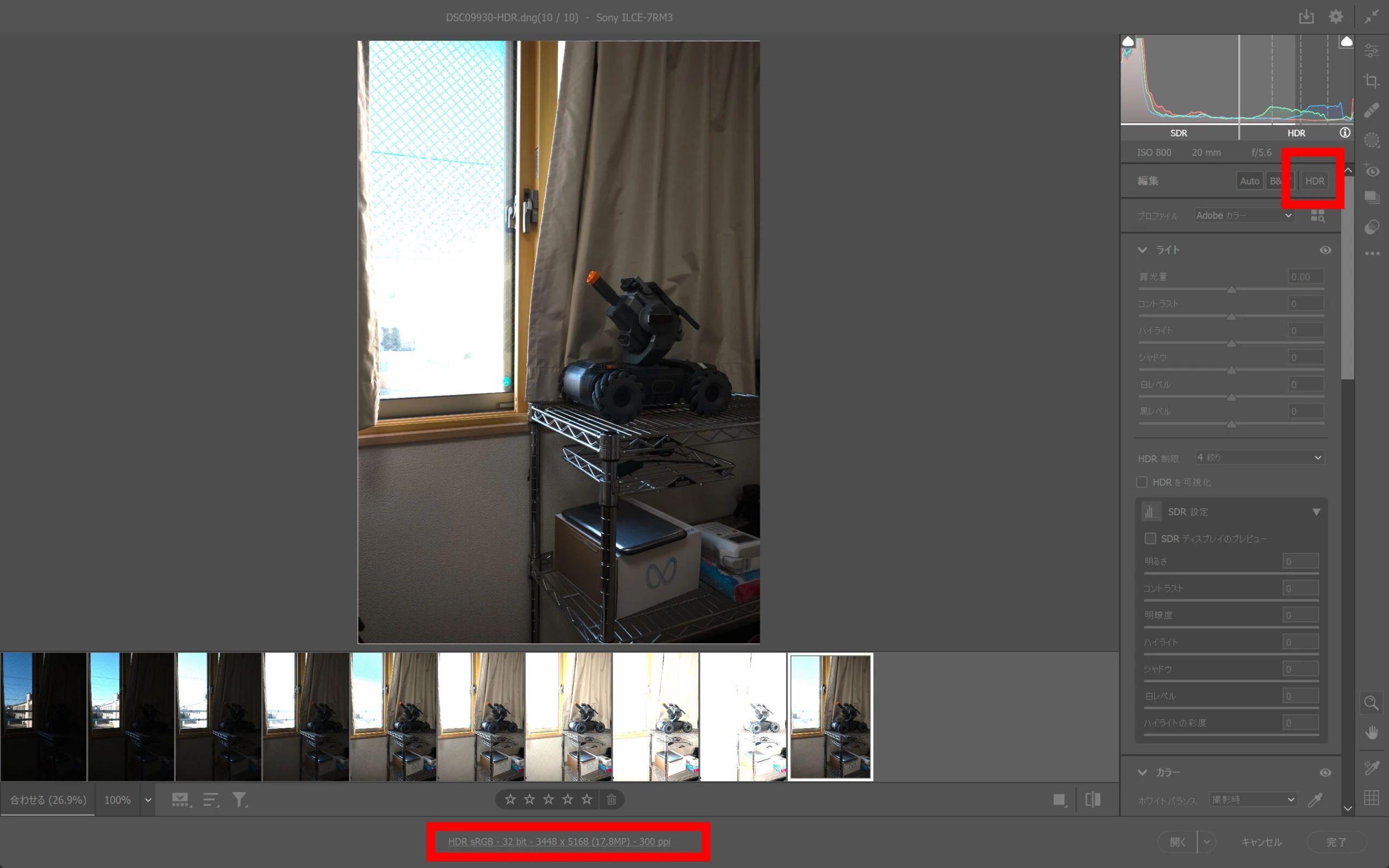
 Click the recently added HDR option.
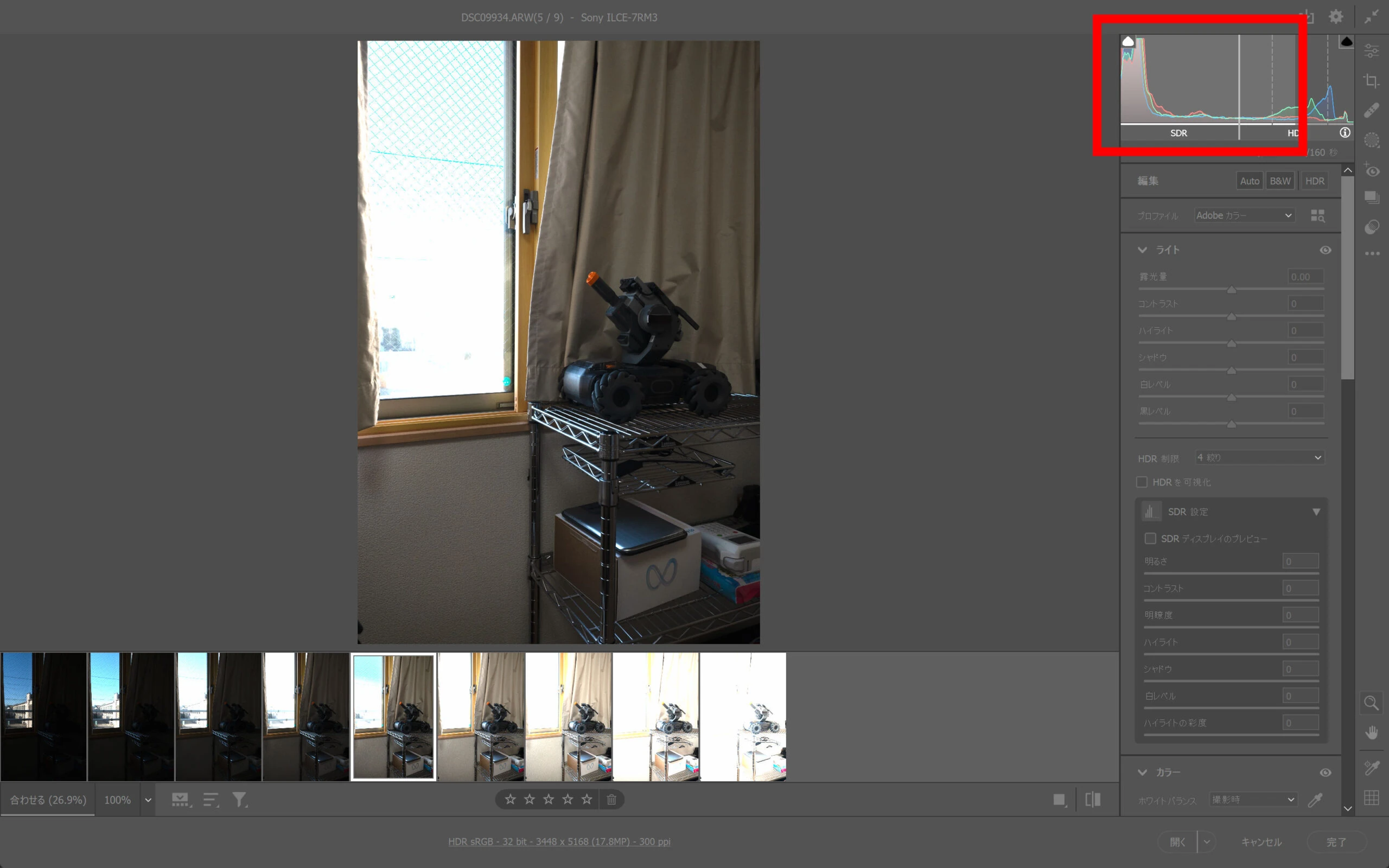
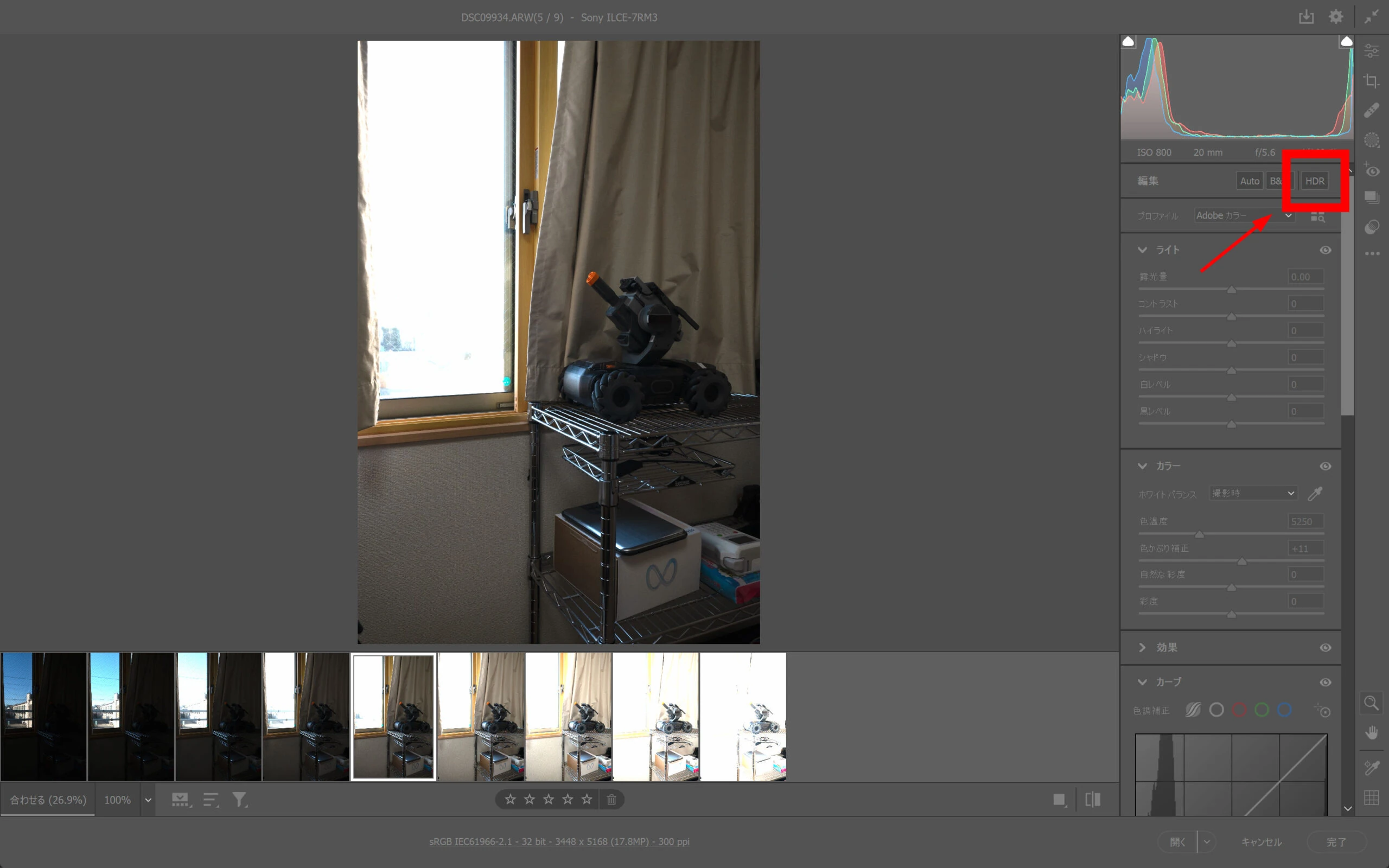 HDR mode expands the histogram by four stops to the right.
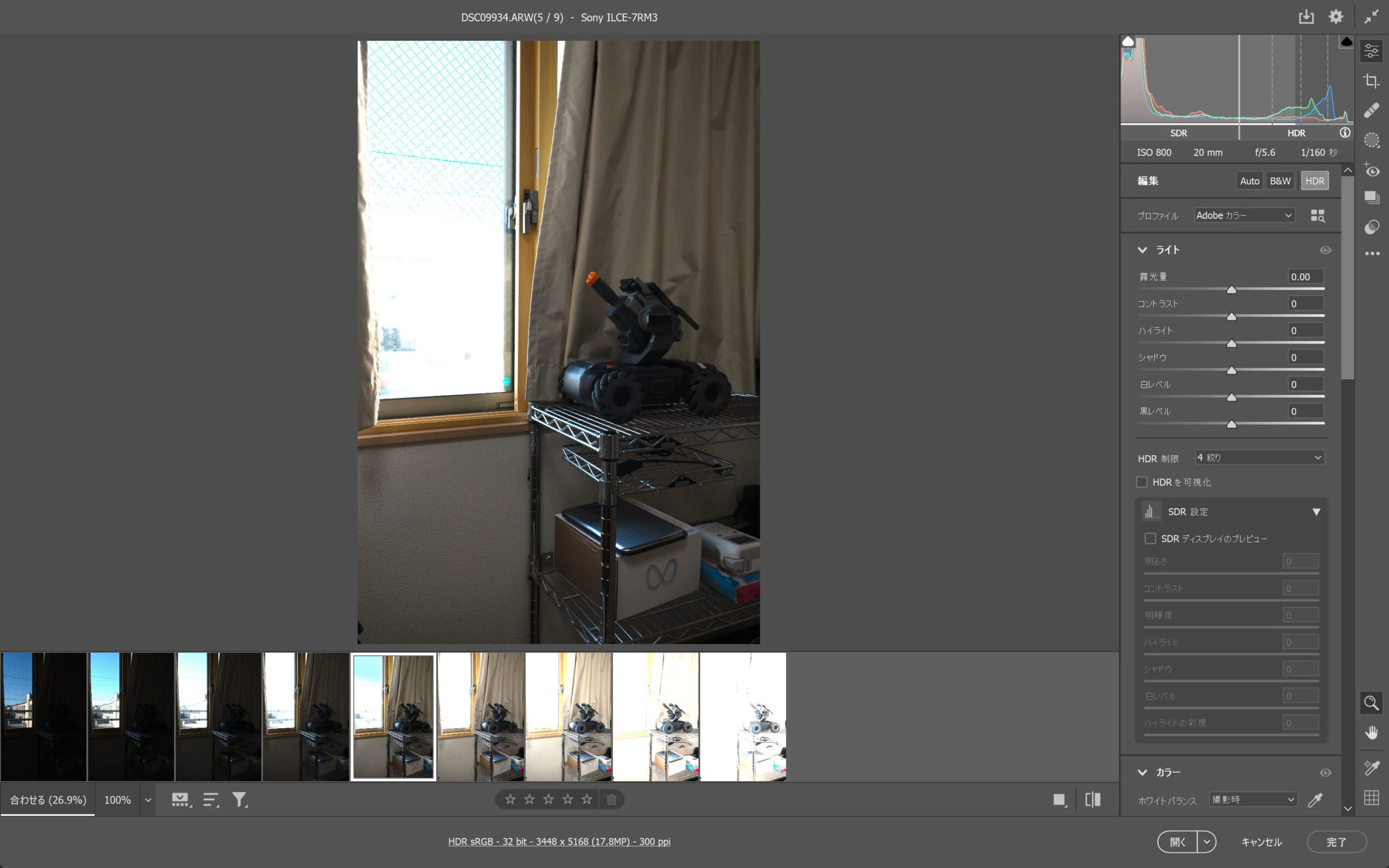 The left side represents SDR, and the right side represents HDR information.
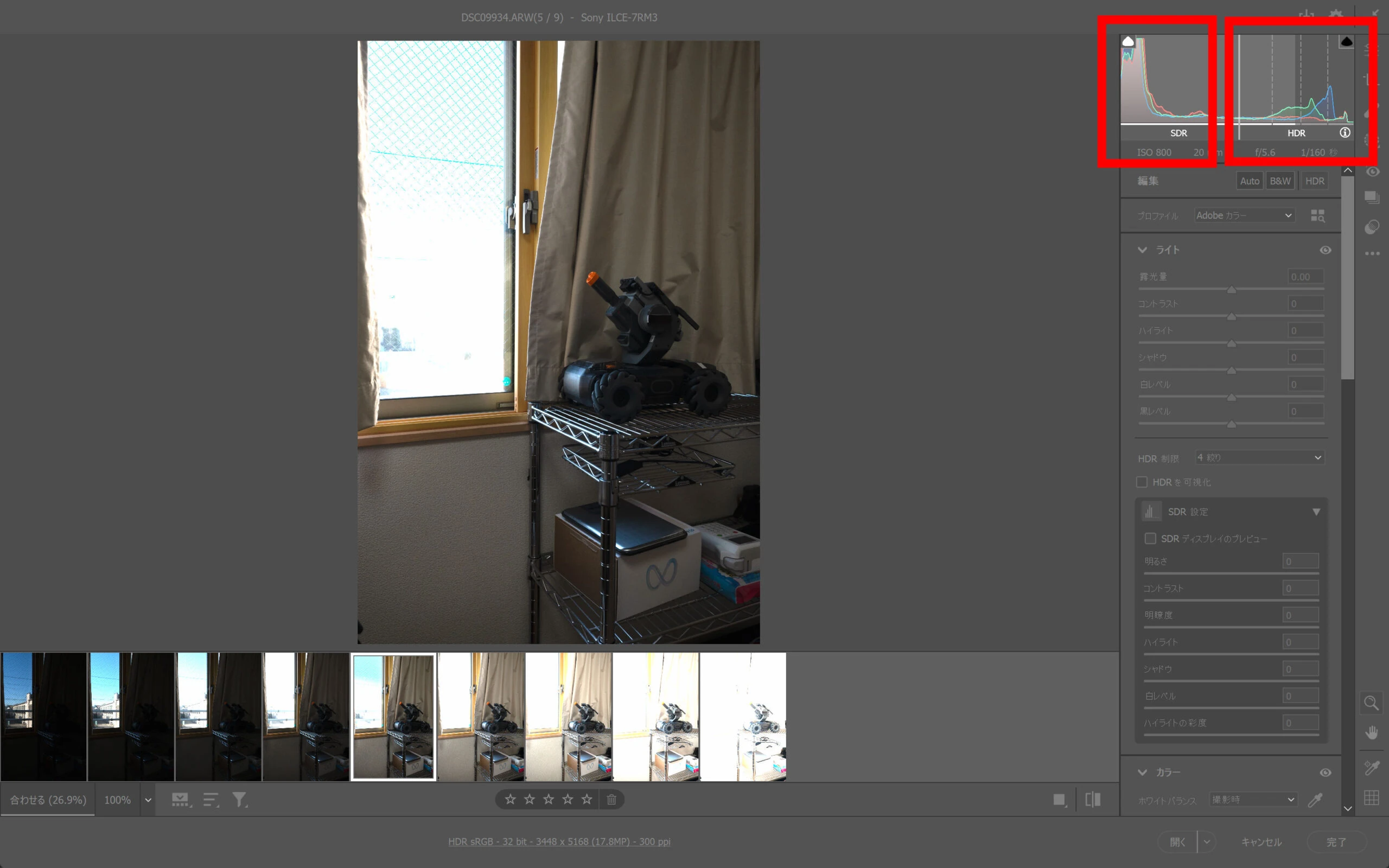 Televisions and older displays show the image within that SDR region.
 A suitable recent HDR-capable monitor can display roughly this larger region.
 Enable HDR mode and select the nine photographs.
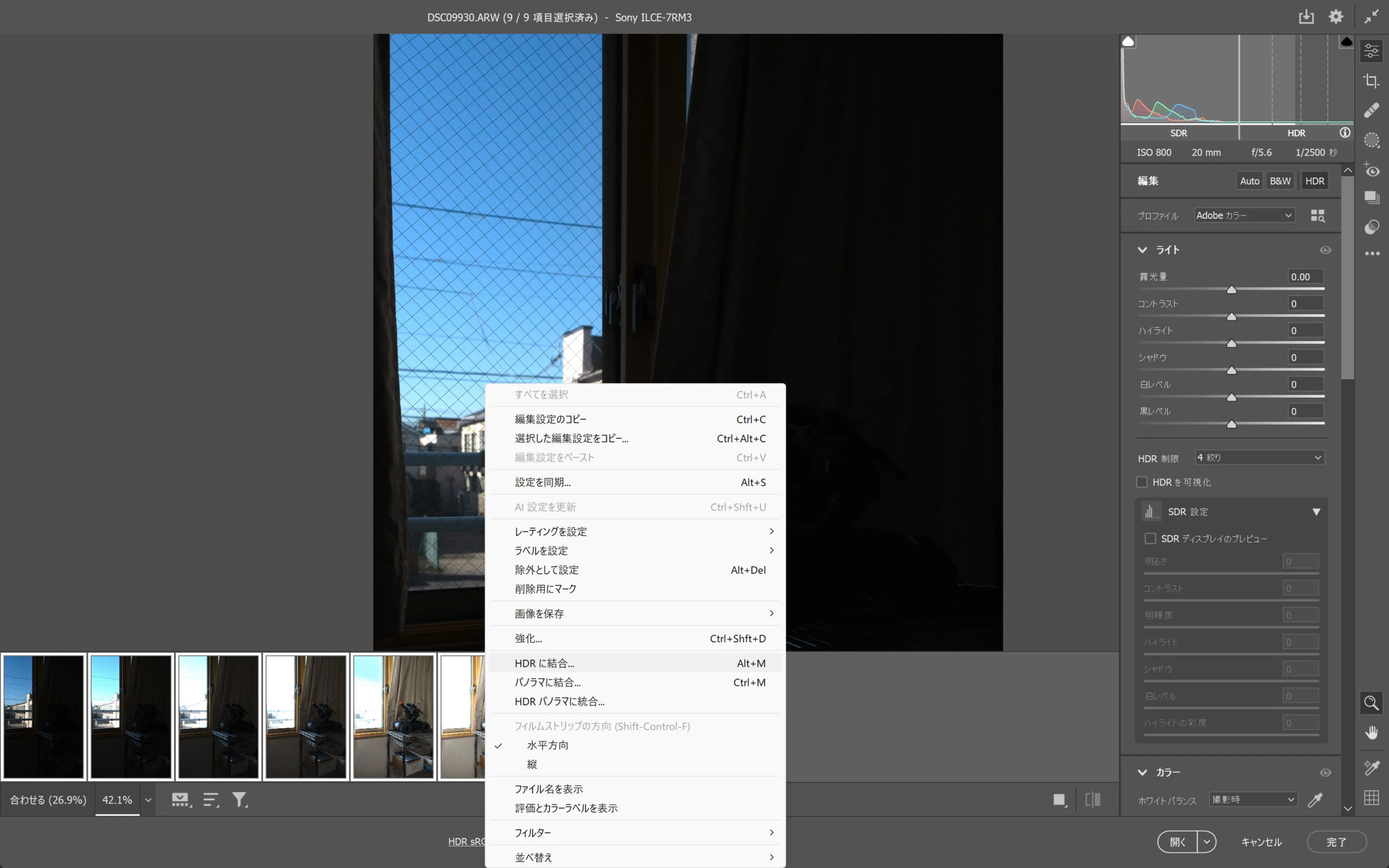
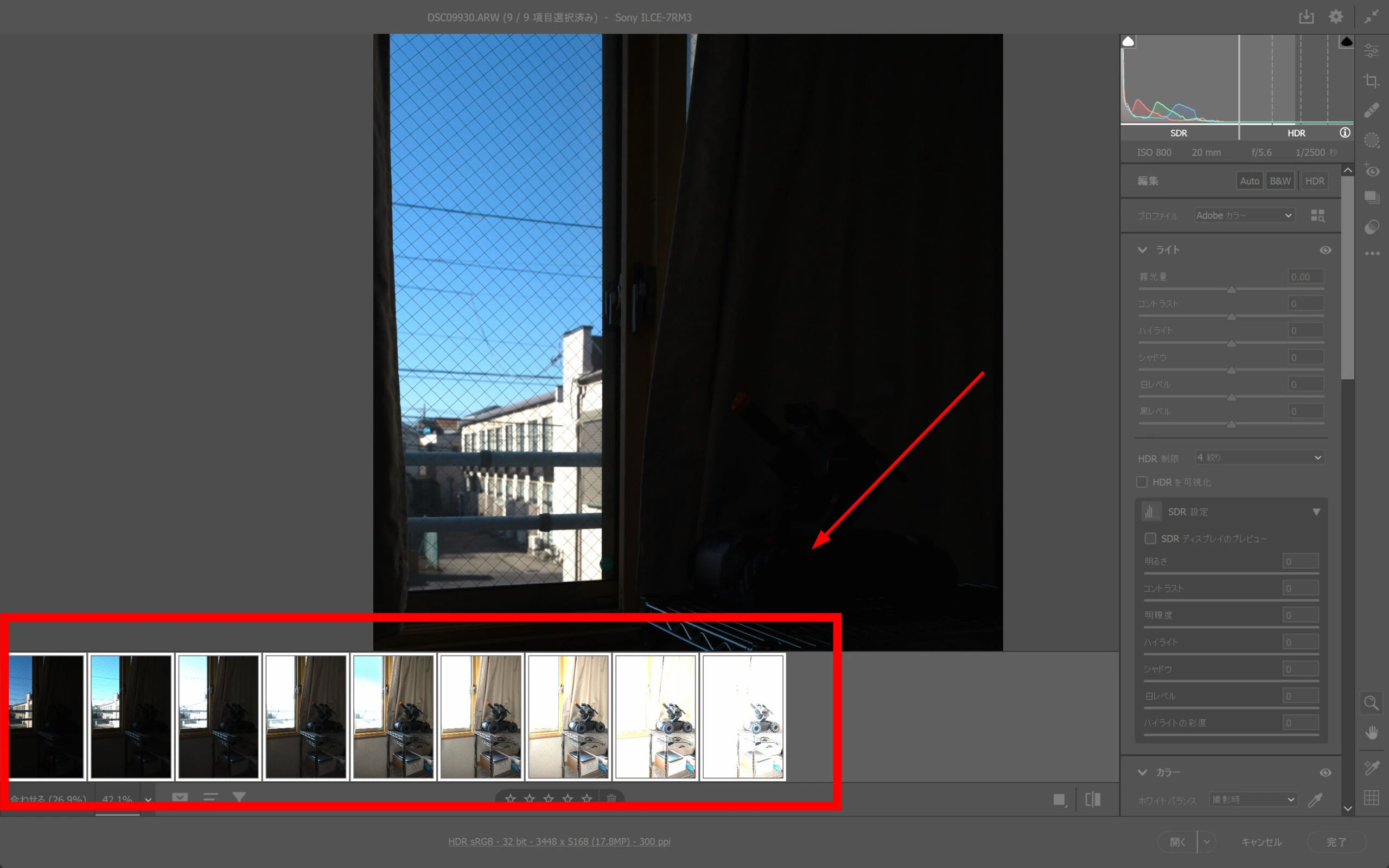 Right-click and choose Merge to HDR.
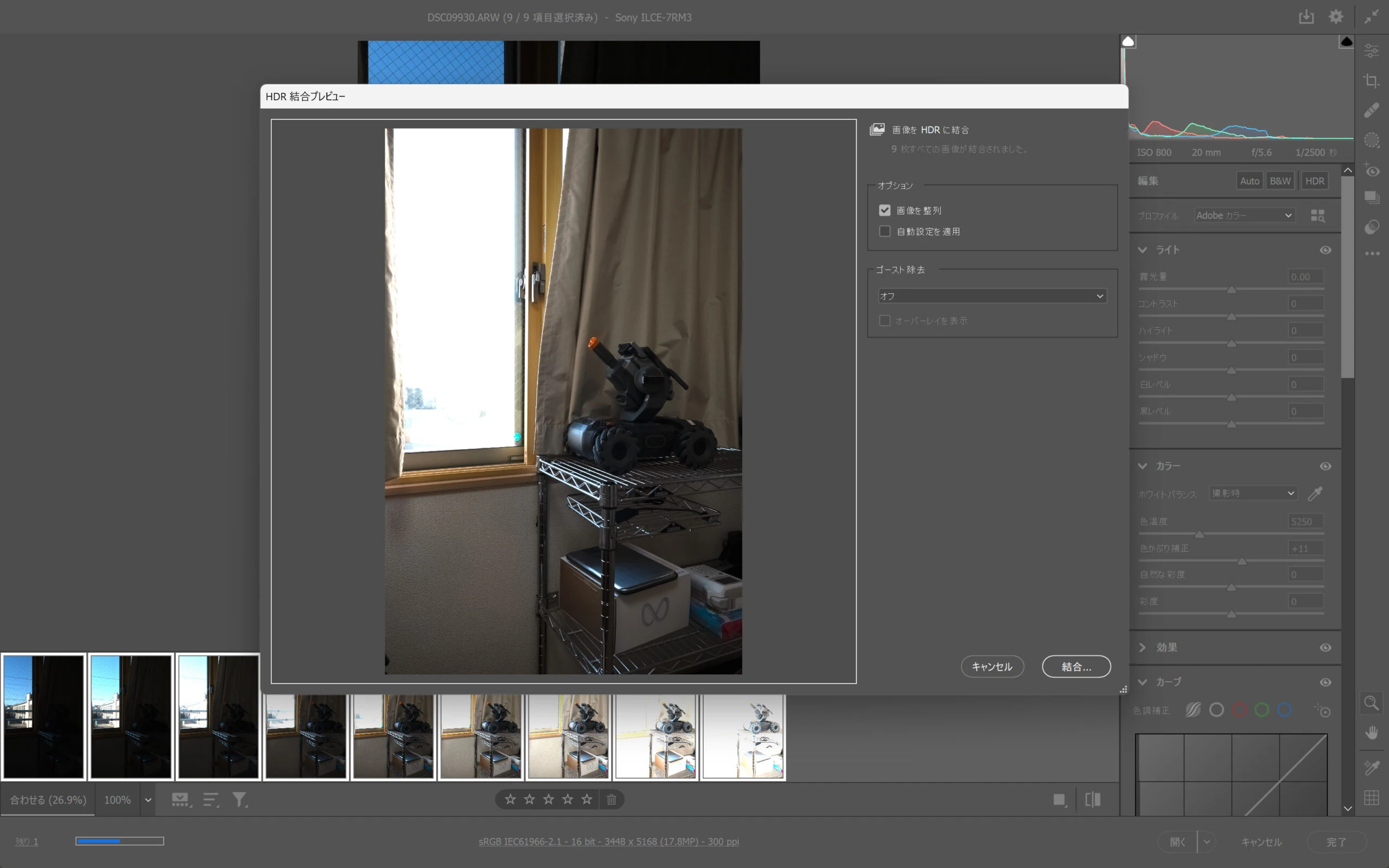
 Be aware that enabling Apply Auto Settings adjusts the colors. This can create an HDR-like appearance rather than simply preserving the data. Some people may prefer that, so choose according to the purpose.
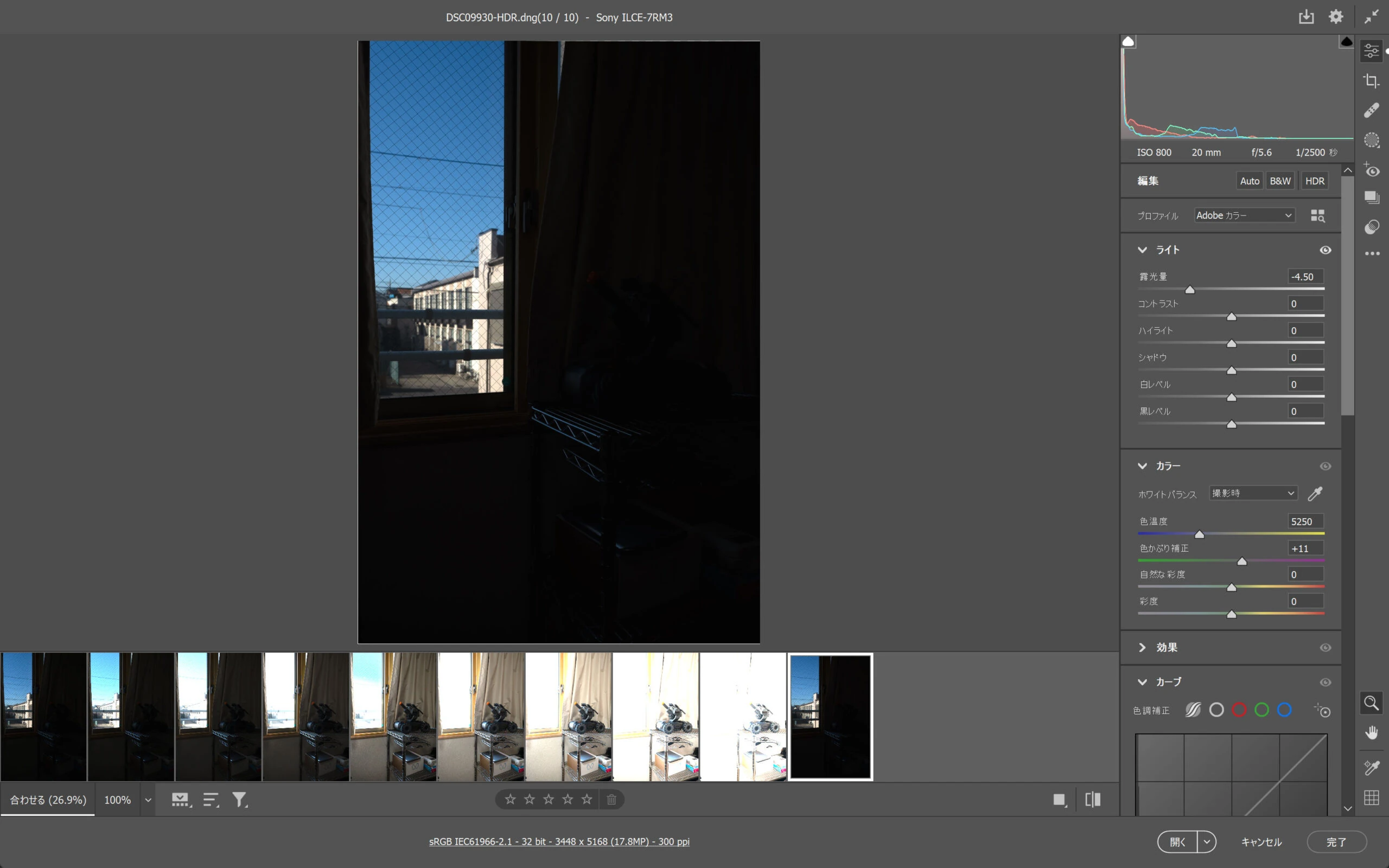
 The HDR merge is complete. It initially looks almost unchanged. Try reducing the highlight exposure.
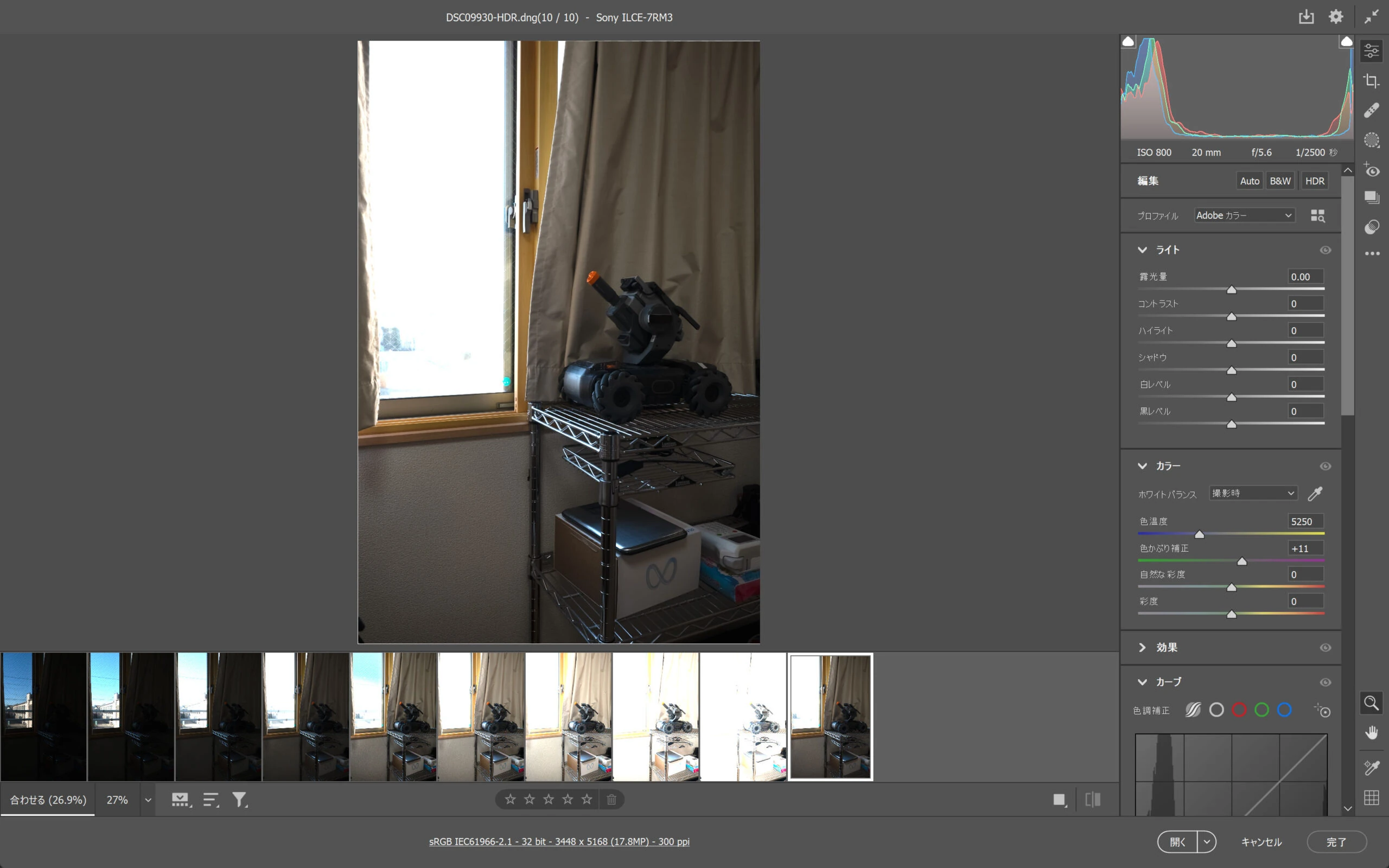 The exterior colors appear. The exposures have merged successfully.
Selecting HDR allows 32-bit export. Choose a color profile in the settings below if needed.
The exterior colors appear. The exposures have merged successfully.
Selecting HDR allows 32-bit export. Choose a color profile in the settings below if needed.
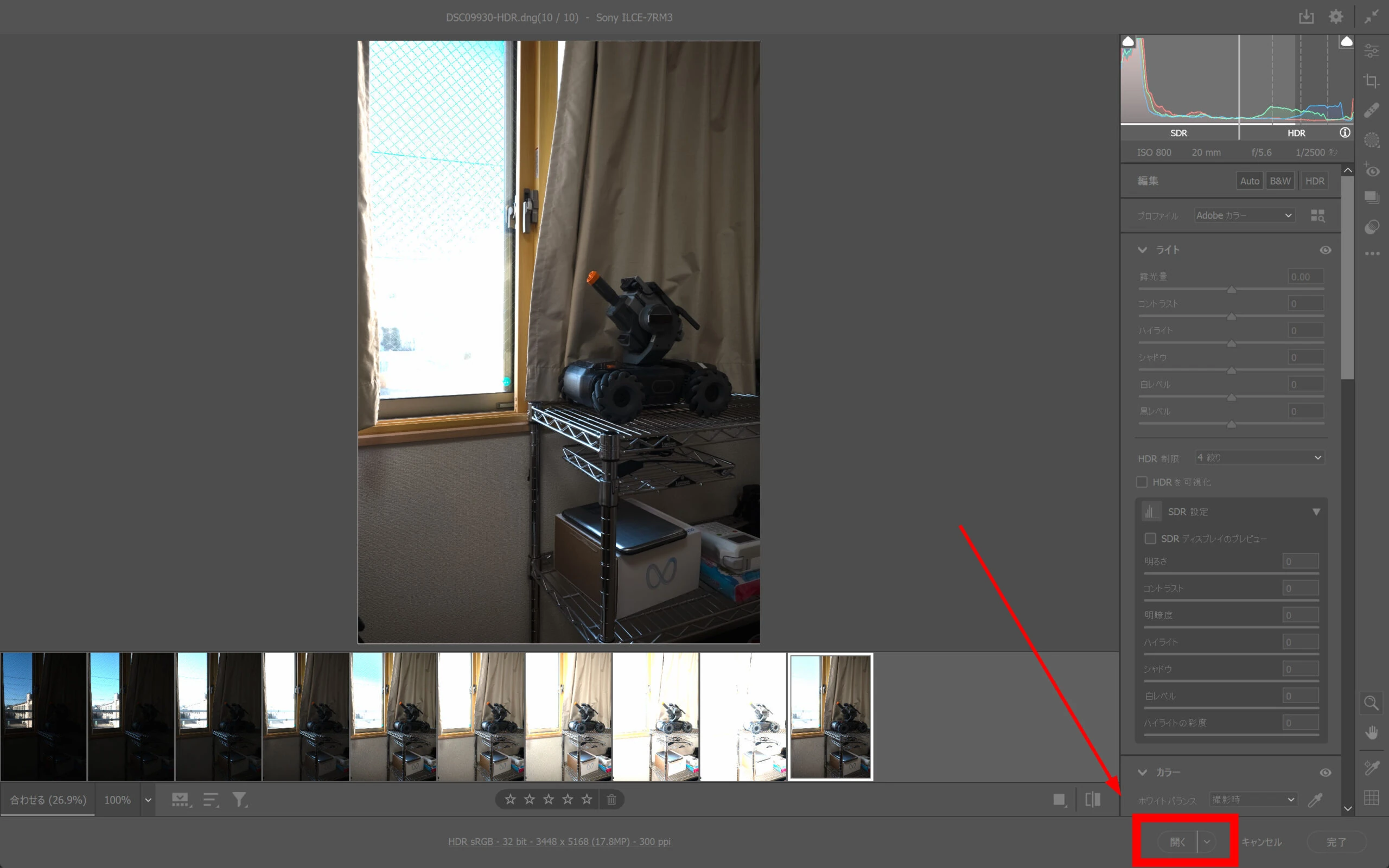
 Open the image.
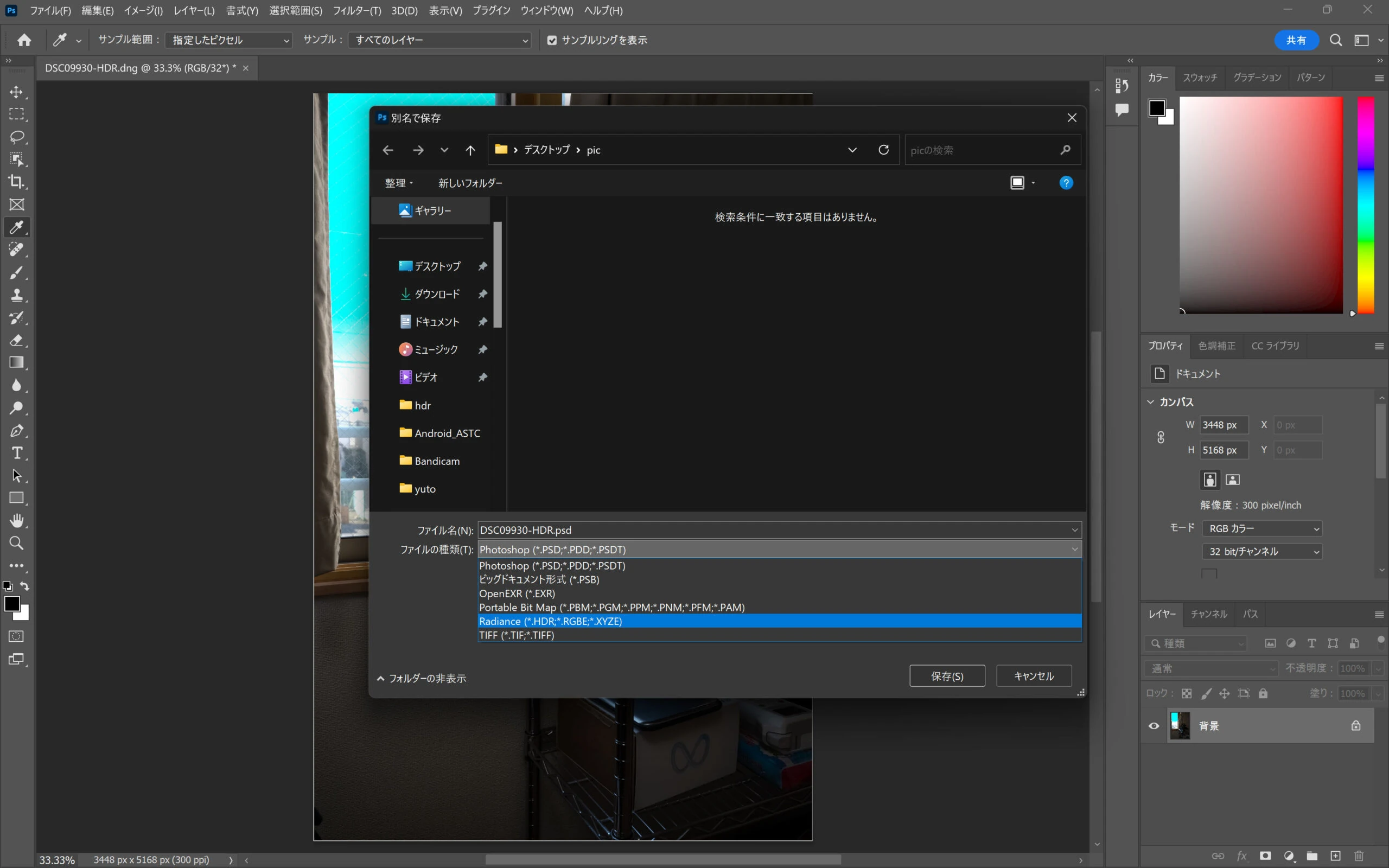
 After flattening the image as needed, it can be exported in .hdr format. DNG may also be suitable; choose the format for your intended use.
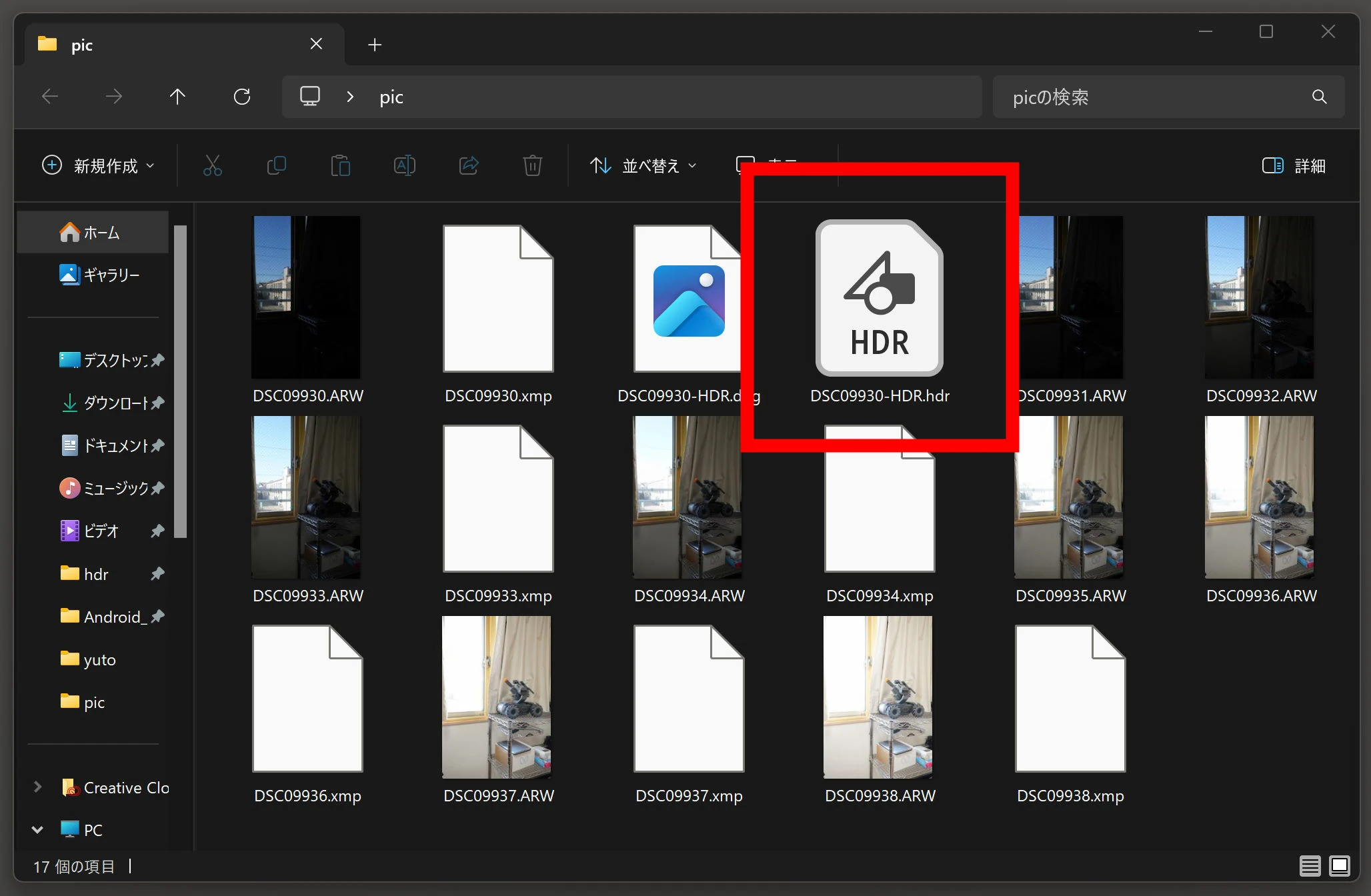
 The result is HDR data in HDR format. Perhaps viewing it on an HDR display with Windows in HDR mode will show it in HDR. There are a lot of different meanings of HDR involved here.
 Let us check whether the data really contains a wide dynamic range. The monitor cannot show all of it at once, but moving exposure up and down reveals the colors.
I now have genuinely wide-dynamic-range information, rather than just an HDR-style appearance.
Let us check whether the data really contains a wide dynamic range. The monitor cannot show all of it at once, but moving exposure up and down reveals the colors.
I now have genuinely wide-dynamic-range information, rather than just an HDR-style appearance.
Sony α7R III (ILCE-7RM3)View details on Amazon Ad · Amazon Associate link
Sony FE 20mm F1.8 G (SEL20F18G)View details on Amazon Ad · Amazon Associate link
Related articles
Updates and contact: X @riragoncom.