SwitchBot Lock Pro review: auto-locking the door and six months of mounting trouble
I bought two SwitchBot Lock Pro units so my children would not forget to lock the front door. This review follows the convenience, mounting failures, keypad deterioration, and eventual single-lock setup.
Note: This article is more than one year old.
- SwitchBot's official API, app screens, and authentication methods change frequently. Check its developer documentation and app changelog.
- Homemade scripts and notification integrations are affected by OS power-saving behavior and notification permissions. Test them on your current setup.
- External services, including email and webhooks, also change. Refer to their current documentation.
Three months after buying it, I had temporarily removed the lock because of problems. The fingerprint keypad had also turned white and looked terrible. What happened? Read on to the updates at the end. I had plenty of regrets along the way.
 I bought SwitchBot Lock Pro to make the front door lock automatically.
View SwitchBot Lock Pro (black, lock only) on Amazon (Ad)
The reason was that my children kept forgetting to lock the door.
Would it help? A smart lock is a home device that adds digital control to a conventional mechanical front-door lock.
Instead of unlocking only with a physical key, you can use fingerprints, a number code, or a key card.
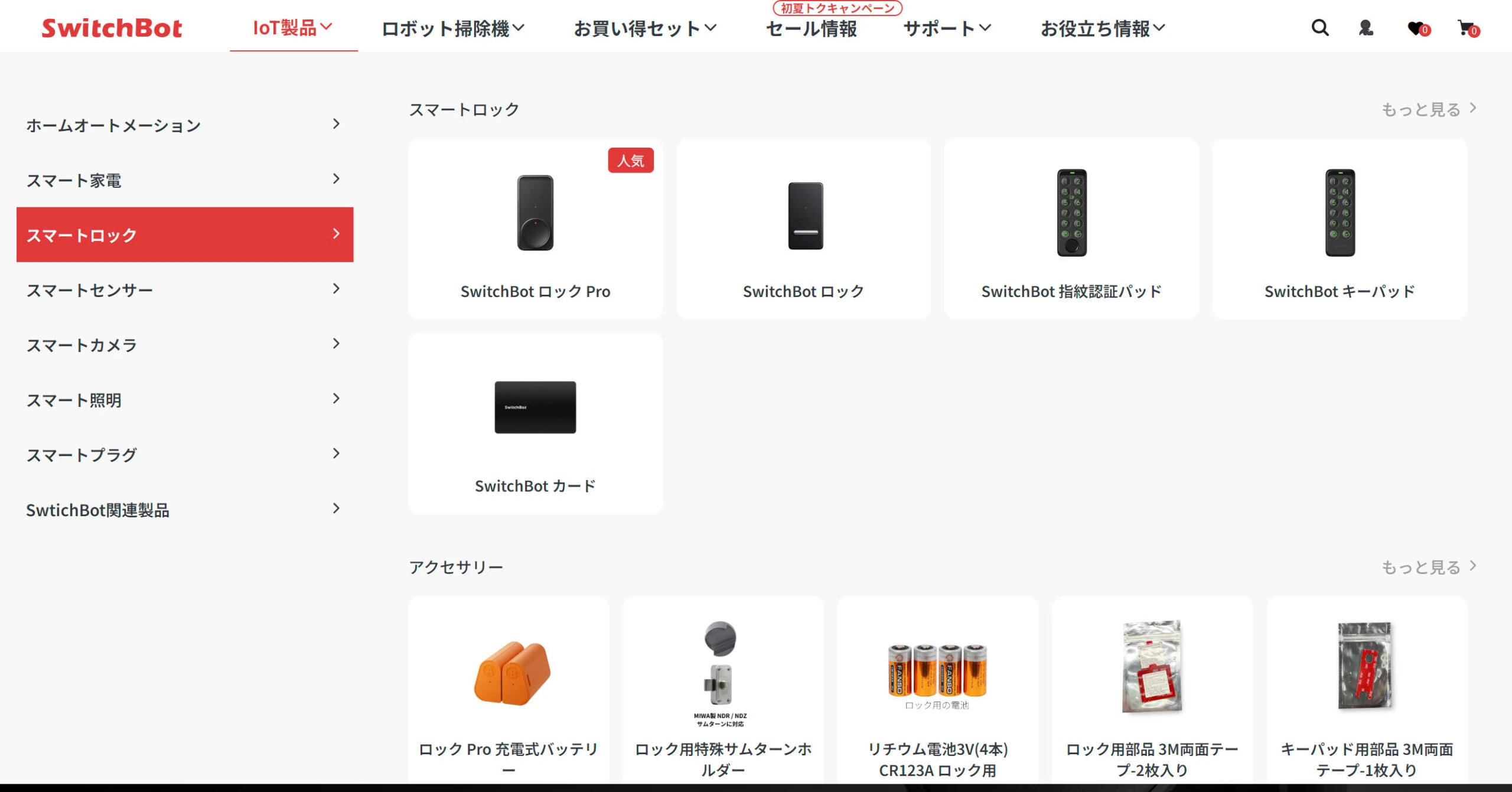
As of May 2024, there were two models:
SwitchBot Lock and SwitchBot Lock Pro.
Lock Pro was the newer, higher-end model.
Major differences included battery life and compatibility of the attachments with different lock shapes.
It also seemed to have more features.
With a price difference of around ¥4,000, I thought buying Pro made sense.
SwitchBot Lock Pro: ¥15,980 including tax
SwitchBot Lock: ¥11,980 including tax
Differences between Lock and Lock Pro
| Feature | Lock | Lock Pro |
|---|---|---|
| Design | Classic knob design | Round knob; Quick Key for one-touch locking/unlocking; aerospace-grade aluminum body |
| Attachments | S/M/L sizes; unusual thumbturns can use 3D-printed parts | Continuously adjustable; very unusual shapes can use 3D-printed parts |
| Unlocking methods | Smartphone app, Apple Watch, remote operation, voice, widgets, fingerprint, password, NFC card, time-limited password/fingerprint, one-time password, key sharing, two locks on one door, NFC tag, remote button; original physical key still usable | Smartphone app, Apple Watch, remote operation, voice, widgets, fingerprint, password, NFC card, time-limited password/fingerprint, one-time password, key sharing, two locks on one door, NFC tag, remote button; original physical key still usable |
| Battery life | Six months, two long-life CR123A lithium batteries | Nine months, four AA batteries |
| Optional rechargeable battery | — | Twelve months with AB battery; two separate A/B systems including a backup battery |
| Low-current emergency unlocking | — | Yes; emergency unlocking for 30 seconds even when the batteries are low |
| Magnetic auto-locking | Detects whether the door is open or closed and locks automatically | Detects whether the door is open or closed and locks automatically |
| Monitoring lock/door state | Sends notifications and reminders if unlocked or open | Sends notifications and reminders if unlocked or open |
| Low-battery notification | App notification*, email notification*, low-battery alert | App notification*, email notification*, low-battery alert |
| Features with fingerprint keypad | Virtual password, emergency password/fingerprint, repeated-failure alarm and notification* | Virtual password, emergency password/fingerprint, repeated-failure alarm and notification* |
| Data protection | AES-128 encryption, also used in banking | AES-128 encryption, also used in banking |
| Ecosystem | Matter / Alexa / Google Assistant / Siri Shortcuts / IFTTT | Matter / Alexa / Google Assistant / Siri Shortcuts / IFTTT |
| Installation | 3M tape or screws | 3M adhesive tape V2.0, stated to double adhesion; 73.9% larger adhesive area, adhesive aid and reinforcement tape included; screw mounting also available |
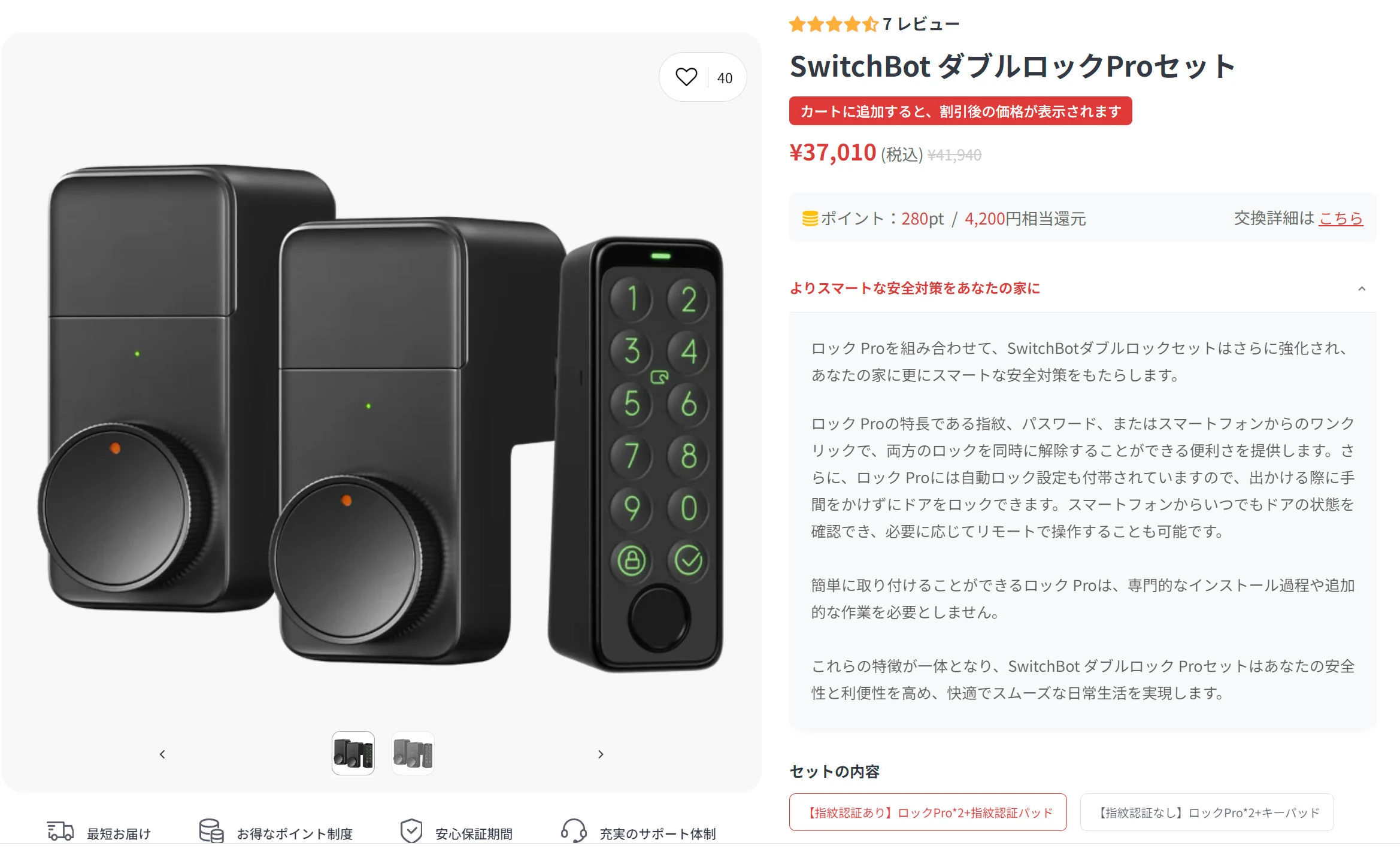
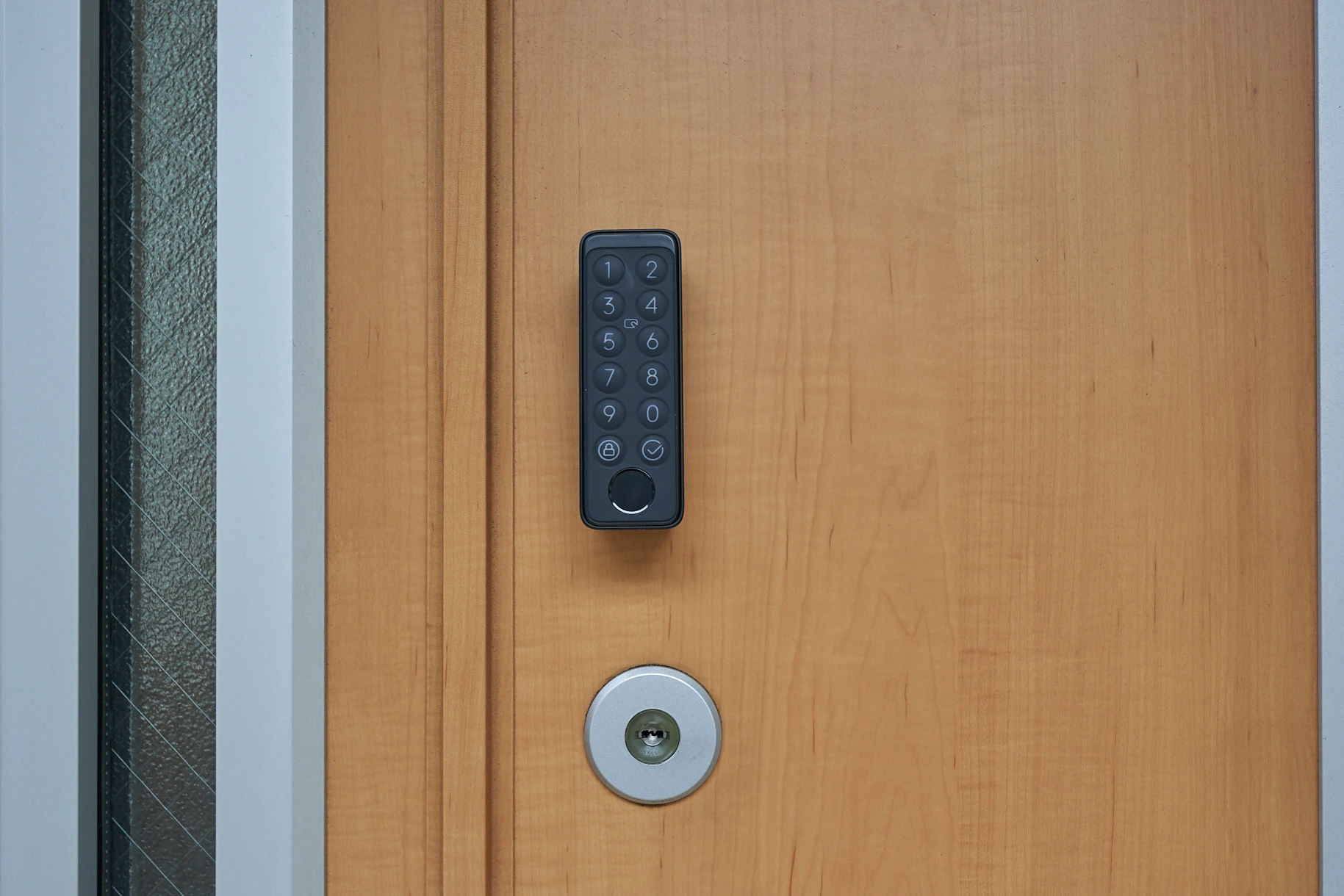
Install Lock Pro inside the door and the fingerprint keypad outside to unlock with a fingerprint. The keypad is around ¥10,000, which is a little expensive, but I wanted fingerprint access.
SwitchBot Fingerprint Keypad: ¥9,980 including tax
Search Amazon for the original SwitchBot Fingerprint Keypad (Ad)
SwitchBot Keypad: ¥4,980 including tax
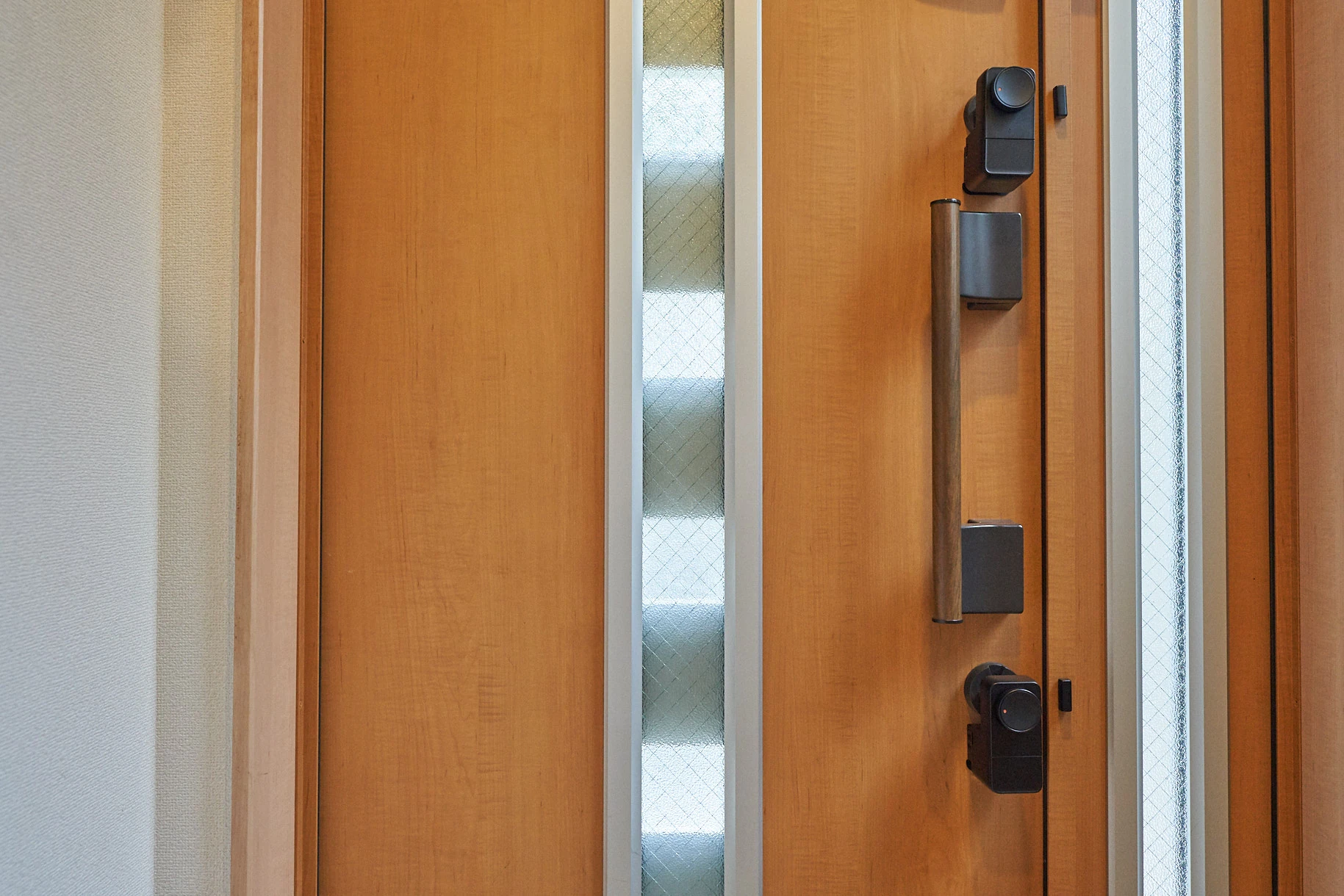
Many doors have upper and lower locks. SwitchBot offers a Double Lock Pro set that operates both together. There was a small discount when I bought it.
https://www.switchbot.jp/products/switchbot-2lock-pro-combo
My concerns before buying
- Could children and older family members use it, including fingerprint recognition?
- Would the original key still work?
- Would the two locks operate together?
- If someone left without locking the door, would it lock automatically?
- Could I install it?
- Would app registration be a hassle?
Those were my concerns. Initially, the answers were positive.
Could children and older people use it?
No problem. Touch the fingerprint reader and the door opens after a few seconds. A number code is another option; if that is difficult, use a key card.
Would the original key still work?
Yes. Turning one of the two locks also automatically turns the other.
Would both locks operate together?
Yes, although occasionally they did not...
Would the door lock if someone left without locking it?
Yes. Automatic locking means there is no need to turn the key. The app lets you specify the delay in seconds, so it is flexible.
Could I install it?
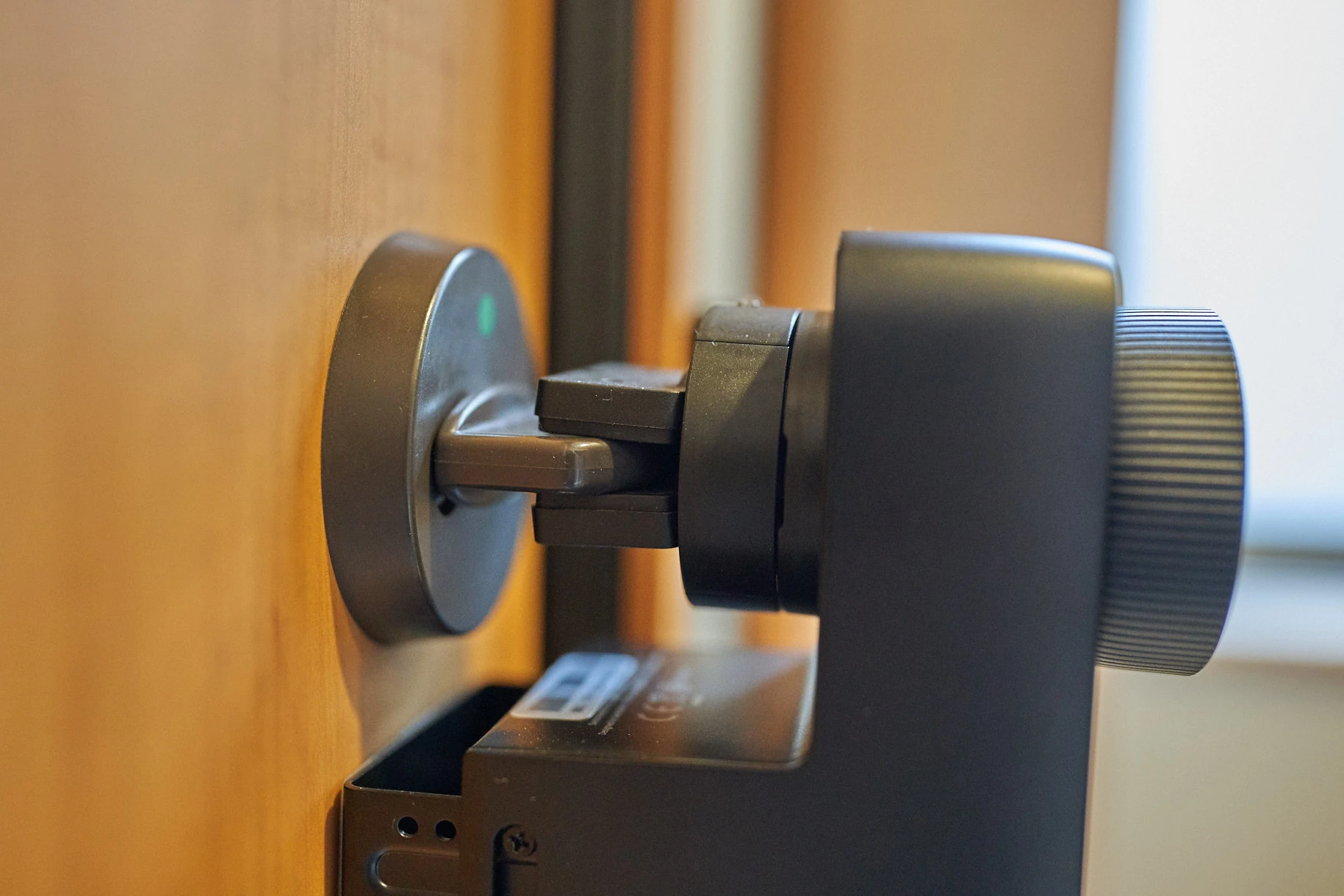
Yes. It should fit many doors if the interior thumbturn has a shape and width the mechanism can grip. Adjust the position and secure it with strong 3M double-sided tape. The outside keypad also uses tape. Various screws are included too. Expect some fumbling until you understand the mechanism.
Would app registration be a hassle?
No. SwitchBot's app is well made. It takes a little getting used to, but once familiar, it is excellent.
For peace of mind, I thought I was choosing a Japanese smart-home company
Many companies around the world sell smart devices.
At the bad end of the market, support may disappear, the company may close, or security problems may arise.
Unfortunately, I find many Japanese companies' apps terrible, whereas SwitchBot's app and other technology are impressively polished.
That surprised me for a Japanese company.
Then I searched and discovered that SwitchBot is the Japanese operation of a Chinese technology company, based in Shibuya, Tokyo. That explained the polished app. I had thought it was Japanese all along, despite buying about eight of its products.
SwitchBot
- Founded: 2015
- Headquarters: Shenzhen, China
- Owner: Connery Lee
- Websites: us.switch-bot.com and switchbot.jp
I plan to cover this separately, but unusually for smart-home devices, SwitchBot publishes a proper API.
That means you can operate its devices through the API from Python and similar tools.
There is no API usage fee either.
I had thought that was unusually impressive for a Japanese company.
And then, sure enough, I learned otherwise!
Even though it is Chinese, I would like to assume an international company operating in Japan and Europe manages security and privacy properly. China is advanced in areas such as network cameras.
Installation
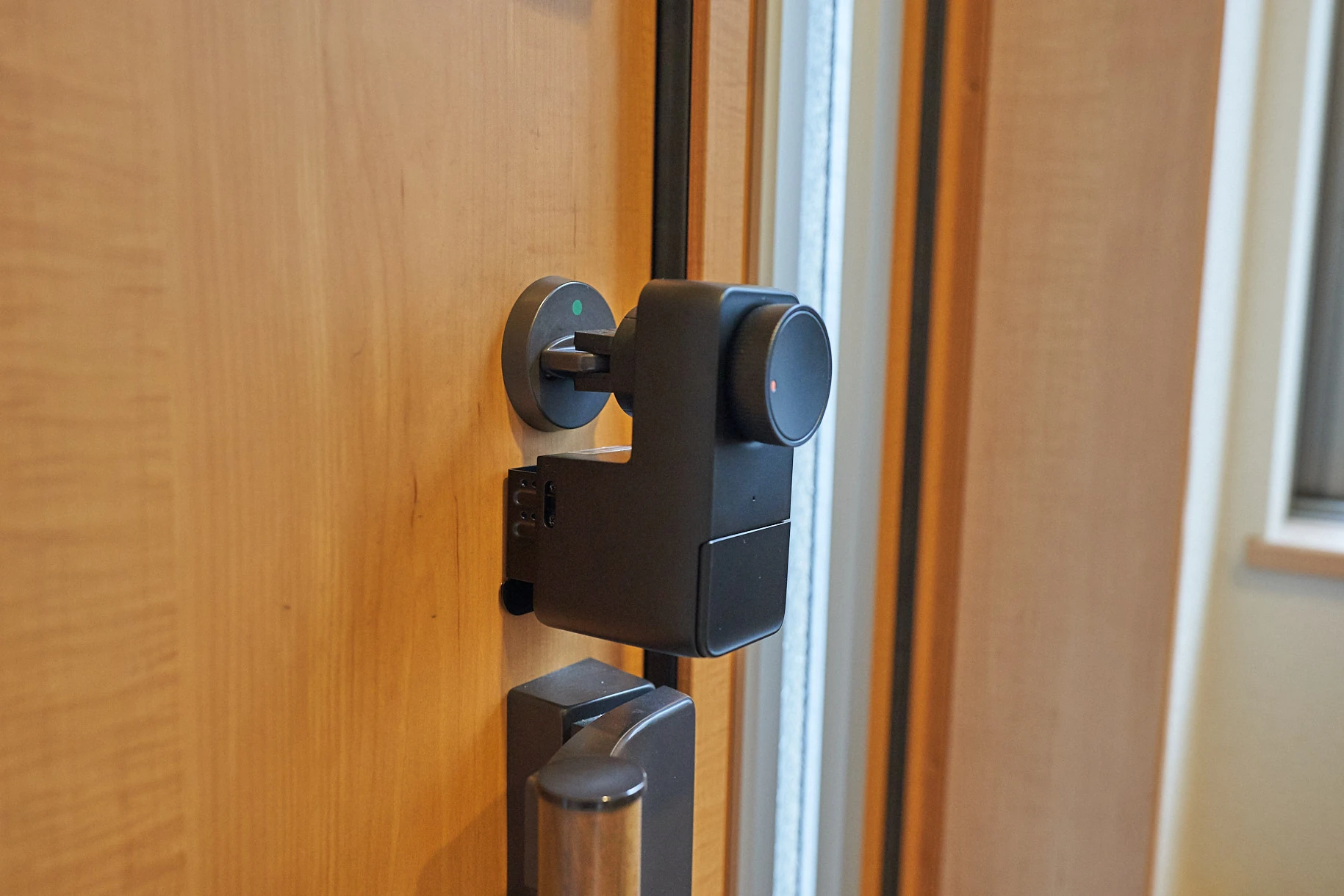
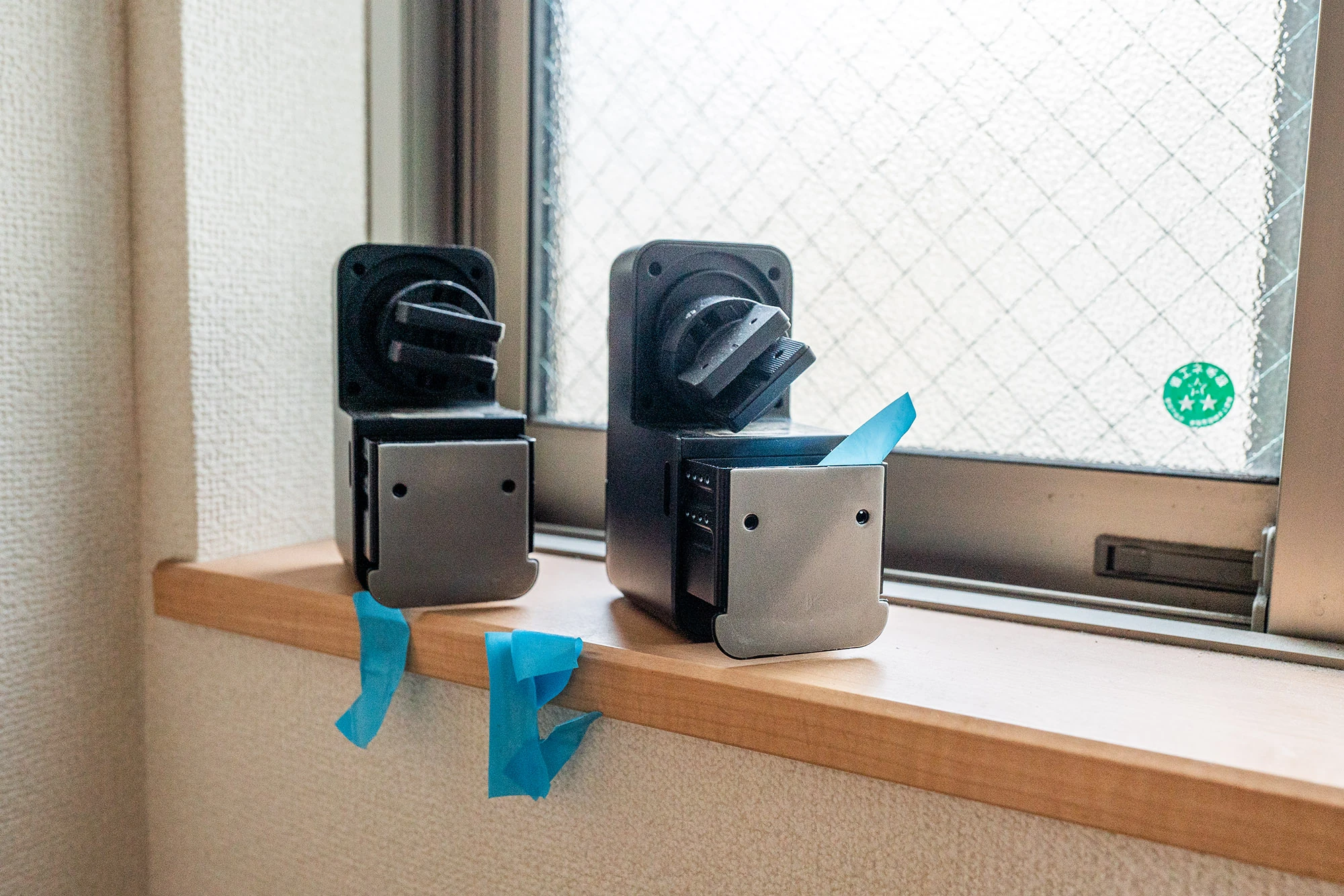
I installed the locks at the top and bottom as shown. The included magnet goes near Lock Pro to detect whether the door is open or closed.
The mechanism clamps around the thumbturn. There is a good amount of adjustment, so it should fit various shapes.
 I installed the wireless fingerprint keypad outside. Its batteries are said to last about two years.
 The app displays various information.
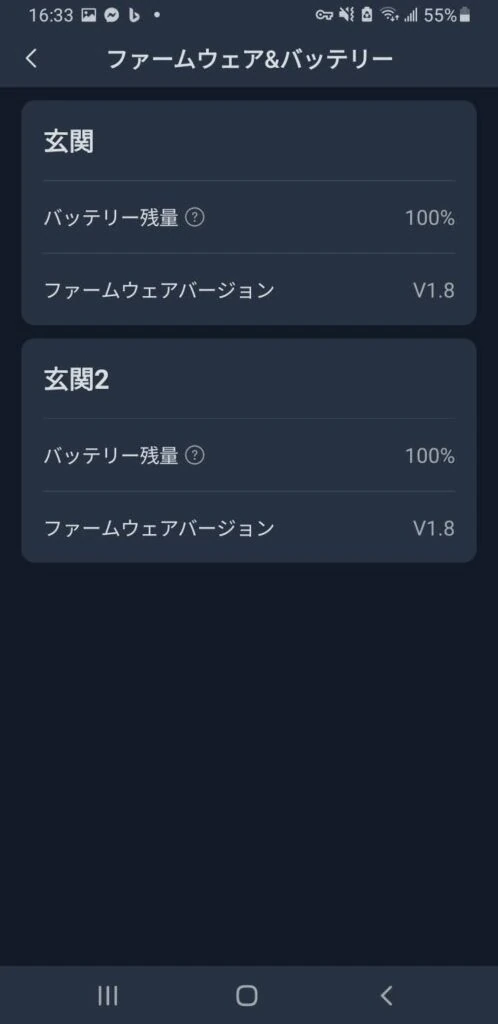
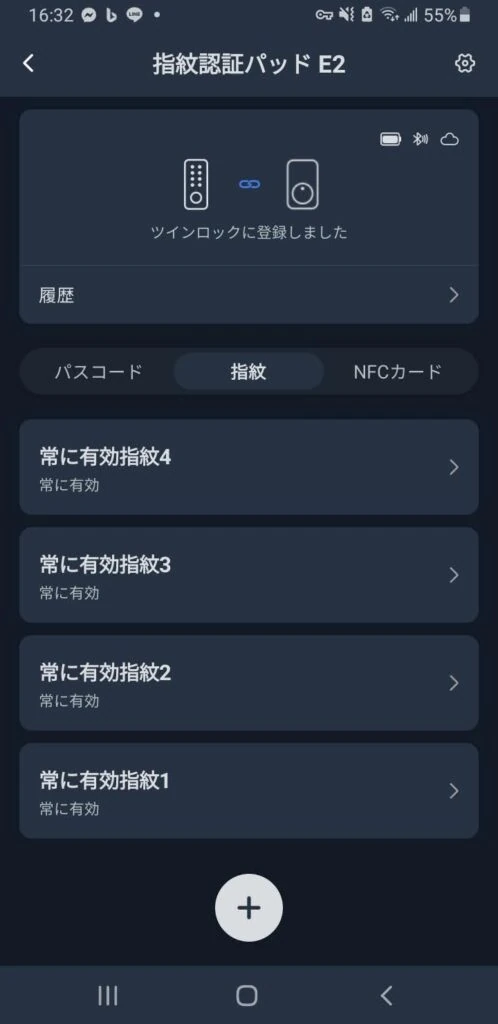
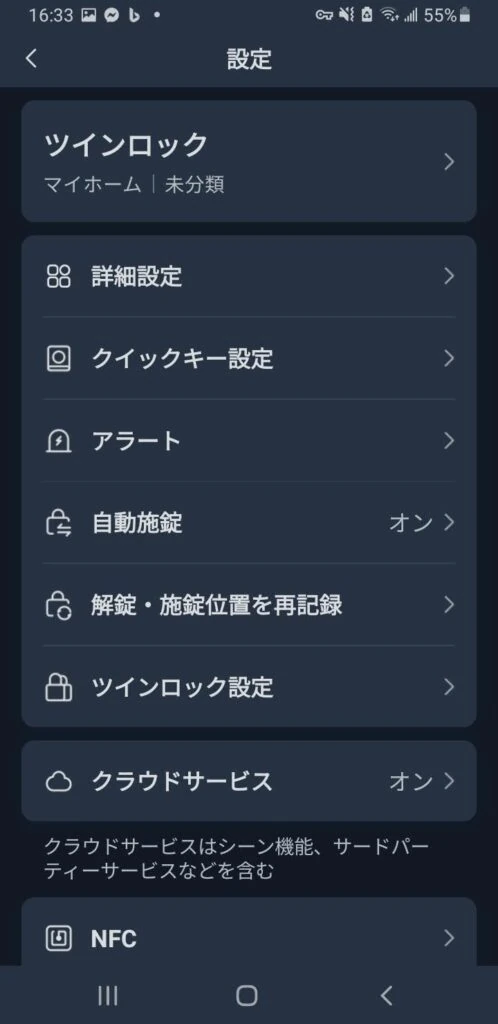
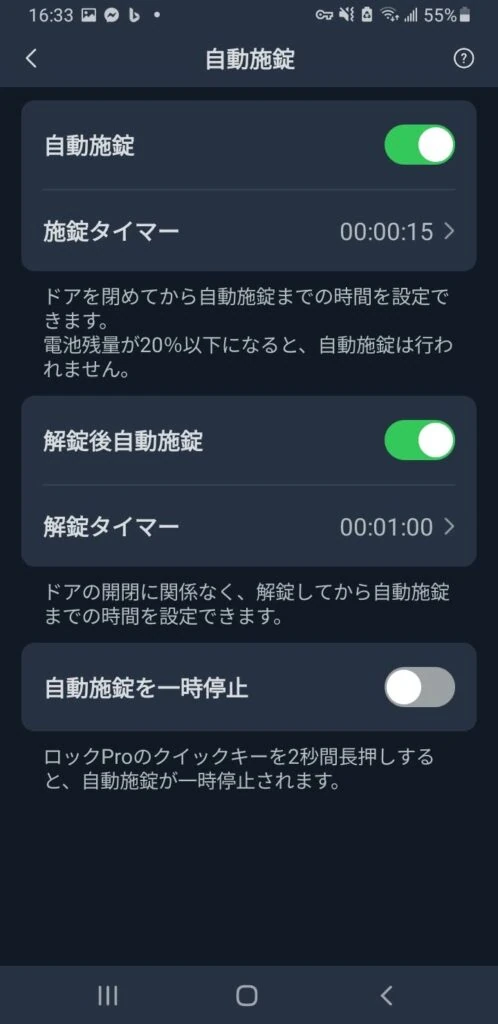 Occasionally, the fingerprint reader does not respond. I do not know why. It looks like a communication issue, but when it happens, entering the code is an alternative.
At this stage, it had made life much more convenient. Recommended!
Occasionally, the fingerprint reader does not respond. I do not know why. It looks like a communication issue, but when it happens, entering the code is an alternative.
At this stage, it had made life much more convenient. Recommended!
Update: after two weeks
The battery reading suddenly began dropping rapidly. I contacted support for a replacement, but was asked to confirm reproducibility and could not reproduce it properly afterward. It seemed the batteries were not actually drained despite the rapidly falling indication. I tried replacing them and swapping the upper and lower battery units, but remained unsure. The adhesive also peeled away and a lock fell off. I suspect inaccurate installation caused these problems. Having two units seemed to double the faults. I thought two would be better, but perhaps one would cause less trouble. Neither issue was resolved, and something was going wrong about once a week.
Update: after two months
I gradually understood the rapid-battery-drop symptom. Apparently, I had mounted it slightly crooked, and the adhesive slowly peeled. Even without falling, the unit tilted very slightly, putting some load on the rotating mechanism and triggering the symptom. I still did not know whether the cause was the door material, hot weather, weakened adhesive after repositioning, children bumping it, or the structure itself. As shown below, it gradually tilted, the battery reading dropped rapidly, and the lock stopped working.
This happened every one or two weeks.
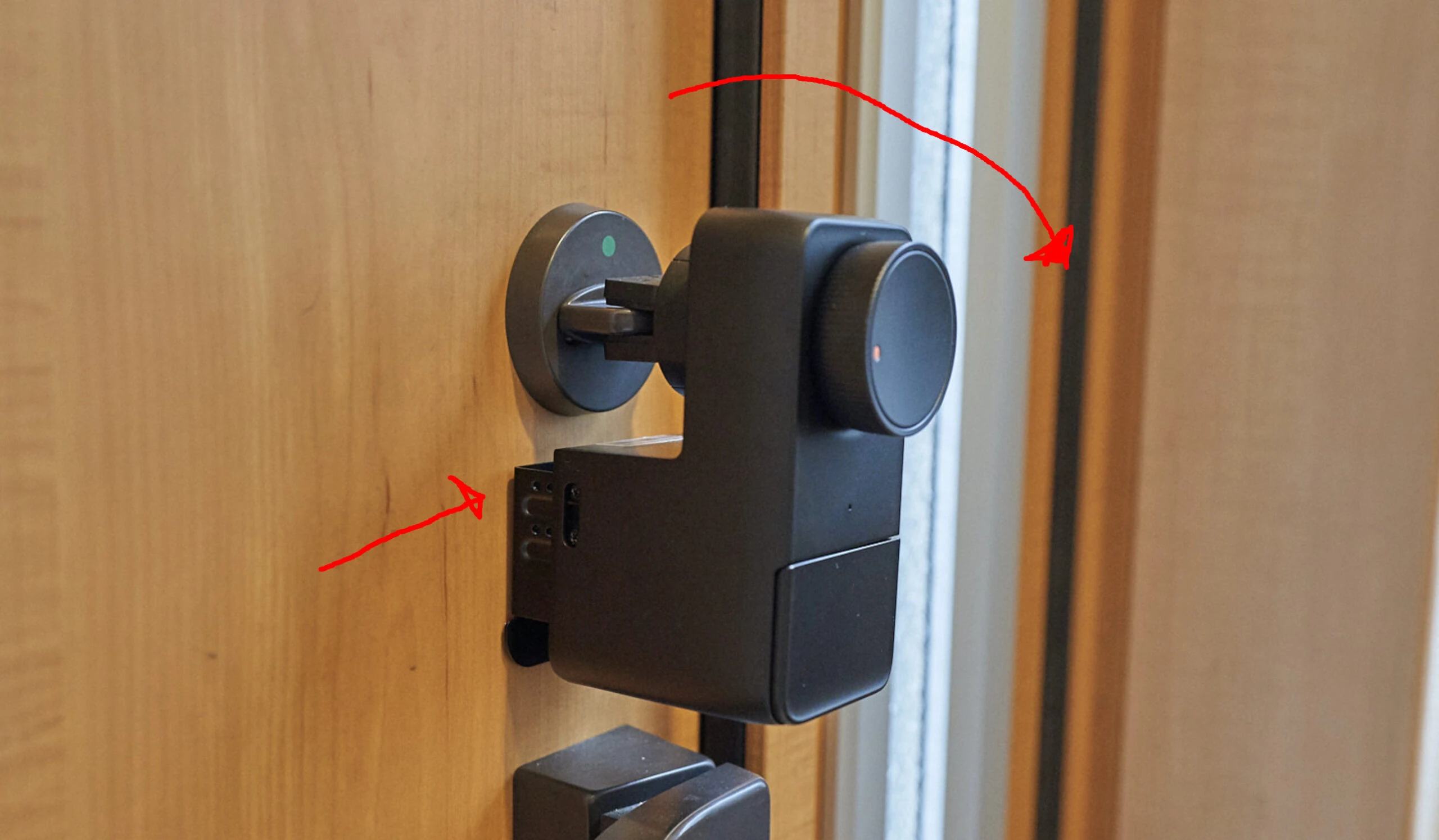 With two locks installed, either one could tilt and trigger the symptom: a vicious cycle. Poor installation was probably the cause, but could I realistically install them perfectly?
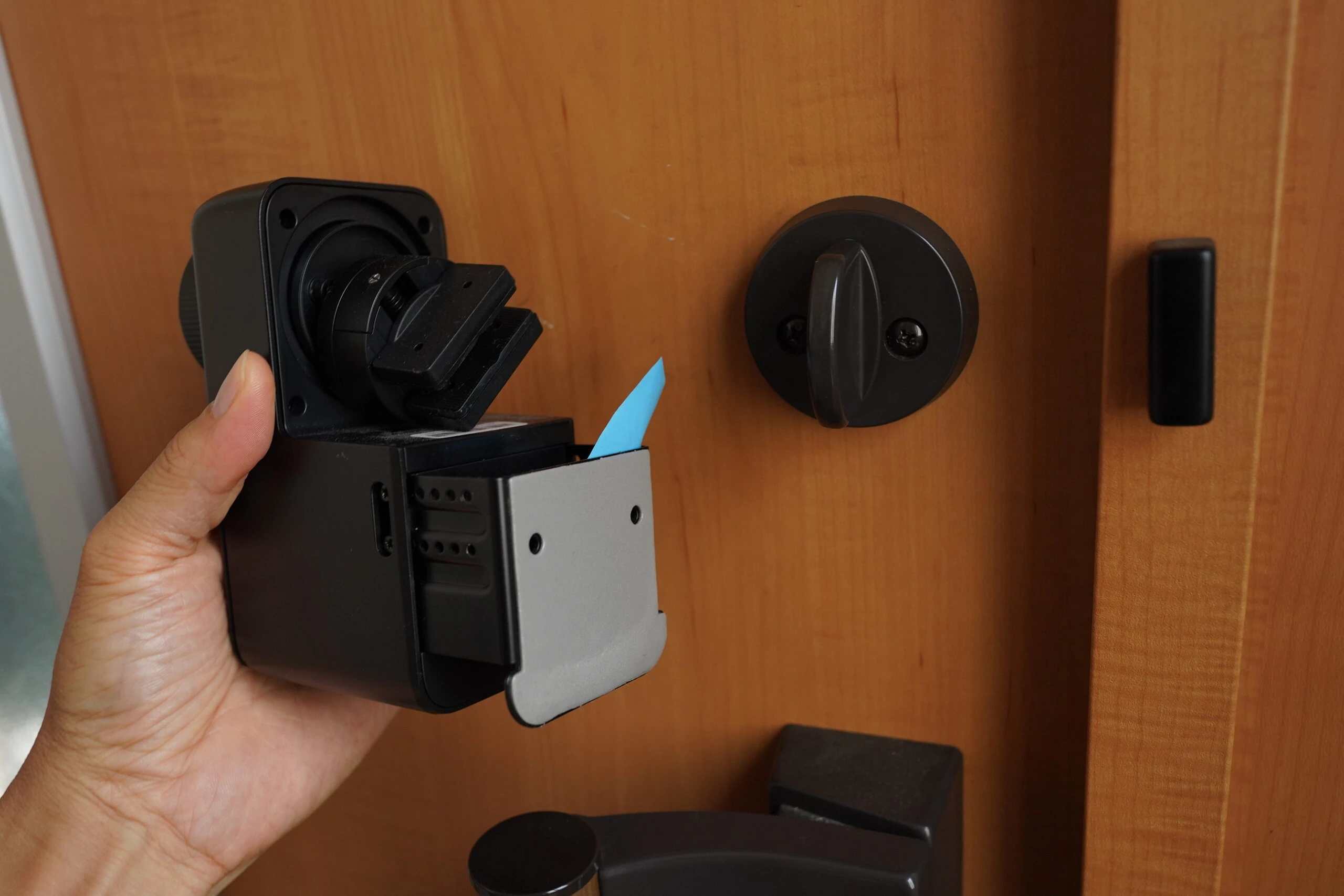 I had removed them at this point. My plan was to buy strong 3M double-sided tape, reinstall, and resume with only one lock.
It was convenient, so this was disappointing. Two synchronized locks sound excellent, but they also doubled the trouble.
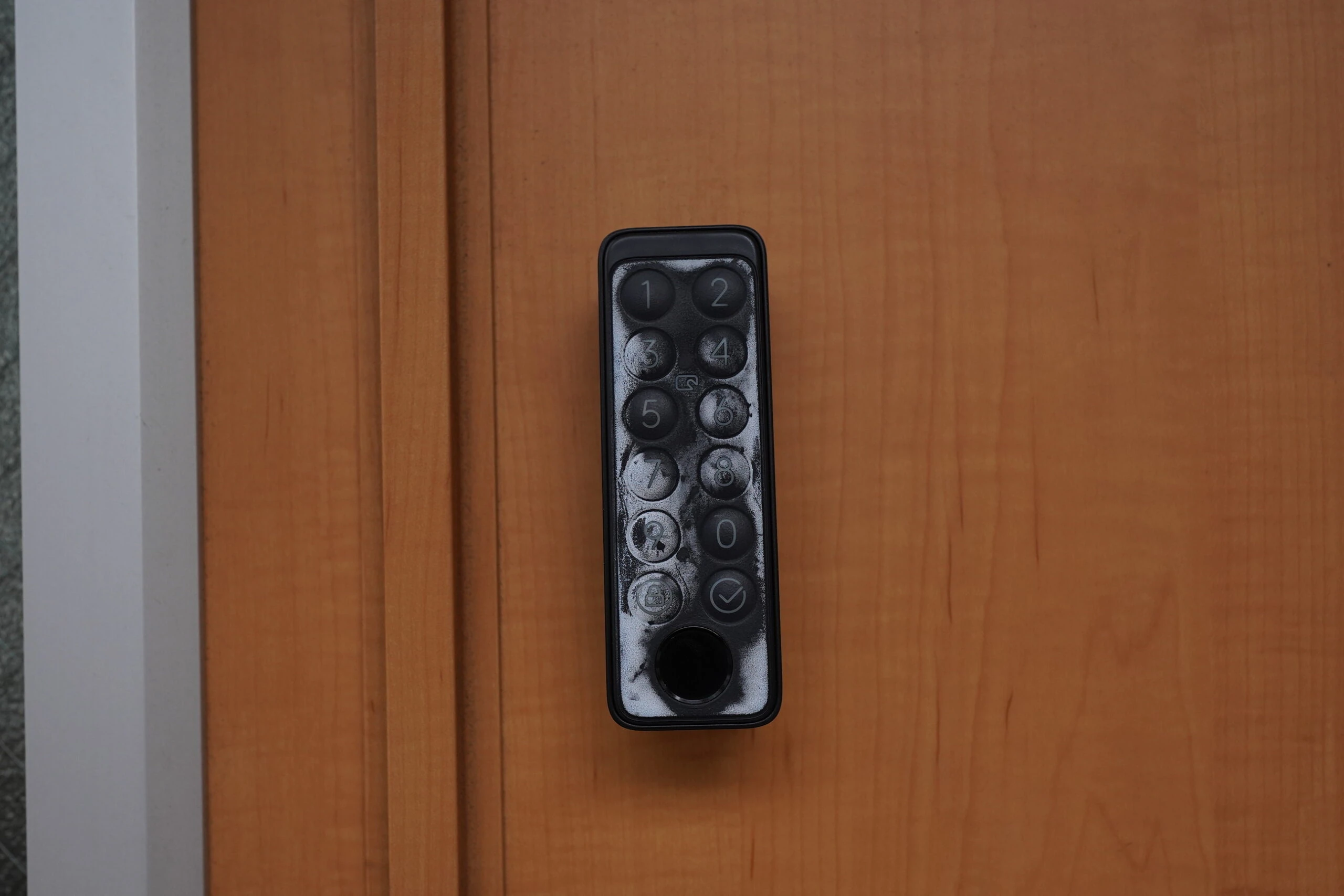
The outside fingerprint keypad receives a little sunlight each day.
I had removed them at this point. My plan was to buy strong 3M double-sided tape, reinstall, and resume with only one lock.
It was convenient, so this was disappointing. Two synchronized locks sound excellent, but they also doubled the trouble.
The outside fingerprint keypad receives a little sunlight each day.
After only one month, it had quickly turned white and deteriorated.
After two months, it looked even worse.
Does any front entrance receive absolutely no sunlight?
If installing it, perhaps it should go in some kind of box that blocks sunlight.
The whitening even looked as though it might reveal the PIN.
You can start to see which numbers are regularly pressed.
If buying one, put the fingerprint keypad somewhere completely out of sunlight. Be aware that two synchronized locks mean twice the potential trouble, and gradual adhesive peeling can cause various shutdowns.
Perhaps the door's slightly rounded thumbturn was gradually pushing the lock mechanism outward. I did not know. Would a deeper mounting position help? Was the door incompatible? How do you even find a door's model number? With installation still unsuccessful, I planned to test stronger 3M tape later.
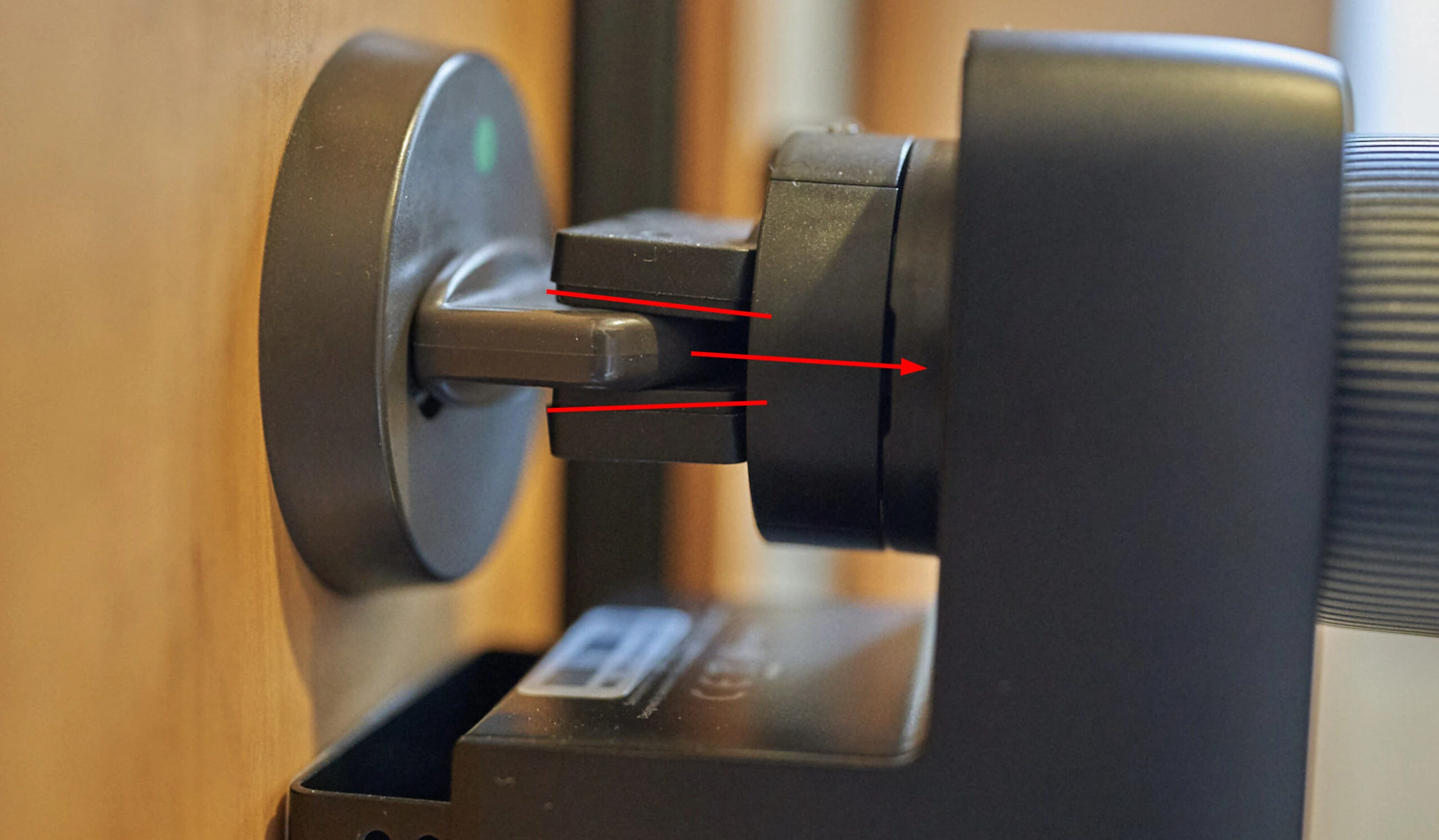
Reinstalling a single smart lock
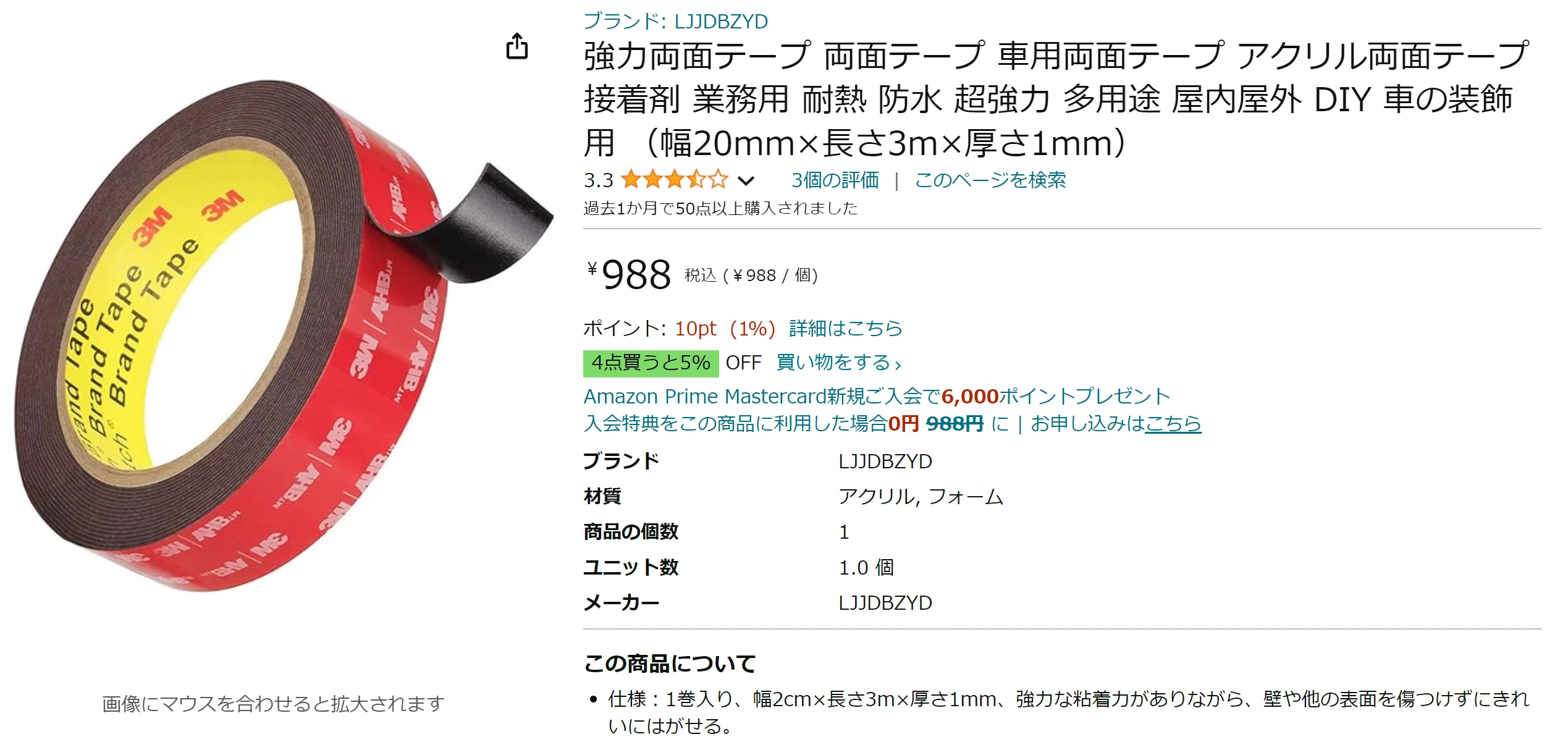
I bought "3M" tape, but rushed the Amazon purchase. Oh no... it looked counterfeit. Looking closely, the URL seemed to be a Taobao subdomain. The whole tape was sticky, and its backing was difficult to peel. It appeared to be tape from some unrelated Chinese "3M," rather than the 3M company I meant.
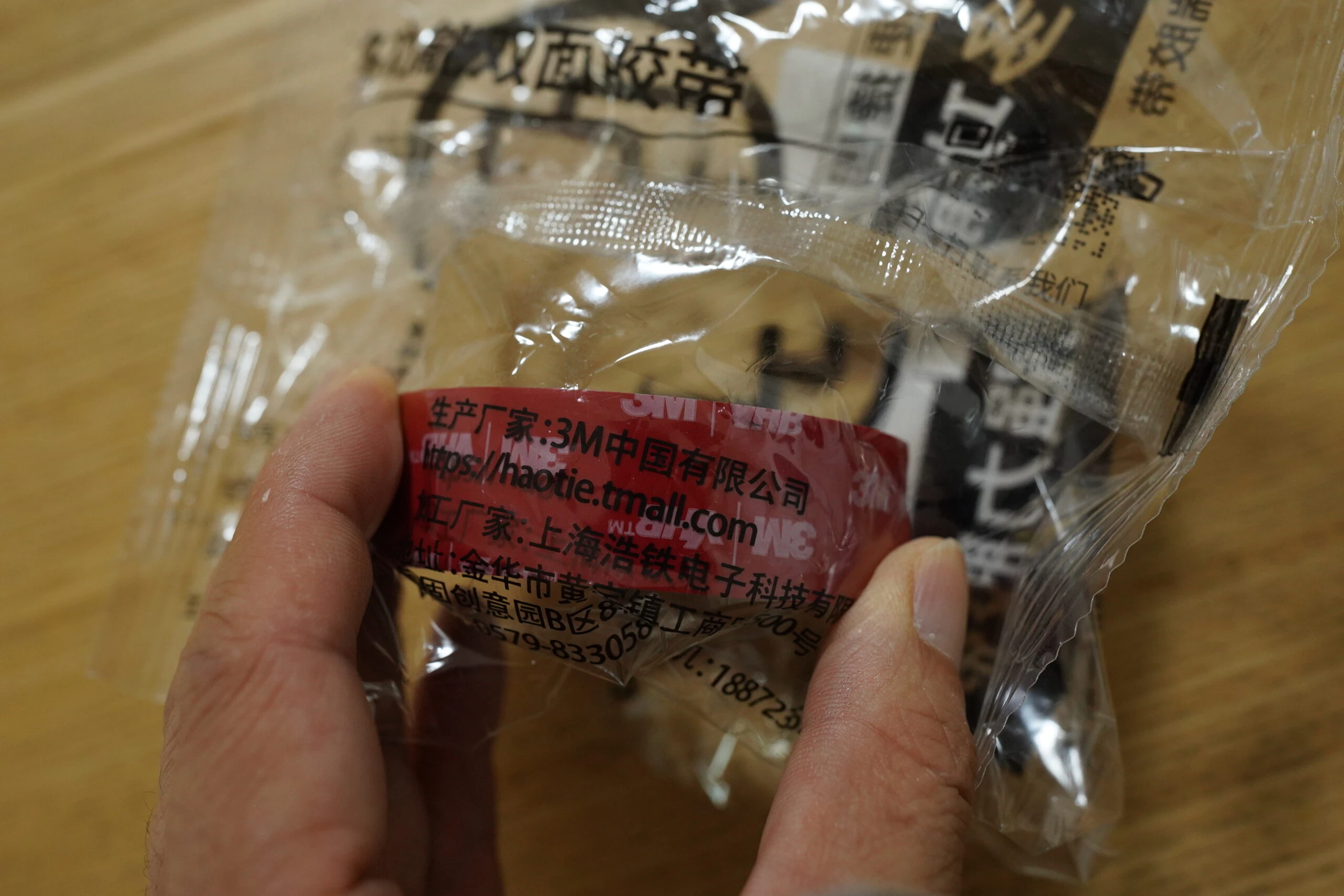 Checking the Amazon page again, it never actually said 3M except in the photograph. If it was counterfeit, I wished it had cost ¥200 rather than the ¥1,000 I paid. Sad.
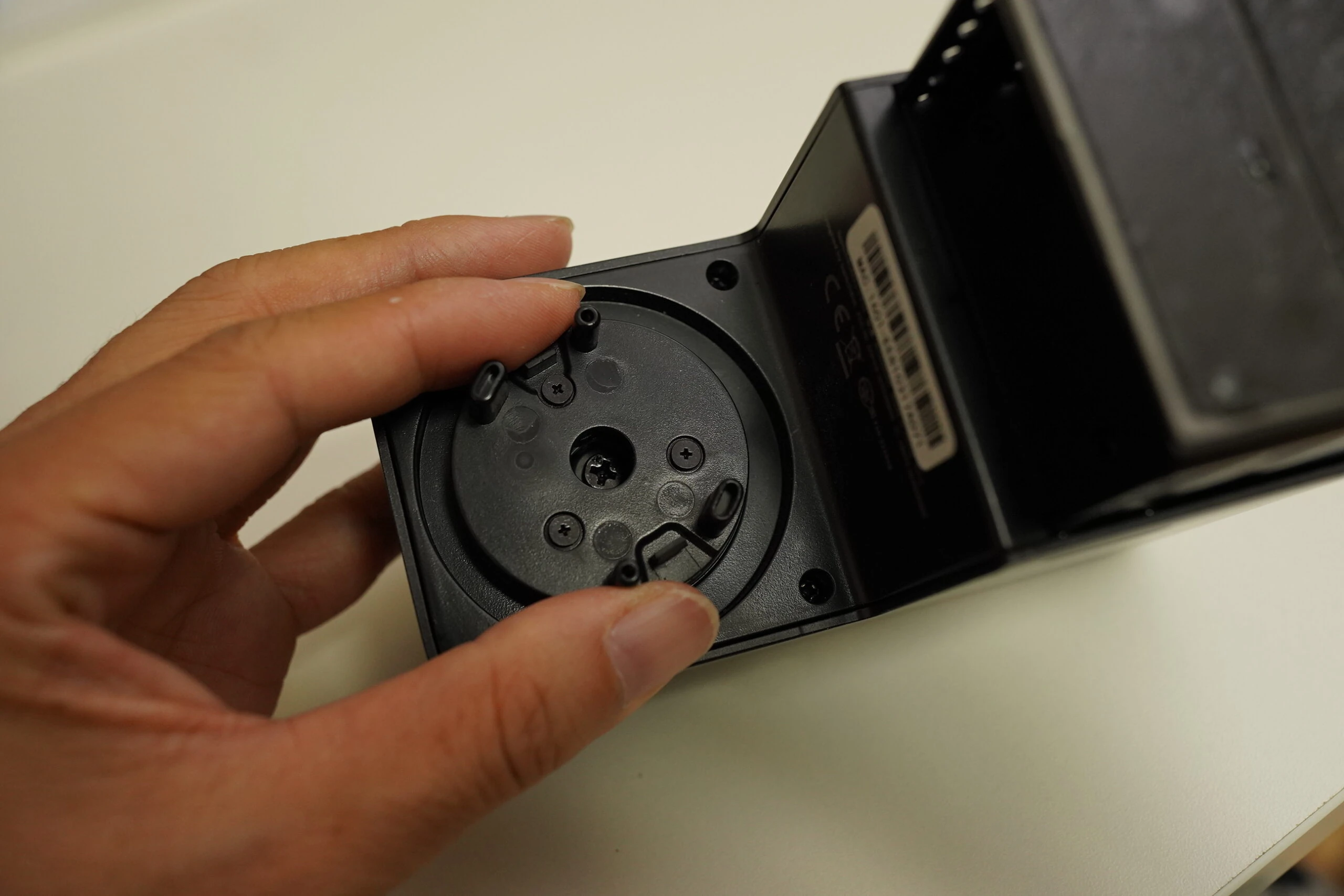
 Another problem appeared: the smart lock spun indefinitely with a clicking sound without locking. Tightening the middle screw fixed that.
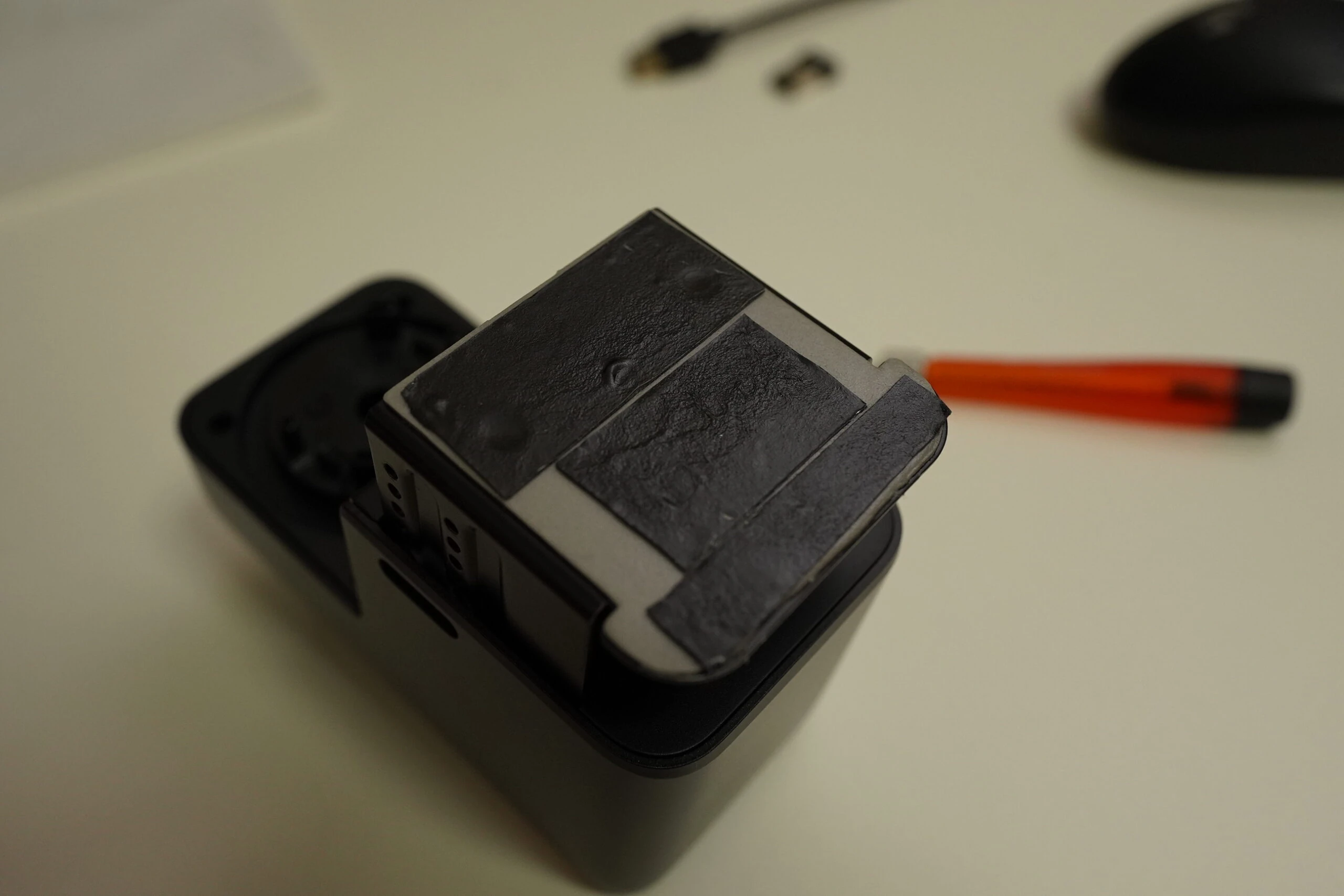
 I reinforced the Chinese-made product with the Chinese tape. A locally sourced combination, you might say.
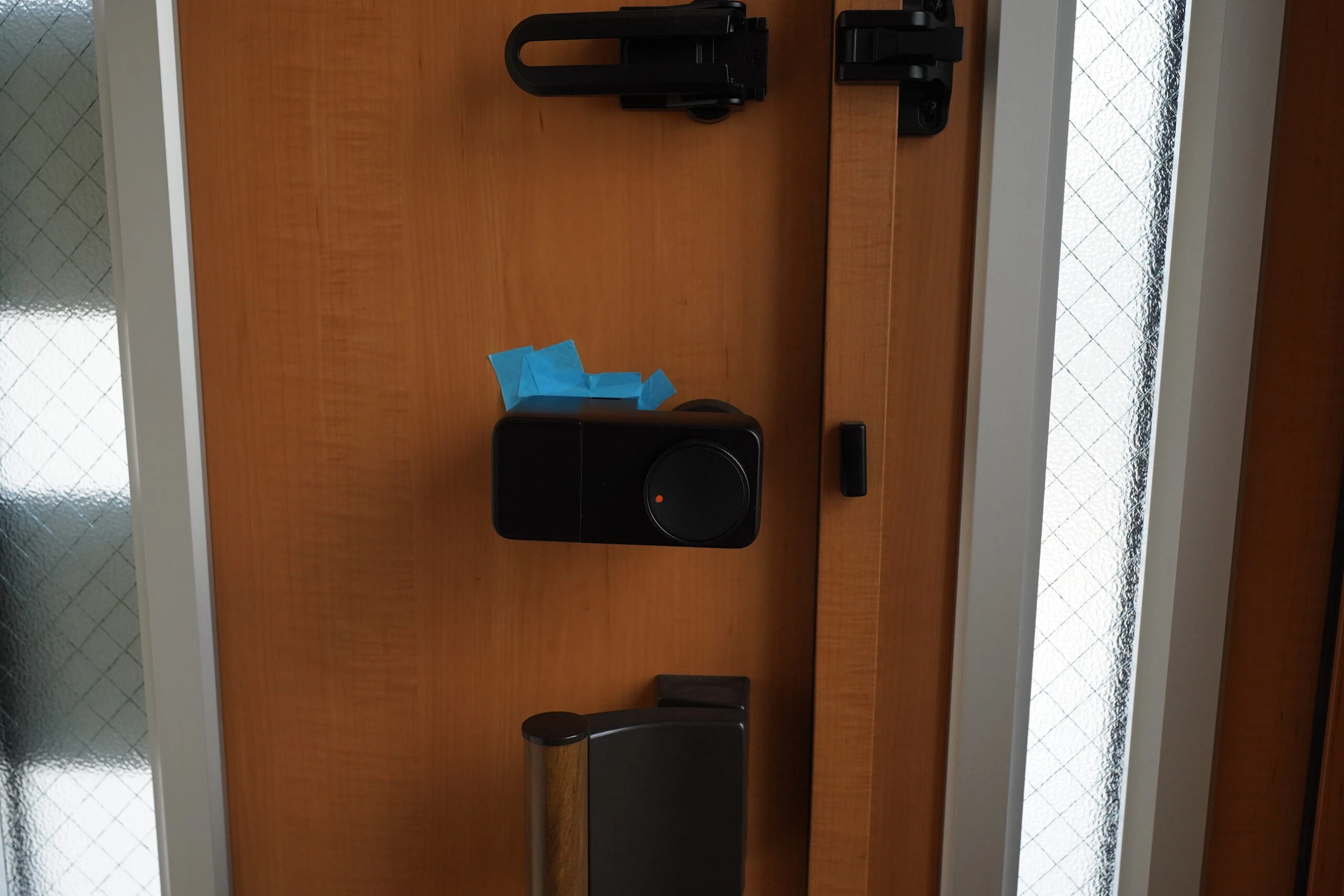
 This time, I mounted it horizontally, wondering whether it would be less likely to fall. How many days would it last?
Stopped again after two days
It stopped two days later. Apparently, the locked and unlocked positions had drifted, causing a locking error. It judged the door unlocked and stopped operating. Although it was actually locked, pressing the button would not unlock it because the system thought otherwise. The horizontal mounting seemed wrong. I returned it to vertical and recalibrated. I suspected that looseness around the thumbturn grip had caused the positional error. I removed all the tape and reinstalled it with the imitation 3M. At first, that tape held firmly and felt excellent. I readjusted the mounting position and screws.
Stopped again after seven days
The imitation 3M suddenly peeled off. I applied it again and it felt good. I still believed in the imitation tape.
Stopped seven days later
The imitation 3M suddenly peeled off again. Perhaps counterfeit tape really was no good. I bought genuine tape from the 3M Store and reinstalled it. The orientation seemed to let gravity peel it away.
I had mounted it upside down
I realized that it was falling because I had installed it upside down.
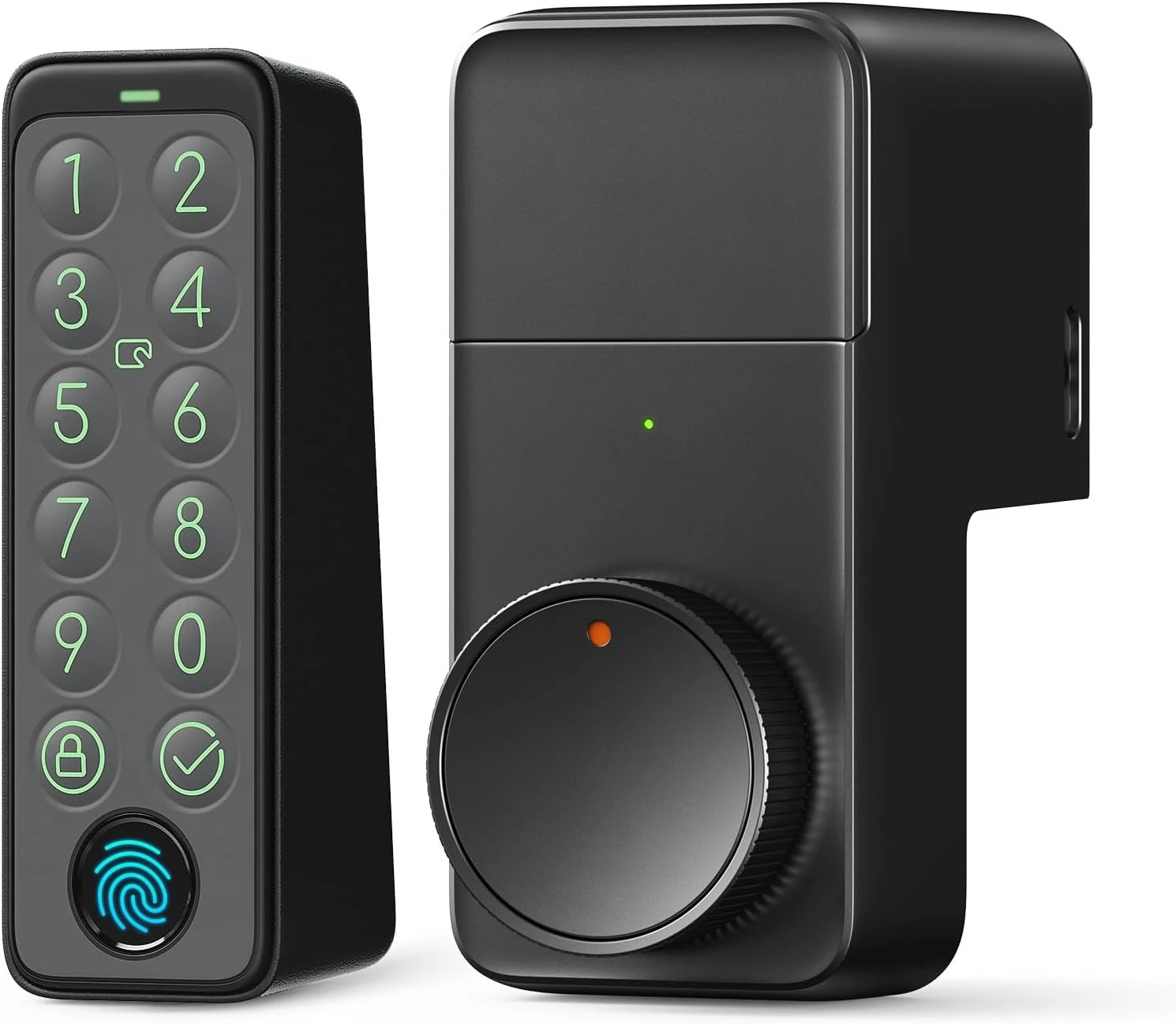
Did correct, upright installation finally stabilize it?
I bought genuine 3M tape. Buying from the 3M Store avoids getting the counterfeit product.
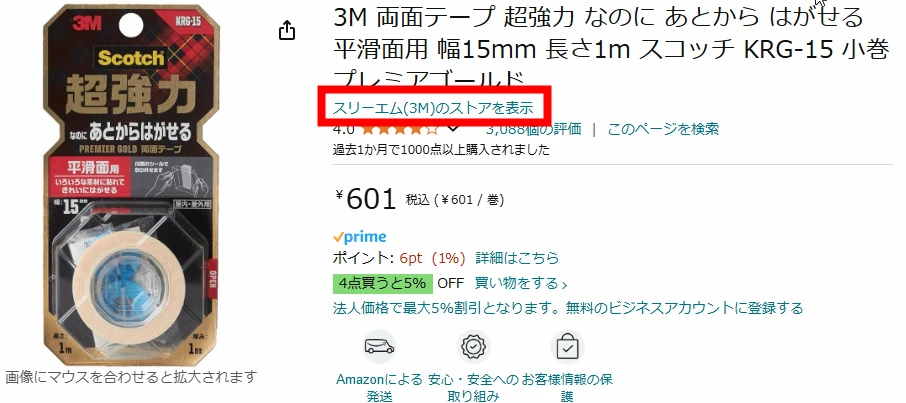 I installed it correctly as shown. It still fell a few times, but I gradually learned the technique.
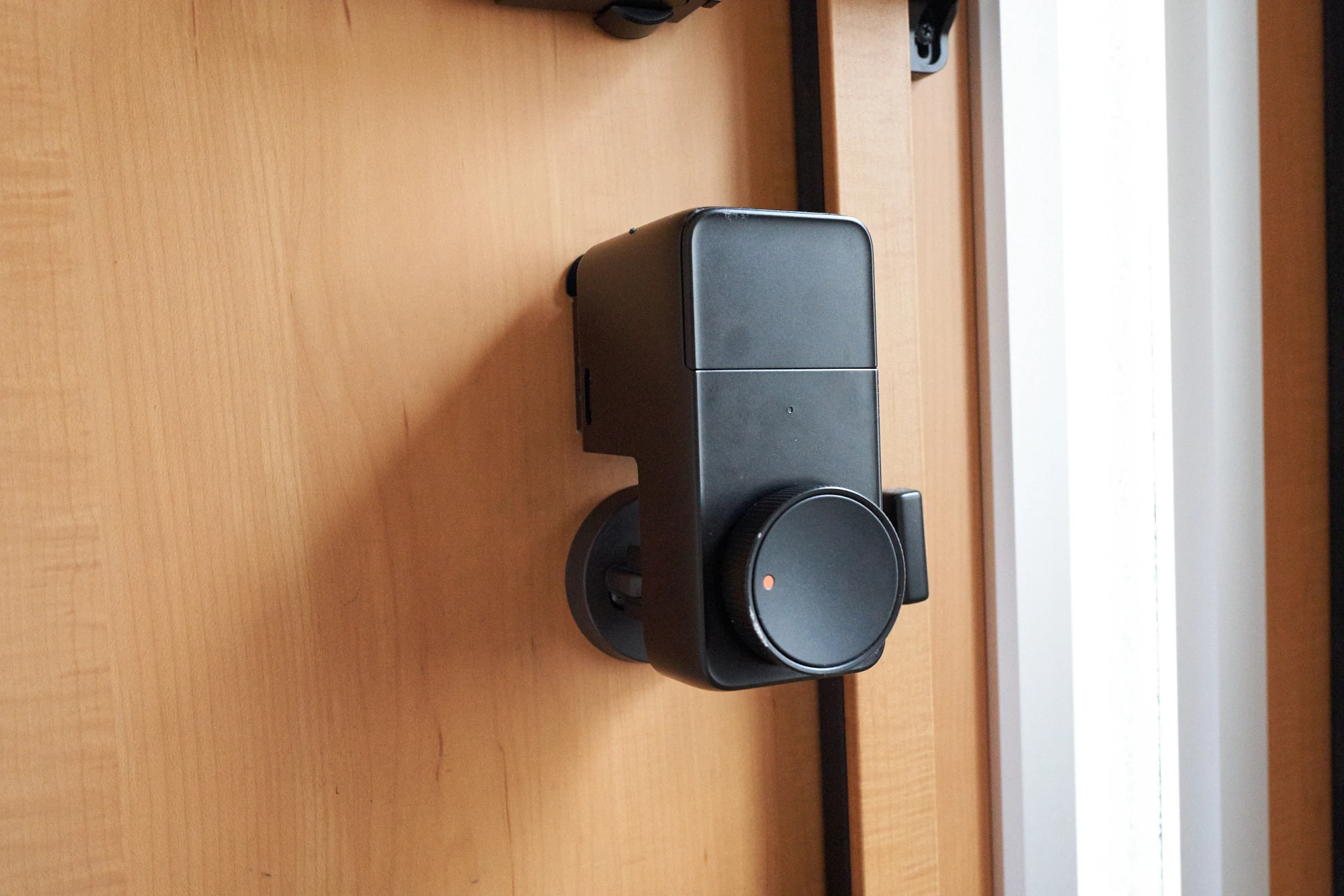 Viewed from the side, mounting it at a slight outward angle seemed to balance the force tending to pull it off against the adhesion holding it.
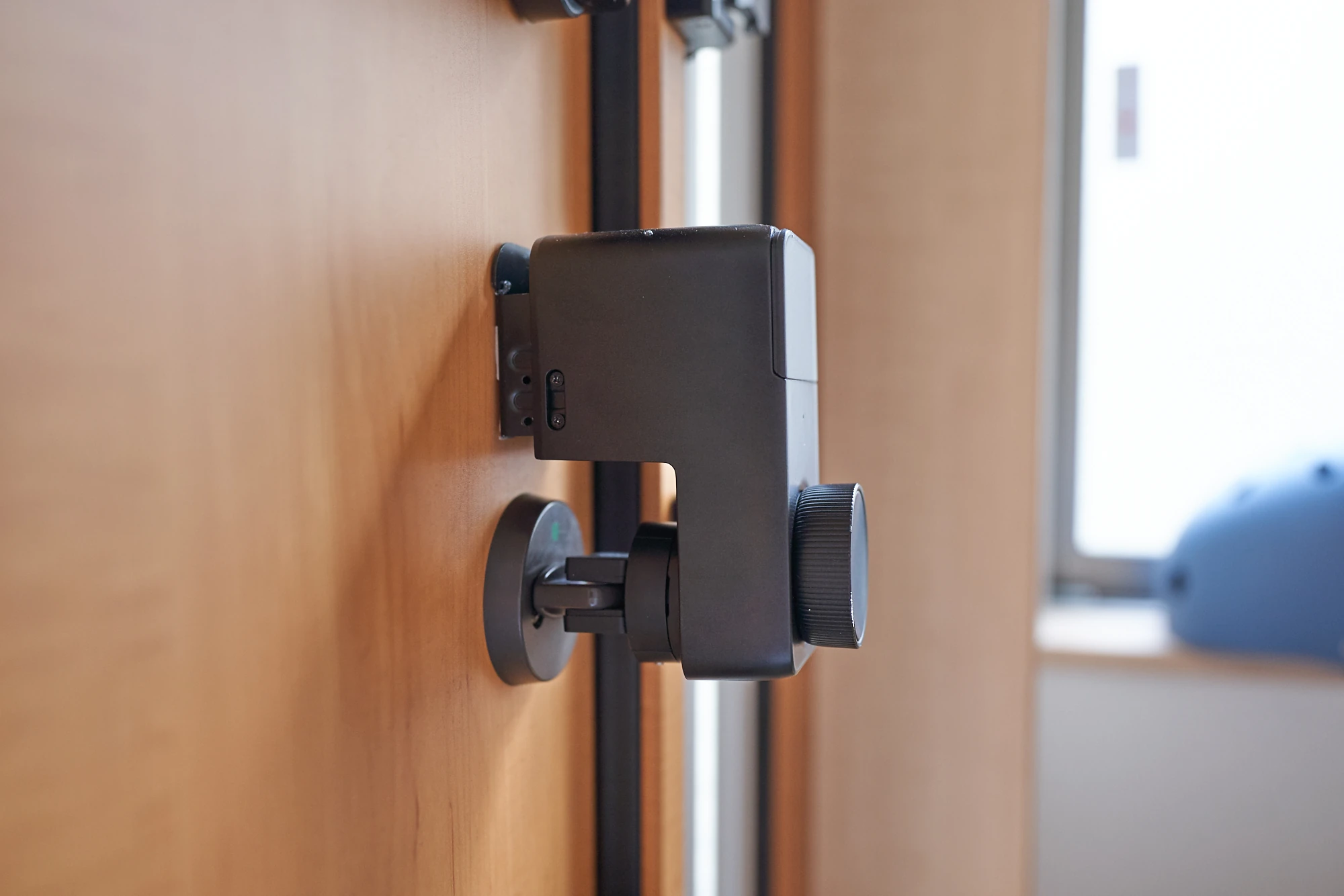 Here is the result. Everyone, including the children, presses the unlock button roughly, and bags sometimes bump it when entering. It seemed to have reached a position that tolerated those impacts better.
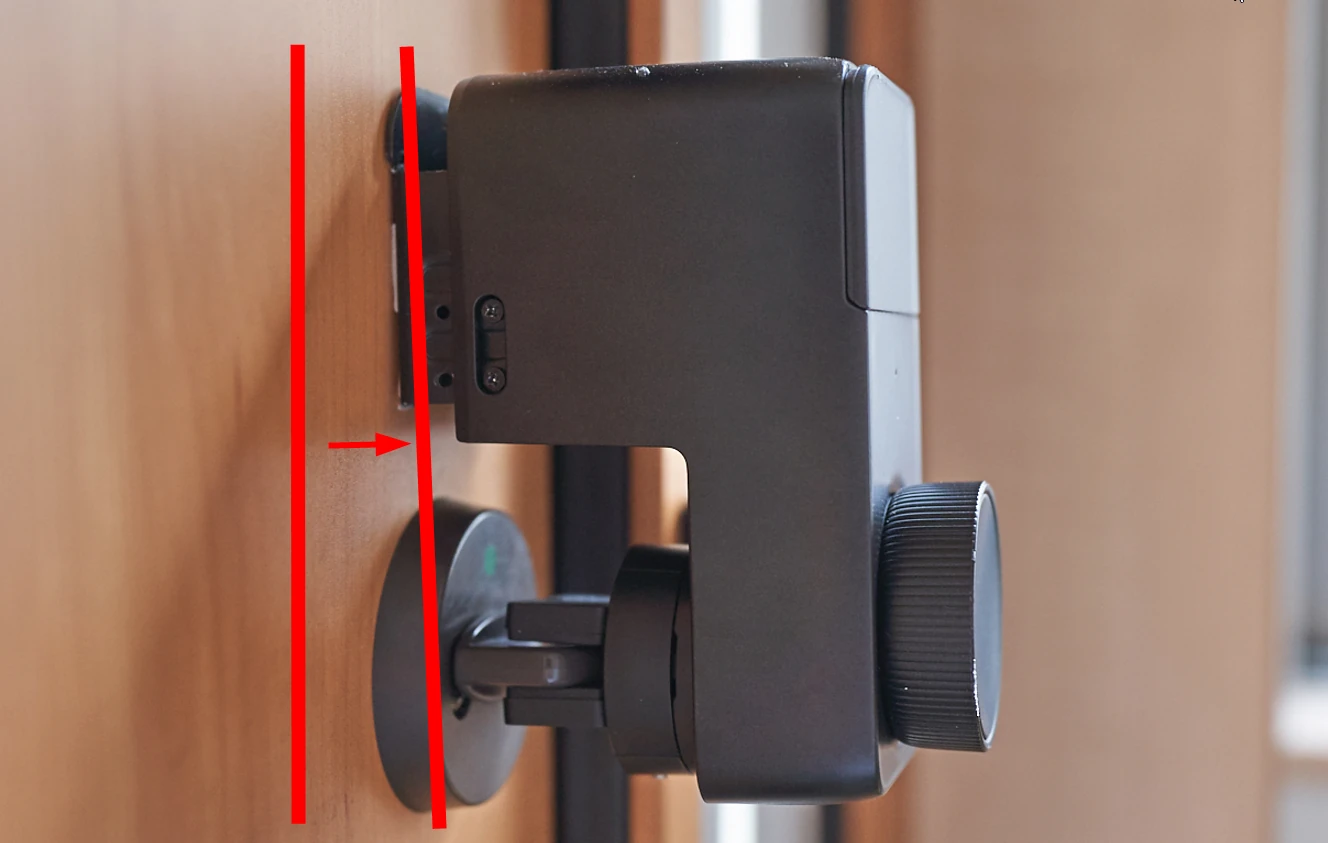 The convenience of entering and leaving with a fingerprint instead of a key was substantial. Despite all the falls, I still wanted to use it, and it finally stabilized six months after purchase.
For more secure installation, I think adding a supporting fixture made with a 3D printer, as shown, would help.
The convenience of entering and leaving with a fingerprint instead of a key was substantial. Despite all the falls, I still wanted to use it, and it finally stabilized six months after purchase.
For more secure installation, I think adding a supporting fixture made with a 3D printer, as shown, would help.
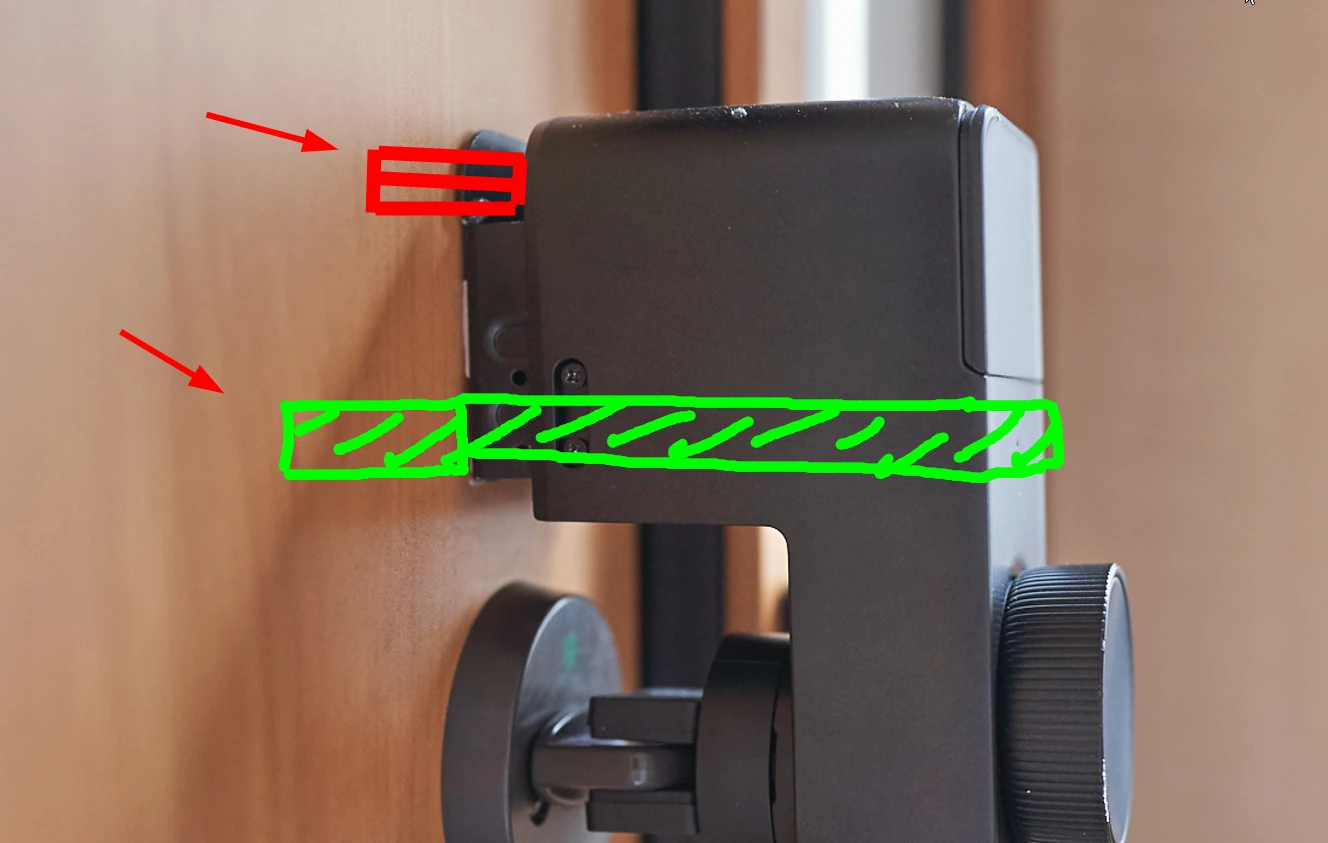 Someone living alone can learn how gently to press the button and avoid accidental impacts, so perhaps it would not fall nearly as often. Family use brings many different collisions, which probably had a large effect.
Finally, I did not need the two-lock set. I wanted to lock both locks together, but it doubled the trouble. On my door, the lower lock also interfered with the handle and could only be mounted upside down. This depends on the door.
That was the story. My own installation and usage contributed, but despite many problems, it eventually became usable. A happy ending.
Someone living alone can learn how gently to press the button and avoid accidental impacts, so perhaps it would not fall nearly as often. Family use brings many different collisions, which probably had a large effect.
Finally, I did not need the two-lock set. I wanted to lock both locks together, but it doubled the trouble. On my door, the lower lock also interfered with the handle and could only be mounted upside down. This depends on the door.
That was the story. My own installation and usage contributed, but despite many problems, it eventually became usable. A happy ending.
SwitchBot Lock Pro (black, lock only)View details on Amazon Ad · Amazon Associates link
Related articles



Updates and contact: X @riragoncom.